https://github.com/itskavin/kvn-token
My Personal Crypto Token in Solana Network
https://github.com/itskavin/kvn-token
solana solana-token typescript
Last synced: 4 months ago
JSON representation
My Personal Crypto Token in Solana Network
- Host: GitHub
- URL: https://github.com/itskavin/kvn-token
- Owner: itskavin
- License: mit
- Created: 2024-03-04T20:55:47.000Z (over 2 years ago)
- Default Branch: main
- Last Pushed: 2024-03-25T05:26:57.000Z (about 2 years ago)
- Last Synced: 2025-07-21T17:16:36.902Z (11 months ago)
- Topics: solana, solana-token, typescript
- Language: TypeScript
- Homepage: https://explorer.solana.com/address/FF4ePJPUPk6LJS5AqfwtEspE9uu2iCKpjdsQ9QTDRoAt/metadata?cluster=devnet
- Size: 518 KB
- Stars: 4
- Watchers: 1
- Forks: 1
- Open Issues: 0
-
Metadata Files:
- Readme: README.md
- License: LICENSE
Awesome Lists containing this project
README
# SPL Token-22 Guide 🚀
This guide outlines the process for creating and managing SPL Token-2022 on the Solana blockchain, focusing on the Devnet for testing purposes. Follow these steps to mint your custom SPL tokens, aptly named "Token-22", and connect your paper wallet to the Phantom Wallet for a seamless Solana blockchain experience.
## Prerequisites 📋
Before starting, ensure you have installed the following tools:
- **Solana CLI**: [Installation Guide 🛠️](https://docs.solana.com/cli/install-solana-cli-tools)
- **Node.js**: [Download Page 📥](https://nodejs.org/)
- **Mpl Token Metadata**: Install via npm with `npm install @metaplex-foundation/mpl-token-metadata`
- **SPL Token CLI**: Follow the instructions in the Solana documentation or install it via npm with `npm install -g @solana/spl-token`
- **`ts-node`**: Install via npm with `npm install -g ts-node`
## Getting Started 🌟
### Step 1: Generate a Key Pair 🔑
Generate a key pair that starts with a specific prefix (e.g., "KVN"). This command searches for a key pair that meets the criteria, which can take some time.
```bash
solana-keygen grind --starts-with KVN:1
```
Rename your key pair file to `KVN__________.json` for easier reference.
### Step 1(a): Generate a Mint Key Pair 🔑
Generate a key pair that starts with a specific prefix (e.g., "KV"). This command searches for a key pair that meets the criteria, which can take some time.
```bash
solana-keygen grind --starts-with KV:1
```
### Step 2: Configure Solana CLI ⚙️
Set the Solana CLI to use your newly generated key pair.
```bash
solana config set --keypair /path/to/KVN__________.json
```
**Set to Devnet**
You Can Change it to devnet,testnet,mainnet-beta. (Devnet in our Case)
```bash
solana config set --url https://api.devnet.solana.com
```
**Select Your Keypair For Airdrop**
```bash
solana config set -ud -k .\KVN______________.json
```
### Step 3: Request Airdrop 💸
Request an airdrop of 2 SOL to your account on the Devnet.
```bash
solana airdrop 2
```
### Step 4: Create Your SPL Token 🪙
Create your SPL token using one of the two methods below:
**Option 1: With Key Pair File**
```bash
spl-token create-token -p TokenzQdBNbLqP5VEhdkAS6EPFLC1PHnBqCXEpPxuEb /path/to/KVNmDjP8vhUTCk6toCtLu5gXDurV5CJfX6JGgbrBzsJ.json
```
**Option 2: Recommended**
```bash
spl-token create-token -p TokenzQdBNbLqP5VEhdkAS6EPFLC1PHnBqCXEpPxuEb
```
### Step 5: Run Your TypeScript File 📜
After adjusting addresses and keys in `spl_token22.ts`, execute it:
```bash
ts-node ./spl_token22.ts
```
### Step 6: Mint Tokens 🔨
Create a token account and mint your desired amount of tokens you wish. Replace with your token's address:
```bash
spl-token create-account
spl-token mint 10000000
```
### Step 7: Connect to Phantom Wallet 👻
Convert the private key from your JSON file for Phantom Wallet import:
```bash
more /path/to/KVN__________.json
```
Copy the output, which is an array of numbers, to import into Phantom Wallet:
1. Open Phantom Wallet and switch to **Testnet** mode in Settings.
2. Choose to **Import Private Key**.
3. Paste the key array, name the account, and proceed, ignore any format warning.
---
## Screenshots 📸
### Token Details on Solana Explorer
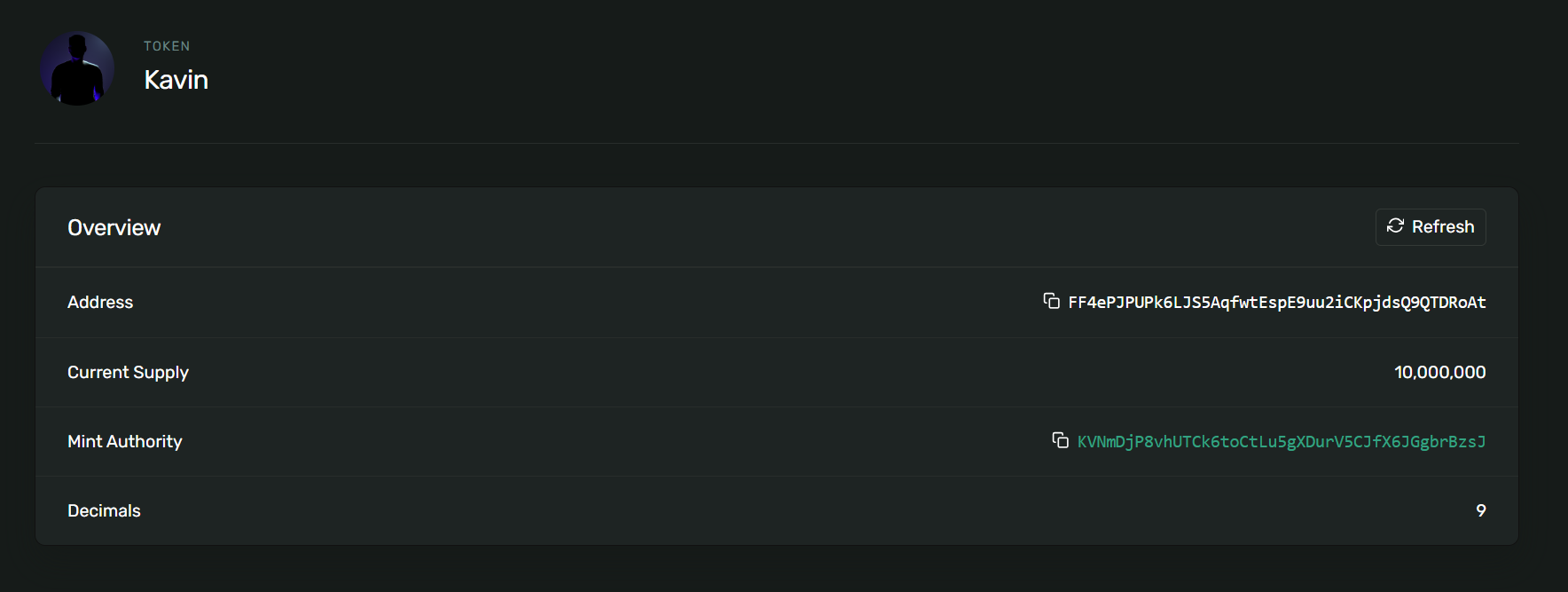
[Explorer Link](https://explorer.solana.com/address/FF4ePJPUPk6LJS5AqfwtEspE9uu2iCKpjdsQ9QTDRoAt?cluster=devnet)
### Wallet Balance
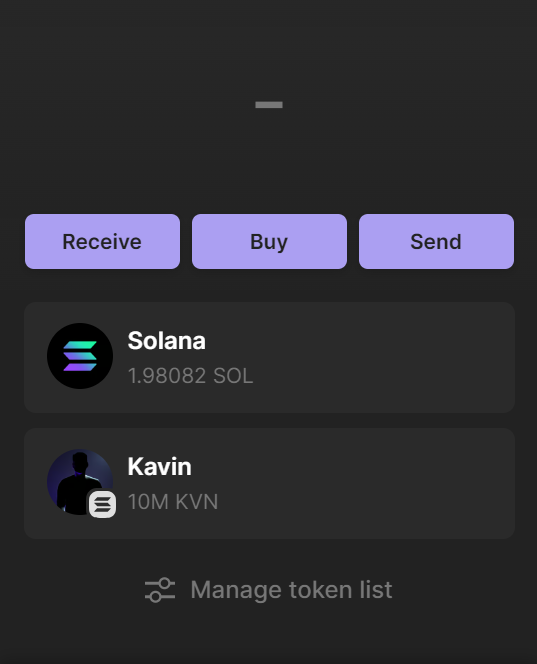
My Wallet Address : `KVNmDjP8vhUTCk6toCtLu5gXDurV5CJfX6JGgbrBzsJ`
Send Me Your Token After Creating 😊🥳
## Additional Notes 📝
- **Caution**: Be Careful Using Mainnet,It May Cost You Original Money
- **Security**: Be cautious with your key pair and private keys.
- **Devnet**: This guide is for the Devnet.
- **Phantom Wallet**: Ensure your Phantom Wallet is up to date.
## Support and Contributions 🤝
Contributions, issues, and feature requests are welcome! Feel free to check [issues page](https://github.com/kavinthangavel/KVN-Token/issues). For major changes, please open an issue first to discuss what you would like to change.
## License 📄
This project is [MIT](./LICENSE) licensed.