https://github.com/itsloopyo/bioshock-remastered-headtracking
An OpenTrack compatible head tracking mod for Bioshock Remastered
https://github.com/itsloopyo/bioshock-remastered-headtracking
Last synced: about 2 months ago
JSON representation
An OpenTrack compatible head tracking mod for Bioshock Remastered
- Host: GitHub
- URL: https://github.com/itsloopyo/bioshock-remastered-headtracking
- Owner: itsloopyo
- License: mit
- Created: 2026-04-18T08:06:35.000Z (2 months ago)
- Default Branch: main
- Last Pushed: 2026-04-30T22:55:49.000Z (about 2 months ago)
- Last Synced: 2026-05-01T00:25:05.367Z (about 2 months ago)
- Language: Rust
- Size: 26.2 MB
- Stars: 0
- Watchers: 0
- Forks: 0
- Open Issues: 0
-
Metadata Files:
- Readme: README.md
- Changelog: CHANGELOG.md
- License: LICENSE
- Agents: AGENTS.md
Awesome Lists containing this project
README
# BioShock Remastered Head Tracking
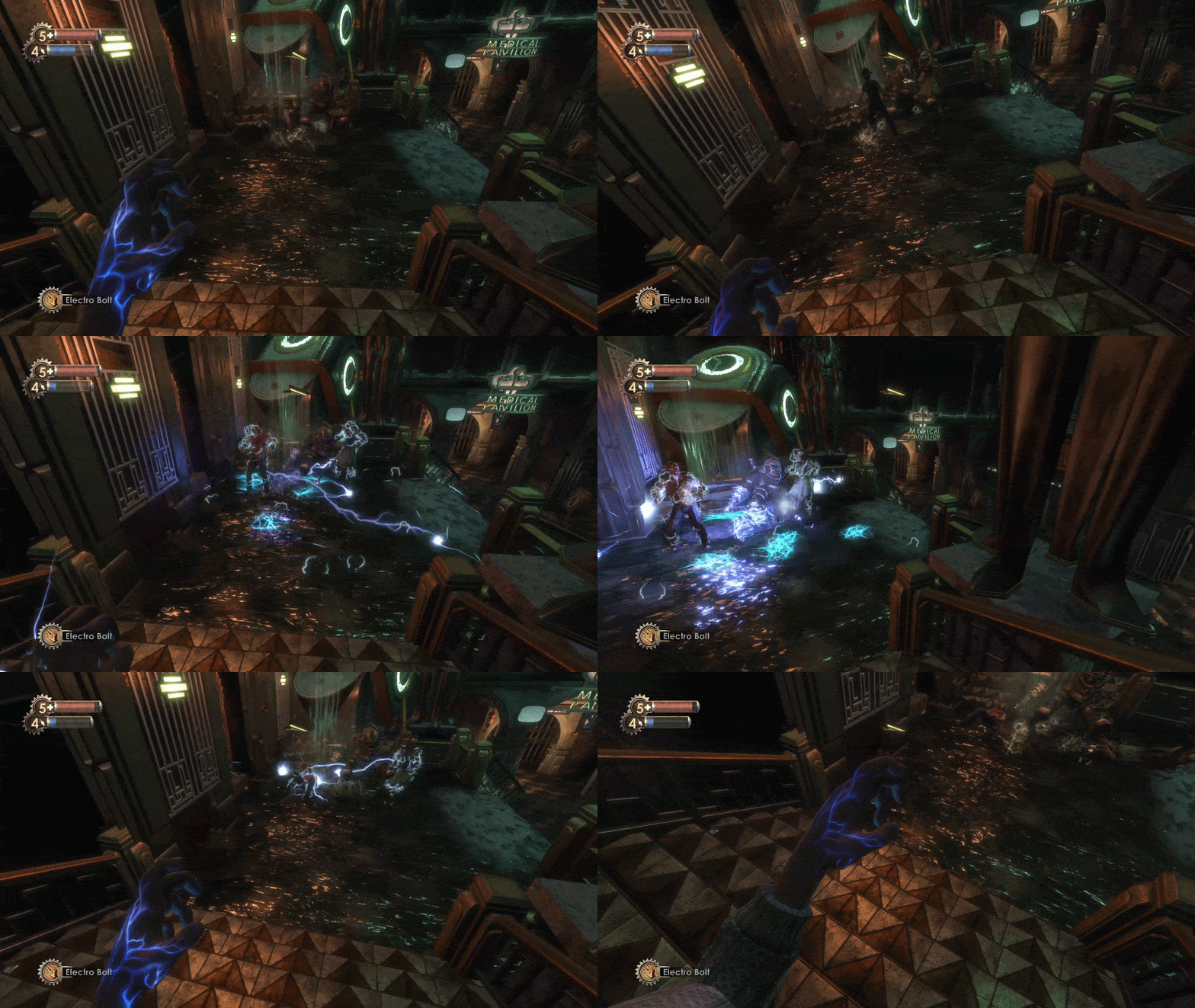
Decoupled look+aim head tracking for BioShock Remastered. Your head moves
the view; the mouse still controls aim.
## Features
- **6DOF head tracking** via OpenTrack UDP - yaw, pitch, roll, and
positional lean.
- **True look / aim decoupling** - the engine sees your unmodified
mouse aim while the rendered view follows your head, so bullets
always land where the reticle is drawn.
- **Parallax-correct reticle** drawn directly into the swap chain,
replacing BioShock's gun and plasmid reticles.
## Requirements
- A purchased copy of **BioShock Remastered** on Steam (AppID 409710).
- **Windows 10 / 11**.
- A tracking source that speaks OpenTrack UDP. Anything that can send
48-byte OpenTrack packets to port 4242 works.
## Installation
1. Download the latest `BioshockRemasteredHeadTracking-v-installer.zip`
from [Releases](https://github.com/itsloopyo/bioshock-remastered/releases).
2. Extract anywhere.
3. Run `install.cmd` - it auto-detects your Steam install and copies
`xinput1_3.dll` into `BioShock Remastered/Build/Final/`.
For NexusMods users: grab the `-nexus.zip` variant and extract straight
into your game's root folder.
### Manual install
Copy `xinput1_3.dll` into:
```
/steamapps/common/BioShock Remastered/Build/Final/
```
## OpenTrack setup
| Setting | Value |
|----------|--------------------|
| Output | UDP over network |
| Address | 127.0.0.1 |
| Port | **4242** |
| Protocol | UDP Position + Rotation (raw doubles) |
Filter / smoothing / deadzone choice is up to you.
## Phone app setup
The receiver binds to `0.0.0.0:4242`, so a phone tracking app on the
same WiFi can send directly to your PC at port 4242 - provided the
app smooths the signal before sending. Without smoothing, raw phone
gyro data is too jittery for use.
## Controls
Two equivalent binding sets - use whichever your keyboard has:
| Action | Nav-cluster | Chord |
|---------------------|-------------|-----------------|
| Recenter | `Home` | `Ctrl+Shift+T` |
| Toggle tracking | `End` | `Ctrl+Shift+Y` |
| Cycle tracking mode | `Page Up` | `Ctrl+Shift+G` |
`Page Up` / `Ctrl+Shift+G` cycles tracking mode:
1. Normal head-tracked gameplay
2. Positional tracking disabled, rotational tracking enabled
3. Rotational tracking disabled, positional tracking enabled
4. Back to normal
The chord letters T/Y/G sit in a vertical strip in the centre of
the keyboard. `Ctrl+Shift+` is universally avoided by games,
so the chord set works whether or not your keyboard has a nav
cluster.
## Configuration (non-default FOV)
If you've changed the FOV slider in BSR's options away from 100° (the
stock value), the head-tracked reticle may drift away from the actual
aim point - the mod can't auto-detect the slider value. Tell it your
FOV manually:
1. A self-documenting `bioshock_headtrack.ini` is written to
`BioShock Remastered/Build/Final/` on first launch (next to the
DLL).
2. Uncomment and set:
```ini
[overlay]
fov_h = 90
```
Replace `90` with whatever horizontal FOV you've set in-game. Valid
range: 40-150°. Vertical FOV is derived from horizontal at 16:9.
3. Restart the game.
## Troubleshooting
**No tracking in-game.**
- Confirm your tracker is sending UDP to `127.0.0.1:4242` (or your
PC's LAN IP if tracking from a phone).
- Check the mod log at
`BioShock Remastered/Build/Final/bioshock_headtrack.log`.
**Game crashes on launch.**
- `xinput1_3.dll` must be in `Build/Final/`, not the game root.
- Steam -> right-click BioShock Remastered -> Properties -> Local Files
-> Verify integrity, then reinstall the mod.
**Reticle drifts left/right as you yaw your head.**
- You're likely running a non-stock FOV. Set `[overlay] fov_h` in
`bioshock_headtrack.ini` (see Configuration).
**Wrong rotation / jitter.**
- Increase smoothing in your tracking source.
- Set `BIOSHOCK_PATH` env var to override game detection if
`install.cmd` can't find your install.
## Updating / uninstalling
To update, run the new installer over the old DLL - it overwrites in
place.
Run `uninstall.cmd` from the extracted installer, or run
`pixi run uninstall` from a source checkout. Both restore the
original `xinput1_3.dll` from the `.backup` file the installer left
behind.
## Building from source
```powershell
pixi run build-release # 32-bit, i686-pc-windows-msvc
pixi run install-release # deploy locally to your Steam install
```
`pixi run release ` bumps `Cargo.toml`, regenerates the
changelog from commits, tags, and pushes - CI builds and uploads the
release ZIPs.
## License
MIT - see [LICENSE](LICENSE).
## Credits
- BioShock Remastered (c) 2K / Irrational Games / Blind Squirrel
Entertainment.
- [OpenTrack](https://github.com/opentrack/opentrack) for the UDP
protocol.
- [MinHook](https://github.com/TsudaKageyu/minhook) for function
hooking.