https://github.com/itsloopyo/eternal-afternoon-headtracking
An OpenTrack compatible head tracking mod for Eternal Afternoon
https://github.com/itsloopyo/eternal-afternoon-headtracking
Last synced: about 2 months ago
JSON representation
An OpenTrack compatible head tracking mod for Eternal Afternoon
- Host: GitHub
- URL: https://github.com/itsloopyo/eternal-afternoon-headtracking
- Owner: itsloopyo
- License: other
- Created: 2026-04-24T19:04:52.000Z (2 months ago)
- Default Branch: main
- Last Pushed: 2026-05-03T17:16:20.000Z (about 2 months ago)
- Last Synced: 2026-05-03T17:34:34.542Z (about 2 months ago)
- Language: C#
- Size: 18.9 MB
- Stars: 0
- Watchers: 0
- Forks: 0
- Open Issues: 0
-
Metadata Files:
- Readme: README.md
- Changelog: CHANGELOG.md
- License: LICENSE
- Agents: AGENTS.md
Awesome Lists containing this project
README
# Eternal Afternoon Head Tracking
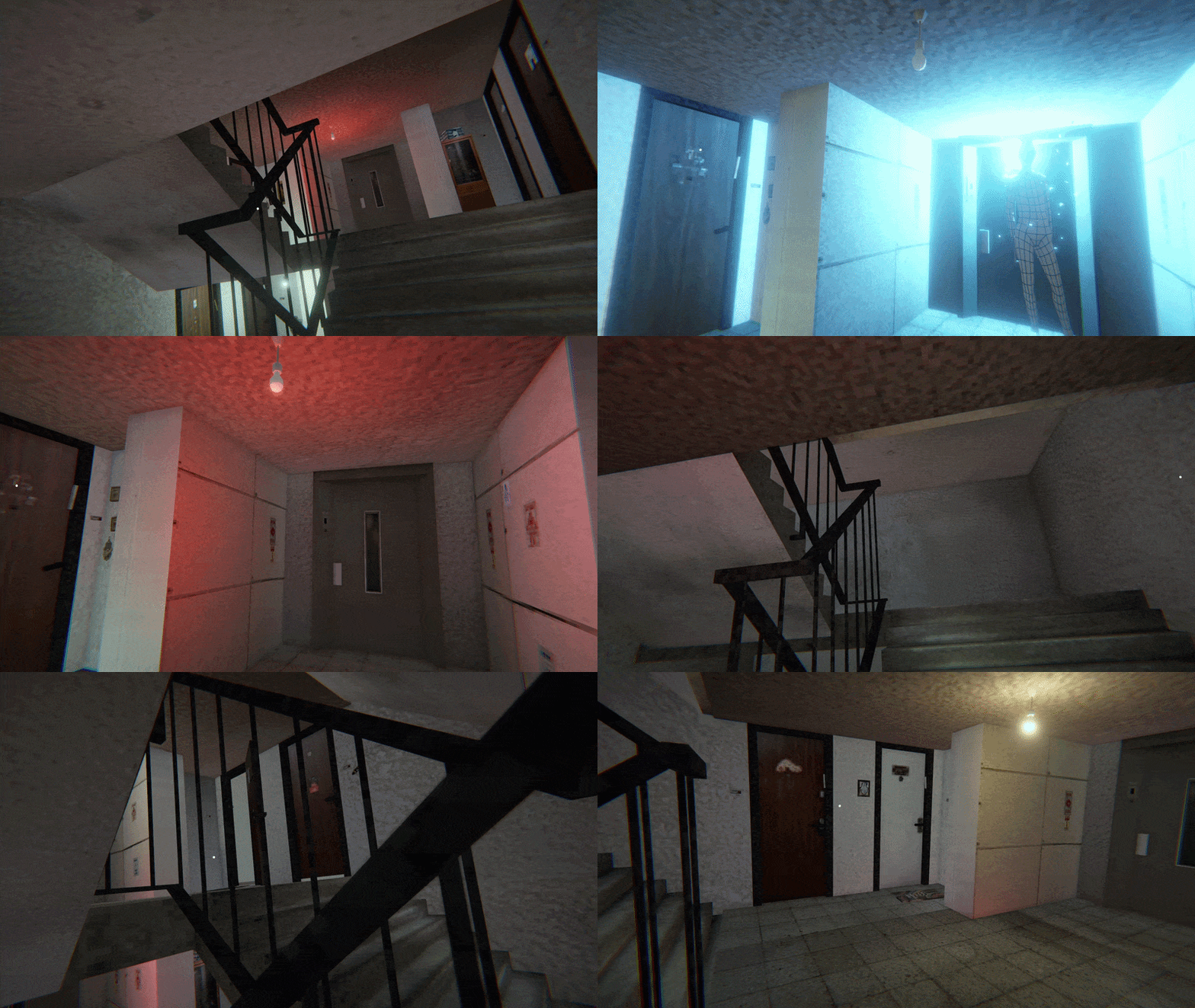
An unofficial, flatscreen head tracking mod for Eternal Afternoon - no VR headset required. Use a webcam, phone, or any OpenTrack-compatible tracker to look around the environment with your head while your aim stays on the mouse.
## Features
- **Decoupled look and aim** - head tracking moves the camera; aim stays on your mouse/controller
- **6DOF positional tracking** - lean and peek with head position
## Requirements
- [Eternal Afternoon](https://store.steampowered.com/app/2263560/Eternal_Afternoon/) (Steam)
- [OpenTrack](https://github.com/opentrack/opentrack) or a compatible head tracking app (smartphone, webcam, or dedicated hardware)
- Windows 10/11 (64-bit)
## Installation
1. Download the latest release from the [Releases page](https://github.com/itsloopyo/eternal-afternoon-headtracking/releases)
2. Extract the ZIP anywhere
3. Double-click `install.cmd`
4. Configure OpenTrack to output UDP to `127.0.0.1:4242`
5. Launch the game
The installer automatically finds your game via Steam registry lookup and patches `Assembly-CSharp.dll`. No mod loader (BepInEx/MelonLoader) is required. If the installer can't find the game:
- Set the `ETERNALAFTERNOON_PATH` environment variable to your game folder, or
- Run from command prompt: `install.cmd "D:\Games\Eternal Afternoon"`
### Manual Installation
If you prefer to place files by hand, or you grabbed the `-nexus` package:
1. Run `install.cmd` at least once against any copy of the game so `Assembly-CSharp.dll` gets patched (the mod is loaded via IL injection into that assembly, not via a separate mod loader)
2. Extract the Nexus ZIP into your game folder - the DLLs will land in `Eternal Afternoon_Data/Managed/`:
- `EternalAfternoonHeadTracking.dll`
- `CameraUnlock.Core.dll`
- `CameraUnlock.Core.Unity.dll`
- `Mono.Cecil.dll`
3. Configure your tracker to output UDP to `127.0.0.1:4242`
4. Launch the game
## Setting Up OpenTrack
1. Download and install [OpenTrack](https://github.com/opentrack/opentrack/releases)
2. Configure your tracker as input
3. Set output to **UDP over network**
4. Host: `127.0.0.1`, Port: `4242`
5. Start tracking before launching the game
### Webcam Setup
No special hardware needed - OpenTrack's built-in **neuralnet tracker** uses any webcam for 6DOF face tracking.
1. In OpenTrack, set the input to **neuralnet tracker**
2. Select your webcam in the tracker settings
3. Set output to **UDP over network** (`127.0.0.1:4242`)
4. Start tracking before launching the game
5. Recenter in OpenTrack via its hotkey, and press **Home** in-game to recenter the mod as needed
### Phone App Setup
This mod includes built-in smoothing for network jitter, so you can send directly from your phone on port 4242 without needing OpenTrack on PC.
1. Install an OpenTrack-compatible head tracking app from your phone's app store
2. Set the output to your PC's IP address on port 4242 (run `ipconfig` to find it)
3. Set the protocol to OpenTrack/UDP
4. Start tracking
**With OpenTrack (optional):** If you want curve mapping or visual preview, route through OpenTrack. Set OpenTrack's input to "UDP over network" on a different port (e.g. 5252), point your phone app at that port, and set OpenTrack's output to `127.0.0.1:4242`. Make sure your firewall allows incoming UDP on the input port.
## Controls
Two equivalent binding sets - use whichever your keyboard has:
| Action | Nav-cluster | Chord |
|----------------------|-------------|----------------|
| Recenter view | `Home` | `Ctrl+Shift+T` |
| Toggle head tracking | `End` | `Ctrl+Shift+Y` |
| Cycle tracking mode | `Page Up` | `Ctrl+Shift+G` |
| Toggle yaw mode | `Page Down` | `Ctrl+Shift+H` |
| Toggle aim reticle | `Insert` | `Ctrl+Shift+U` |
`Page Up` / `Ctrl+Shift+G` cycles tracking mode:
1. Normal head-tracked gameplay (rotation + position)
2. Positional tracking disabled, rotational tracking enabled
3. Rotational tracking disabled, positional tracking enabled
4. Back to normal
The chord letters sit in a vertical strip in the center of the keyboard. `Ctrl+Shift+` is universally avoided by games, so the chord set works whether or not your keyboard has a nav cluster.
## Configuration
The mod creates `HeadTracking.cfg` in the game's Managed folder (`Eternal Afternoon_Data/Managed/`) on first run. Edit it and restart the game to apply changes.
```ini
# --- Network ---
UdpPort = 4242
# --- Keybindings (see https://docs.unity3d.com/ScriptReference/KeyCode.html) ---
RecenterKey = Home
ToggleKey = End
PositionToggleKey = PageUp
ReticleToggleKey = Insert
YawModeKey = PageDown
# --- Yaw Mode ---
# true = horizon-locked yaw (default), false = camera-local yaw.
WorldSpaceYaw = true
# --- Sensitivity ---
YawSensitivity = 1.0
PitchSensitivity = 1.0
RollSensitivity = 1.0
# --- Smoothing ---
# 0.0 = no smoothing, 1.0 = maximum. Remote connections enforce a minimum of 0.15.
Smoothing = 0.0
# --- Position Tracking ---
PositionSensitivityX = 1.0
PositionSensitivityY = 1.0
PositionSensitivityZ = 1.0
InvertPositionX = true
InvertPositionY = false
InvertPositionZ = true
# --- Reticle ---
ShowReticle = true
ReticleColor = 1.0,1.0,1.0,1.0
```
Delete the file to reset to defaults.
## Troubleshooting
**Mod not loading:**
- Check `HeadTracking_BOOT.log` in `Eternal Afternoon_Data/Managed/` for bootstrap messages
- Check `HeadTracking_BOOT_ERROR.log` in your temp folder (`%TEMP%`) for bootstrap errors
- Check `HeadTracking.log` in the Managed folder for mod errors
- Verify game files through Steam and re-run `install.cmd`
**No tracking response:**
- Verify OpenTrack is running and outputting data
- Check UDP port matches (default 4242)
- Press **End** to enable tracking, **Home** to recenter
- Check firewall isn't blocking UDP port 4242
**Jittery / unstable tracking:**
- Increase `Smoothing` in `HeadTracking.cfg` (remote connections auto-use 0.15 minimum)
- Reduce sensitivity values in the config
- Improve lighting for webcam-based tracking
**Wrong rotation axis:**
- Flip the relevant `InvertPositionX/Y/Z` flag in `HeadTracking.cfg`
- If rotation feels mirrored, check OpenTrack's output mapping (invert the offending axis at the source rather than in the mod)
**Yaw feels wrong when looking up or down at extreme angles:**
- Try toggling between world-locked and camera-local yaw with `Page Down`. World-locked (default) is horizon-stable; camera-local follows the camera's current up-axis.
## Updating
Download the new release and run `install.cmd` again. Your config is preserved.
## Uninstalling
Run `uninstall.cmd` from the release folder. This removes the mod DLLs and restores `Assembly-CSharp.dll` from its `.original` backup. No mod loader to remove - this mod patches `Assembly-CSharp.dll` directly rather than shipping BepInEx or MelonLoader.
If something is stuck, use:
```
uninstall.cmd /force
```
to remove everything the installer touched regardless of the state file.
## Building from Source
### Prerequisites
- Windows 10/11
- [.NET SDK 8.0+](https://dotnet.microsoft.com/download)
- [pixi](https://pixi.sh) task runner
- Eternal Afternoon installed via Steam (for Unity reference DLLs)
### Build
```bash
git clone --recurse-submodules https://github.com/itsloopyo/eternal-afternoon-headtracking.git
cd eternal-afternoon-headtracking
# Build and install to game
pixi run install
# Build only
pixi run build
# Package for release
pixi run package
```
## License
MIT License - see [LICENSE](LICENSE) for details.
## Credits
- [Alex Klexber](https://store.steampowered.com/app/3924170/Eternal_Afternoon/) - Eternal Afternoon
- [OpenTrack](https://github.com/opentrack/opentrack) - Head tracking protocol and software
- [Mono.Cecil](https://github.com/jbevain/cecil) - .NET assembly manipulation (used for install-time IL injection)
## Disclaimer
This mod is not affiliated with, endorsed by, or supported by Klexber or the Eternal Afternoon development team. Use at your own risk.