https://github.com/itsloopyo/green-hell-headtracking
An OpenTrack compatible head tracking mod for Green Hell
https://github.com/itsloopyo/green-hell-headtracking
Last synced: about 2 months ago
JSON representation
An OpenTrack compatible head tracking mod for Green Hell
- Host: GitHub
- URL: https://github.com/itsloopyo/green-hell-headtracking
- Owner: itsloopyo
- License: mit
- Created: 2026-02-23T22:42:09.000Z (4 months ago)
- Default Branch: main
- Last Pushed: 2026-04-29T19:20:01.000Z (2 months ago)
- Last Synced: 2026-04-29T21:13:49.090Z (about 2 months ago)
- Language: C#
- Homepage:
- Size: 40.5 MB
- Stars: 0
- Watchers: 0
- Forks: 0
- Open Issues: 0
-
Metadata Files:
- Readme: README.md
- Changelog: CHANGELOG.md
- License: LICENSE
- Agents: AGENTS.md
Awesome Lists containing this project
README
# Green Hell Head Tracking
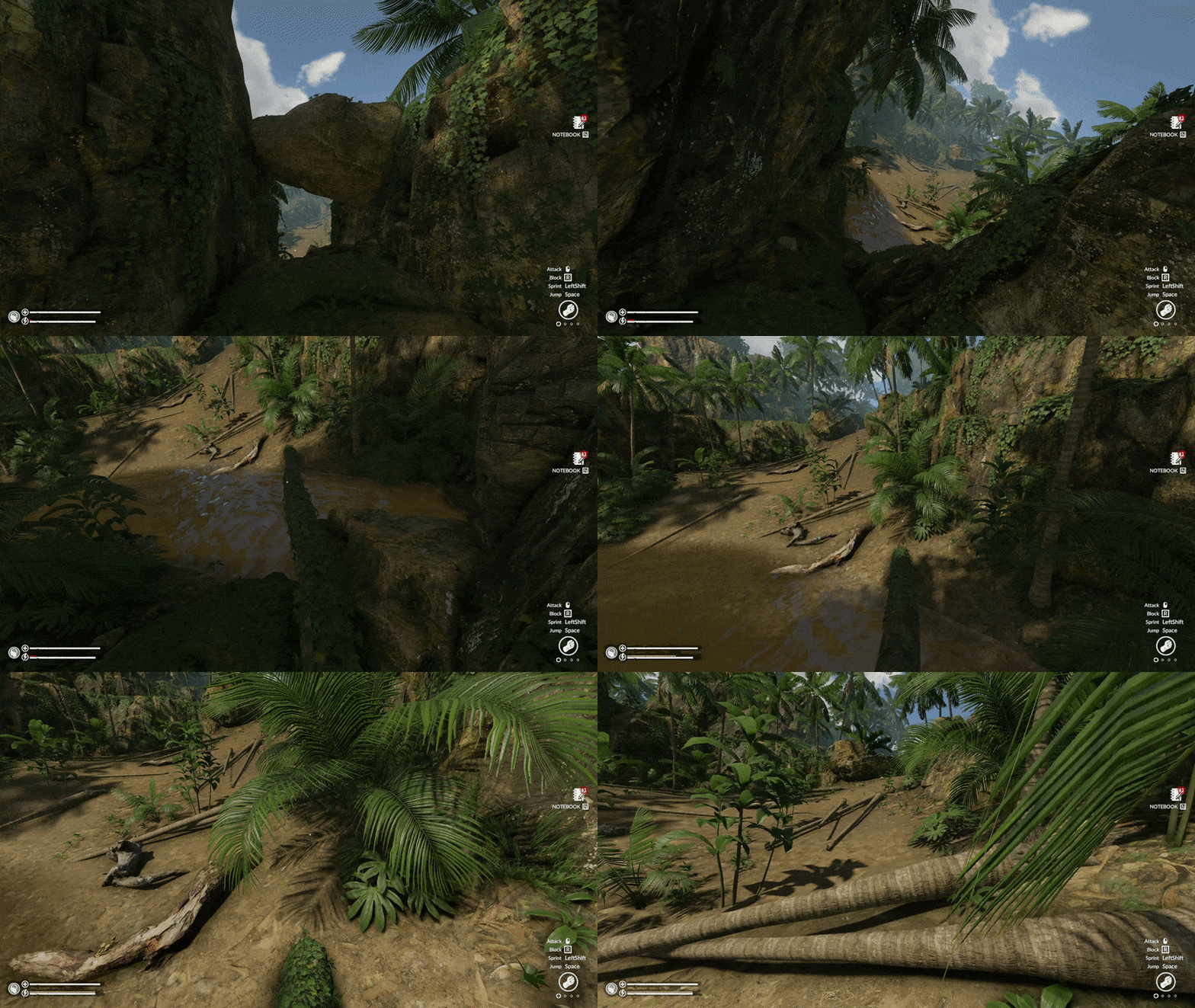
An **unofficial**, community-created MelonLoader mod that adds head tracking to Green Hell. Move your head to look around the jungle while your mouse controls where you aim.
## Features
- 6DOF head tracking via OpenTrack UDP (yaw, pitch, roll, plus positional lean)
- Decoupled look and aim: look around freely with your head while your mouse stays on target
- Aim reticle that follows your mouse when head tracking moves the camera
## Requirements
- [Green Hell](https://store.steampowered.com/app/815370/Green_Hell/) (Steam)
- [OpenTrack](https://github.com/opentrack/opentrack) or an OpenTrack-compatible tracker (smartphone, webcam, or dedicated hardware)
## Installation
1. Download the latest release from the [Releases page](https://github.com/itsloopyo/green-hell-headtracking/releases)
2. Extract the ZIP anywhere
3. Run `install.cmd`
4. Configure OpenTrack to output UDP to `127.0.0.1:4242`
The installer finds your game automatically via the Steam registry. If it can't find the game, set the `GREEN_HELL_PATH` environment variable or pass the path directly:
```
install.cmd "D:\Games\Green Hell"
```
### Manual Installation
1. Install [MelonLoader](https://github.com/LavaGang/MelonLoader/releases) v0.6.1 or later
2. Run the MelonLoader installer and select your Green Hell folder
3. Launch the game once to initialize MelonLoader, then close it
4. Copy the following DLLs to `/Mods/`:
- `GreenHellHeadTracking.dll`
- `CameraUnlock.Core.dll`
- `CameraUnlock.Core.Unity.dll`
- `CameraUnlock.Core.Unity.Harmony.dll`
## Controls
Two equivalent binding sets - use whichever your keyboard has:
| Action | Nav-cluster | Chord |
|---------------------|-------------|-----------------|
| Recenter | `Home` | `Ctrl+Shift+T` |
| Toggle tracking | `End` | `Ctrl+Shift+Y` |
| Cycle tracking mode | `Page Up` | `Ctrl+Shift+G` |
| Toggle yaw mode | `Page Down` | `Ctrl+Shift+H` |
`Page Up` / `Ctrl+Shift+G` cycles tracking mode:
1. Normal head-tracked gameplay
2. Positional tracking disabled, rotational tracking enabled
3. Rotational tracking disabled, positional tracking enabled
4. Back to normal
The default yaw mode is **camera-local**: head yaw always pans the view horizontally on screen, even if you pitch the game camera steeply up or down. Pressing Page Down switches to **world-space** yaw, which locks horizontal head movement to gravity so the horizon stays level; this feels more natural at moderate angles but degenerates toward roll when you look straight up or down.
## OpenTrack Setup
1. Install [OpenTrack](https://github.com/opentrack/opentrack/releases) and configure your tracker input
2. Set output to UDP over network
3. Set remote IP to `127.0.0.1` and port to `4242`
4. Start tracking before launching the game
### Phone App Setup
This mod includes built-in smoothing to handle network jitter, so if your tracking app already provides a filtered signal, you can send directly from your phone to the mod on port 4242 without needing OpenTrack on PC.
1. Install an OpenTrack-compatible head tracking app
2. Configure it to send to your PC's IP on port 4242 (run `ipconfig` to find your IP)
3. Set the protocol to OpenTrack/UDP
4. Start tracking
If you want curve mapping, a visual preview, or extra filtering, route through OpenTrack instead. Since the mod already listens on 4242, OpenTrack's input needs a different port:
1. In OpenTrack, set Input to UDP over network on port 5252 (or any port other than 4242)
2. Set Output to UDP over network at `127.0.0.1:4242`
3. In your phone app, send to your PC's IP on port 5252
4. Open port 5252 in your firewall for incoming UDP traffic
## Verifying Installation
1. Start OpenTrack with tracking active
2. Launch Green Hell
3. Check the MelonLoader console for:
```
Green Hell Head Tracking initializing...
Patched CameraManager.LateUpdate
Green Hell Head Tracking initialized on port 4242
```
4. Move your head in-game and the camera should follow
5. Press Home to recenter if needed
## Troubleshooting
### Tracking not responding
- Verify your tracker is sending to `127.0.0.1:4242`
- Check the MelonLoader console for error messages
- Press End to make sure tracking is enabled
### "Port may be in use" error
Another application is using port 4242. Close it, or check what's using the port:
```
netstat -ano | findstr 4242
```
### MelonLoader not loading
- Make sure you ran the game once after installing MelonLoader
- Check that `version.dll` exists in the game folder
- Try reinstalling MelonLoader
### Mod not appearing in console
- Verify all DLLs are in the `Mods` folder
- Check for errors in `/MelonLoader/Logs/`
### Camera jittering
- Reduce sensitivity in your tracking software
- Ensure stable lighting if using face tracking
### Tracking pauses in menus
This is intentional. Tracking resumes when you return to gameplay.
## Updating
1. Download the new release
2. Run `install.cmd` again to update the mod files
## Uninstalling
Run `uninstall.cmd` from the release folder, or remove manually:
To remove the mod only, delete these from `/Mods/`:
- `GreenHellHeadTracking.dll`
- `CameraUnlock.Core.dll`
- `CameraUnlock.Core.Unity.dll`
- `CameraUnlock.Core.Unity.Harmony.dll`
For a complete removal, also delete the `MelonLoader` folder and `version.dll` from the game root, then verify game files through Steam.
## Building from Source
### Prerequisites
- [.NET SDK](https://dotnet.microsoft.com/download) (any recent version)
- [Pixi](https://pixi.sh/) task runner
- Green Hell installed (for game assembly references)
### Build Steps
```bash
# Clone with submodules
git clone --recurse-submodules https://github.com/itsloopyo/green-hell-headtracking
cd green-hell-headtracking
# Build and install to game
pixi run install
# Or just build
pixi run build
```
### Available Commands
| Command | Description |
|---------|-------------|
| `pixi run build` | Build the mod (Release configuration) |
| `pixi run install` | Build and install to game directory |
| `pixi run uninstall` | Remove the mod from the game |
| `pixi run package` | Create release ZIP |
| `pixi run clean` | Clean build artifacts |
| `pixi run release` | Version bump, changelog, tag, and push |
## License
MIT License - see [LICENSE](LICENSE) for details.
## Credits
- [Creepy Jar](https://www.creepyjar.com/) - Green Hell
- [MelonLoader](https://melonwiki.xyz/) - Mod framework
- [Harmony](https://github.com/pardeike/Harmony) - Runtime patching
- [OpenTrack](https://github.com/opentrack/opentrack) - Head tracking protocol
## Disclaimer
This mod is not affiliated with, endorsed by, or supported by Creepy Jar. "Green Hell" is a trademark of Creepy Jar S.A. Use this mod at your own risk — no warranty is provided. Back up your save files before installing any mods.