https://github.com/itz-fork/cw-gram.js
Cloudflare workers script that allows you to send messages to a specific telegram account
https://github.com/itz-fork/cw-gram.js
cloudflare cloudflare-workers telegram-bot-api
Last synced: 7 days ago
JSON representation
Cloudflare workers script that allows you to send messages to a specific telegram account
- Host: GitHub
- URL: https://github.com/itz-fork/cw-gram.js
- Owner: Itz-fork
- License: mit
- Created: 2022-06-03T14:09:58.000Z (over 3 years ago)
- Default Branch: master
- Last Pushed: 2025-12-14T04:18:28.000Z (2 months ago)
- Last Synced: 2025-12-16T04:20:38.482Z (2 months ago)
- Topics: cloudflare, cloudflare-workers, telegram-bot-api
- Language: JavaScript
- Homepage:
- Size: 7.81 KB
- Stars: 4
- Watchers: 1
- Forks: 0
- Open Issues: 0
-
Metadata Files:
- Readme: README.md
- License: LICENSE
Awesome Lists containing this project
README
# cw-gram.js
[Cloudflare workers](https://workers.cloudflare.com/) script that allows you to send messages to a specific telegram account via an api request. Made for the contact form in [my portfolio](https://github.com/Itz-fork/Sveltefolio). Inspired by [@tuhinpal/Contact-Form](https://github.com/tuhinpal/Contact-Form)
## Usage
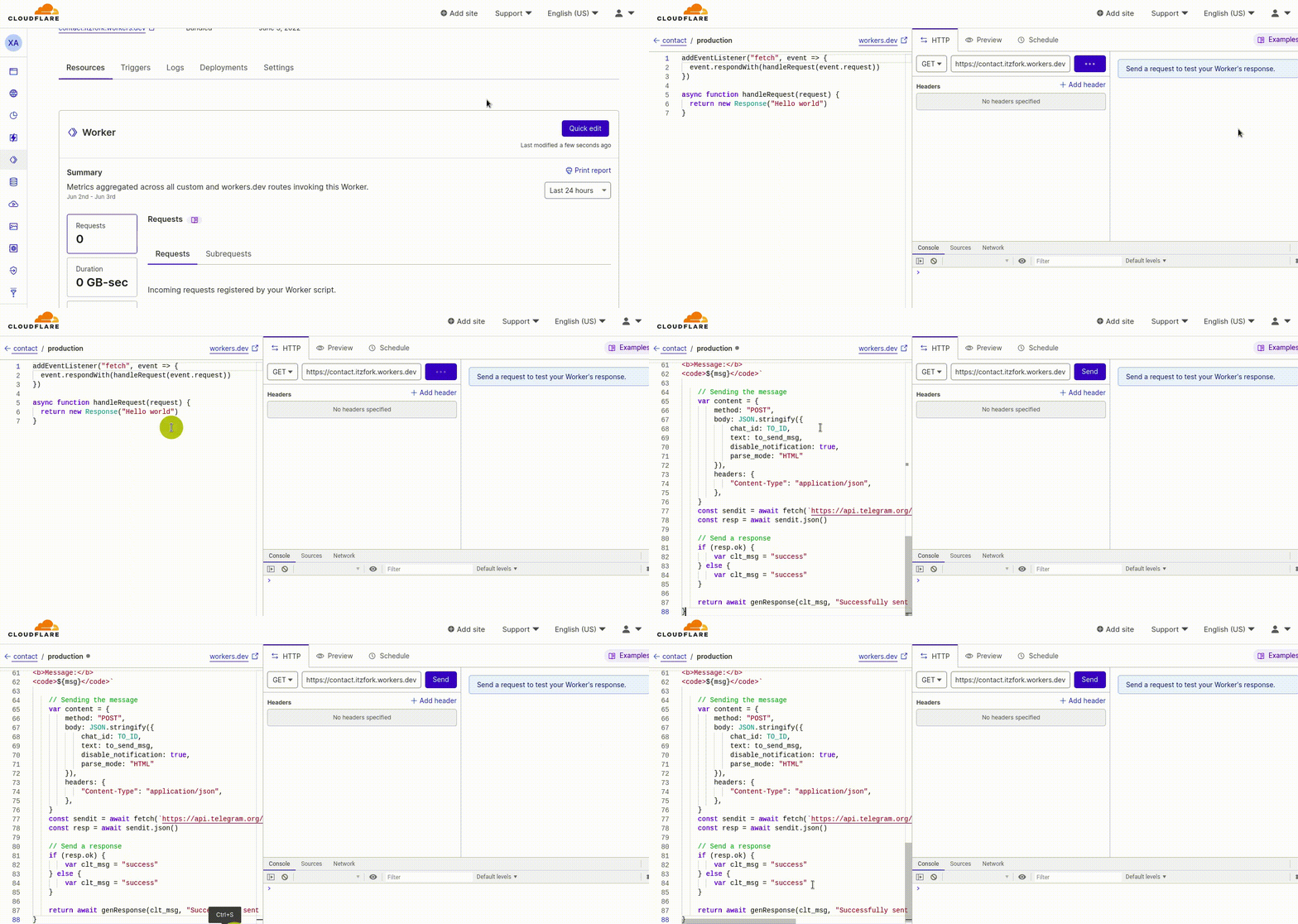
- Create an account at [Cloudflare workers](https://dash.cloudflare.com/sign-up/workers)
- Create a cloudflare worker

- Copy the code in [`cw-gram.js`](cw-gram.js)
- Update your worker with the copied code
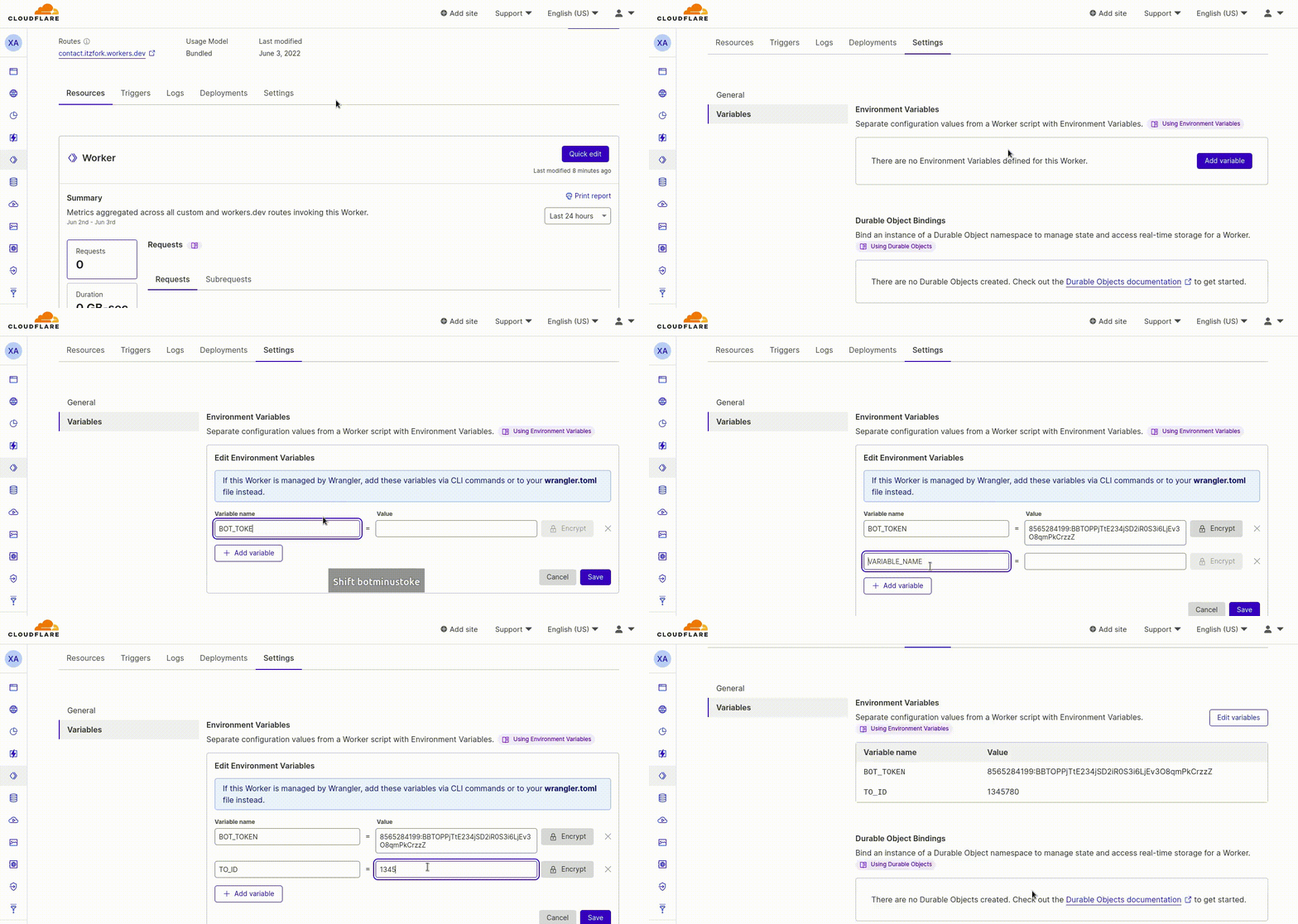
- Setup variables
- Go to `Settings > Variables` of your worker
- Add these variables,
- `BOT_TOKEN` - Your telegram bot token
- `TO_ID` - ID of a telegram user account where the bot needs to send the message
Done 🥳! Now test your worker by sending a post request with the required values!
Here is an example with `curl` 👇,
```bash
curl --request POST \
--url https://your-worker.your-name.workers.dev/ \
--header 'content-type: application/json' \
--data '{
"name": "Jeff",
"email": "jeff@awsm.io",
"subject": "We are hiring!",
"msg": "Lorem ipsum dolor sit amet, consectetur adipiscing elit. Phasellus quis venenatis libero. Quisque enim felis, rutrum ornare nisl ac, tincidunt."
}'
```