https://github.com/ivan770/pinesql
Electron-based SQL editor
https://github.com/ivan770/pinesql
electron javascript mysql mysql-client nodejs sql sql-client
Last synced: 11 months ago
JSON representation
Electron-based SQL editor
- Host: GitHub
- URL: https://github.com/ivan770/pinesql
- Owner: ivan770
- License: mit
- Created: 2018-05-09T14:12:31.000Z (about 8 years ago)
- Default Branch: master
- Last Pushed: 2018-12-01T19:09:11.000Z (over 7 years ago)
- Last Synced: 2025-09-01T00:40:25.091Z (11 months ago)
- Topics: electron, javascript, mysql, mysql-client, nodejs, sql, sql-client
- Language: HTML
- Size: 453 KB
- Stars: 21
- Watchers: 3
- Forks: 8
- Open Issues: 0
-
Metadata Files:
- Readme: README.md
- License: LICENSE
Awesome Lists containing this project
README
# PineSQL
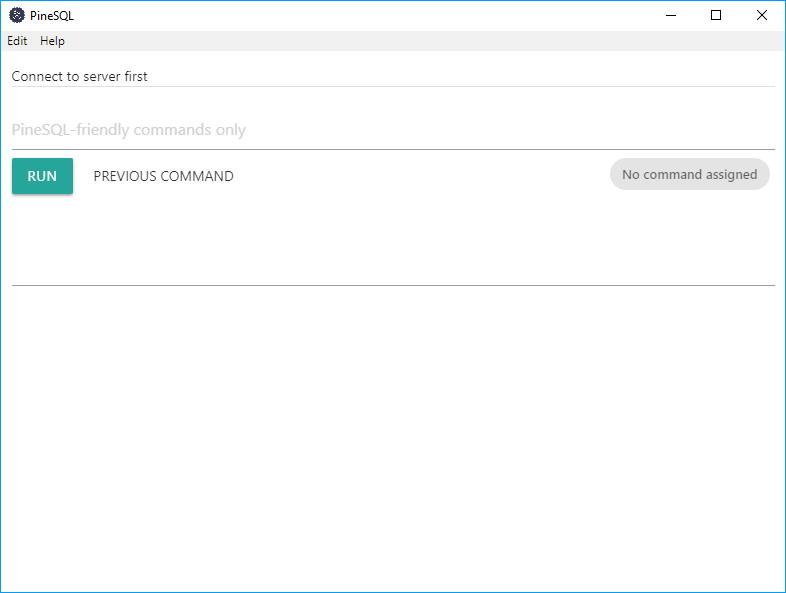
PineSQL is Electron-based SQL manager, which can help you manage your MySQL database, execute remote code, and use constructor to build requests (coming soon).
# Commands and syntax
Commands are available from [this](https://github.com/ivan770/pinesql/wiki/PineSQL-friendly-commands) page.
To use port, different then 3306, use `hostname:port`, e.g `ping localhost:1234 admin admin`
'querydb' supports building response, using `build` parameter. e.g `querydb localhost admin admin db build`
# Installation
1. Download installer from [releases](https://github.com/ivan770/pinesql/releases)
2. Open it, wait until installation ends.
3. App should open automatically, and add shortcut to Start Menu and desktop.
# Credits
ivan770 as [ivan770](https://github.com/ivan770/)
Pinecone made by [Freepik](http://www.freepik.com/) from [Flaticon](http://www.flaticon.com/)
### Installation (old way)
1. Download source-code from GitHub
2. Use `npm i` and wait until package installation ends
3. Finally, execute `npm start`.