https://github.com/izica/api-documentation-tool
Easy API documentation for your project, based on Javascript
https://github.com/izica/api-documentation-tool
api api-doc api-docs api-docs-generator api-docset api-documentartion api-documentation api-documentation-tool api-javascript documentation documentation-generator documentation-site documentation-tool javascript reactjs rest rest-api restful restful-api swagger
Last synced: 3 months ago
JSON representation
Easy API documentation for your project, based on Javascript
- Host: GitHub
- URL: https://github.com/izica/api-documentation-tool
- Owner: izica
- Created: 2019-01-06T13:54:49.000Z (over 7 years ago)
- Default Branch: master
- Last Pushed: 2019-06-29T23:30:04.000Z (about 7 years ago)
- Last Synced: 2025-05-16T18:44:02.213Z (about 1 year ago)
- Topics: api, api-doc, api-docs, api-docs-generator, api-docset, api-documentartion, api-documentation, api-documentation-tool, api-javascript, documentation, documentation-generator, documentation-site, documentation-tool, javascript, reactjs, rest, rest-api, restful, restful-api, swagger
- Language: CSS
- Homepage:
- Size: 547 KB
- Stars: 0
- Watchers: 1
- Forks: 0
- Open Issues: 0
-
Metadata Files:
- Readme: README.md
Awesome Lists containing this project
README
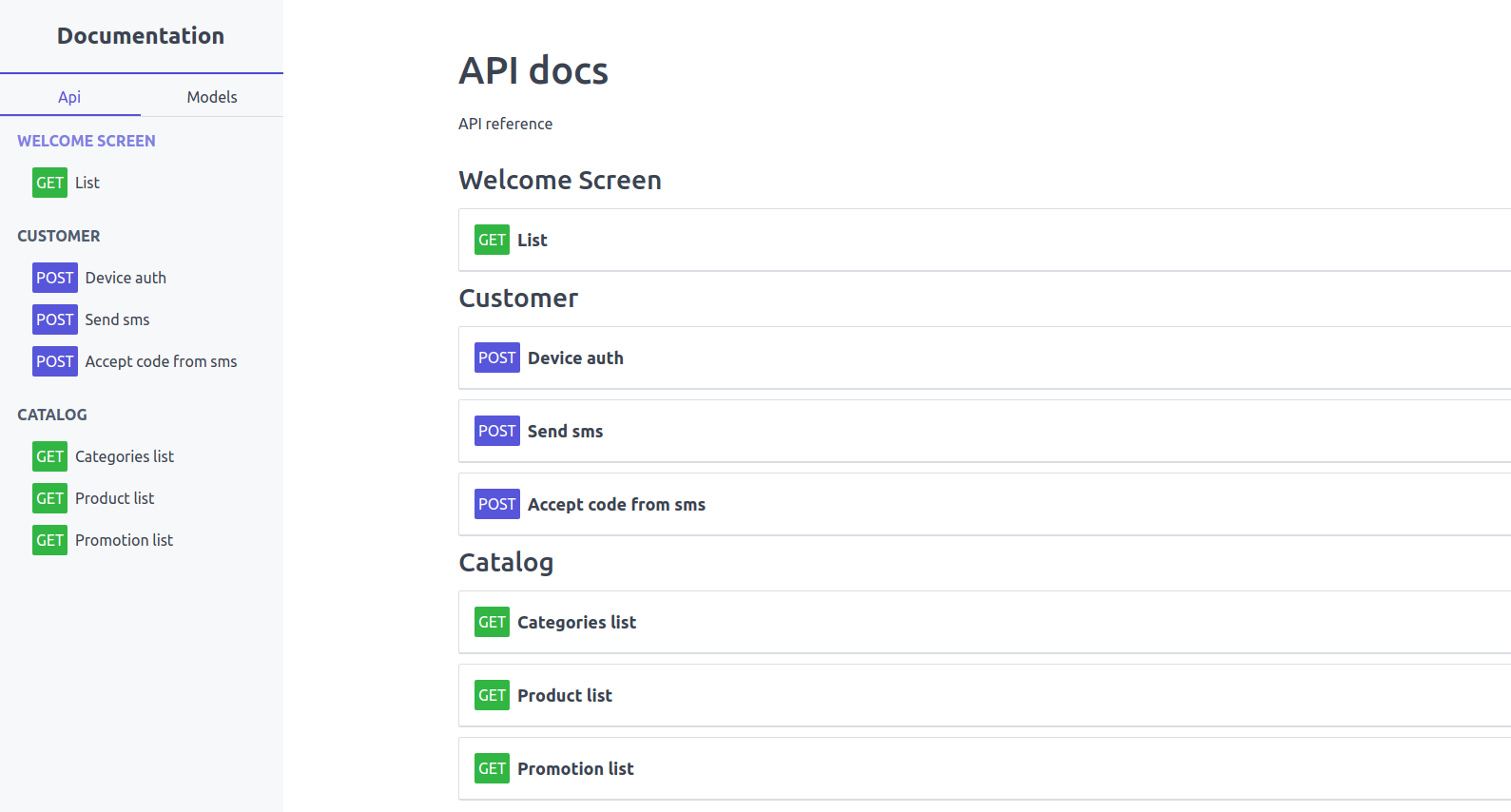
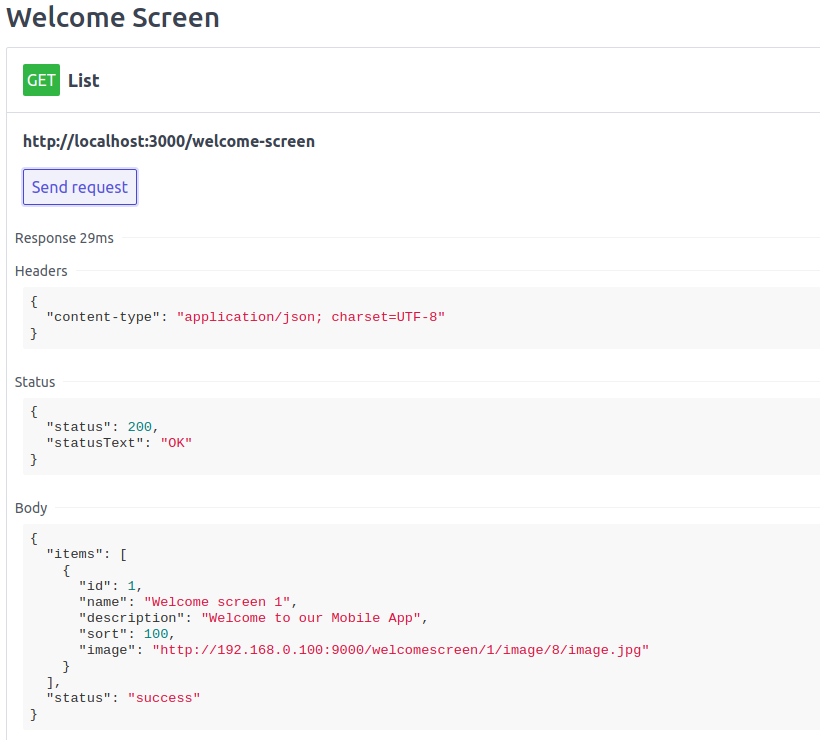
# Easy API documentation, based on JS without any backend.
Build your API reference with pure Javascript
Also you can modify core, which written on ReactJS
## Features
* Declarative API description
* Supports POST, GET, PUT, DELETE requests
* Custom transformations for Requests: header, body, path params
* Customizable core
* ReactJS core
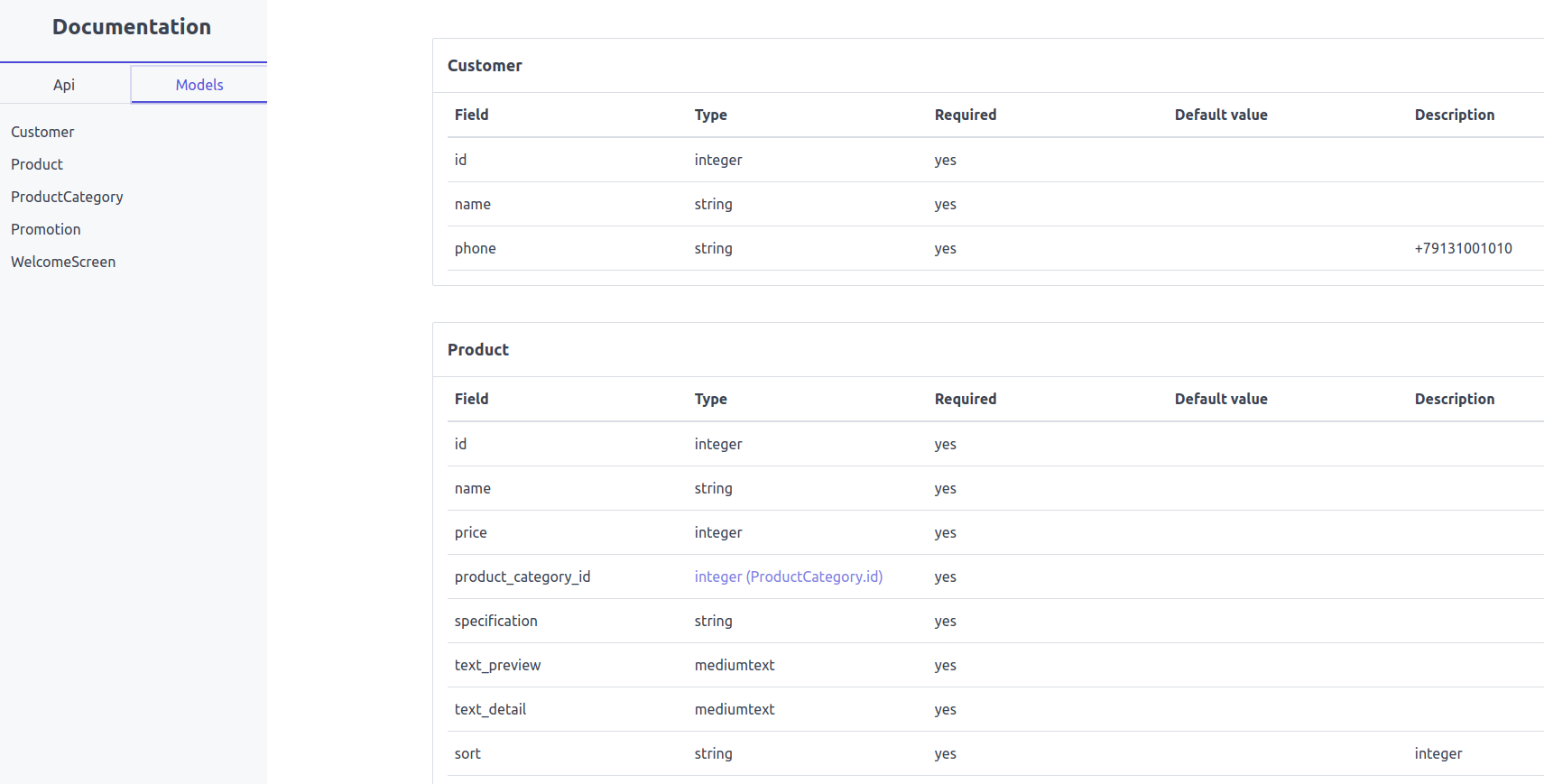
* Models section
## Installation and Usage
```
npm install
```
#### Dev
```
npm start
```
#### Build
```
npm run build
```
# Build your API documentation
## Manual config
* edit `config/app.js`, set your `appName`, and `buildPath`, you can add all repo to `src` folder and set `buildPath: '../'`
* edit `config/api.js` and set `baseUrl` to your backend URL
## Api requests creating
* create request in `config/api/`
* `import` request to `config/api.js`
* In `config/api.js` add reqiest to `sections` for adding request to api page
```javascript
request.js
import {
Request,
REQUEST_TYPE,
PARAMETER_TYPE
} from 'core';
class SendSms extends Request {
init = () => {
this.setUrl('/customer/send-sms')
.setTitle('Send sms')
.setType(REQUEST_TYPE.POST);
this.addParameter({
type: PARAMETER_TYPE.BODY,
name: 'phone',
placeholder: '+79131001010'
});
}
}
export default SendSms;
```
```javascript
//api.js
import WelcomeScreenList from './api/welcome_screen/List';
import CustomerSendSms from './api/customer/SendSms';
const api = {
title: 'YOUR API',
description: `
API reference
`,
baseUrl: 'http://api-backend.local',
sections: [
{
id: 'customer',
title: 'Customer',
description: ``,
requests: [
CustomerSendSms
]
}
]
};
export default api;
```
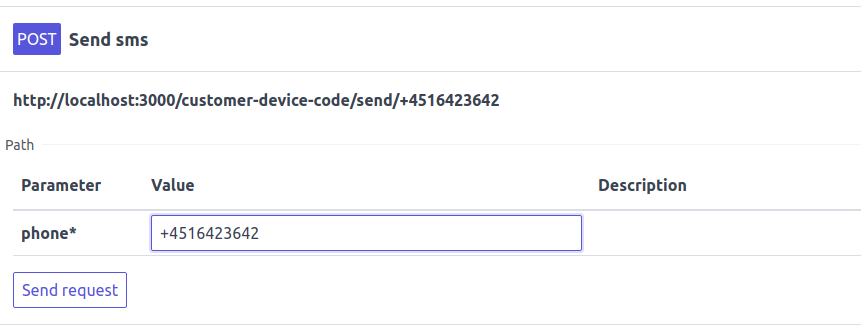
### PARAMETER_TYPE.PATH
PARAMETER_TYPE.PATH add parameter value to request URL
```javascript
class DeviceCodeSend extends Request {
init = () => {
this.setUrl('/customer-device-code/send/:phone')
.setTitle('Send sms')
.setType(REQUEST_TYPE.POST);
this.addParameter({
type: PARAMETER_TYPE.PATH,
name: 'phone',
placeholder: '+79131001010'
});
}
}
```
also you can do that
```javascript
this.setUrl('/catalog/:category_id/:product_id/get')
```
## Model creating(Database table reference for example)
* Create `config/models/.js`
* `import` your model to `config/models.js`
```javascript
import { Model } from 'core';
class User extends Model {
init = () => {
this.addField({
name: 'id',
type: 'integer'
});
this.addField({
name: 'name'
})
this.addField({
name: 'phone',
description: '+79131001010'
});
}
}
export default Customer;
```
```javascript
//add field to model
addField({
name, //string
type, //string; by default = 'string'
null, //bool, field is required or not; by default = false
default, //string
description, //string
})
```
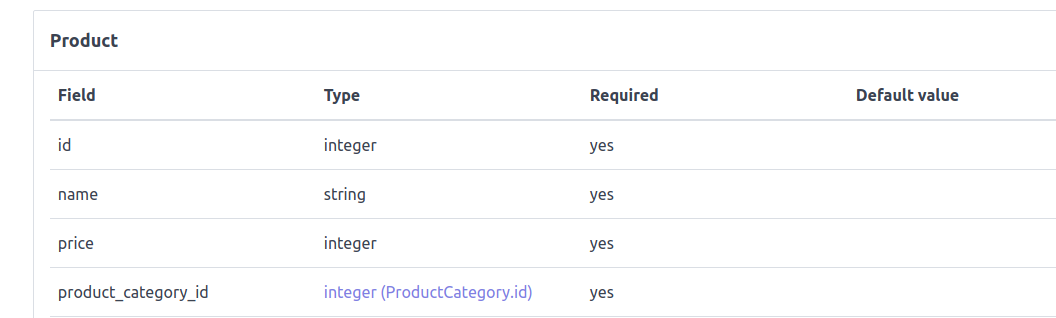
### You can use linked field type
```
import { Model } from 'core';
class Product extends Model {
init = () => {
this.addField({
name: 'id',
type: 'integer'
});
this.addField({
name: 'name'
});
this.addField({
name: 'price',
type: 'integer'
});
this.addField({
name: 'product_category_id',
type: 'ProductCategory.id'
});
}
```
# Class docs
## core partials
* Model
* ModelField
* Request
* RequestParameter
* PARAMETER_TYPE
* REQUEST_TYPE
* DATA_TYPE
```javascript
import {
Request,
REQUEST_TYPE,
PARAMETER_TYPE
} from 'core';
```
## Model
* addField(object || ModelField) - object has same structure as ModelField class
## ModelField
* name: String = 'field'
* type: String = 'string'
* null: Boolean = false - field is required or not
* default: String = '' - default value
* description: String = ''
* setName(value)
* setType(value)
* setNull(value)
* setDefault(value)
* setDescription(value)
## Request
* init()
* setBaseUrl(baseUrl) - set new base api url for current endpoint
* setUrl(url) - set url for api request, you can use templating with PARAMETER_TYPE.PATH, '/:product_category_code/product/:id'
* setType(REQUEST_TYPE) - one of type REQUEST_TYPE
* setTitle(title)
* setDescription(description) - additional description for endpoint
* addParameter(object || RequestParameter) - object has same structure as RequestParameter class
* transformHeaders(headers) => headers - you can override this function for mutate headers before request execute
* transformQuery(query) => query
* transformBody(body) => body
## RequestParameter
* type: PARAMETER_TYPE
* dataType: DATA_TYPE
* dataFormat: String - need for DATA_TYPE.DATE, depends on momentjs, example: 'Y-m-d'
* name: String
* placeholder: String
* description: String
* required: Boolean
* readonly: Boolean
* value: Any - default value, depends on control type
* options: Array - if length > 0, form control type will be Select, example: ['red', 'yellow', 'green']
* setType(PARAMETER_TYPE)
* setDataType(DATA_TYPE)
* setName(name)
* setPlaceholder(placeholder)
* setDescription(description)
* setRequired(required)
* setReadonly(readonly)
* setValue(defaultValue)
* setOptions(options)
## REQUEST_TYPE
* GET: 'get'
* POST: 'post'
* PUT: 'put'
* DELETE: 'delete'
## DATA_TYPE
* STRING: 'string' - Input, if options.length > 0 -> Select
* NUMBER: 'number' - Input type=number
* DATE: 'date' - Datepicker(react-datepicker + momentjs)
* BOOLEAN: 'boolean' - Checkbox
* FILE: 'file' - Input type=file
## PARAMETER_TYPE
* HEADER: 'header'
* BODY: 'body' - for POST parameters
* QUERY: 'query' - for GET parameters
* PATH: 'path' - you can use it for URL templating, for example '/:product_category_code/product/:id'