https://github.com/j1mk1m/happits
Happits is a habit-tracking social media web application built using the MERN stack
https://github.com/j1mk1m/happits
mern-stack webapp
Last synced: 27 days ago
JSON representation
Happits is a habit-tracking social media web application built using the MERN stack
- Host: GitHub
- URL: https://github.com/j1mk1m/happits
- Owner: j1mk1m
- Created: 2022-08-03T02:45:31.000Z (almost 4 years ago)
- Default Branch: main
- Last Pushed: 2023-06-28T03:10:59.000Z (almost 3 years ago)
- Last Synced: 2025-03-02T17:48:21.949Z (over 1 year ago)
- Topics: mern-stack, webapp
- Language: JavaScript
- Homepage:
- Size: 387 KB
- Stars: 0
- Watchers: 1
- Forks: 0
- Open Issues: 0
-
Metadata Files:
- Readme: README.md
Awesome Lists containing this project
README
# Happits
## Habit Tracking and Social Media application
Happits is a habit-tracking social media web application that allows users to track their habits and interact with other users. Through an interactive dashboard, users can create custom habits and keep track of their progress by logging the completion of a habit on a given day. The analytics feature allows users to visualize their progress using a heat map and a weekly summary table. Furthermore, users can connect with other users by partnering with them, which allows users to view and interact with another user's profile. The Feed and Explore tabs allows users to view recent activity from other users and show their support.
Access the web application via: https://happits.netlify.app/ (currently unavailable)
### Features
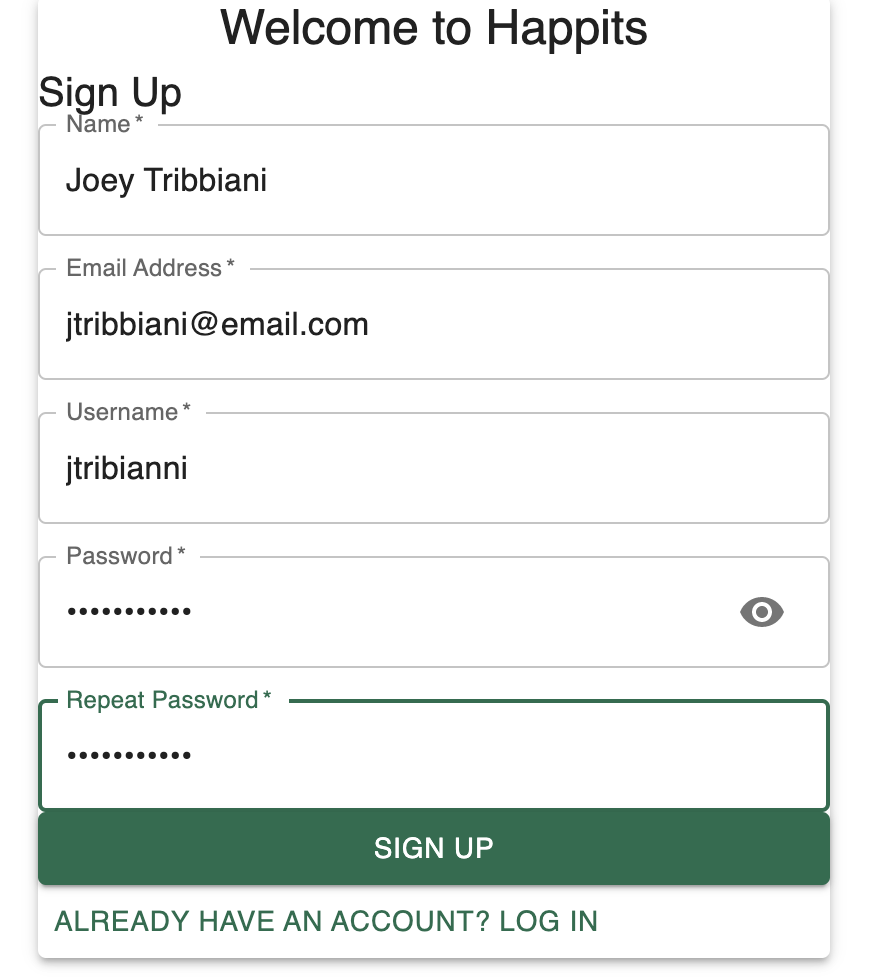
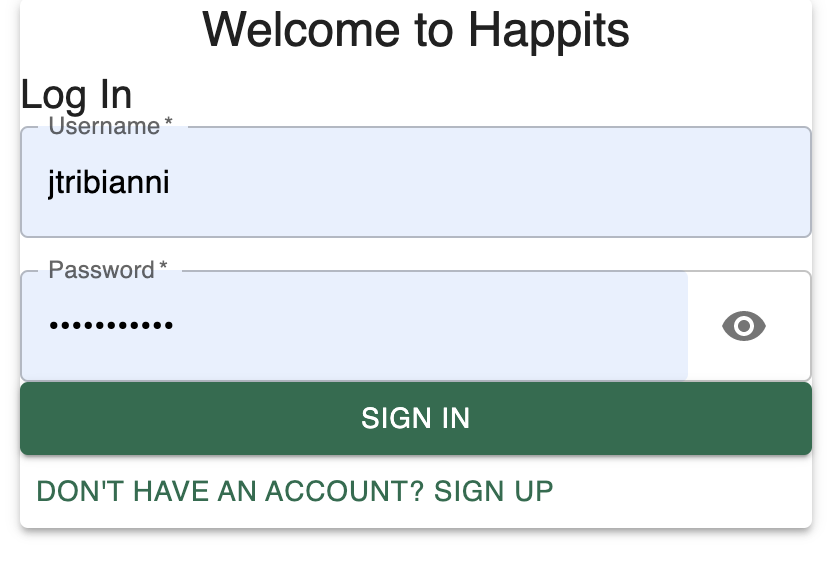
**Login/Signup**:
- User is redirected to a login/signup page where a user may log into their existing account or create a new account
- When creating a new account, a user enters their name, email, username, and password
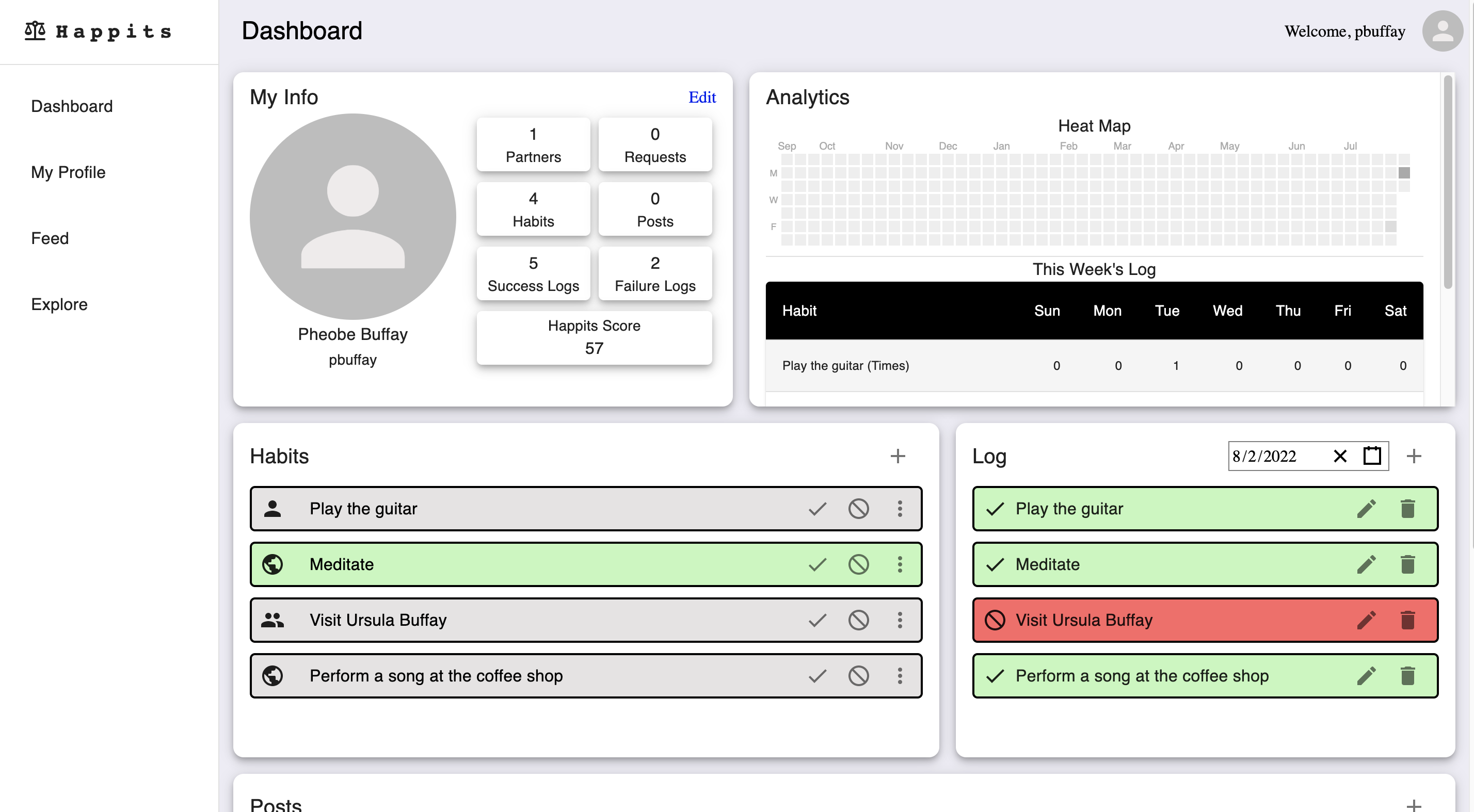
**Dashboard**: a central place where a user can keep track of their habits, posts, analytics, and network
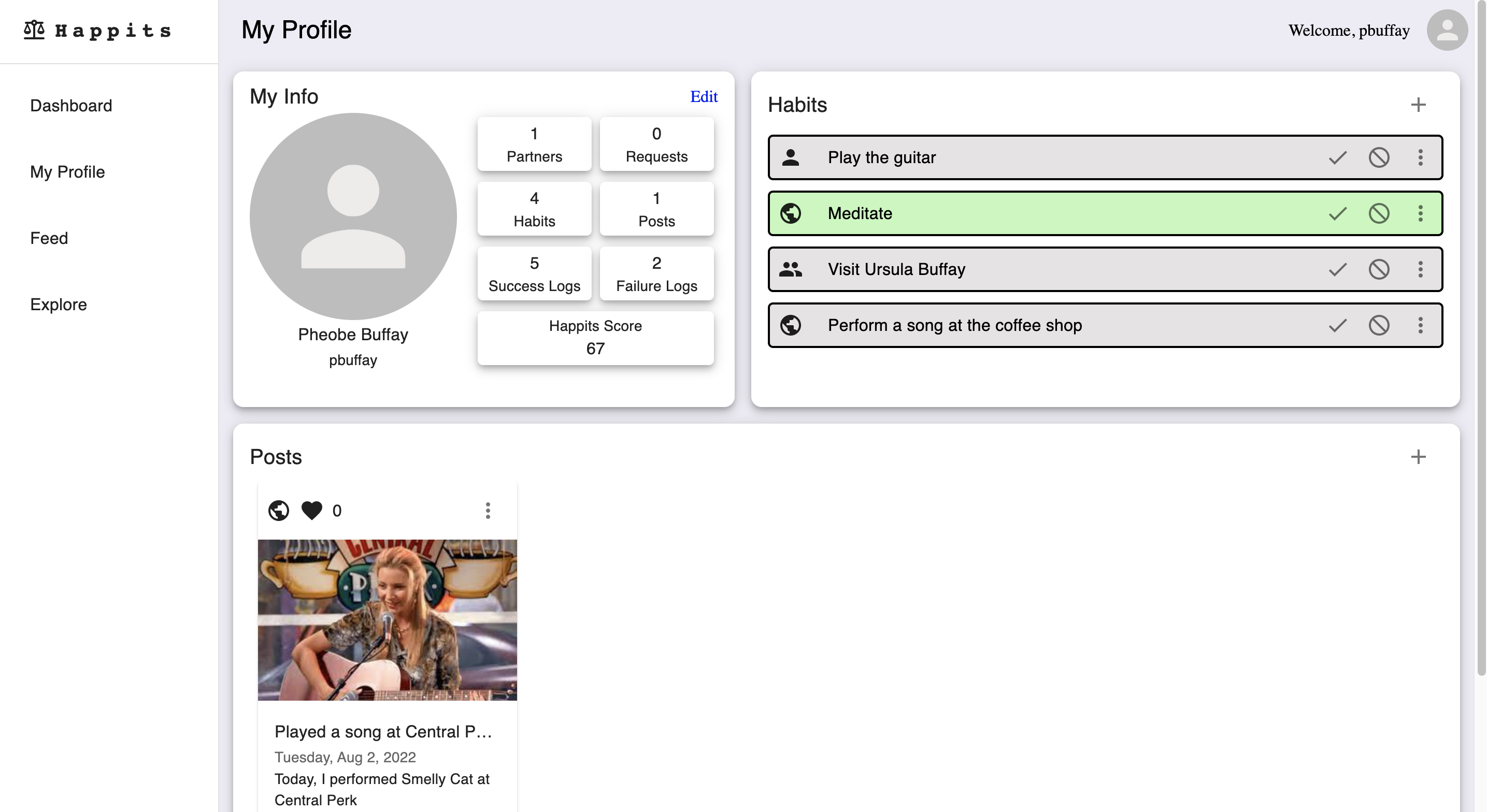
- My Info: this is a section that shows basic user information such as profile picture, username and name, and various analytics such as number of partners, requests, habits, posts, and logs. It also shows the Happits Score, which is calculated based on the other counts.
- Analytics: the heatmap shows the log activity within the past year. The table shows this week's logs for each of the user's habits.
- Habits: here, the user can create a new habit, edit existing habits, and create logs for their habits.
- Logs: the user can create new logs, see existing logs based on date, and edit/delete existing logs.
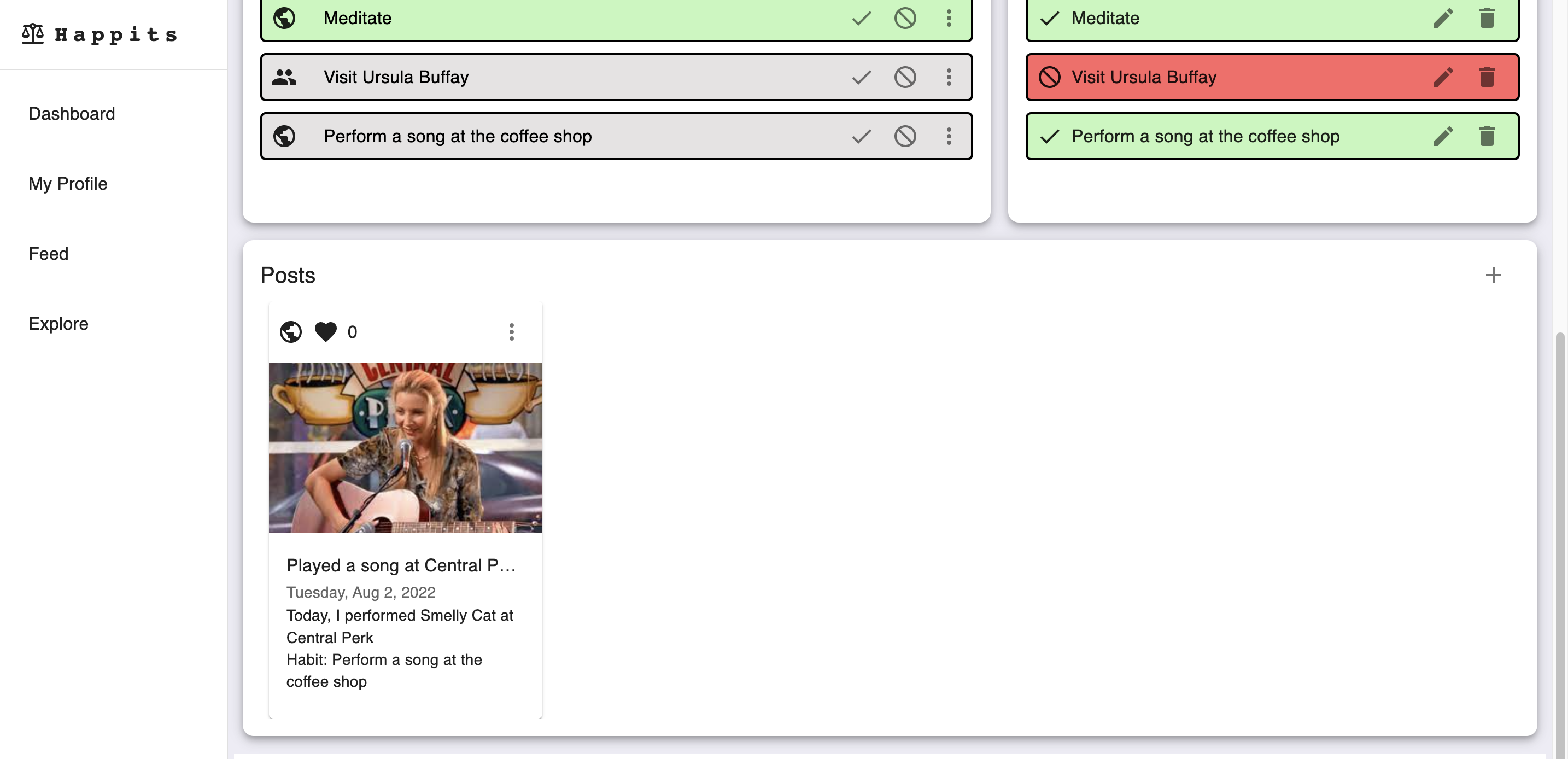
- Posts: the user can create new posts, view existing posts, and edit/delete existing posts.
**My Profile**: the profile page has two views (my profile view and another user profile view)
- My profile view: shows the same user information, habits, and posts section as the dashboard
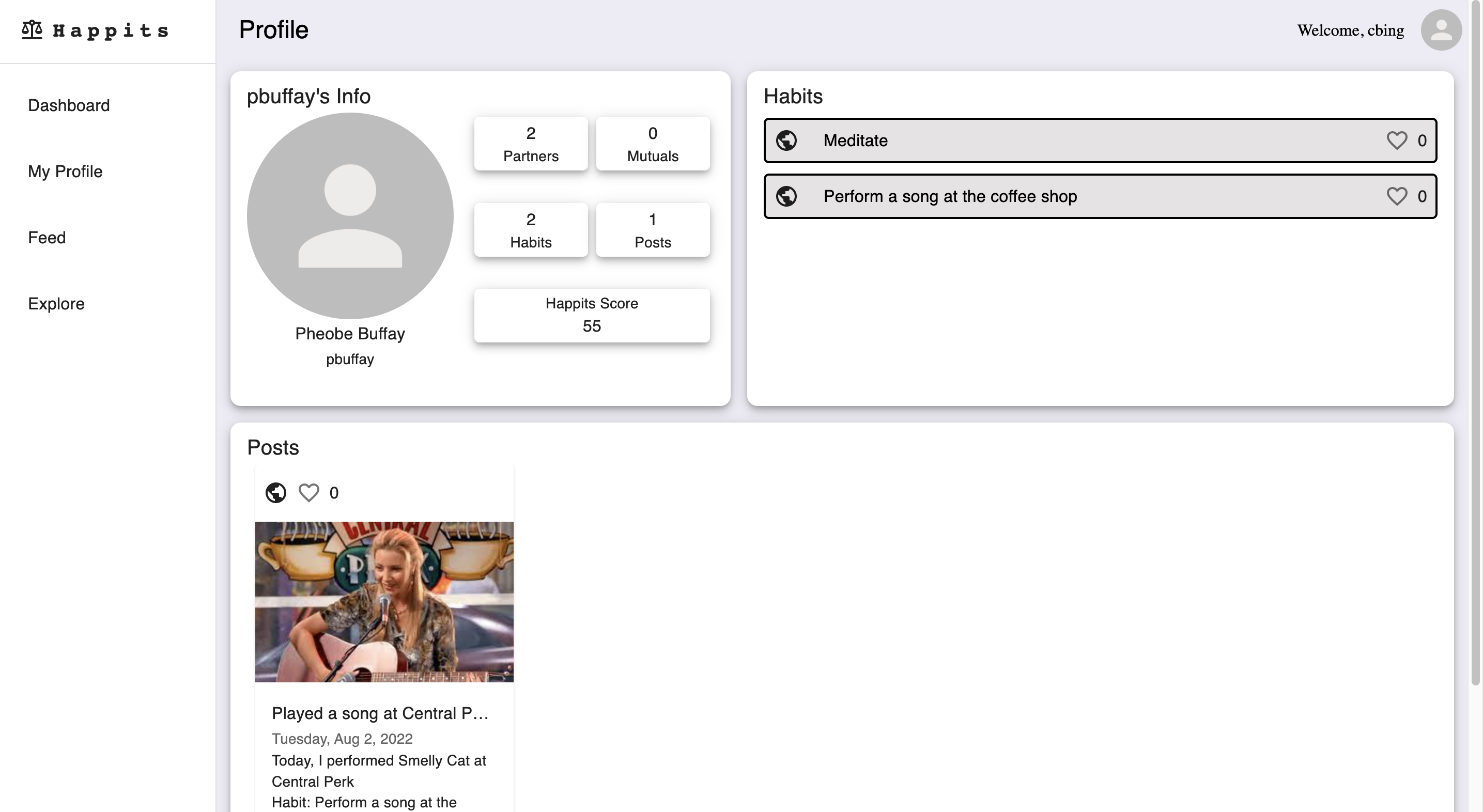
- Another user's profile view: based on the visibility settings of the other user, the user can see a limited amount of information in the Info section, and a limited number of posts and habits.
- Public: if a post or habit is public, any user can see it
- Partner: only partners of the user can see the post/habit
- Private: only the creator can see the post/habit
My Profile:
Viewing someone else's profile:
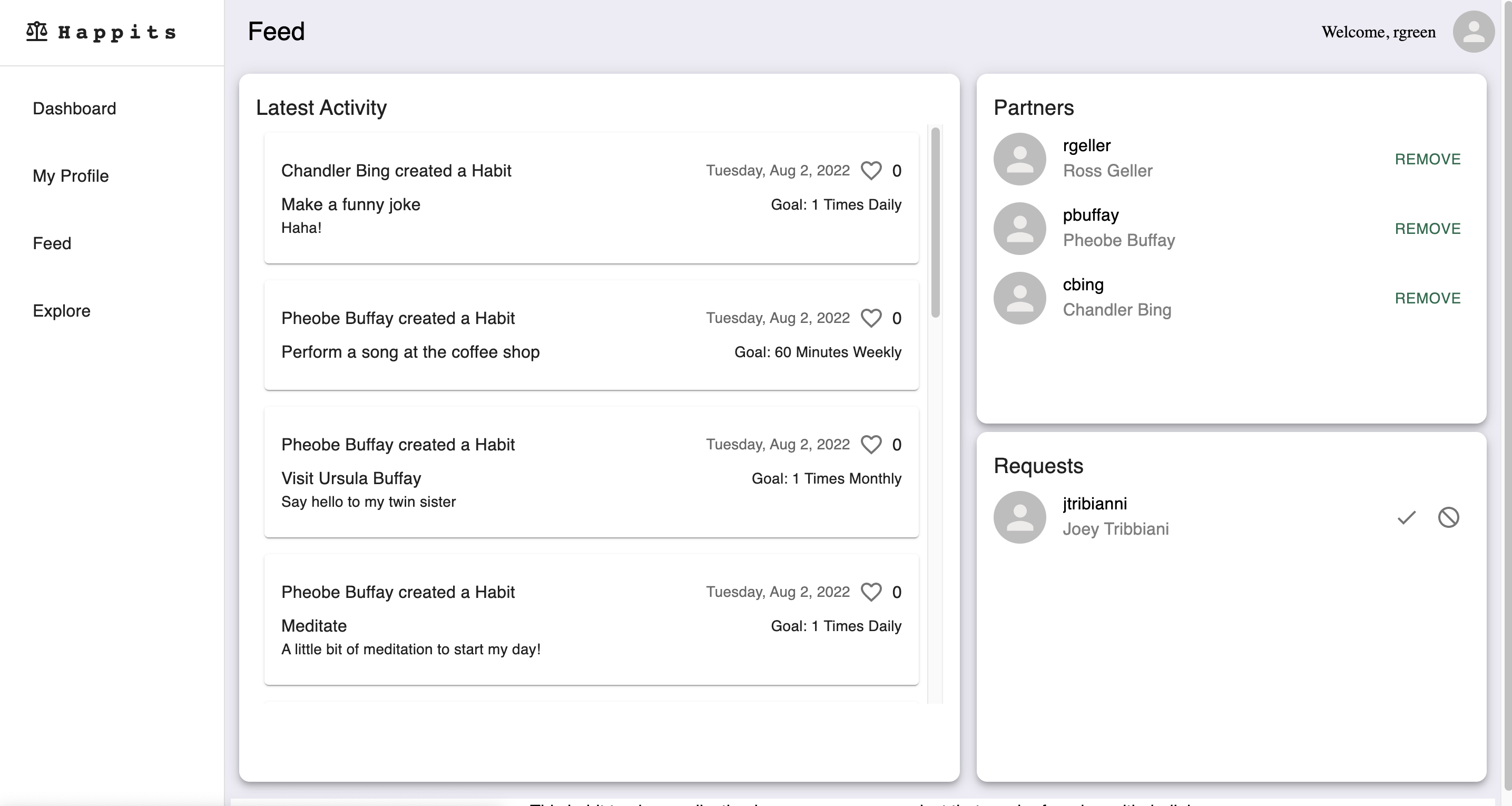
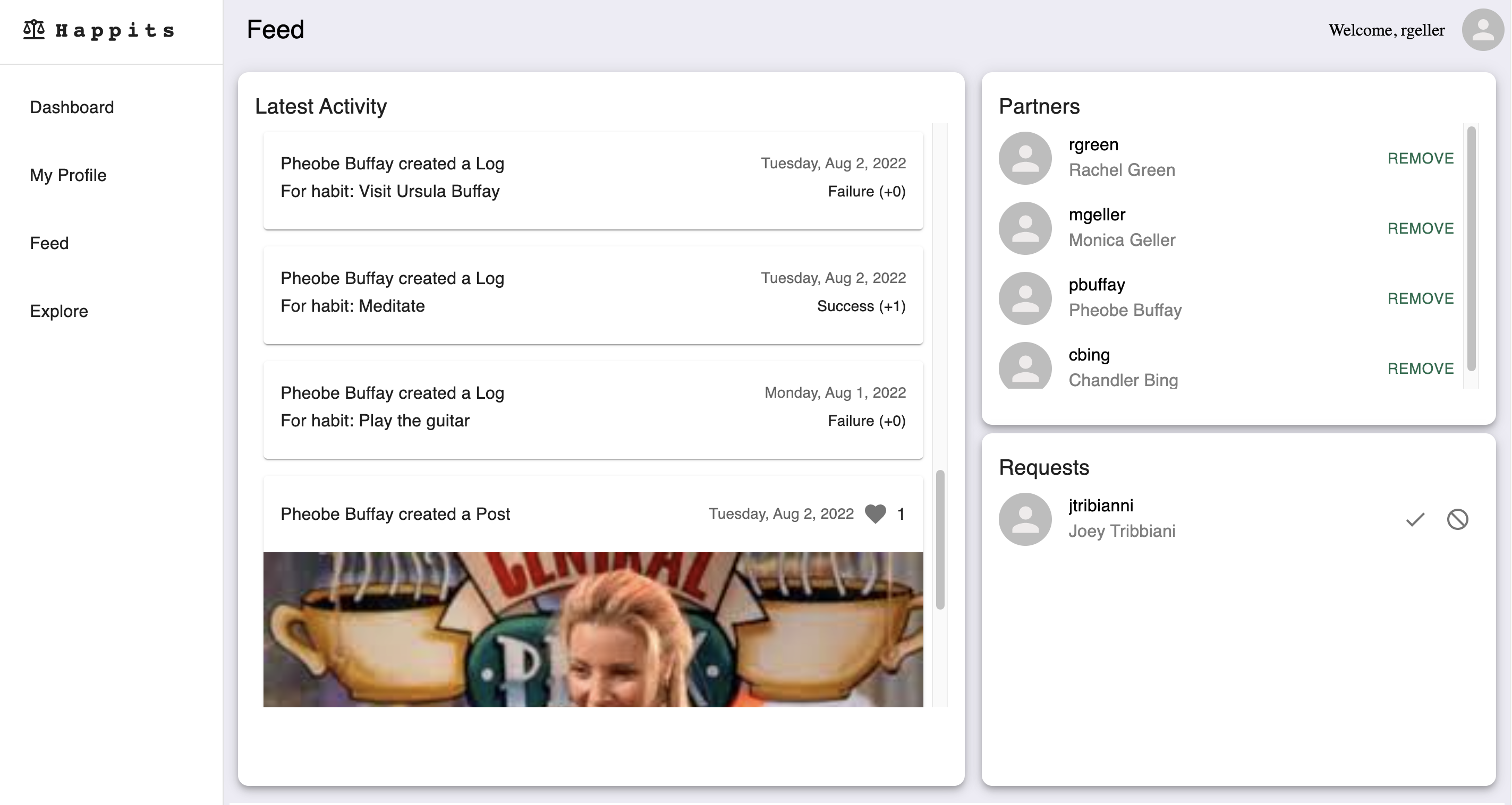
**Feed**: shows recent activity of partners of the user
- Recent activity: this section shows recent habits, logs, and posts created by other users that are partners of the current user
- the user can "support" the activity of other users by clicking the support icon. The number of supports of each activity is shown next to the icon.
- Parnters/Requests: the user can manage their network by accepting/rejecting partner requests, and removing existing partners
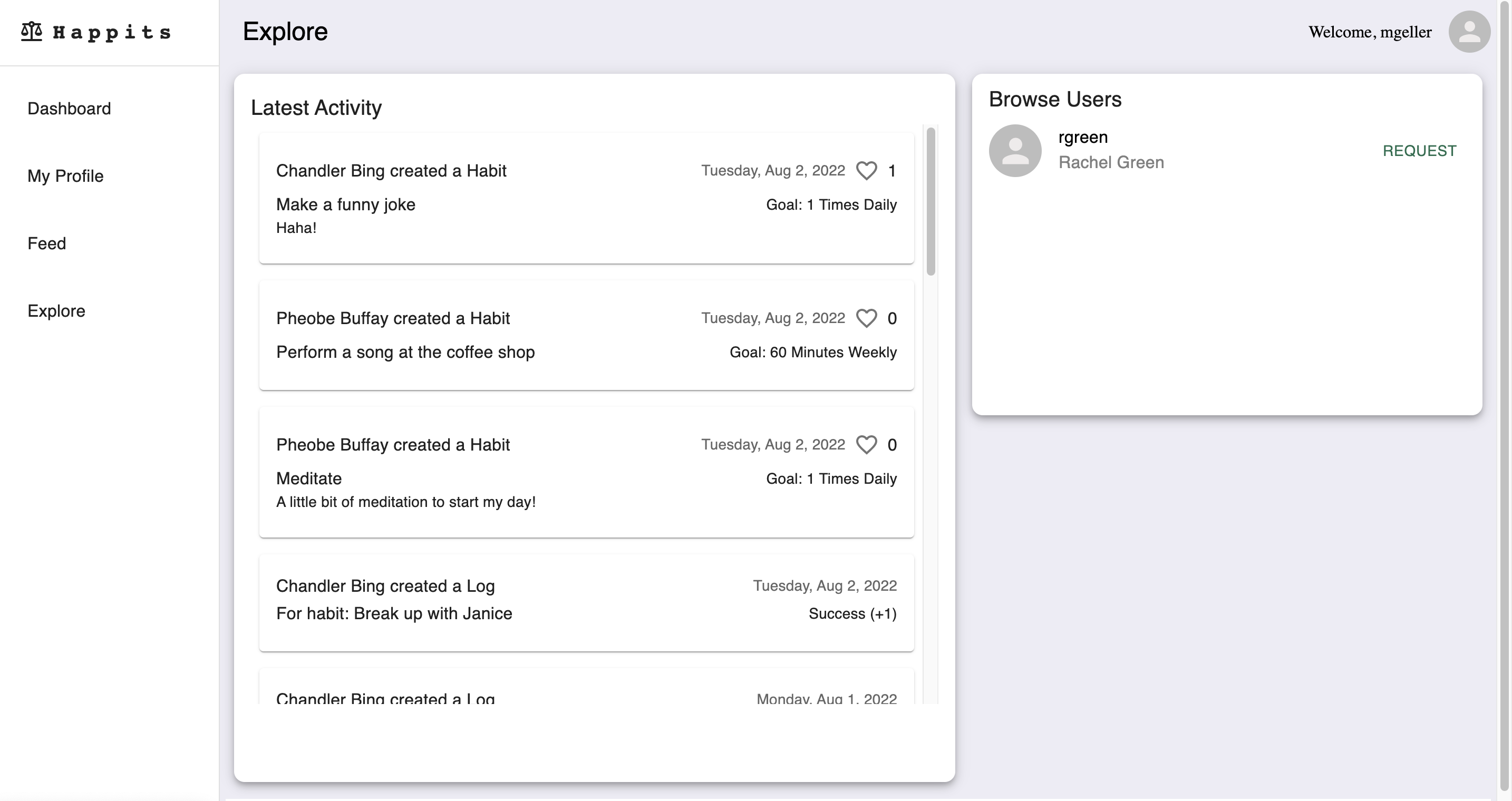
**Explore**: shows recent activity of public users
- Recent activity: this section shows recent habits, logs, and posts that are publicly created by other users. Thus, a user can see content from other users that are not part of their partner network.
### Content Creation
3 types of content can be created: habit, log, and post
Habit:
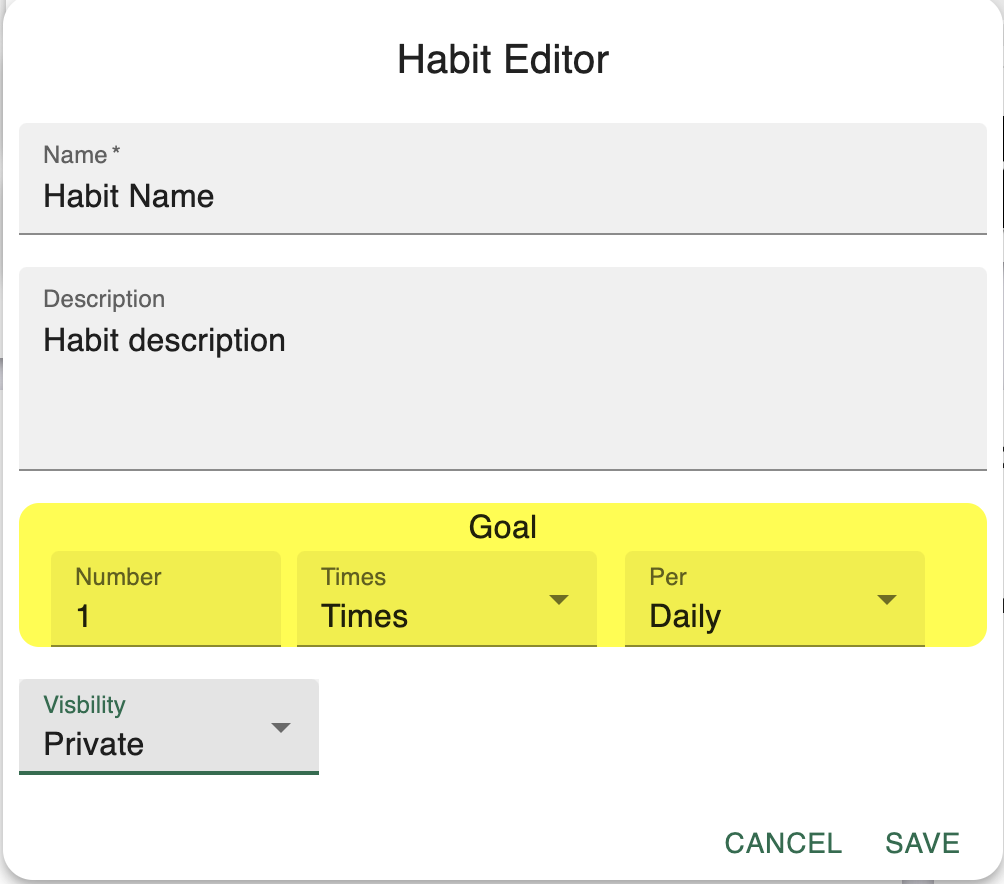
- Habits can be created/updated in the Habit Editor
- user specifies the name, description, goal, and visibility
- a goal can be set based on frequency (Times) or duration (Minutes). Furthermore, the length of the goal can be set as Daily, Weekly, or Monthly
- the visibility can be set to Public (visible to everyone), Partner (visible to partners), or Private (visible to self).
- 
Log:
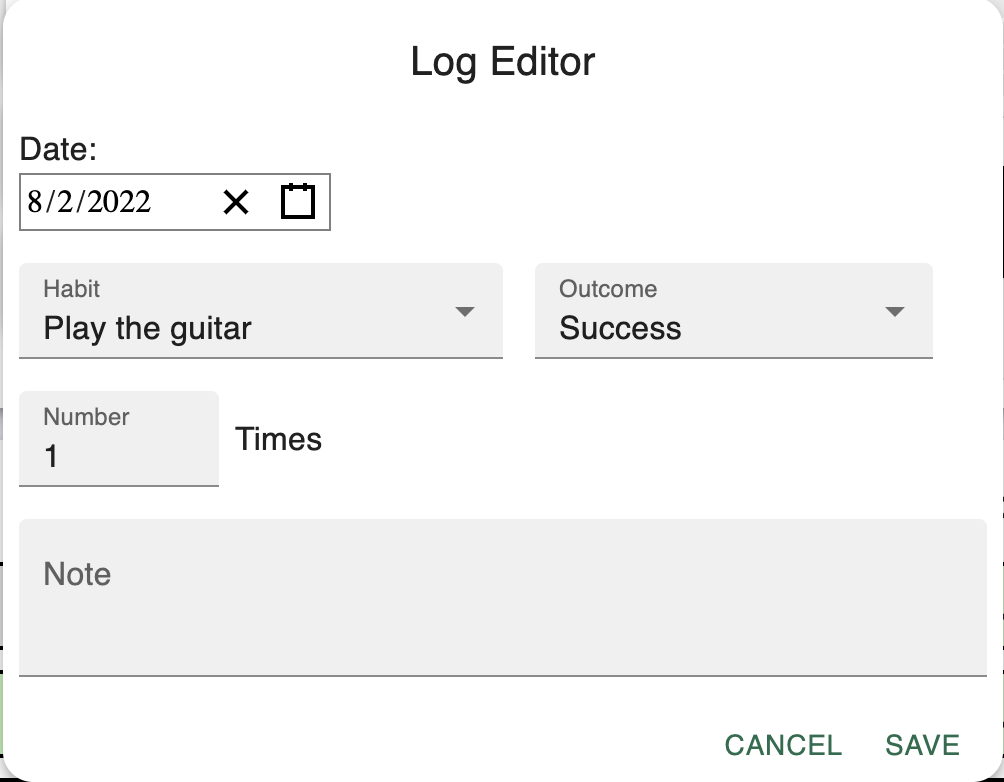
- Logs can be created/updated in the Log Editor
- Logs represent a record for a certain habit on a certain date
- Logs can have Success or Failure as outcomes
- The number field allows the user to keep track of how many times or minutes they accomplished a certain habit.
- 
Post:
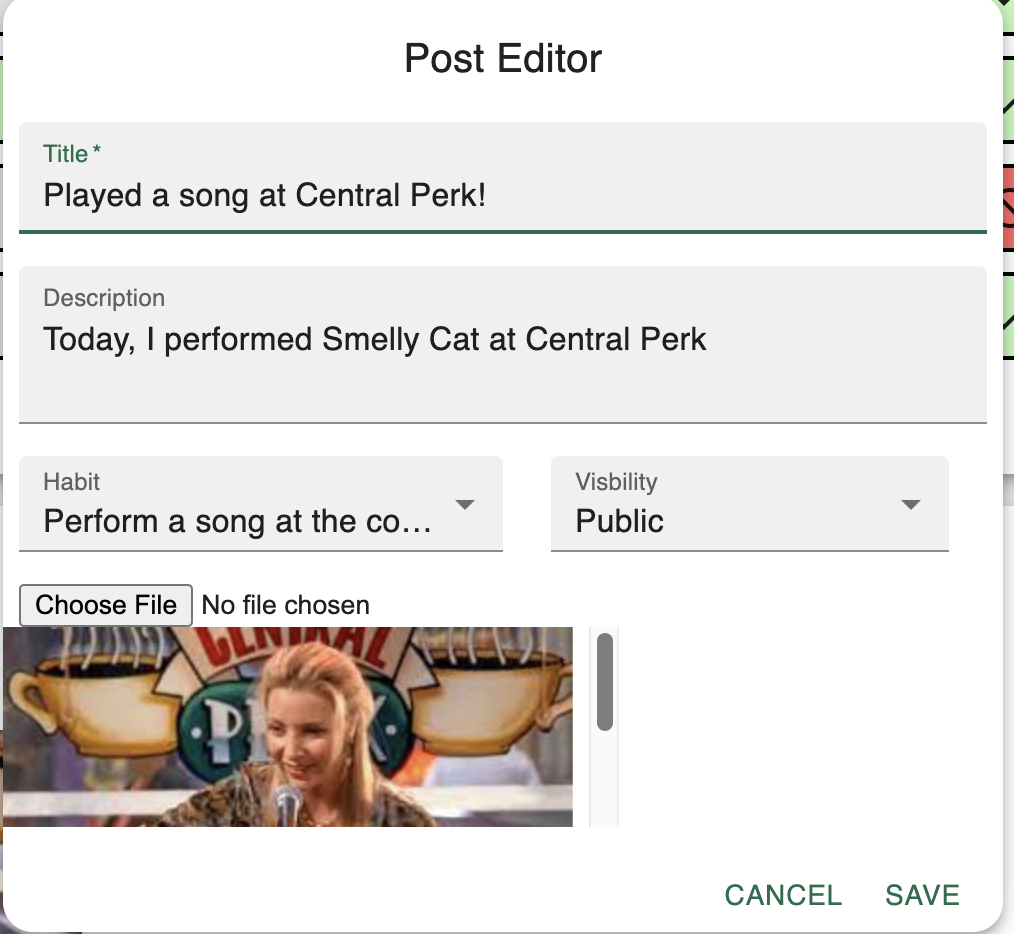
- Posts can be created/updated in the Post Editor
- Posts are ways a user can share their progress by uploading a picture, title, and description.
- Posts can be optionally associated with a habit
- 
## Development
This web application was created using the MERN stack (MongoDB, Express.js, React, and Node.js).