https://github.com/jacklandrin/yxstackview
A StackView could have flexible space
https://github.com/jacklandrin/yxstackview
Last synced: about 1 month ago
JSON representation
A StackView could have flexible space
- Host: GitHub
- URL: https://github.com/jacklandrin/yxstackview
- Owner: jacklandrin
- License: mit
- Created: 2017-10-16T12:17:22.000Z (about 8 years ago)
- Default Branch: master
- Last Pushed: 2018-05-31T09:46:14.000Z (over 7 years ago)
- Last Synced: 2025-01-11T14:47:59.505Z (12 months ago)
- Language: Objective-C
- Homepage: http://www.jacklandrin.com/2018/05/22/yxstackview/
- Size: 16.6 KB
- Stars: 4
- Watchers: 3
- Forks: 0
- Open Issues: 0
-
Metadata Files:
- Readme: README.md
- License: LICENSE.md
Awesome Lists containing this project
README
# YXStackView
UIToolbar is an useful control in UIKit. But after iOS 11 we need to add some compatible code to keep UI layout. Then I found UIStackView can be used as layout. However it doesn't have some function like ``UIBarButtonSystemItemFlexibleSpace``. So in order to create a container view supporting flexible space, I wrote **YXStackView**.
```
typedef enum {
YXStackViewItemStyleCustom,
YXStackViewItemStyleFlexibleSpace,
YXStackViewItemStyleFlexibleItem
}YXStackViewItemStyle;
@interface YXStackViewItem : NSObject
@property (nonatomic, strong) UIView *customView;
@property (nonatomic, assign) NSUInteger index;
@property (nonatomic, assign) YXStackViewItemStyle style;
@end
```
The class **YXStackViewItem** is model of item view in container, it likes UIBarButtonItem in UIToolbar. If the **YXStackViewItemStyle** is **YXStackViewItemStyleFlexibleSpace**, the **customView** will be *nil*. You can instantiate items based your requirement and set them into the **YXStackView**.
```
typedef enum {
YXStackViewAxisHorizontal,
YXStackViewAxisVertical
} YXStackViewAxis;
@interface YXStackView : UIView
@property (nonatomic, assign) YXStackViewAxis axis;
@property (nonatomic, assign) CGFloat spacing;
@property (nonatomic, assign) CGFloat columnSpacing;//When isAutoFitEdge is YES, it's avilable
@property (nonatomic, assign) BOOL reverse; //When isAutoFitEdge is NO, it's avilable
@property (nonatomic, strong) NSArray* items;
@property (nonatomic, assign) BOOL isAutoFitEdge; //whether item is auto resizing with View,if over view edge stackView is multiline. If it's YES,YXStackViewItem doesn't support YXStackViewItemStyleFlexibleSpace and YXStackViewItemStyleFlexibleItem.
@end
```
The YXStackView supports horizontal & vertical two layout orientations, and whether reverse sorted items. **isAutoFitEdge** can control if multiline display, if it's YES, the **columnSpacing** will be avilable. When **layoutSubView** is invoked, the items' layout will be recoculated.
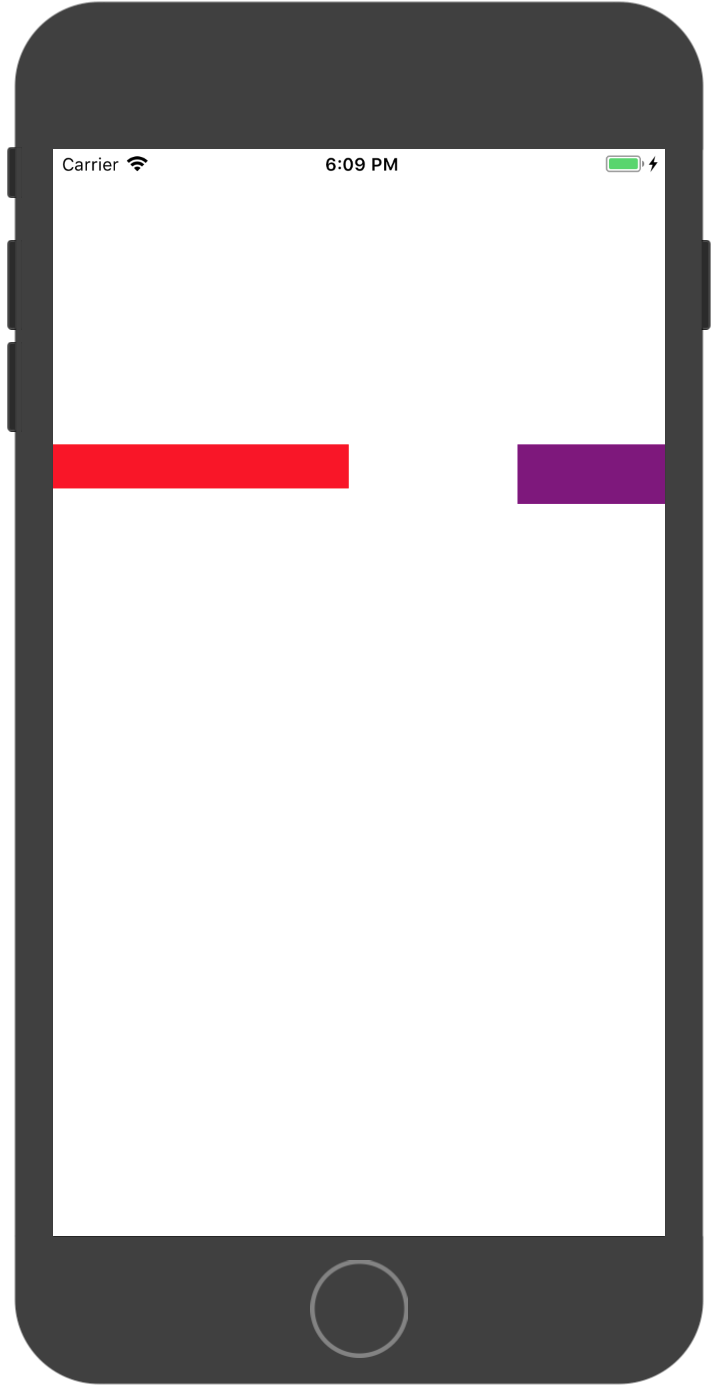
If you just use it to instead of UIToolbar, you can write like this:
```
YXStackView *toolbar = [[YXStackView alloc] initWithFrame:CGRectMake(0, 200, self.view.frame.size.width, 40)];
toolbar.spacing = 10.0;
toolbar.isAutoFitEdge = NO;
[self.view addSubview:toolbar];
UIView *view1 = [[UIView alloc] initWithFrame:CGRectMake(0, 0, 200, 30)];
view1.backgroundColor = [UIColor redColor];
YXStackViewItem *item1 = [[YXStackViewItem alloc] init];
item1.style = YXStackViewItemStyleCustom;
item1.customView = view1;
YXStackViewItem *space = [[YXStackViewItem alloc] init];
space.style = YXStackViewItemStyleFlexibleSpace;
UIView *view3 = [[UIView alloc] initWithFrame:CGRectMake(0, 0, 100, 40)];
view3.backgroundColor = [UIColor purpleColor];
YXStackViewItem *item3 = [[YXStackViewItem alloc] init];
item3.style = YXStackViewItemStyleCustom;
item3.customView = view3;
[toolbar setItems:@[item1,space,item3]];
```
and you will get this layout:
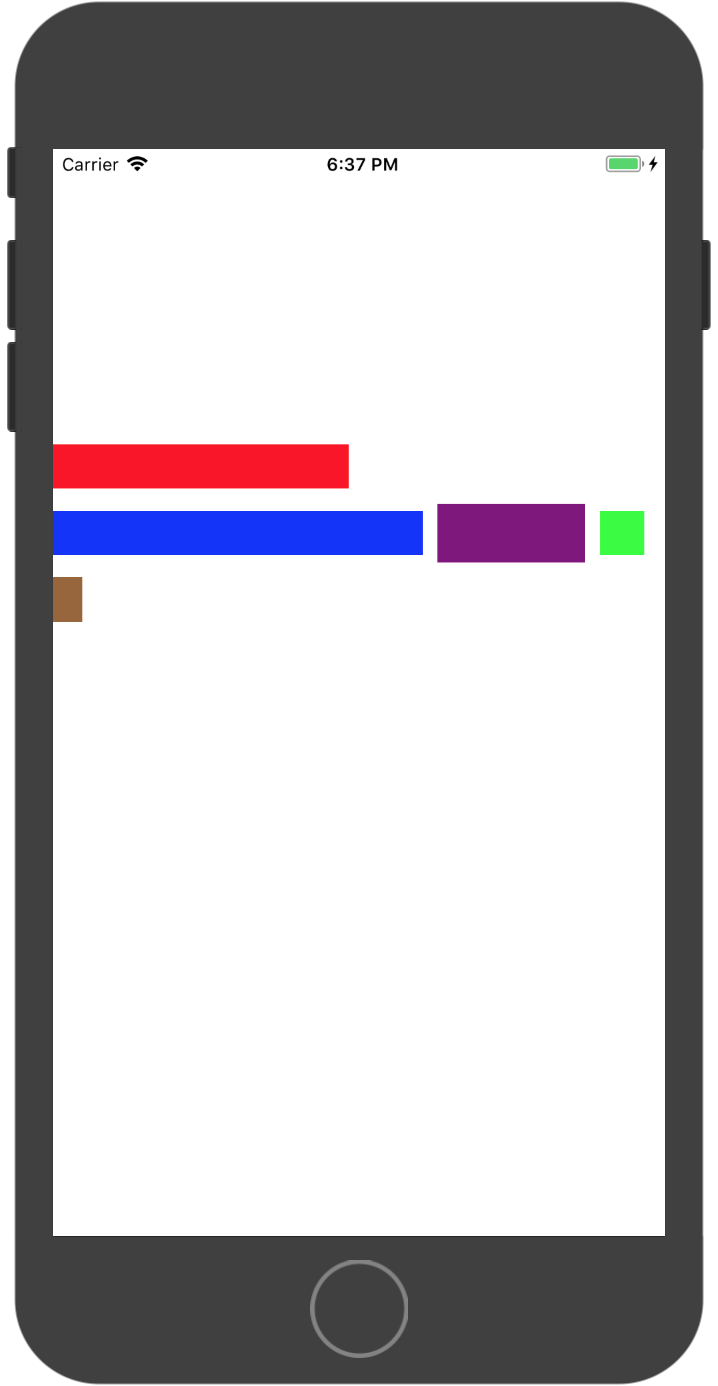
If else UIStackView mode:
```
YXStackView *toolbar = [[YXStackView alloc] initWithFrame:CGRectMake(0, 200, self.view.frame.size.width, 40)];
toolbar.spacing = 10.0;
toolbar.isAutoFitEdge = YES;
[self.view addSubview:toolbar];
UIView *view1 = [[UIView alloc] initWithFrame:CGRectMake(0, 0, 200, 30)];
view1.backgroundColor = [UIColor redColor];
YXStackViewItem *item1 = [[YXStackViewItem alloc] init];
item1.style = YXStackViewItemStyleCustom;
item1.customView = view1;
UIView *view2 = [[UIView alloc] initWithFrame:CGRectMake(0, 0, 250, 30)];
view2.backgroundColor = [UIColor blueColor];
YXStackViewItem *item2 = [[YXStackViewItem alloc] init];
item2.style = YXStackViewItemStyleCustom;
item2.customView = view2;
UIView *view3 = [[UIView alloc] initWithFrame:CGRectMake(0, 0, 100, 40)];
view3.backgroundColor = [UIColor purpleColor];
YXStackViewItem *item3 = [[YXStackViewItem alloc] init];
item3.style = YXStackViewItemStyleCustom;
item3.customView = view3;
UIView *view4 = [[UIView alloc] initWithFrame:CGRectMake(0, 0, 30, 30)];
view4.backgroundColor = [UIColor greenColor];
YXStackViewItem *item4 = [[YXStackViewItem alloc] init];
item4.style = YXStackViewItemStyleCustom;
item4.customView = view4;
UIView *view5 = [[UIView alloc] initWithFrame:CGRectMake(0, 0, 20, 30)];
view5.backgroundColor = [UIColor brownColor];
YXStackViewItem *item5 = [[YXStackViewItem alloc] init];
item5.style = YXStackViewItemStyleCustom;
item5.customView = view5;
toolbar.columnSpacing = 10;
[toolbar setItems:@[item1, item2, item3, item4, item5]];
```
and you will got :
## License
MIT License