https://github.com/jackysi/pawtunes
Discover PawTunes, The Ultimate HTML5 Internet Radio Player with Purrfect Visuals, Customizable Templates, and Clean Code. Built for Pros, Loved by Cats!
https://github.com/jackysi/pawtunes
centovacast fanarttv html5-player icecast internet-radio-player itunes lastfm lastfm-api radio-player radio-station-player sam-broadcaster shoutcast spotify web-player web-radio webradio
Last synced: 3 months ago
JSON representation
Discover PawTunes, The Ultimate HTML5 Internet Radio Player with Purrfect Visuals, Customizable Templates, and Clean Code. Built for Pros, Loved by Cats!
- Host: GitHub
- URL: https://github.com/jackysi/pawtunes
- Owner: Jackysi
- License: mpl-2.0
- Created: 2024-11-18T08:04:17.000Z (over 1 year ago)
- Default Branch: master
- Last Pushed: 2026-04-11T15:17:02.000Z (3 months ago)
- Last Synced: 2026-04-11T15:22:30.423Z (3 months ago)
- Topics: centovacast, fanarttv, html5-player, icecast, internet-radio-player, itunes, lastfm, lastfm-api, radio-player, radio-station-player, sam-broadcaster, shoutcast, spotify, web-player, web-radio, webradio
- Language: SCSS
- Homepage: https://prahec.com/pawtunes
- Size: 8.01 MB
- Stars: 61
- Watchers: 2
- Forks: 9
- Open Issues: 3
-
Metadata Files:
- Readme: README.md
- Funding: .github/FUNDING.yml
- License: LICENSE
- Agents: AGENTS.md
Awesome Lists containing this project
README

# PawTunes - Open Source Web Radio Player
[](#requirements)
[](LICENSE)
[](https://hub.docker.com/r/jackyprahec/pawtunes)
[](https://github.com/Jackysi/pawtunes)
[](https://github.com/Jackysi/pawtunes/releases)
**PawTunes** is a free, open-source web radio player with real-time track info, artwork fetching, and multi-channel streaming.
Supports Shoutcast, Icecast, AzuraCast, direct ICY metadata, and more. Self-hosted PHP backend with Docker support.
Built from the ground up with over 15 years of experience, PawTunes combines modern web technologies, elegant design,
and high performance to deliver a complete radio player platform.
It's not just a JavaScript audio library - it's a full-stack app that fetches live track information, manages album artwork from multiple APIs,
and includes a control panel for managing every aspect of your radio player.
---
## Table of Contents
- [Quick Start](#quick-start)
- [Demo & Screenshots](#demo--screenshots)
- [Why PawTunes?](#why-pawtunes)
- [Features](#features)
- [Installation](#installation)
- [Docker](#docker)
- [Track Info APIs](#track-info-apis)
- [Artwork APIs](#artwork-apis)
- [Developer API & Customization](#developer-api--customization)
- [Scalability & Caching](#scalability--caching)
- [Requirements](#requirements)
- [Documentation](#documentation)
- [Links](#links)
- [Credits](#credits)
- [Support the Project](#support-the-project)
---
## Quick Start
### Docker (recommended)
```bash
docker run -d -p 80:80 jackyprahec/pawtunes:latest
```
Then visit `http://localhost/panel/` - login with `admin` / `password`.
### Manual Upload
Upload the release ZIP to your web server, then visit:
```
http://your-host.com/pawtunes/panel/
```
Login: `admin` / `password`
See [Installation](#-installation) for detailed setup instructions.
---
## Demo & Screenshots
Explore the live demo:
- **Control Panel**: [https://prahec.com/projects/pawtunes/demo/panel/](https://prahec.com/projects/pawtunes/demo/panel/)
**Username**: `admin`
**Password**: `password`
##### Default - PawTunes
[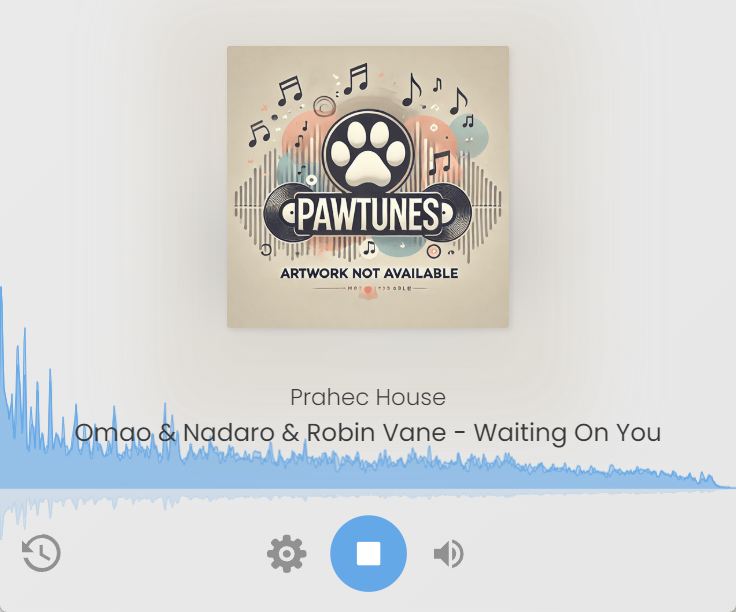](https://cdn.prahec.com/projects/pawtunes/screens/20241129175123.png)
##### AIO Radio Player
[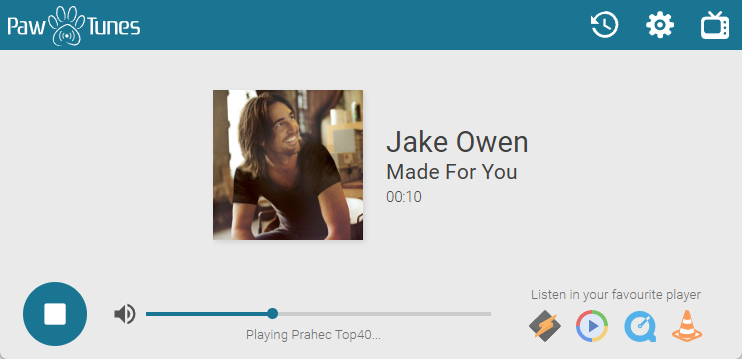](https://cdn.prahec.com/projects/pawtunes/screens/20241129175330.png)
##### HTML5 Radio Player
[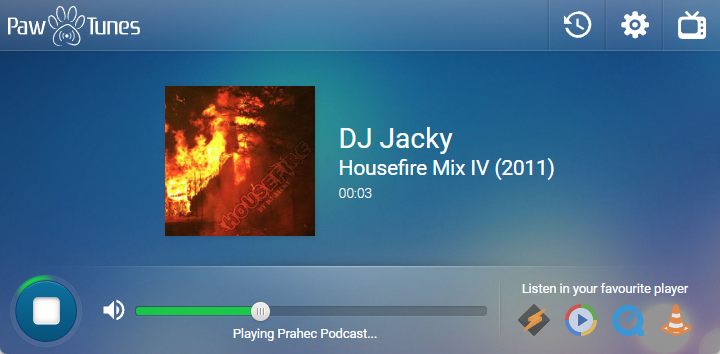](https://cdn.prahec.com/projects/pawtunes/screens/20241129175356.png)
##### Simple Template
[](https://cdn.prahec.com/projects/pawtunes/screens/20241129175419.png)
##### Modern Light
[](https://cdn.prahec.com/projects/pawtunes/screens/modern-light.png)
##### Modern Dark
[](https://cdn.prahec.com/projects/pawtunes/screens/modern-dark.png)
---
## Why PawTunes?
| Feature | PawTunes | Typical Players |
|---|---|---|
| Multi-channel streaming | Unlimited channels | 1-3 channels |
| Track info APIs | 7+ (Shoutcast, Icecast, AzuraCast, CentovaCast...) | 1-2 |
| Artwork sources | Spotify, iTunes, LastFM, FanArt TV, Custom | iTunes only |
| Caching | Redis, Memcached, APCu, Disk | None |
| Docker support | Yes, with persistent volumes | Rare |
| Self-hosted | Full control, no SaaS dependency | Often SaaS |
| Templates | 6 included, fully customizable | 1 fixed layout |
| WebSocket support | Built-in for live updates | Not available |
| Artwork management | Auto-crop, optimize, cache | Pass-through only |
| PHP backend | Full control panel with API integrations | JavaScript only |
---
## Features
### Frontend
- **Responsive Design**: Optimized for seamless performance on desktops, tablets, and mobiles.
- **HTML5 Audio API**: Fully compatible with all major browsers, ensuring a consistent experience.
- **Unlimited Multi-Channels**: Configure an unlimited number of channels per player.
- **Multi-bitrate Streaming**: Users can select their preferred stream quality (optional).
- **Multi-language Support**: Automatically adjusts based on browser locale.
- **Dynamic Playlist Generation**: Create streaming playlists on the fly with PHP.
- **Built-in WebSocket Support**: Ensures low-latency communication.
- **Artwork Caching and Management**: Fetch and store images from APIs like Spotify, iTunes, and FanArtTV.
- **Customizable Themes**: Includes multiple templates with the ability to create custom colour schemes.
- **Dynamic Window Title**: Updates the browser window title dynamically based on the current track info.
- **MediaInfoAPI**: Similar to YouTube, **PawTunes** displays artwork/track info on any Bluetooth device.
- **Easy Customization**: With minimal development skills, you can tailor the front-end to your preferences.
- **Stream History**: Track stream history for each channel using API data or generate it dynamically.
- **Auto-Reconnect**: Automatically reconnects streams in case of browser disconnection or network errors.
- **and much more...**
### Backend
- **PHP Backend**: Powers advanced features like track info, artwork management, API integrations, and more
- **Caching Options**: Supports APCu, Redis, Memcached, and disk-based caching for high performance.
- **Control Panel**: Manage all settings, templates, and tracks via an intuitive dashboard.
- **API Support**: Integrates seamlessly with APIs like Spotify and FanArtTV for enhanced metadata (details below).
- **Templates**: Use variables in HTML templates, with future support planned for the Blade templating engine.
- **Advanced Template Options**: Add custom templates with metadata-driven options (e.g. enable/disable spectrum, song search URL and much more) see `metadata.json` in the template folders.
- **and more...**
### Track Info APIs
- **Any stream** with embedded ICY-METADATA (used by most streams today).
- **Shoutcast** (Public & Admin access).
- **Icecast** (Admin access required).
- **AzuraCast** (Web Sockets and API integration).
- **Sam Broadcaster** (via database integration).
- **CentovaCast** (Public widget API).
- **Custom** (Use external APIs of your choice).
### Artwork APIs
- **iTunes**: Public API, no API key required.
- **Spotify**: Public API, API key required.
- **LastFM**: Public API, API key required.
- **FanArt TV**: Public API, API key required.
- **Custom**: Use your own sources, e.g., point to a folder or a URL like `https://page.com/{{$artist}}%20-%20{{$title}}.jpg`. You can also integrate with any other artwork service.
---
## Installation
Installation is straightforward in most cases, download the shared "ZIP" file and upload its contents to your web host.
Since **PawTunes** is a standalone PHP script/app, you only need to upload the files to a folder of your choice and then access that folder using the following URL format:
`http://your-host.com/folder-name/panel/index.php`
> [!NOTE]
> Default Login Information
> Username: **admin**
> Password: **password**
If you encounter any issues during installation, please refer to the [Installation Guide](https://doc.prahec.com/pawtunes#installation) for detailed instructions.
I also offer installation and customization services. For more details, feel free to reach out via the [Prahec - Contact Me](https://prahec.com/contact) page.
### Docker
The easiest way to run **PawTunes** is with Docker.
You can get started in seconds:
```bash
docker run -d -p 80:80 jackyprahec/pawtunes:latest
```
#### Persisting Data
To keep your configuration and data across container updates, you should mount the following paths:
- **/var/www/html/inc/config** - holds `general.php` and other config
- **/var/www/html/inc/locale** - translations/locales
- **/var/www/html/data** - holds artworks, cache, images
Example:
```bash
docker run \
--name=pawtunes \
-p 80:80 \
-v /local/folder/config:/var/www/html/inc/config \
-v /local/folder/locale:/var/www/html/inc/locale \
-v /local/folder/data:/var/www/html/data \
jackyprahec/pawtunes:latest
```
Since **PawTunes 1.0.7**, the `entrypoint.sh` script will automatically copy default config/locale/data files into empty volumes on first run.
PawTunes includes an Nginx server by default, but for TLS/HTTPS you'll usually want to put it behind a reverse proxy (e.g. Traefik, NGINX Proxy Manager, Caddy, etc...).
You _can_ modify the bundled Nginx config for TLS directly, but that's out of scope here.
---
## Developer API & Customization
**PawTunes** is designed to be easily extended, upgraded, and customized.
The codebase is straightforward, well-commented, and structured for simplicity.
Full documentation for all player classes and functions is coming soon.
In the meantime, you can find practical code examples for integrating the player into your website using the **External API (JSONP)** here:
[Developer Documentation](https://doc.prahec.com/pawtunes#developers).
#### Experimental feature: ICY Metadata
For years, reading ICY metadata directly in the browser seemed impossible without Web Assembly.
Now, we're pushing the boundaries with an experimental implementation.
It's still a work in progress, currently in beta, and may not function on some mobile browsers or older environments.
Check out the demo and feel free to contribute or provide feedback: [Live ICY Metadata Demo](https://prahec.com/pawdemo/)
---
## Scalability & Caching
- **High Performance**: Optimized to handle thousands of simultaneous listeners.
- **Caching** using APC, APCu, Redis, Memcached, and Disk cache (can be on shared storage).
- **Artwork Optimization**: Images are cropped, optimized, and stored on PawTunes for fast access. This feature can be disabled in the settings, using only direct API requests, which are also cached.
---
## Requirements
PawTunes has minimal requirements to ensure smooth operation:
- **PHP 7.4+** with CURL Extension.
- **PHP ZipArchive Extension** (optional, for updates).
- **Access to API Ports**: Ensure proper configuration for ports (e.g., Shoutcast uses port 8000 by default).
---
## Documentation
Comprehensive documentation is available at:
- [PawTunes Official Docs](https://doc.prahec.com/pawtunes)
---
## Links
- [Live Demo](https://prahec.com/projects/pawtunes/demo/panel/)
- [Documentation](https://doc.prahec.com/pawtunes)
- [Docker Hub](https://hub.docker.com/r/jackyprahec/pawtunes)
- [Report Issues](https://github.com/Jackysi/pawtunes/issues)
- [Contact](https://prahec.com/contact)
---
## Credits
**PawTunes** would have taken even more time to develop without the incredible open-source projects that made it possible.
Here's the list of libraries and projects used in the **Control Panel**:
- **FontAwesome 6 Free**: [https://fontawesome.com/](https://fontawesome.com/)
- **Bootstrap Modals**: [https://getbootstrap.com/docs/5.3/components/modal/](https://getbootstrap.com/docs/5.3/components/modal/)
- **SCSS PHP Compiler**: For custom colour schemes [https://scssphp.github.io/scssphp/](https://scssphp.github.io/scssphp/)
- **Spectrum**: For colour picking of templates [https://bgrins.github.io/spectrum/](https://bgrins.github.io/spectrum/)
- **jQuery**: [https://jquery.com/](https://jquery.com/)
The player itself uses only one lightweight library:
- **AudioMotion Analyser**: [https://www.npmjs.com/package/audiomotion-analyzer](https://www.npmjs.com/package/audiomotion-analyzer)
If I've missed crediting any library, please let me know, and I will update this list promptly.
---
## Support the Project
**Donate & Support**
This project took an immense amount of effort to build. While it may not look like much,
it represents over 5 months of initial (first release) full-time work and over a decade of experience developing similar apps and scripts.
My initial plan was to sell this as a product on Envato Market - CodeCanyon for 35$ (about 31€), but the review team permanently declined the project,
so I decided to share this awesome project for free.
As this project is close to my heart, I will continue working on it for free. However,
if you find it useful and want to support its ongoing development, any financial support would be greatly appreciated.
It would help cover costs (hosting) my effort and, of course, fund a coffee or two to keep me coding!
[Donate via PayPal](https://www.paypal.com/donate/?hosted_button_id=VN3SBVYNHC2SE)
I will also be extremely grateful for any help solving issues and/or improving my code for others.