https://github.com/jacobmarks/active-learning-plugin
Label your dataset with active learning in FiftyOne!
https://github.com/jacobmarks/active-learning-plugin
active-learning annotation computer-vision data-cu fiftyone labeling plugin python
Last synced: 9 months ago
JSON representation
Label your dataset with active learning in FiftyOne!
- Host: GitHub
- URL: https://github.com/jacobmarks/active-learning-plugin
- Owner: jacobmarks
- Created: 2023-09-19T01:11:01.000Z (almost 3 years ago)
- Default Branch: main
- Last Pushed: 2024-04-04T23:40:36.000Z (over 2 years ago)
- Last Synced: 2024-04-16T07:21:07.573Z (over 2 years ago)
- Topics: active-learning, annotation, computer-vision, data-cu, fiftyone, labeling, plugin, python
- Language: Python
- Homepage:
- Size: 36.1 KB
- Stars: 6
- Watchers: 3
- Forks: 0
- Open Issues: 1
-
Metadata Files:
- Readme: README.md
Awesome Lists containing this project
README
## 🏃 Active Learning 🏃

When it comes to machine learning, one of the most time-consuming and costly parts of the process is data annotation. Especially in the realm of computer vision, labeling images or videos can be an incredibly laborious task, often requiring a team of annotators and hours of meticulous work to generate high-quality labels.
What if you could make this process smarter and more efficient? Enter [Active Learning](https://en.wikipedia.org/wiki/Active_learning_machine_learning) — a paradigm that iteratively selects the most "informative" or "ambiguous" examples for labeling, thereby reducing the amount of manual annotation needed. In practical terms, this means your model gets better, faster, and with fewer labeled samples.
This FiftyOne plugin brings Active Learning to your computer vision data using the
[modAL](https://modal-python.readthedocs.io/en/latest/) library, allowing you to integrate this accelerant directly into your annotation workflow. Now you can prioritize, query, and annotate the most crucial data points, all within the FiftyOne App—no coding necessary.
The best part? You can use this in tandem with your traditional annotation service providers (via FiftyOne’s integrations with CVAT, Labelbox and Label Studio), or even with the FiftyOne [Zero-shot Prediction plugin](https://github.com/jacobmarks/zero-shot-prediction-plugin)!
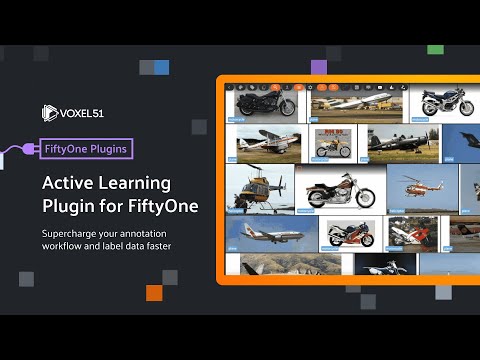
## Watch On Youtube
[](https://www.youtube.com/watch?v=j4z5zlfO3Pc&list=PLuREAXoPgT0RZrUaT0UpX_HzwKkoB-S9j&index=8)
## Installation
```shell
fiftyone plugins download https://github.com/jacobmarks/active-learning-plugin
```
Then install the requirements:
```shell
fiftyone plugins requirements @jacobmarks/active_learning --install
```
## Operators
### `create_active_learner`
Creates an active learning model and environment. The learner is initialized from a set of initial labels and input features.
We can choose:
- The field or fields to use as a feature vector
- The label field in which to store predictions
- The default batch size — the number of samples per query
- The `Active Learner`
For the latter of these, we can select from a variety of ensemble strategies, including Random Forest, Gradient Boosting, Bagging, and AdaBoost. When we make this top-level selection, the remainder of the form dynamically updates with appropriate hyperparameter configuration choices.
Executing this operator creates a modAL `ActiveLearner` that uses an “uncertainty” batch sampling. The execution also invokes the generation of initial predictions, and triggers the reload of the dataset.
### `query_learner`
Queries the active learner for the next samples to label. If you'd like, you can override the default query batch size.
Tag the samples whose predicted labels are incorrect. Untagged samples will be treated as correct predictions.
### `update_learner_predictions`
After correcting the incorrect query labels, we can update our active learner by “teaching” it this new information. Running this operator updates our active learning model, updates the label field with new predictions, and reloads the app.
## Usage
### 0. Generate Initial Labels
Before we can create an active learner, we need to generate some initial labels. We can do this using the [Zero-shot Prediction plugin](https://github.com/jacobmarks/zero-shot-prediction-plugin):

Alternatively, we can use tags on some of our samples as labels, so long as they are mutually exclusive.
### 1. Create Input Features
Next, we need to populate fields on our samples with numerical attributes (floats or arrays) that we can use as input features for our active learner.
A common choice is model embeddings, which can be computed either in the FiftyOne App, or in Python:
```python
import fiftyone as fo
import fiftyone.zoo as foz
mobilenet = foz.load_zoo_model("mobilenet-v2-imagenet-torch")
dataset.compute_embeddings(mobilenet, embeddings_field="mobilenet_embeddings")
```
You can also add float-valued fields. For example, using the [Image Quality Issues Plugin](https://github.com/jacobmarks/image-quality-issues) you can compute the brightness, contrast, and saturation of your images!
### 2. Create an Active Learner
Now we're ready to create an active learner. We can do this using the `create_active_learner` operator:

### 3. Query the Active Learner
Once we've created an active learner, we can query it for the next batch of samples to label. We can do this using the `query_learner` operator:

We then tag the samples whose predicted labels are incorrect. Untagged samples will be treated as correct predictions:

### 4. Update the Active Learner
After correcting the incorrect query labels, we can update our active learner by “teaching” it this new information. We can do this using the `update_learner_predictions` operator:

### 5. Repeat!
Now we can repeat steps 3 and 4 until we're satisfied with our model's performance.