https://github.com/jacobmarks/pytesseract-ocr-plugin
Run optical character recognition with PyTesseract from the FiftyOne App!
https://github.com/jacobmarks/pytesseract-ocr-plugin
computer-vision document-understanding fiftyone nlp ocr plugin python tesseract tesseract-ocr
Last synced: 9 months ago
JSON representation
Run optical character recognition with PyTesseract from the FiftyOne App!
- Host: GitHub
- URL: https://github.com/jacobmarks/pytesseract-ocr-plugin
- Owner: jacobmarks
- Created: 2023-09-17T00:48:43.000Z (almost 3 years ago)
- Default Branch: main
- Last Pushed: 2024-04-05T00:00:17.000Z (over 2 years ago)
- Last Synced: 2024-04-16T07:21:08.007Z (over 2 years ago)
- Topics: computer-vision, document-understanding, fiftyone, nlp, ocr, plugin, python, tesseract, tesseract-ocr
- Language: Python
- Homepage:
- Size: 23.4 KB
- Stars: 8
- Watchers: 3
- Forks: 0
- Open Issues: 0
-
Metadata Files:
- Readme: README.md
Awesome Lists containing this project
README
## PyTesseract Optical Character Recognition Plugin

### Updates
- **2023-10-19**: Added support for customizing prediction fields, and embedded field for OCR text.
This plugin is a Python plugin that allows you to perform optical character
recognition on documents using PyTesseract — the Python bindings for the
Tesseract OCR engine!
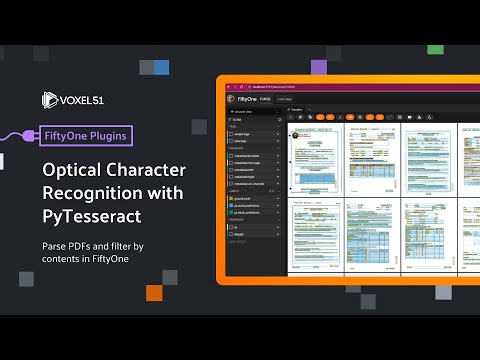
## Watch On Youtube
[](https://www.youtube.com/watch?v=jnNPGrM6Wr4&list=PLuREAXoPgT0RZrUaT0UpX_HzwKkoB-S9j&index=6)
## Installation
```shell
fiftyone plugins download https://github.com/jacobmarks/pytesseract-ocr-plugin
```
You will also need to install the plugin's requirements:
```shell
pip install -r requirements.txt
```
## Operators
### `run_ocr_engine`
- Runs the PyTesseract OCR engine on the documents in the dataset, converts the
results to FiftyOne labels, and stores individual word predictions as well
as block-level predictions on the dataset.
## Usage
You can access the operator via the App's action menu, or by pressing the "`"
key on your keyboard and selecting the operator from the dropdown menu.
If you have a view loaded and/or samples selected, the operator will give you
the option to run the OCR engine on only those samples or on the entire dataset.
You can either choose to run the operator in the foreground, or to delegate the
execution of the operator to a background job.

💡 Once you've generated OCR predictions, you can search through them using the [Keyword Search plugin](https://github.com/jacobmarks/keyword-search-plugin)!
