https://github.com/jacobmarks/semantic-document-search-plugin
Semantically search through OCR text blocks with Qdrant, Sentence Transformers, and FiftyOne!
https://github.com/jacobmarks/semantic-document-search-plugin
data-centric-ai data-visualisation embeddings fiftyone gte huggingface plugin qdrant sentence-transformers vector-database vector-search
Last synced: 3 months ago
JSON representation
Semantically search through OCR text blocks with Qdrant, Sentence Transformers, and FiftyOne!
- Host: GitHub
- URL: https://github.com/jacobmarks/semantic-document-search-plugin
- Owner: jacobmarks
- Created: 2023-10-20T00:39:54.000Z (over 2 years ago)
- Default Branch: main
- Last Pushed: 2024-04-05T00:02:56.000Z (over 2 years ago)
- Last Synced: 2025-10-31T05:55:14.955Z (8 months ago)
- Topics: data-centric-ai, data-visualisation, embeddings, fiftyone, gte, huggingface, plugin, qdrant, sentence-transformers, vector-database, vector-search
- Language: Python
- Homepage:
- Size: 20.5 KB
- Stars: 8
- Watchers: 1
- Forks: 0
- Open Issues: 0
-
Metadata Files:
- Readme: README.md
Awesome Lists containing this project
README
## Semantic Document Search Plugin

This plugin is a Python plugin that allows you to semantically search through your text blocks (from Optical Character Recognition) in your dataset.
It uses a Qdrant index, with the GTE-base model from Hugging Face's Sentence Transformers library.
## Usage
You will need to have text blocks in your dataset. You can do this with the [PyTesseract OCR plugin](https://github.com/jacobmarks/pytesseract-ocr-plugin).
Create a vector index for your text blocks with the `create_semantic_document_index` operator. You can then use the `semantically_search_documents` operator to search through your text blocks.
If you have multiple detections with text blocks, you can create multiple indexes. The index is stored in Qdrant with the collection name `_sds_`. When you use the `semantically_search_documents` operator, you can specify which index to use.
## Watch On Youtube
[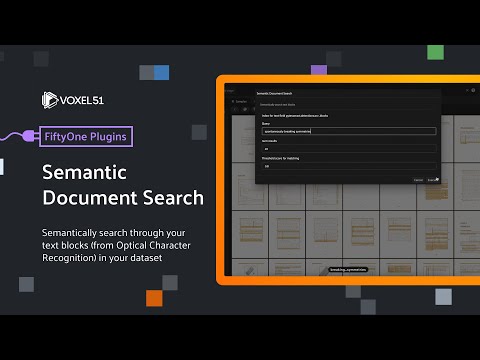](https://www.youtube.com/watch?v=I0FFDCbWZcM&list=PLuREAXoPgT0RZrUaT0UpX_HzwKkoB-S9j&index=13)
## Installation
Download the plugin with the following command:
```shell
fiftyone plugins download https://github.com/jacobmarks/semantic-document-search-plugin
```
You will need to install the Sentence Transformers library, and the Qdrant client Python library, which can be achieved with
```shell
fiftyone plugins requirements @jacobmarks/semantic_document_search --install
```
You will also need to have a Qdrant instance running. You can do this with Docker once you have your Docker daemon running:
```shell
docker run -p "6333:6333" -p "6334:6334" -d qdrant/qdrant
```
## Using with PyTesseract OCR Plugin
This _semantic_ search plugin is in many ways analogous to the [keyword search plugin](https://github.com/jacobmarks/keyword-search-plugin), and is likewise designed to be used with the [PyTesseract OCR plugin](https://github.com/jacobmarks/pytesseract-ocr-plugin).
You can install the PyTesseract OCR plugin with the following command:
```shell
fiftyone plugins download https://github.com/jacobmarks/pytesseract-ocr-plugin
```
## Operators
### `create_semantic_document_index`

**Description**: Create a Qdrant index for the specified text field within a detections label field.
### `semantically_search_documents`

**Description**: Semantically search for text in your dataset. Only labels matching your query will be shown.
You can specify the number of results to return, and the threshold for the similarity score.