https://github.com/jacobmarks/zero-shot-prediction-plugin
Run zero-shot prediction models on your data
https://github.com/jacobmarks/zero-shot-prediction-plugin
classification clip computer-vision detection fiftyone huggingface owl-vit plugin python segment-anything segmentation yolo-world zero-shot-learning
Last synced: 8 months ago
JSON representation
Run zero-shot prediction models on your data
- Host: GitHub
- URL: https://github.com/jacobmarks/zero-shot-prediction-plugin
- Owner: jacobmarks
- Created: 2023-09-13T17:26:02.000Z (almost 3 years ago)
- Default Branch: main
- Last Pushed: 2024-04-13T18:22:02.000Z (about 2 years ago)
- Last Synced: 2024-04-14T09:09:21.554Z (about 2 years ago)
- Topics: classification, clip, computer-vision, detection, fiftyone, huggingface, owl-vit, plugin, python, segment-anything, segmentation, yolo-world, zero-shot-learning
- Language: Python
- Homepage:
- Size: 89.8 KB
- Stars: 23
- Watchers: 4
- Forks: 2
- Open Issues: 1
-
Metadata Files:
- Readme: README.md
Awesome Lists containing this project
README
## Zero Shot Prediction Plugin

This plugin allows you to perform zero-shot prediction on your dataset for the following tasks:
- Image Classification
- Object Detection
- Instance Segmentation
- Semantic Segmentation
Given a list of label classes, which you can input either manually, separated by commas, or by uploading a text file, the plugin will perform zero-shot prediction on your dataset for the specified task and add the results to the dataset under a new field, which you can specify.
### Updates
- 🆕 **2024-12-03**: Added support for Apple AIMv2 Zero Shot Model (courtesy of [@harpreetsahota204](https://github.com/harpreetsahota204))
- 🆕 **2024-12-16**: Added MPS and GPU support for ALIGN, AltCLIP, Apple AIMv2 (courtesy of [@harpreetsahota204](https://github.com/harpreetsahota204))
- **2024-06-22**: Updated interface for Python operator execution
- **2024-05-30**: Added
- support for Grounding DINO for object detection and instance segmentation
- confidence thresholding for object detection and instance segmentation
- **2024-03-06**: Added support for YOLO-World for object detection and instance segmentation!
- **2024-01-10**: Removing LAION CLIP models.
- **2024-01-05**: Added support for EVA-CLIP, SigLIP, and DFN CLIP for image classification!
- **2023-11-28**: Version 1.1.1 supports OpenCLIP for image classification!
- **2023-11-13**: Version 1.1.0 supports [calling operators from the Python SDK](#python-sdk)!
- **2023-10-27**: Added support for MetaCLIP for image classification
- **2023-10-20**: Added support for AltCLIP and Align for image classification and GroupViT for semantic segmentation
### Requirements
- To use YOLO-World models, you must have `"ultalytics>=8.1.42"`.
## Models
### Built-in Models
As a starting point, this plugin comes with at least one zero-shot model per task. These are:
#### Image Classification
- [ALIGN](https://huggingface.co/docs/transformers/model_doc/align)
- [AltCLIP](https://huggingface.co/docs/transformers/model_doc/altclip)
- 🆕 [Apple AIMv2](https://huggingface.co/apple/aimv2-large-patch14-224-lit)
- [CLIP](https://github.com/openai/CLIP): (OpenAI)
- [CLIPA](https://github.com/UCSC-VLAA/CLIPA)
- [DFN CLIP](https://huggingface.co/apple/DFN5B-CLIP-ViT-H-14-378): Data Filtering Networks
- [EVA-CLIP](https://huggingface.co/QuanSun/EVA-CLIP)
- [MetaCLIP](https://github.com/facebookresearch/metaclip)
- [SigLIP](https://huggingface.co/timm/ViT-SO400M-14-SigLIP-384)
#### Object Detection
- [YOLO-World](https://docs.ultralytics.com/models/yolo-world/)
- [Owl-ViT](https://huggingface.co/docs/transformers/model_doc/owlvit)
- [Grounding DINO](https://huggingface.co/docs/transformers/main/en/model_doc/grounding-dino)
#### Instance Segmentation
- [Owl-ViT](https://huggingface.co/docs/transformers/model_doc/owlvit) + [Segment Anything (SAM)](https://github.com/facebookresearch/segment-anything)
- [YOLO-World](https://docs.ultralytics.com/models/yolo-world/) + [Segment Anything (SAM)](https://github.com/facebookresearch/segment-anything)
- [Grounding DINO](https://huggingface.co/docs/transformers/main/en/model_doc/grounding-dino) + [Segment Anything (SAM)](https://github.com/facebookresearch/segment-anything)
#### Semantic Segmentation
- [CLIPSeg](https://huggingface.co/blog/clipseg-zero-shot)
- [GroupViT](https://huggingface.co/docs/transformers/model_doc/groupvit)
Most of the models used are from the [HuggingFace Transformers](https://huggingface.co/transformers/) library, and CLIP and SAM models are from the [FiftyOne Model Zoo](https://docs.voxel51.com/user_guide/model_zoo/index.html)
_Note_— For SAM you will need to have Facebook's `segment-anything` library installed.
### Adding Your Own Models
You can see the implementations for all of these models in the following files:
- `classification.py`
- `detection.py`
- `instance_segmentation.py`
- `semantic_segmentation.py`
These models are "registered" via dictionaries in each file. In `semantic_segmentation.py`, for example, the dictionary is:
```py
SEMANTIC_SEGMENTATION_MODELS = {
"CLIPSeg": {
"activator": CLIPSeg_activator,
"model": CLIPSegZeroShotModel,
"name": "CLIPSeg",
},
"GroupViT": {
"activator": GroupViT_activator,
"model": GroupViTZeroShotModel,
"name": "GroupViT",
},
}
```
The `activator` checks the environment to see if the model is available, and the `model` is a `fiftyone.core.models.Model` object that is instantiated with the model name and the task — or a function that instantiates such a model. The `name` is the name of the model that will be displayed in the dropdown menu in the plugin.
If you want to add your own model, you can add it to the dictionary in the corresponding file. For example, if you want to add a new semantic segmentation model, you can add it to the `SEMANTIC_SEGMENTATION_MODELS` dictionary in `semantic_segmentation.py`:
```py
CLASSIFICATION_MODELS = {
"CLIPSeg": {
"activator": CLIPSeg_activator,
"model": CLIPSegZeroShotModel,
"name": "CLIPSeg",
},
"GroupViT": {
"activator": GroupViT_activator,
"model": GroupViTZeroShotModel,
"name": "GroupViT",
},
..., # other models
"My Model": {
"activator": my_model_activator,
"model": my_model,
"name": "My Model",
}
}
```
💡 You need to implement the `activator` and `model` functions for your model. The `activator` should check the environment to see if the model is available, and the `model` should be a `fiftyone.core.models.Model` object that is instantiated with the model name and the task.
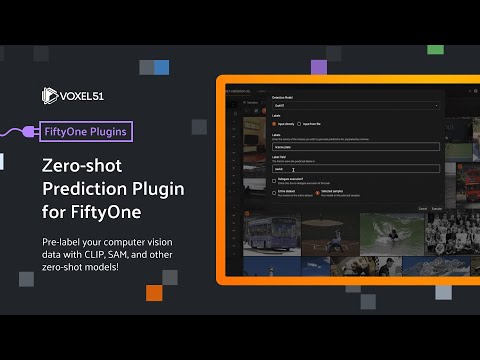
## Watch On Youtube
[](https://www.youtube.com/watch?v=GlwyFHbTklw&list=PLuREAXoPgT0RZrUaT0UpX_HzwKkoB-S9j&index=7)
## Installation
```shell
fiftyone plugins download https://github.com/jacobmarks/zero-shot-prediction-plugin
```
If you want to use AltCLIP, Align, Owl-ViT, CLIPSeg, or GroupViT, you will also need to install the `transformers` library:
```shell
pip install transformers
```
If you want to use SAM, you will also need to install the `segment-anything` library:
```shell
pip install git+https://github.com/facebookresearch/segment-anything.git
```
If you want to use OpenCLIP, you will also need to install the `open_clip` library from PyPI:
```shell
pip install open-clip-torch
```
Or from source:
```shell
pip install git+https://github.com/mlfoundations/open_clip.git
```
If you want to use YOLO-World, you will also need to install the `ultralytics` library:
```shell
pip install -U ultralytics
```
## Usage
All of the operators in this plugin can be run in _delegated_ execution mode. This means that instead of waiting for the operator to finish, you _schedule_
the operation to be performed separately. This is useful for long-running operations, such as performing inference on a large dataset.
Once you have pressed the `Schedule` button for the operator, you will be able to see the job from the command line using FiftyOne's [command line interface](https://docs.voxel51.com/cli/index.html#fiftyone-delegated-operations):
```shell
fiftyone delegated list
```
will show you the status of all delegated operations.
To launch a service which runs the operation, as well as any other delegated operations that have been scheduled, run:
```shell
fiftyone delegated launch
```
Once the operation has completed, you can view the results in the App (upon refresh).
After the operation completes, you can also clean up your list of delegated operations by running:
```shell
fiftyone delegated cleanup -s COMPLETED
```
## Operators
### `zero_shot_predict`
- Select the task you want to perform zero-shot prediction on (image classification, object detection, instance segmentation, or semantic segmentation), and the field you want to add the results to.
### `zero_shot_classify`
- Perform zero-shot image classification on your dataset
### `zero_shot_detect`
- Perform zero-shot object detection on your dataset
### `zero_shot_instance_segment`
- Perform zero-shot instance segmentation on your dataset
### `zero_shot_semantic_segment`
- Perform zero-shot semantic segmentation on your dataset
## Python SDK
You can also use the compute operators from the Python SDK!
```python
import fiftyone as fo
import fiftyone.operators as foo
import fiftyone.zoo as foz
dataset = fo.load_dataset("quickstart")
## Access the operator via its URI (plugin name + operator name)
zsc = foo.get_operator("@jacobmarks/zero_shot_prediction/zero_shot_classify")
## Run zero-shot classification on all images in the dataset, specifying the labels with the `labels` argument
zsc(dataset, labels=["cat", "dog", "bird"])
## Run zero-shot classification on all images in the dataset, specifying the labels with a text file
zsc(dataset, labels_file="/path/to/labels.txt")
## Specify the model to use, and the field to add the results to
zsc(dataset, labels=["cat", "dog", "bird"], model_name="CLIP", label_field="predictions")
## Run zero-shot detection on a view
zsd = foo.get_operator("@jacobmarks/zero_shot_prediction/zero_shot_detect")
view = dataset.take(10)
await zsd(
view,
labels=["license plate"],
model_name="OwlViT",
label_field="owlvit_license_plate",
)
```
All four of the task-specific zero-shot prediction operators also expose a `list_models()` method, which returns a list of the available models for that task.
```python
zsss = foo.get_operator(
"@jacobmarks/zero_shot_prediction/zero_shot_semantic_segment"
)
zsss.list_models()
## ['CLIPSeg', 'GroupViT']
```
**Note**: The `zero_shot_predict` operator is not yet supported in the Python SDK.
**Note**: With earlier versions of FiftyOne, you may have trouble running these
operator executions within a Jupyter notebook. If so, try running them in a
Python script, or upgrading to the latest version of FiftyOne!