https://github.com/jahro-console/unity-package
Jahro Unity Plugin – Debug, control, and fine-tune your Unity games directly inside the game view. Execute commands, monitor variables, and sync logs/screenshots seamlessly to the web app.
https://github.com/jahro-console/unity-package
cheats debugging-tool game-development game-testing logs monitoring plugin screenshots unity watcher
Last synced: 3 months ago
JSON representation
Jahro Unity Plugin – Debug, control, and fine-tune your Unity games directly inside the game view. Execute commands, monitor variables, and sync logs/screenshots seamlessly to the web app.
- Host: GitHub
- URL: https://github.com/jahro-console/unity-package
- Owner: jahro-console
- License: other
- Created: 2025-01-11T17:19:02.000Z (over 1 year ago)
- Default Branch: main
- Last Pushed: 2026-01-14T19:01:51.000Z (7 months ago)
- Last Synced: 2026-01-18T02:12:43.616Z (7 months ago)
- Topics: cheats, debugging-tool, game-development, game-testing, logs, monitoring, plugin, screenshots, unity, watcher
- Language: C#
- Homepage: https://jahro.io
- Size: 1.14 MB
- Stars: 48
- Watchers: 4
- Forks: 4
- Open Issues: 0
-
Metadata Files:
- Readme: README.md
- Changelog: CHANGELOG.md
- License: LICENSE.md
Awesome Lists containing this project
- awesome-unity3d - jahro-console/unity-package
README
# Jahro — Unity debugging & session replay
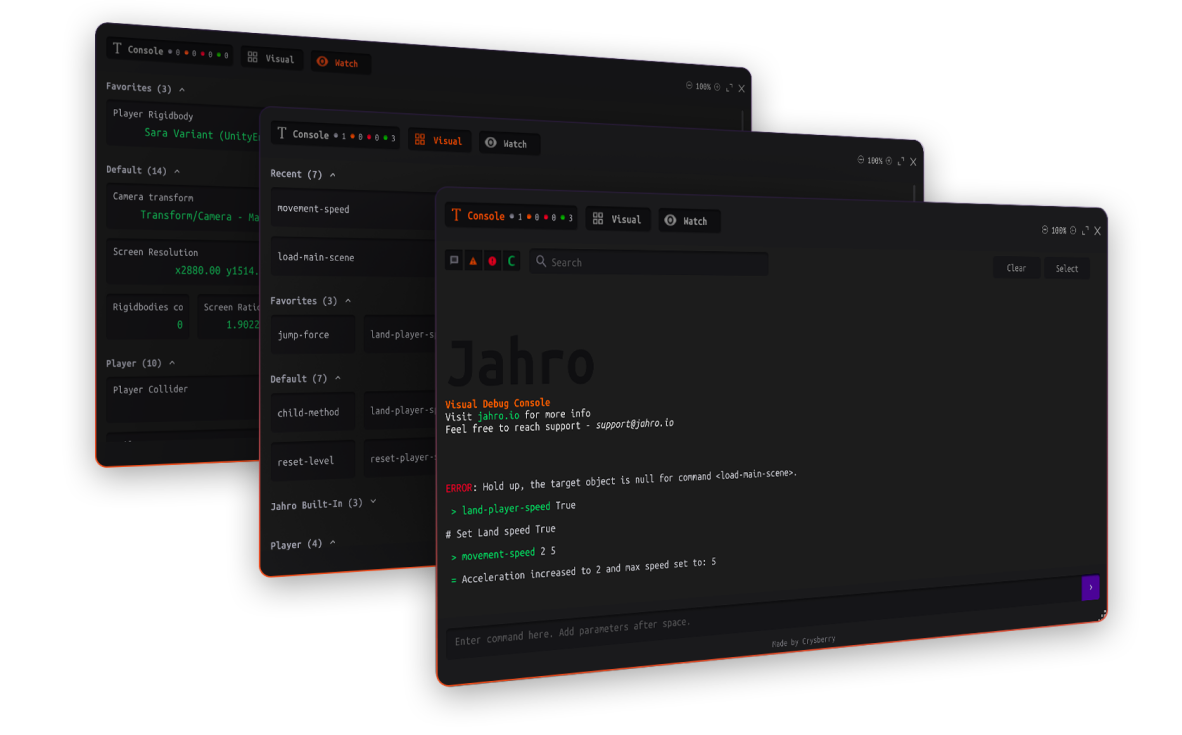
**Capture logs, replay gameplay with log sync, and ship fixes faster — on real devices, without cables.**
[](https://unity.com)
[](https://github.com/jahro-console/unity-package/blob/main/LICENSE.md)
[Getting Started](https://jahro.io/docs/getting-started?utm_source=github&utm_medium=readme&utm_campaign=unity_client) ·
[Website](https://jahro.io?utm_source=github&utm_medium=readme&utm_campaign=unity_client) ·
[Documentation](https://jahro.io/docs?utm_source=github&utm_medium=readme&utm_campaign=unity_client) ·
[Web Console](https://console.jahro.io?utm_source=github&utm_medium=readme&utm_campaign=unity_client) ·
[Discord](https://discord.gg/txcHFRDeV4)
---
## Contents
- [Why Jahro](#why-teams-use-jahro)
- [Core features](#core-features)
- [Snapshots — full context in one action](#snapshots--full-context-in-one-action)
- [Session Replay — watch the repro with logs on the timeline](#session-replay--watch-the-repro-with-logs-on-the-timeline)
- [Runtime commands — change the game without rebuilding](#runtime-commands--change-the-game-without-rebuilding)
- [Variable watcher — inspect values live](#variable-watcher--inspect-values-live)
- [Who it’s for](#who-its-for)
- [Quick start](#quick-start)
- [Features at a glance](#features-at-a-glance)
- [Documentation & resources](#documentation--resources)
- [Community & support](#community--support)
- [Requirements](#requirements)
- [License](#license)
---
## Why Jahro
**Developers:** You need enough context to reproduce device-only issues without chasing QA for steps, cables, or partial logs.
**QA:** You need bug reports that stick — not “can’t reproduce” because the evidence never left the device.
Jahro is a Unity package plus web console. Your team captures **logs, screenshots, device metadata**, and optional **session replay** from iOS and Android builds. Everything lands in a **shareable link** so engineering can review the same artifact async.
**No ADB ritual. No Xcode tether. No “send me a video in chat.”**
---
## Core features
### Snapshots — full context in one action
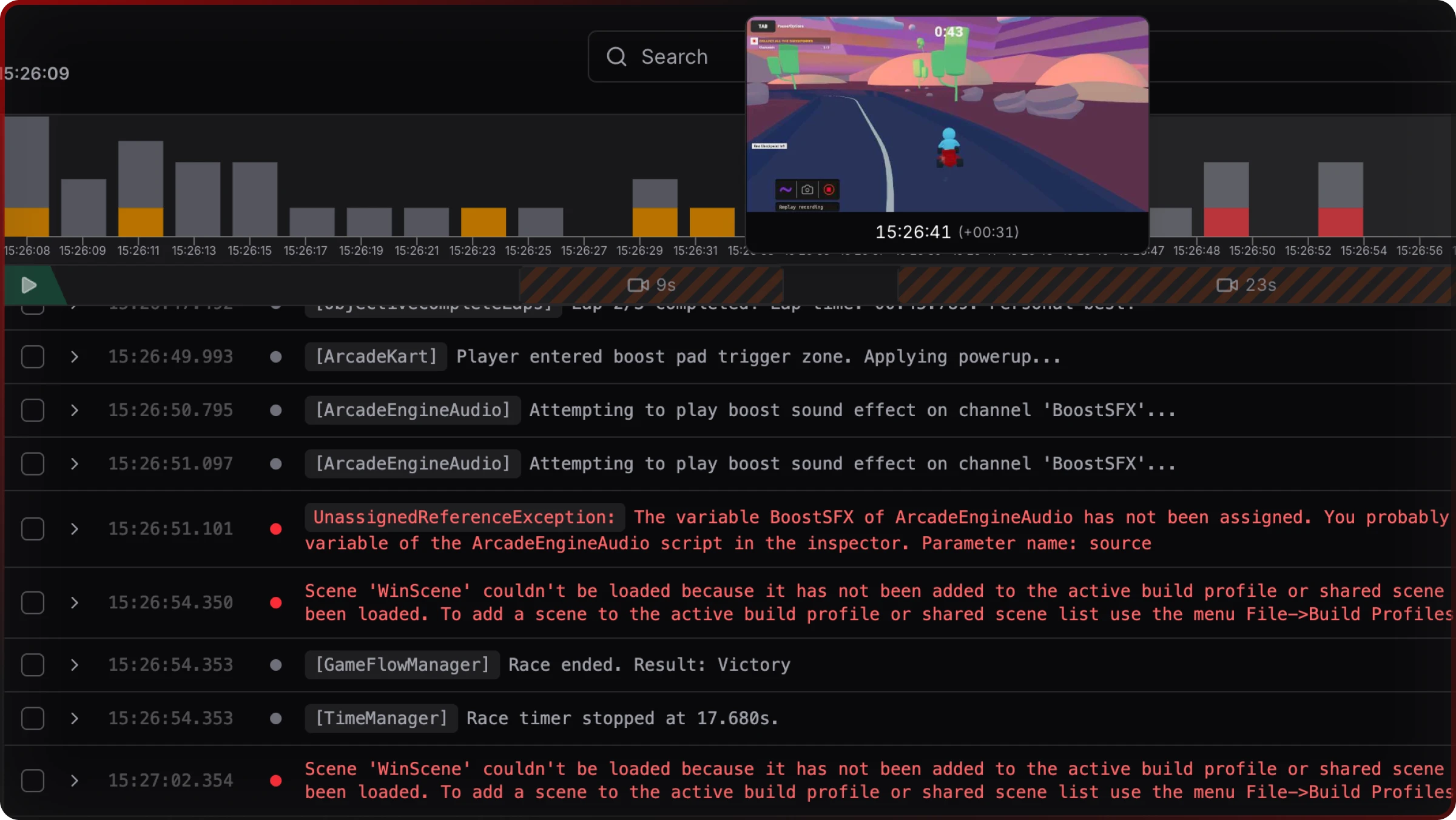
Capture **device logs (with stack traces), screenshots, and device metadata** in a session. Share a web link so the team reviews the same snapshot in the browser.
**Two capture modes:**
- **Recording** — Buffer locally, upload when you’re ready.
- **Streaming** — Push logs on an interval so the team can watch a repro unfold in near real time.
> **“The tester sends a snapshot. You finish your task and review what went wrong with all logs in hand.”** — Andriy, Unity developer
---
### Session Replay — watch the repro with logs on the timeline
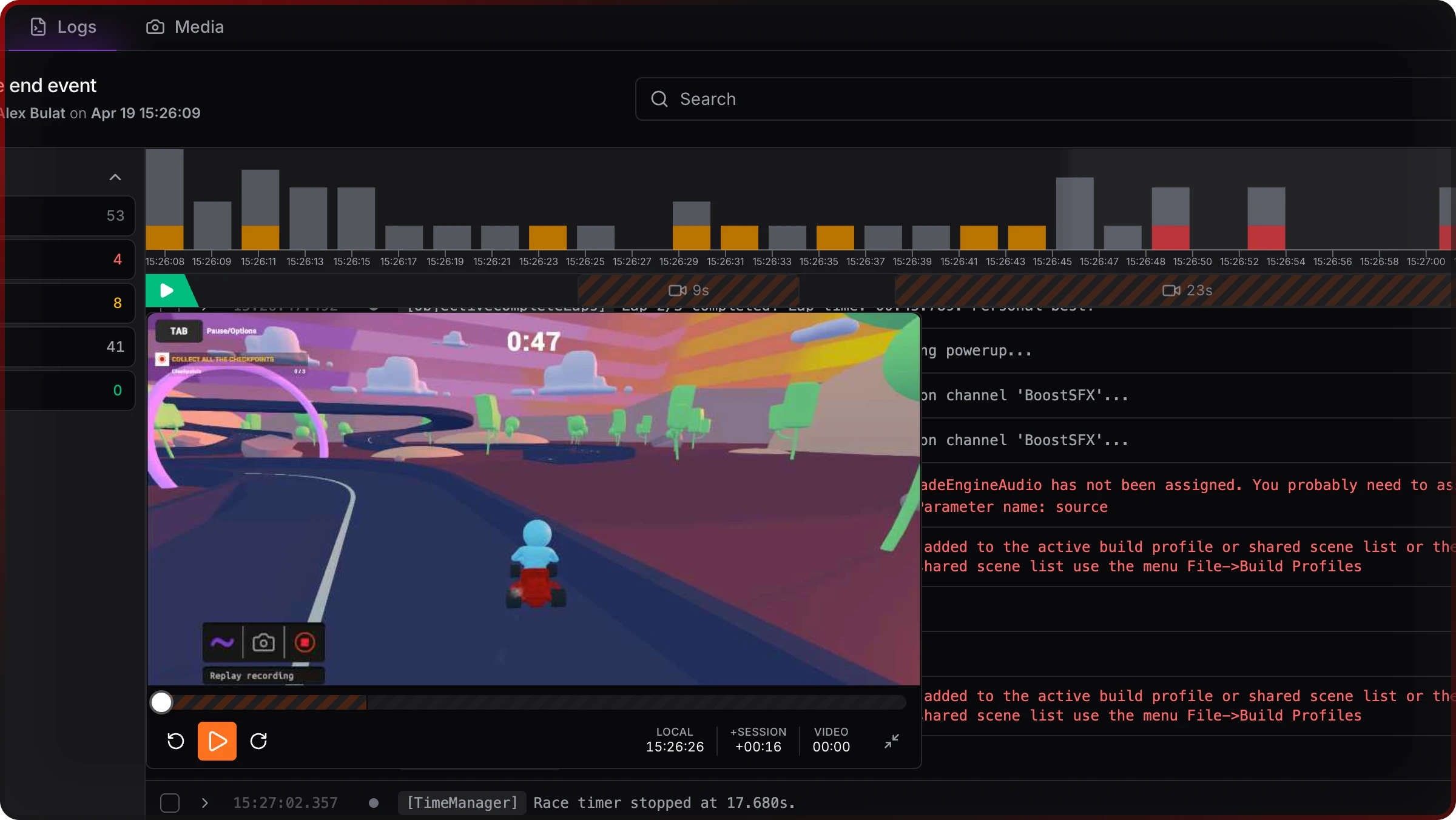
**Session Replay** records from **inside your Unity build** on Android and iOS — no OS screen recorder, no cable. Frames are captured with **async GPU readback**, encoded for upload, and **time-aligned with your log stream**. In the web console you **scrub video and see log lines highlighted at the frame they fired**, so you can walk from stack trace to what the player was doing.
**Modes (pick the workflow that fits the bug):**
- **Manual Replay** — Start and stop recording from the in-game Jahro UI when you see the issue.
- **Autostart Replay** — Begin recording when the session starts (good for directed test passes).
- **Shadow Replay** — Keep a rolling buffer so when something happens once in twenty runs, you can still **commit** the last segment into the snapshot after the fact.
Performance is designed for real devices: capture runs at a **modest frame rate** with async readback so you’re not blocking the game thread for marketing-grade video. See the docs for current defaults and tuning.
**Docs:** [Session Replay (Unity)](https://jahro.io/docs/unity/replay?utm_source=github&utm_medium=readme&utm_campaign=unity_client)
---
### Runtime commands — change the game without rebuilding
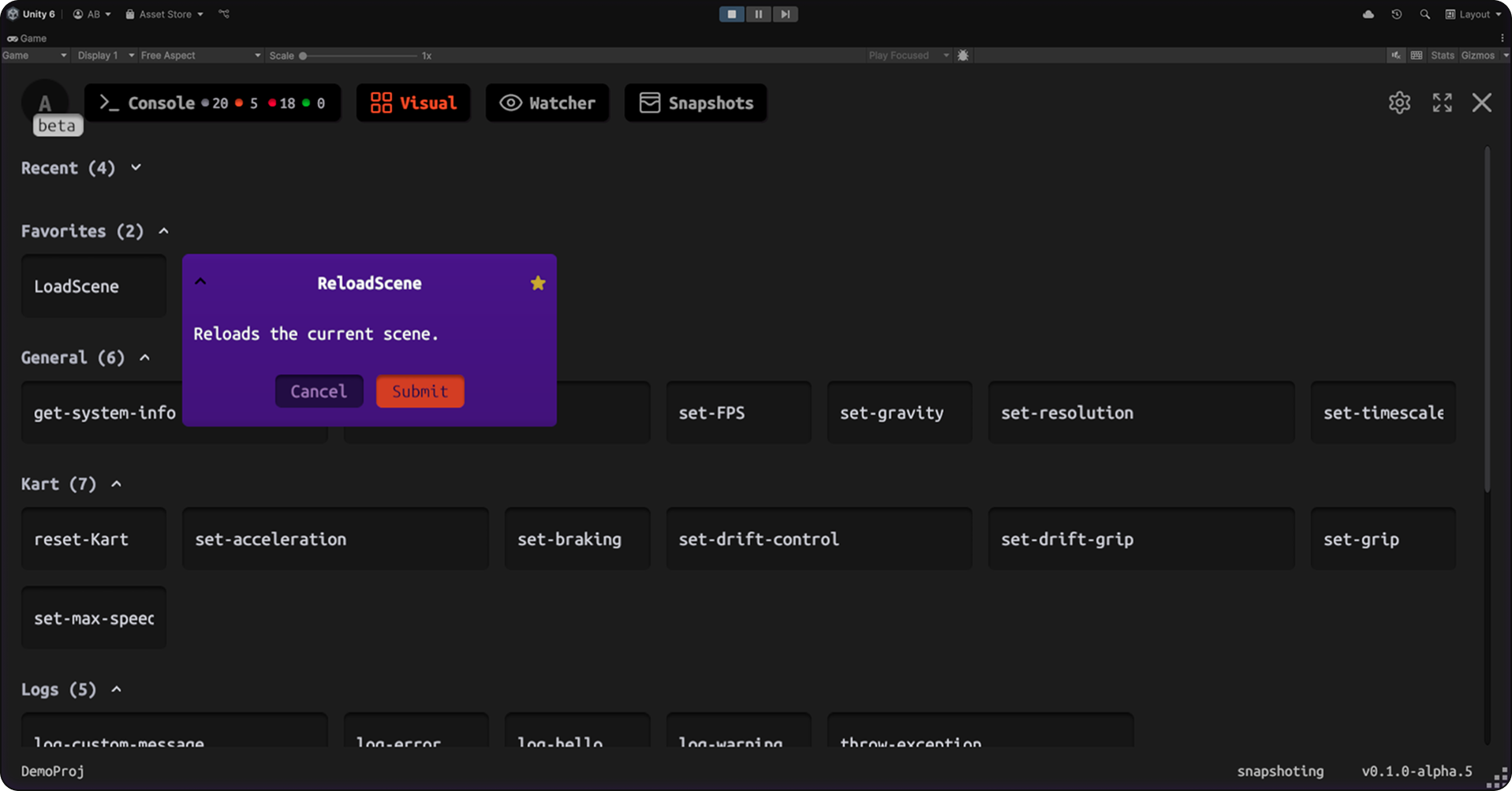
Expose **C# methods** to a visual button UI or a text command line with autocomplete. Skip levels, grant currency, trigger events — **without a rebuild** every time someone tweaks a value.
```csharp
[JahroCommand]
public void AddGold(int amount) {
playerInventory.gold += amount;
}
```
**Visual mode** — Buttons for QA and designers. **Text mode** — CLI speed for day-to-day dev.
---
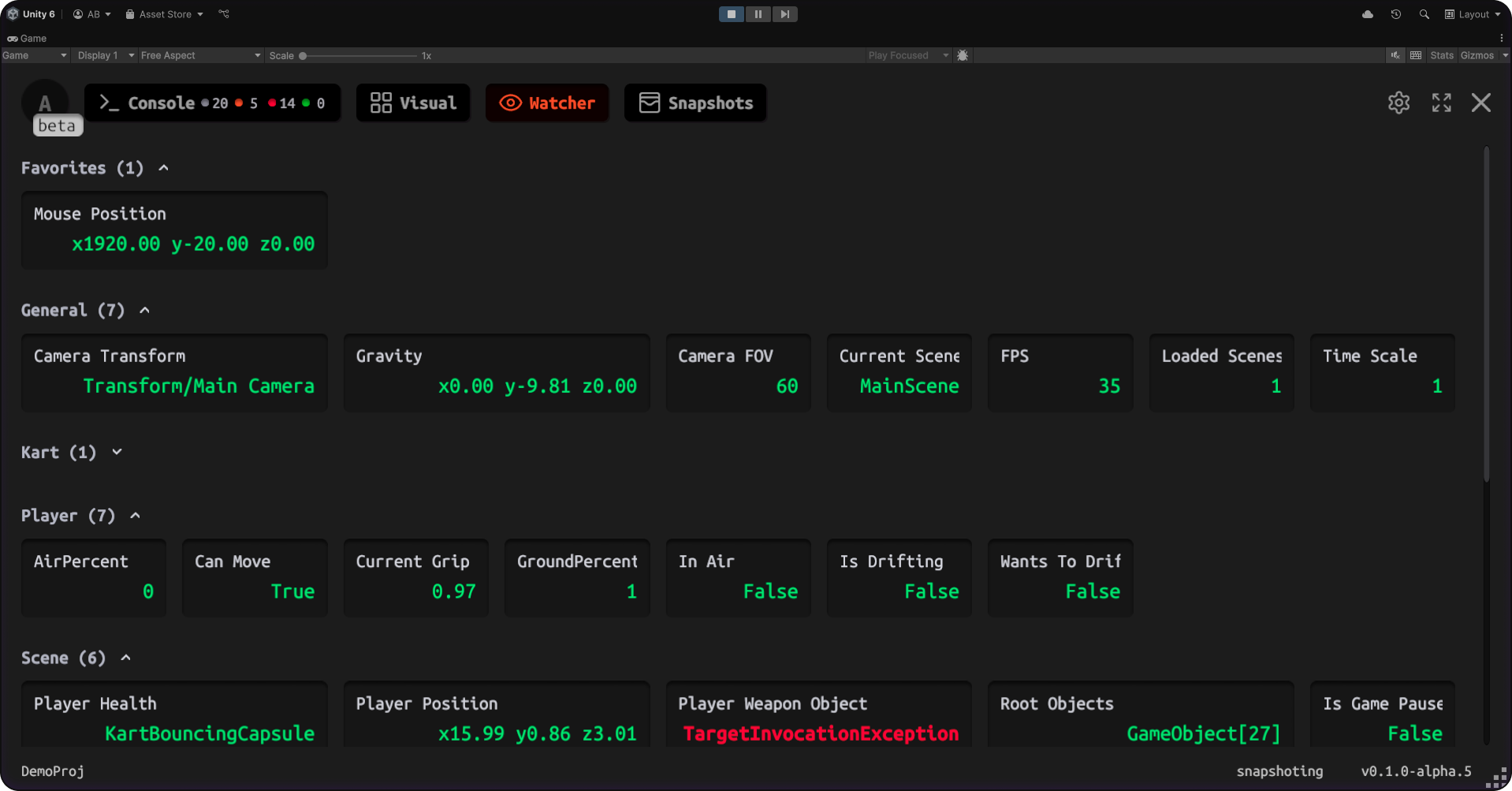
### Variable watcher — inspect values live
Watch fields and properties **update in real time** without spamming `Debug.Log`.
```csharp
[JahroWatch]
public int PlayerHealth { get; set; }
```
---
## Who it’s for
| Role | What you get |
| -------------------- | --------------------------------------------------------------------------- |
| **Unity developers** | Repro-friendly context from any build; async review from one link. |
| **QA** | One-tap capture, shareable artifacts, no terminal. |
| **Tech leads** | One workflow across projects instead of rebuilding bespoke debug menus. |
| **Designers** | Runtime tweaks via visual commands without blocking engineering for builds. |
---
## Quick start
### 1. Add the package (UPM)
```
https://github.com/jahro-console/unity-package.git
```
### 2. Create a project and API key
Register at [jahro.io](https://jahro.io?utm_source=github&utm_medium=readme&utm_campaign=unity_client), create a project, and copy your API key.
### 3. Configure Unity
Open **Tools → Jahro Settings** and paste the API key.
### 4. Add a command (optional but quick to verify)
```csharp
[JahroCommand]
public void GiveCoins(int amount) {
coins += amount;
}
```
### 5. Run on device or in Play Mode
Build to a device or enter Play Mode. **Triple-tap** to open Jahro, run a command, or capture a snapshot / replay per your [docs](https://jahro.io/docs?utm_source=github&utm_medium=readme&utm_campaign=unity_client).
---
## Features at a glance
- **Snapshots** — Logs, screenshots, device metadata, shareable web links
- **Session Replay** — In-engine replay on device; logs synced to the timeline in the dashboard
- **Streaming & recording** — Local buffer or live log streaming for your workflow
- **Runtime commands** — Attribute-based C# commands, visual or text UI
- **Variable watcher** — Live values without log noise
- **Cross-platform** — iOS and Android (including lower-end test devices)
- **Light integration** — Attributes and settings; production-safe defaults
- **Teams** — Projects, members, roles, shared sessions
---
## Documentation & resources
| Resource | Link |
| ------------------- | ------------------------------------------------------------------------------------------------------------------------ |
| **Docs home** | [jahro.io/docs](https://jahro.io/docs?utm_source=github&utm_medium=readme&utm_campaign=unity_client) |
| **Getting started** | [Getting started](https://jahro.io/docs/getting-started?utm_source=github&utm_medium=readme&utm_campaign=unity_client) |
| **Session Replay** | [Unity Session Replay](https://jahro.io/docs/unity/replay?utm_source=github&utm_medium=readme&utm_campaign=unity_client) |
| **Snapshots** | [Snapshots](https://jahro.io/docs/unity/snapshots?utm_source=github&utm_medium=readme&utm_campaign=unity_client) |
| **Commands** | [Commands](https://jahro.io/docs/unity/commands?utm_source=github&utm_medium=readme&utm_campaign=unity_client) |
| **Watcher** | [Watcher](https://jahro.io/docs/unity/watcher?utm_source=github&utm_medium=readme&utm_campaign=unity_client) |
| **Web console** | [console.jahro.io](https://console.jahro.io?utm_source=github&utm_medium=readme&utm_campaign=unity_client) |
| **Roadmap** | [Roadmap](https://jahro.io/roadmap?utm_source=github&utm_medium=readme&utm_campaign=unity_client) |
---
[](https://vshymanskyy.github.io/StandWithUkraine)
---
## Community & support
- **Discord:** [discord.gg/txcHFRDeV4](https://discord.gg/txcHFRDeV4)
- **Issues & feature requests:** [GitHub Issues](https://github.com/jahro-console/unity-package/issues)
- **Email (Pro):** [support@jahro.com](mailto:support@jahro.com)
---
## Requirements
- **Unity:** 2021.3 LTS or later (Unity 6 recommended)
- **Account:** Free account at [jahro.io](https://jahro.io?utm_source=github&utm_medium=readme&utm_campaign=unity_client) for cloud-backed features
---
## License
This plugin is distributed under a [custom license](https://github.com/jahro-console/unity-package/blob/main/LICENSE.md).
© 2026 Oleksii Bulat. All rights reserved.