https://github.com/jainex17/calendra
amazing calendar for your React app.
https://github.com/jainex17/calendra
calendar npm-package react-calendar
Last synced: 8 days ago
JSON representation
amazing calendar for your React app.
- Host: GitHub
- URL: https://github.com/jainex17/calendra
- Owner: Jainex17
- Created: 2023-08-15T13:31:54.000Z (almost 3 years ago)
- Default Branch: main
- Last Pushed: 2023-08-26T06:30:58.000Z (almost 3 years ago)
- Last Synced: 2025-08-11T21:34:41.010Z (11 months ago)
- Topics: calendar, npm-package, react-calendar
- Language: TypeScript
- Homepage: https://www.npmjs.com/package/calendra
- Size: 458 KB
- Stars: 0
- Watchers: 2
- Forks: 0
- Open Issues: 0
-
Metadata Files:
- Readme: README.md
Awesome Lists containing this project
README
# calendra
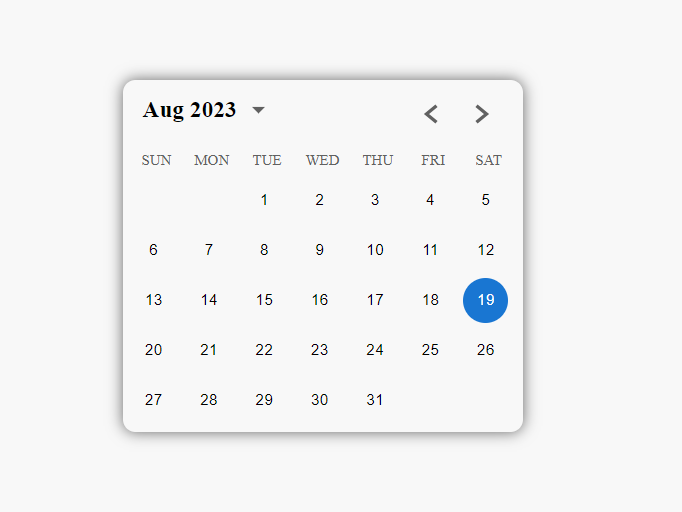
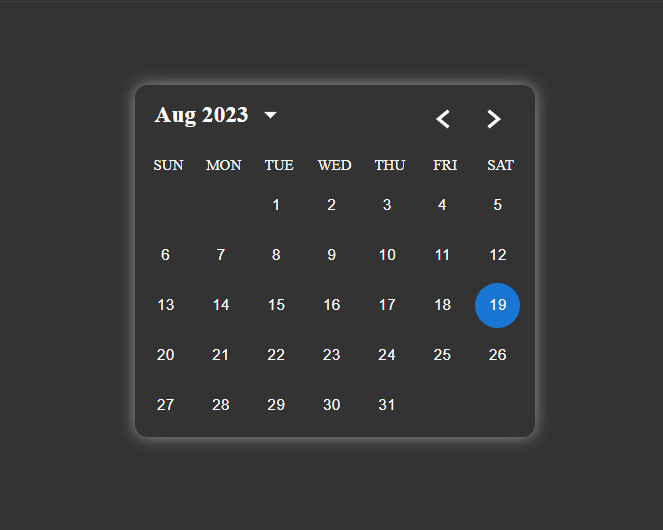
## Props
| Name | Type | Default | Description |
|--------------|-------------------------------------------------|----------|-------------------------------------------------------------------------------|
| dateValue | Date | Required | The selected date value. |
| setDateValue | (value: React.SetStateAction) => void | Required | A function to set the new date value. |
| darkMode | boolean | `false` | Optional. Set to `true` to enable dark mode. |
| readOnly | boolean | `false` | Optional. Set to `true` to disable user interactions with the calendar. |
| yearRange | [number, number] | last 50 year | Optional. The allowed range of years for the calendar. |
### Usage
Here's an example of basic usage:
```tsx
import React, { useState } from 'react';
import { Calendar } from 'calendra';
function App() {
const [dateValue, setDateValue] = useState(new Date());
return (
<>
>
);
}
```
Here's an example of dark mode usage:
```tsx
import React, { useState } from 'react';
import { Calendar } from 'calendra';
function App() {
const [dateValue, setDateValue] = useState(new Date());
const [darkMode, setDarkMode] = useState(false);
return (
<>
>
);
}
```