https://github.com/jakemarsh/jmstaticcontenttableviewcontroller
A subclass-able way to cleanly and neatly implement a table view controller much like those in Settings.app, with nice-looking fields to collect or display information, all using a simple and convienent block-based syntax.
https://github.com/jakemarsh/jmstaticcontenttableviewcontroller
Last synced: 12 months ago
JSON representation
A subclass-able way to cleanly and neatly implement a table view controller much like those in Settings.app, with nice-looking fields to collect or display information, all using a simple and convienent block-based syntax.
- Host: GitHub
- URL: https://github.com/jakemarsh/jmstaticcontenttableviewcontroller
- Owner: jakemarsh
- License: mit
- Created: 2011-10-08T19:33:48.000Z (almost 15 years ago)
- Default Branch: master
- Last Pushed: 2015-10-18T09:29:21.000Z (almost 11 years ago)
- Last Synced: 2025-08-23T05:37:23.739Z (12 months ago)
- Language: Objective-C
- Homepage: http://deallocatedobjects.com/posts/create-static-content-screens-with-jmstaticcontenttableviewcontroller
- Size: 431 KB
- Stars: 242
- Watchers: 17
- Forks: 44
- Open Issues: 4
-
Metadata Files:
- Readme: README.md
- License: MIT-LICENSE
Awesome Lists containing this project
README

A `UITableViewController` subclass that allows you easily and simply display what I call "static content". An example of such content is what is found in iOS's built-in Settings application. Or a simple "About" screen. Or a "Login" screen. Or any number of simple screens that might display or collect information.
All this is done using some really cool methods that use blocks. It also allows you to easily create `UITableViewControllers` that collection information.
It is very much a library in the making. It is quite functional and usable already, as you will see if you read on, however, there is a TON more that *could* be done with this library, I'd love to hear where everyone thinks it should go and how it could best be adapted to fit everyone's needs.
That being said, `JMStaticContentTableViewController` might not be for everyone, but if you've ever built a whole `UITableViewController` implementing full `UITableViewDataSource` and `UITableViewDelegate` methods, and so on, and so on, then you likely know how much time this library could save you.
Keep reading for some awesome stuff.
## Requirements
You'll need to build your project that is using `JMStaticContentTableViewController` with a compiler that supports Automatic Reference Counting. Your project does not have to use ARC to use this library. [Read More Here](#arc)
Also of note, `JMStaticContentTableViewController` supports iOS 5 and up.
## Example Usage
### Adding a section and a cell
Here's a simple example of adding a section and a cell to your `UITableView`. You would likely write this code inside your `viewDidLoad` method inside your `JMStaticContentTableViewController` subclass.
Note that you are passed in some very important objects, `JMStaticContentTableViewSection`, `JMStaticContentTableViewCell` and a `UITableViewCell`. You can configure the `UITableViewCell` exactly as you would normally. We also use the `JMStaticContentTableViewCell` object to setup things like `UITableViewCellStyle` and the reuse identifier.
`JMStaticContentTableViewSection` also allows you to setup things like the section titles.
As you can see we also get a nice looking `whenSelected:` block, this allows to write code that will be run whenever our cell is tapped, a perfect place to, for example, push on a `UIViewController`.
``` objective-c
- (void) viewDidLoad {
[super viewDidLoad];
[self addSection:^(JMStaticContentTableViewSection *section, NSUInteger sectionIndex) {
[section addCell:^(JMStaticContentTableViewCell *staticContentCell, UITableViewCell *cell, NSIndexPath *indexPath) {
staticContentCell.cellStyle = UITableViewCellStyleValue1;
staticContentCell.reuseIdentifier = @"DetailTextCell";
cell.textLabel.text = NSLocalizedString(@"Wi-Fi", @"Wi-Fi");
cell.detailTextLabel.text = NSLocalizedString(@"T.A.R.D.I.S.", @"T.A.R.D.I.S.");
} whenSelected:^(NSIndexPath *indexPath) {
[self.navigationController pushViewController:[[WifiViewController alloc] init] animated:YES];
}];
}];
}
```
### Inserting A Cell At Runtime
This will behave just like `addCell:` above, except it will animate nicely into place.
``` objective-c
- (void) _someTaskFinished {
[self insertCell:^(JMStaticContentTableViewCell *staticContentCell, UITableViewCell *cell, NSIndexPath *indexPath) {
staticContentCell.reuseIdentifier = @"WifiNetworkCell";
staticContentCell.tableViewCellSubclass = [WifiNetworkTableViewCell class];
cell.textLabel.text = network.networkName;
cell.accessoryType = UITableViewCellAccessoryDetailDisclosureButton;
cell.indentationLevel = 2;
cell.indentationWidth = 10.0;
} whenSelected:^(NSIndexPath *indexPath) {
// TODO
} atIndexPath:[NSIndexPath indexPathForRow:0 inSection:0] animated:YES];
}
```
### Inserting Multiple Cells At Runtime
Same as above, except here we're wrapping our work in calls to `beginUpdates` and `endUpdates`, again retaining all of our `UITableView`'s built in "magic" while still getting to use our nice, convienent syntax.
``` objective-c
// Somewhere else you'd probably load some data somehow,
// then want to insert rows for the new items in that data.
// Normal table view functionality is completely retained, for example,
// here we're inserting a bunch of cells inside a beginUpdates/endUpdates block
// so all our new cells will animate in simultaneously and look awesome.
[self.tableView beginUpdates];
for(SomeModelObject *o in self.awesomeModelObjects) {
[self insertCell:^(JMStaticContentTableViewCell *staticContentCell, UITableViewCell *cell, NSIndexPath *indexPath) {
staticContentCell.reuseIdentifier = @"SomeCell";
cell.textLabel.text
} atIndexPath:[NSIndexPath indexPathForRow:0 inSection:0] animated:YES];
}
[self.tableView endUpdates];
```
### Animation
Anytime you ask `JMStaticContentTableViewController` to animate the inserting or deleting of cells or sections, it will use the `UITableViewRowAnimation` style of `UITableViewRowAnimationAutomatic` under the hood, so all of your animations will look great. This style was added in iOS 5.
## Example App
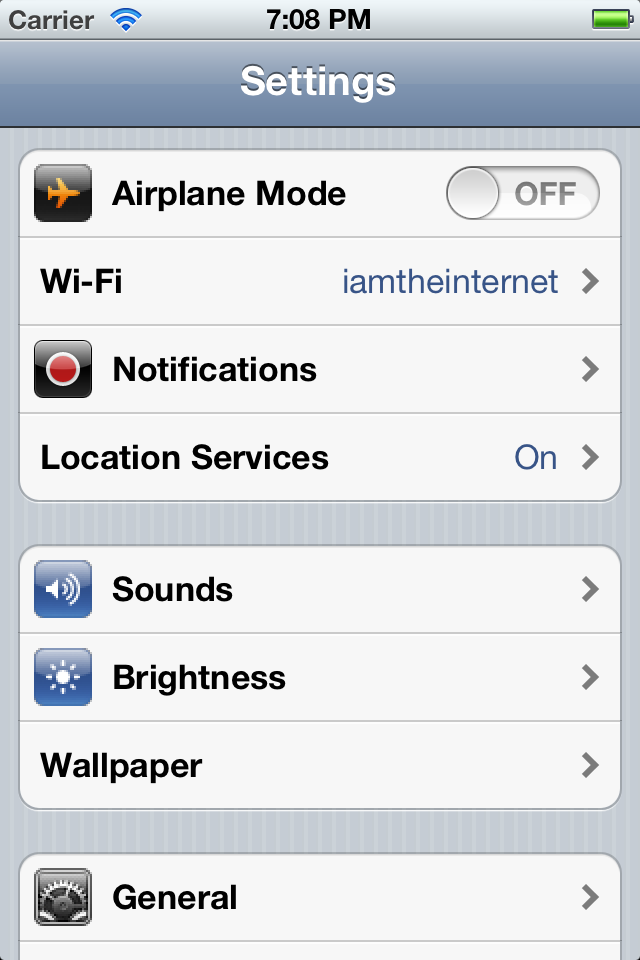
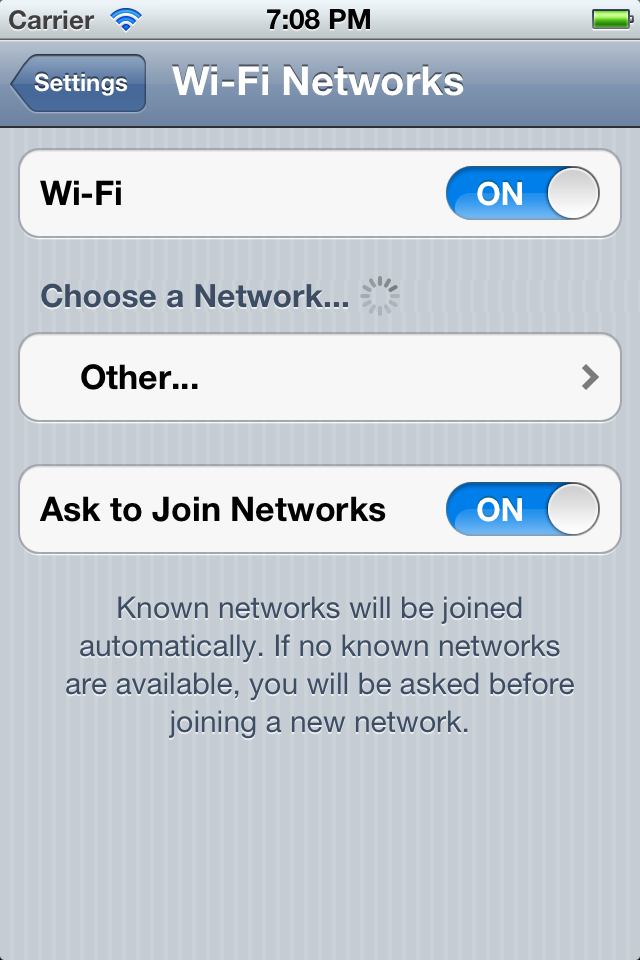
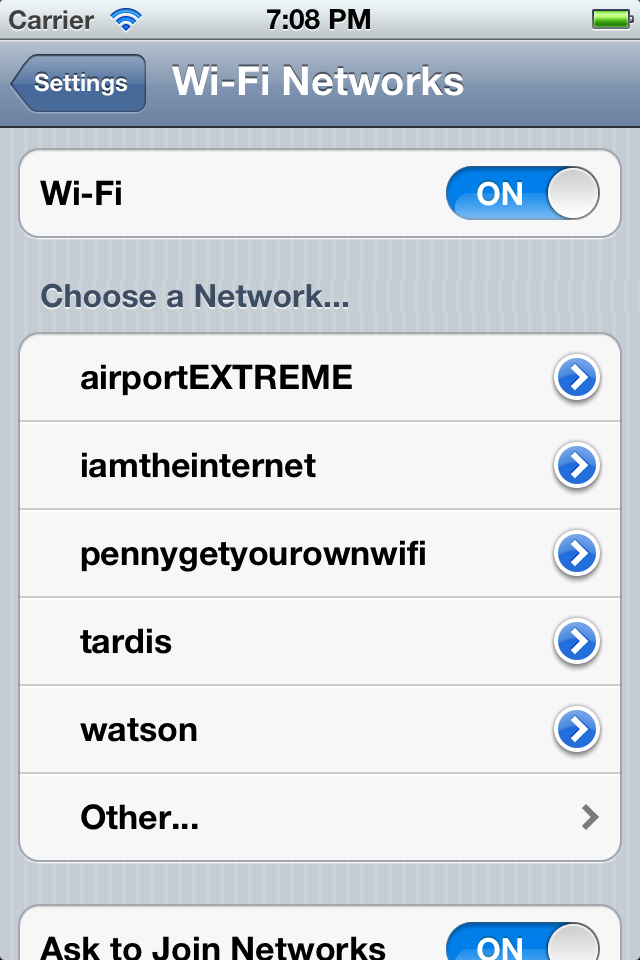
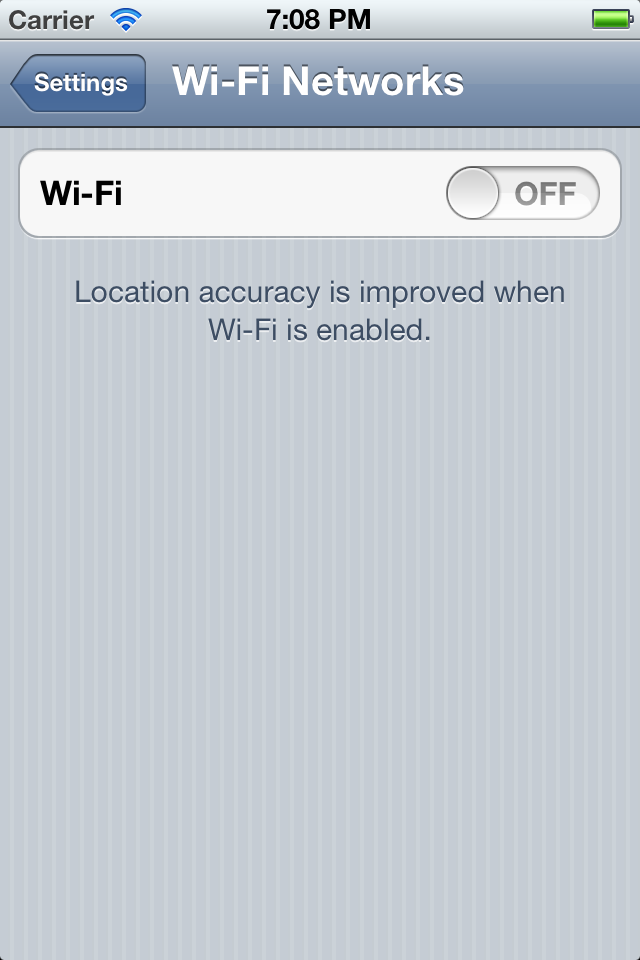
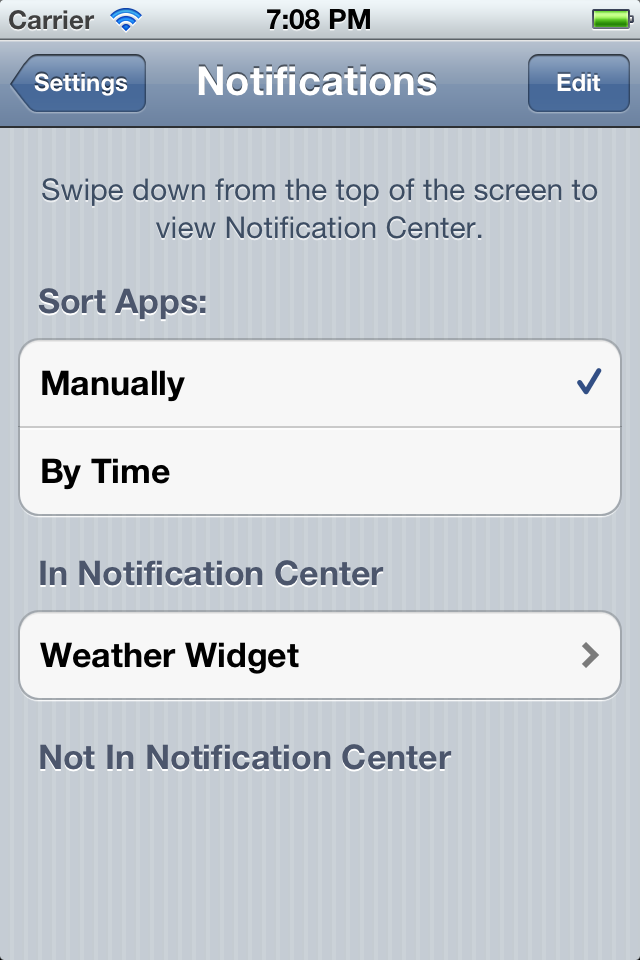
So for fun (and to aid me in developing the library, determine its needs) I started using `JMStaticTableViewController` to attempt to re-create the built-in iOS Settings application. This exists in a sort of "half-finished" state inside this repo.
Some things to try in it are:
* Wi-Fi, go into the Wi-Fi section and notice how the rows appear after "searching for networks" (this is obviously simulated). Also try disabling and re-enabling Wi-Fi. Notice how the rows appear and disappear with correct animations.
* The Notifications section also demonstrates showing some content.
* Cells that shouldn't be "selectable" (like cells containing `UISwitch` controls) aren't selectable.
* Normal `UITableViewDelegate` methods still work, so implementing things like like adding a `UIActivityIndicatorView` next to a section title are no more or less complicated than before.
It is, like I mentioned, unfinished, meant mearly as a tool for you to checkout and get some perspective on how the library might be used in the "real world". More completion of the example as well as any other examples are very welcome, please feel free to submit pull requests.
### Screenshots
## iOS Version Compatability
`JMStaticContentTableViewController` supports iOS 5 and up.
## Adding To Your Project
### CocoaPods (The New Easy Way)
If you are using [CocoaPods](http://cocoapods.org) then just add this line to your `Podfile`:
``` ruby
dependency 'JMStaticContentTableViewController'
```
Now run `pod install` to install the dependency.
### Manually (The Old Hard Way)
[Download](https://github.com/jakemarsh/JMStaticContentTableViewController/zipball/master) the source files or add it as a [git submodule](http://schacon.github.com/git/user-manual.html#submodules). Here's how to add it as a submodule:
$ cd YourProject
$ git submodule add https://github.com/jakemarsh/JMStaticContentTableViewController.git Vendor/JMStaticContentTableViewController
Add all of the files inside the folder named "JMStaticContentTableViewController" to your project.
### ARC
`JMStaticContentTableViewController` uses [Automatic Reference Counting (ARC)](http://clang.llvm.org/docs/AutomaticReferenceCounting.html). You should be using ARC too, it's the future. If your project doesn't use ARC, you will need to set the `-fobjc-arc compiler` flag on all of the `JMStaticContentTableViewController` source files. To do this in Xcode, go to your active target and select the "Build Phases" tab. In the "Compiler Flags" column, set `-fobjc-arc` for each of the `JMStaticContentTableViewController` source files.
### "This Library is Bad, and You Should Feel Bad"

This is my first try at building a system like this for this purpose, there are already a ton of things I plan on "fixing", improving, and re-doing. I wouldn't really be a good developer if I didn't hate all my code once I was done would ? ;)
I'm totally open to suggestions/fixes/hate mail/etc just let me know in a pull request, issue or even on twitter, I'm [@jakemarsh](http://twitter.com/jakemarsh).
That being said, this is a very opinionated library. It makes assumptions and defines conventions that might not fit perfectly with everyone's codebase or app. If you are one of those people, please feel free to submit a pull request so we can talk about it and maybe get some of your desired changes worked in.