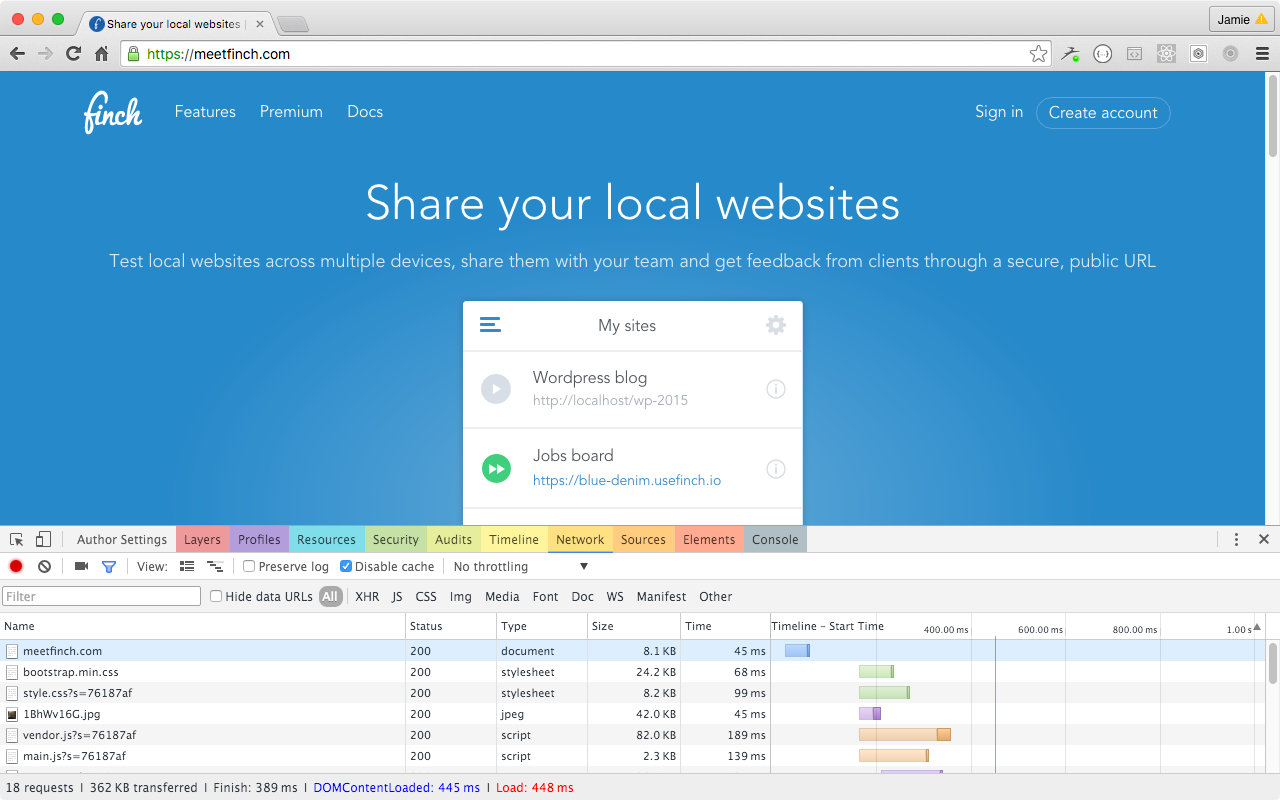
https://github.com/jamiemason/devtools-extension-tab-colours
Adds colours to the tabs in Chrome DevTools.
https://github.com/jamiemason/devtools-extension-tab-colours
chrome-devtools chrome-extension developer-experience developer-tools
Last synced: about 1 year ago
JSON representation
Adds colours to the tabs in Chrome DevTools.
- Host: GitHub
- URL: https://github.com/jamiemason/devtools-extension-tab-colours
- Owner: JamieMason
- License: mit
- Created: 2016-04-12T08:21:00.000Z (over 10 years ago)
- Default Branch: master
- Last Pushed: 2017-08-15T14:05:42.000Z (almost 9 years ago)
- Last Synced: 2024-10-23T15:45:07.507Z (over 1 year ago)
- Topics: chrome-devtools, chrome-extension, developer-experience, developer-tools
- Language: CSS
- Homepage: https://chrome.google.com/webstore/detail/devtools-tab-colours/kbamdmidcmemijemnipjedngmbfdmiff?hl=en-GB&gl=GB
- Size: 337 KB
- Stars: 11
- Watchers: 3
- Forks: 0
- Open Issues: 3
-
Metadata Files:
- Readme: README.md
- Changelog: CHANGELOG.md
- License: LICENSE.md
Awesome Lists containing this project
README
# devtools-extension-tab-colours
[](https://github.com/igrigorik/ga-beacon)
A simple extension to add colours to the tabs in Chrome DevTools.
## Installation
"Developer Tools experiments" will need to be enabled in order to use this extension;
1. Go to [chrome://flags/#enable-devtools-experiments](chrome://flags/#enable-devtools-experiments) and enable "Developer Tools experiments".
1. Open DevTools and go to "Settings".
1. Go to "Experiments" tab.
1. Check "Allow custom UI themes".
1. Reload DevTools.
### Chrome Web Store
[DevTools Tab Colours](https://chrome.google.com/webstore/detail/devtools-tab-colours/kbamdmidcmemijemnipjedngmbfdmiff?hl=en-GB&gl=GB)
### Manual
```
git clone https://github.com/JamieMason/devtools-extension-tab-colours.git
```
1. Visit [chrome://extensions/](chrome://extensions/)
1. Choose "Load unpacked extension..."
1. Choose devtools-extension-tab-colours directory.
## Screenshot