https://github.com/janczizikow/androiddialogpicker
A simple custom dialog with multiple list items for Android
https://github.com/janczizikow/androiddialogpicker
android dialog react-native
Last synced: over 1 year ago
JSON representation
A simple custom dialog with multiple list items for Android
- Host: GitHub
- URL: https://github.com/janczizikow/androiddialogpicker
- Owner: janczizikow
- License: mit
- Created: 2019-08-01T13:58:01.000Z (almost 7 years ago)
- Default Branch: master
- Last Pushed: 2023-12-08T10:44:55.000Z (over 2 years ago)
- Last Synced: 2025-03-18T00:37:31.436Z (over 1 year ago)
- Topics: android, dialog, react-native
- Language: JavaScript
- Homepage:
- Size: 408 KB
- Stars: 13
- Watchers: 1
- Forks: 3
- Open Issues: 2
-
Metadata Files:
- Readme: README.md
- License: LICENSE
Awesome Lists containing this project
README
# react-native-android-dialog-picker
>
[](https://www.npmjs.com/package/react-native-android-dialog-picker)
A simple custom dialog with multiple list items.
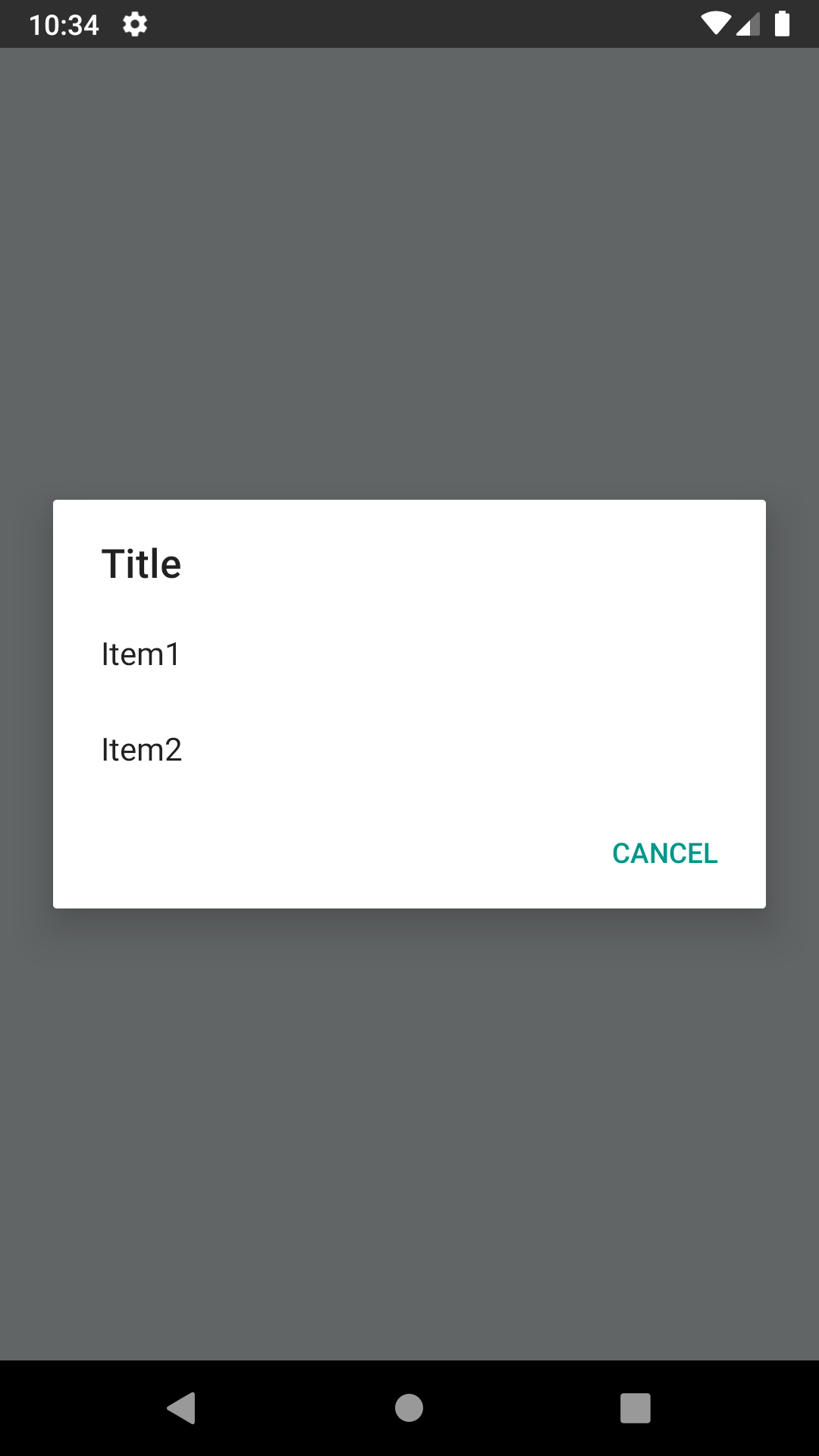
# Why?
RN 0.59.1+ has a bug with Picker component not rendered as a modal, even when passing props: https://github.com/facebook/react-native/issues/24055
I needed to create a simple Dialog with options (without checkboxes / radio boxes) and didn't wanted to wait until the issue with Picker is fixed. This is a temporary quick solution for the problem.
## React Native Compatibility
| `react-native-android-dialog-picker` version | Required React Native Version |
| -------------------------------------------- | --------------------------------------------------------------------------------- |
| `0.1.x` | `>= 0.60` or `>= 0.59` if using [Jetifier](https://github.com/mikehardy/jetifier) |
| `0.0.x` | `<= 0.59` |
## Getting started
`$ yarn add react-native-android-dialog-picker`
or
`$ npm install react-native-android-dialog-picker --save`
### Mostly automatic installation
Only necessary for React Native <= 0.59
`$ react-native link react-native-android-dialog-picker`
### Manual installation
#### Android
1. Open up `android/app/src/main/java/[...]/MainActivity.java`
- Add `import com.androiddialogpicker.RNAndroidDialogPickerPackage;` to the imports at the top of the file
- Add `new RNAndroidDialogPickerPackage()` to the list returned by the `getPackages()` method
2. Append the following lines to `android/settings.gradle`:
```
include ':react-native-android-dialog-picker'
project(':react-native-android-dialog-picker').projectDir = new File(rootProject.projectDir, '../node_modules/react-native-android-dialog-picker/android')
```
3. Insert the following lines inside the dependencies block in `android/app/build.gradle`:
```
compile project(':react-native-android-dialog-picker')
```
## Usage
```javascript
import React, { Component } from "react";
import {
Platform,
View,
Button,
ActionSheetIOS
} from "react-native";
import AndroidDialogPicker from "react-native-android-dialog-picker";
export default class App extends Component {
showPicker = () => {
if (Platform.OS === "android") {
// only for android
AndroidDialogPicker.show(
{
title: "Title", // title of the dialog
items: ["Item1", "Item2"], // items/options to choose from
cancelText: "Cancel" // cancel text (optional - cancel button won't be render if this is not passed)
},
// only called when pressed on one of the items
// won't be called if user pressed on cancel or dismissed the dialog
buttonIndex => {
console.log(buttonIndex);
}
);
} else {
// use ActionSheetIOS for iOS
ActionSheetIOS.showActionSheetWithOptions(
{
title: "Title",
options: ["Item1", "Item2", "Cancel"],
cancelButtonIndex: 2
},
buttonIndex => {
console.log(buttonIndex);
}
);
}
};
render() {
return (
);
}
}
```