https://github.com/janerikcarlsen/fpl-cli
Fantasy Premier League Command Line Interface (CLI) - FPL in your terminal
https://github.com/janerikcarlsen/fpl-cli
cli command-line fantasy-premier-league football fpl python python3
Last synced: 11 months ago
JSON representation
Fantasy Premier League Command Line Interface (CLI) - FPL in your terminal
- Host: GitHub
- URL: https://github.com/janerikcarlsen/fpl-cli
- Owner: janerikcarlsen
- License: mit
- Created: 2018-08-23T19:22:06.000Z (almost 8 years ago)
- Default Branch: master
- Last Pushed: 2019-03-17T12:11:58.000Z (over 7 years ago)
- Last Synced: 2024-10-09T09:26:58.808Z (almost 2 years ago)
- Topics: cli, command-line, fantasy-premier-league, football, fpl, python, python3
- Language: Python
- Homepage:
- Size: 772 KB
- Stars: 7
- Watchers: 4
- Forks: 4
- Open Issues: 1
-
Metadata Files:
- Readme: README.md
- Contributing: CONTRIBUTING.md
- License: LICENSE
Awesome Lists containing this project
README
[](https://travis-ci.org/janerikcarlsen/fpl-cli)
[](https://pypi.org/project/fplcli)
[](http://pepy.tech/project/fplcli)
# fpl-cli
fpl-cli is a command line tool for Fantasy Premier League, written in Python.
The tool gets its data from the official Fantasy Premier League API, and currently supports the following actions:
```
fpl Returns help menu
fpl configure Set up team_id (required)
fpl points Returns live points for a team
fpl leagues Returns all leagues for a team entry
fpl league Returns confirmed scores for a league by id
fpl liveleague Returns live scores for a league by id
fpl entry Returns information about a team entry
fpl players Returns all players in the game, sorted by total score
```
# Installing
fpl-cli has been tested with Python versions 2.7, 3.4, 3.5, 3.6 and 3.7 on Mac and Linux, and with 3.6 and 3.7 on Windows.
In a terminal window, verify that Python and pip is available:
```
python --version
pip --version
```
If no Python/pip version is found, [download Python and pip before proceeding](https://www.python.org/downloads/)
```
pip install fplcli
```
# Using fpl-cli
## Configure fpl-cli
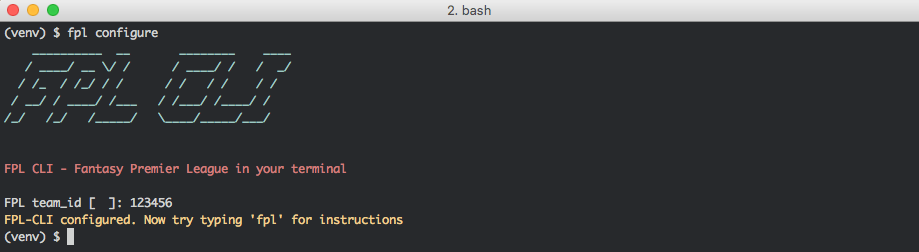
Start using fpl-cli by telling it your team_id. You can find your team_id by going to the Points tab at https://fantasy.premierleague.com and find the number in between `team/` and `event/` in the url.
## Get help
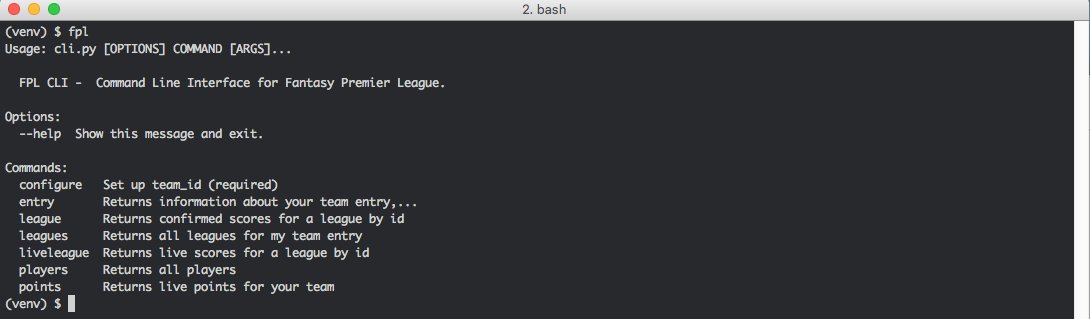
Get an overview of the allowed actions by typing `fpl` or `fpl --help`
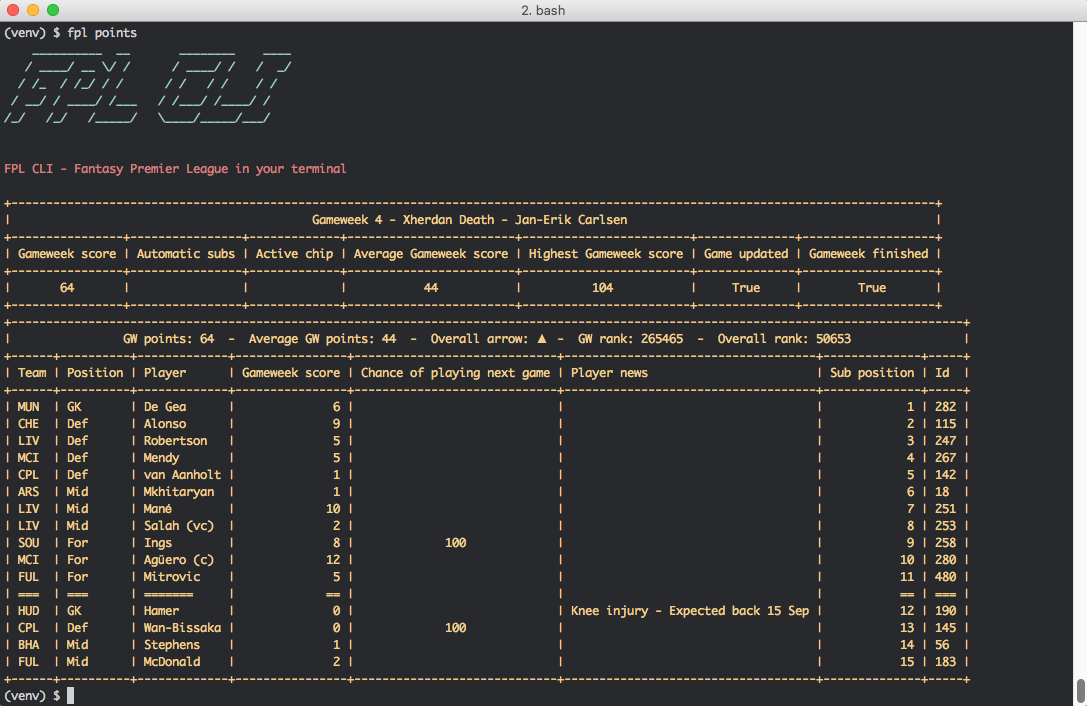
## Get current points total for team
The points total and player score is updated during games based on live score data, including provisional bonus points.
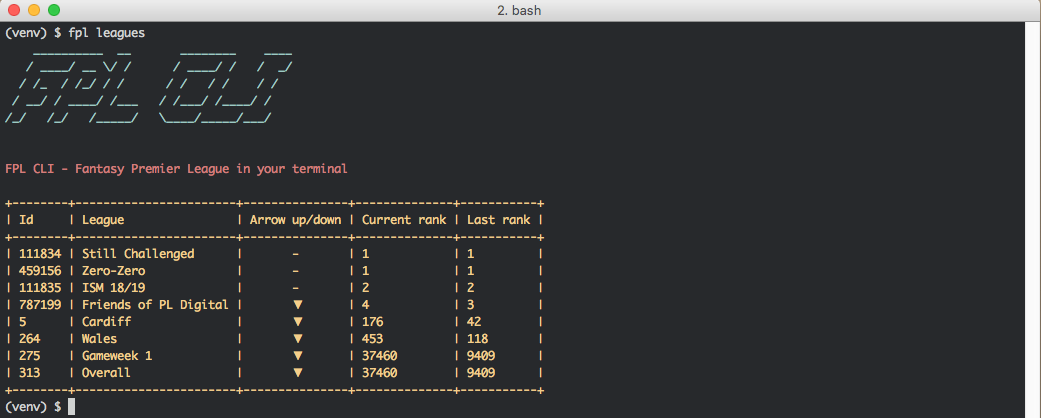
## Get all leagues the team is member of
Returns all leagues you participate in (Head 2 Head leagues not included yet)
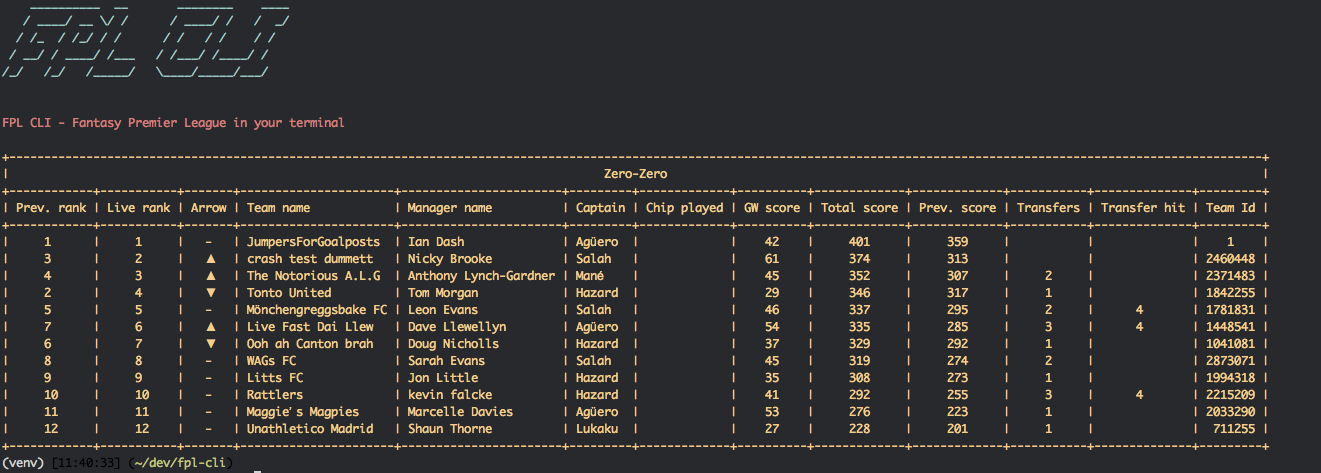
## Get live league standings
Returns live league standings for a single league, where all teams score are updated in real time based on live score data. Shows live league rank, captain, gameweek score, chips played and transfer info
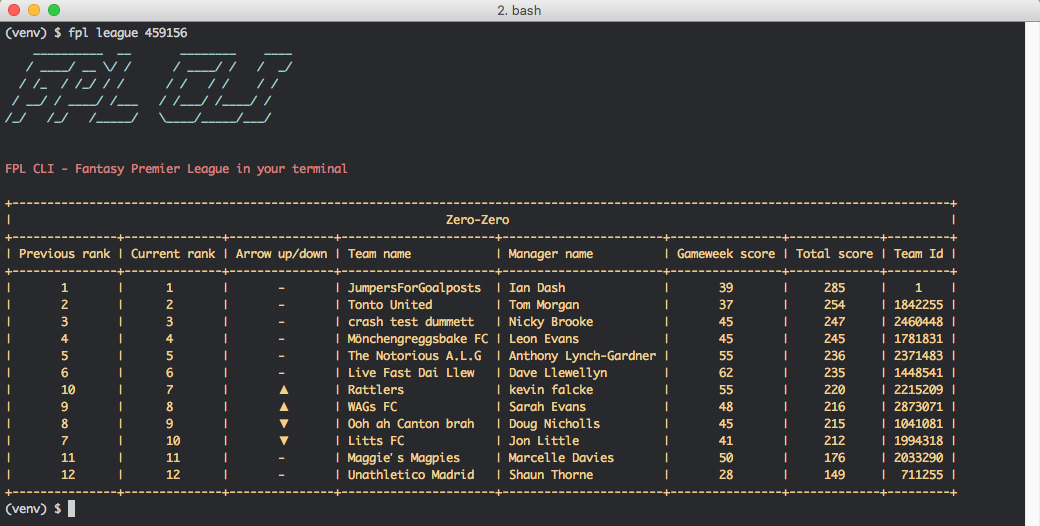
## Get league standings
Returns confirmed league standings for a single league. You find the league_id in the leftmost `Id` column in the `fpl leagues` result
# Planned features
* Include H2H leagues in leagues view
* Actions that require authentication with the FPL API (Making transfers, prepare team for next Gameweek)
* Player sorting/filtering and enriched player staticstics
* Cache API calls to improve response times
Ideas for features or enhancements that you would like to see from fpl-cli are welcome.
Please post an [issue in the GitHub repository](https://github.com/janerikcarlsen/fpl-cli/issues),
or even better, check out the [Contributing guidelines](https://github.com/janerikcarlsen/fpl-cli/blob/master/CONTRIBUTING.md "CONTRIBUTING.md")
and submit a Pull Request with the suggested change.