https://github.com/jankrepl/pychubby
Automated face warping tool.
https://github.com/jankrepl/pychubby
cli computer-vision dlib-face-detection dlib-face-recognition face face-recognition facial-detection facial-features landmark-detection machine-learning morphing transformation warping
Last synced: 4 months ago
JSON representation
Automated face warping tool.
- Host: GitHub
- URL: https://github.com/jankrepl/pychubby
- Owner: jankrepl
- License: mit
- Created: 2019-07-13T12:07:20.000Z (about 7 years ago)
- Default Branch: master
- Last Pushed: 2022-10-06T11:00:43.000Z (almost 4 years ago)
- Last Synced: 2025-09-20T12:51:20.817Z (10 months ago)
- Topics: cli, computer-vision, dlib-face-detection, dlib-face-recognition, face, face-recognition, facial-detection, facial-features, landmark-detection, machine-learning, morphing, transformation, warping
- Language: Python
- Homepage: http://pychubby.readthedocs.io
- Size: 124 KB
- Stars: 301
- Watchers: 9
- Forks: 37
- Open Issues: 2
-
Metadata Files:
- Readme: README.md
- License: LICENSE
Awesome Lists containing this project
README
[](https://travis-ci.com/jankrepl/pychubby)
[](https://codecov.io/gh/jankrepl/pychubby)
[](https://badge.fury.io/py/pychubby)
[](https://pychubby.readthedocs.io/en/latest/?badge=latest)

# PyChubby
**Tool for automated face warping**
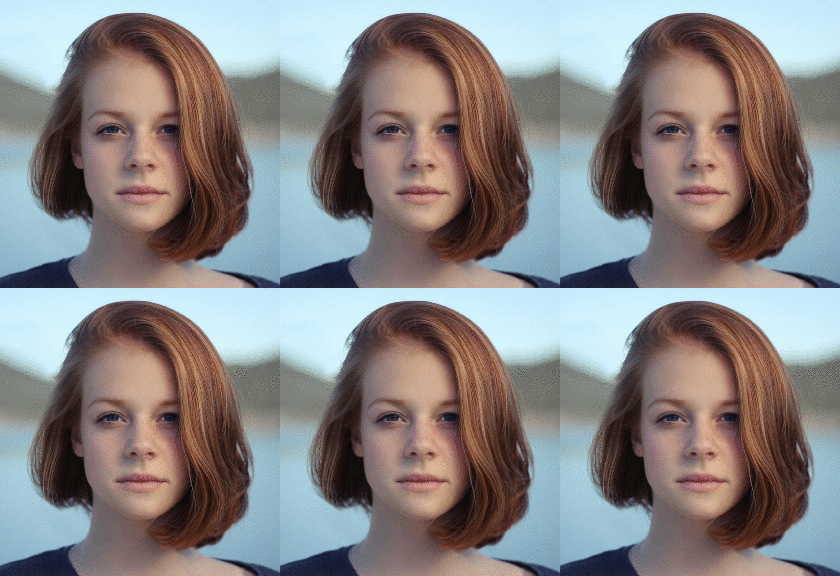
### Installation
```bash
pip install pychubby
```
If you get an error `FileNotFoundError: [Errno 2] No such file or directory: 'cmake': 'cmake'`, you
need to make sure [cmake](www.cmake.org) is installed. If you're on OSX you can install this via
Homebrew with:
```shell
brew install cmake
```
For other platforms please consult the Cmake documentation at
### Description
For each face in an image define what **actions** are to be performed on it, `pychubby` will do the rest.
### Documentation
### Minimal Example
```python
import matplotlib.pyplot as plt
from pychubby.actions import Chubbify, Multiple, Pipeline, Smile
from pychubby.detect import LandmarkFace
img_path = 'path/to/your/image'
img = plt.imread(img_path)
lf = LandmarkFace.estimate(img)
a_per_face = Pipeline([Chubbify(), Smile()])
a_all = Multiple(a_per_face)
new_lf, _ = a_all.perform(lf)
new_lf.plot(show_landmarks=False, show_numbers=False)
```
### CLI
`pychubby` also comes with a CLI that exposes some
of its functionality. You can list the commands with `pc --help`:
```text
Usage: pc [OPTIONS] COMMAND [ARGS]...
Automated face warping tool.
Options:
--help Show this message and exit.
Commands:
list List available actions.
perform Take an action.
```
To perform an action (Smile in the example below) and plot the result on the screen
```bash
pc perform Smile INPUT_IMG_PATH
```
or if you want to create a new image and save it
```bash
pc perform Smile INPUT_IMG_PATH OUTPUT_IMG_PATH
```
### Development
```bash
git clone https://github.com/jankrepl/pychubby.git
cd pychubby
pip install -e .[dev]
```