https://github.com/januff/stargate-next.js-starter
https://github.com/januff/stargate-next.js-starter
Last synced: 3 months ago
JSON representation
- Host: GitHub
- URL: https://github.com/januff/stargate-next.js-starter
- Owner: januff
- Created: 2020-10-26T22:14:04.000Z (over 5 years ago)
- Default Branch: master
- Last Pushed: 2023-01-06T15:40:57.000Z (over 3 years ago)
- Last Synced: 2025-01-21T01:11:11.382Z (over 1 year ago)
- Language: Shell
- Size: 646 KB
- Stars: 0
- Watchers: 2
- Forks: 0
- Open Issues: 7
-
Metadata Files:
- Readme: README.md
Awesome Lists containing this project
README
# Next.js/Astra Starter
*10 minutes, Beginner*
A sample Next.js, [DataStax Astra](https://astra.datastax.com/register?utm_source=devplay&utm_medium=github&utm_campaign=astra-next.js-starter) starter app.

Contributor: [Alex Leventer](https://github.com/alexleventer)
## Objectives
* Provide a fullstack development example using Astra as the storage backend
## How this works
Once the Astra credentials are provided, the necessary tables are created in the database and sample data is inserted. The webservice will be available on port 3000 once the application has been deployed. Once the application is running, you can begin to make changes to your app by editing `pages/index.js`.
[Next.js](https://nextjs.org/) is an open-source JavaScript framework that lets you build server-side rendering and static web applications using React. It is not nescessary to configuration of webpack or similar to start using Next.js, as it comes with its configuration. This make it very simple to start a project, as we only need to execute simple commands and the project is ready.
[Vercel](https://vercel.com/) is a cloud platform for static sites and Serverless Functions, it enables developers to host Jamstack websites and web services that deploy instantly. You also have the option to deloy this app in Vercel.
## 🚀 Getting Started Paths:
1. [Run the app locally](#running-on-your-local-machine)
2. [Run the app on Gitpod](#running-on-gitpod)
3. [Deploy the app to Vercel](#deploying-to-vercel)
### Running on your local machine
1. Create a [DataStax Astra account](https://astra.datastax.com/register?utm_source=github&utm_medium=referral&utm_campaign=astra-nextjs-starter) and free-tier Cassandra database:

2. Click 'Use this template' at the top of [GitHub](https://github.com/DataStax-Examples/astra-next.js-starter):

3. Enter a repository name and click 'Create repository from template':

4. Clone the repository:

5. `cd` into the cloned repository. Install Node dependencies with [Yarn](https://yarnpkg.com/): `yarn install` (Alternatively, use npm: `npm install`)
6. Run the set up script: ` . ./gitpod-setup.sh`
7. Start your app by running: `yarn start` or `npm start`
8. You can view your app at http://localhost:3000/:

### Running on Gitpod
1. Create a [DataStax Astra account](https://astra.datastax.com/register) and free-tier Cassandra database:

2. Click the 'Open in Gitpod' link:
[](https://dtsx.io/2YtXWVU)
3. Wait for your Gitpod workspace to start:

4. Set your Astra credentials in the Gitpod terminal at the bottom of the screen:

You can find your database ID by clicking on your database name:

Then you'll find it on the summary page here:

5. Click the 'Open browser' button in the bottom right of the screen:
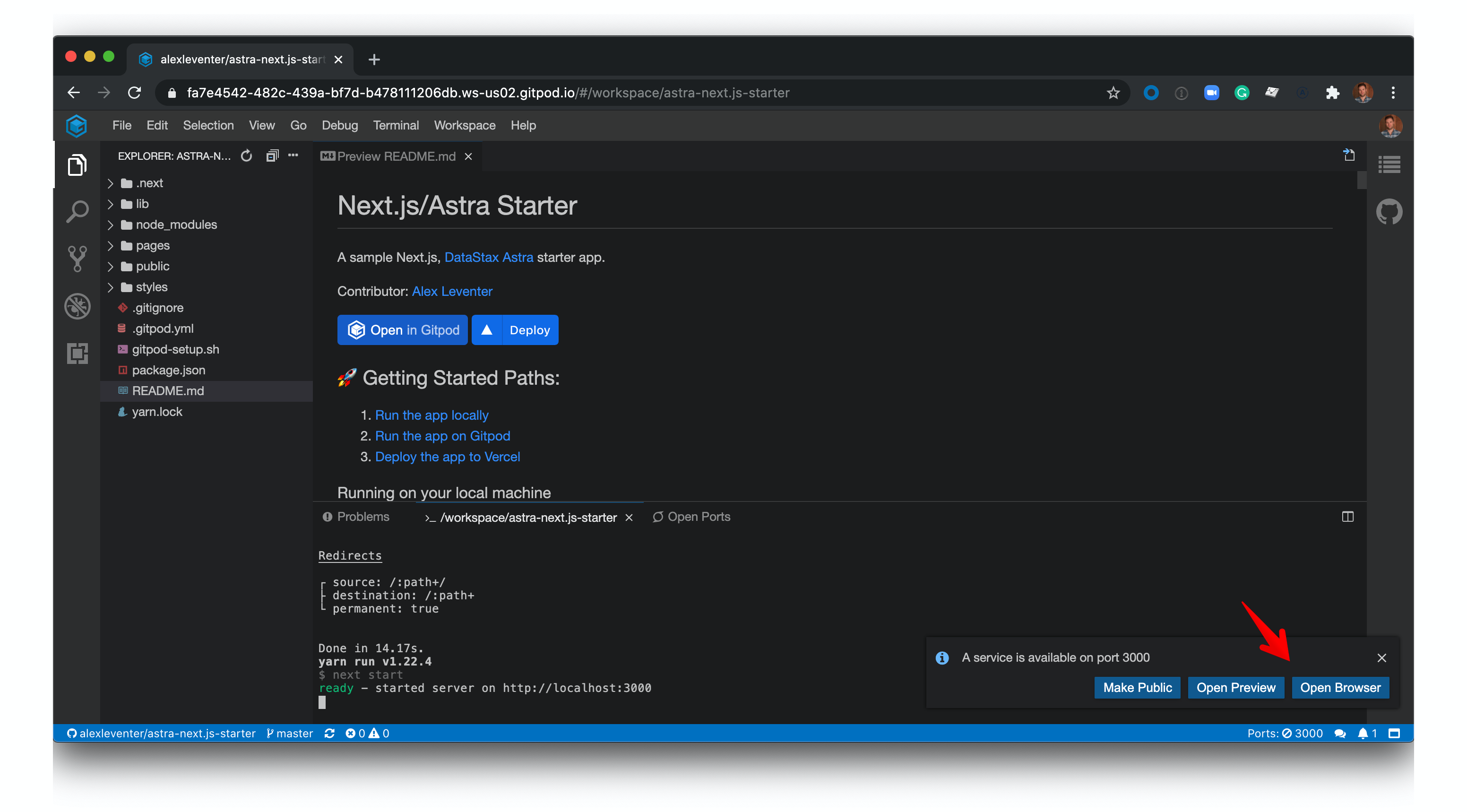
6. View your application:

### Deploying to Vercel
1. Create a [DataStax Astra account](https://astra.datastax.com/register?utm_source=github&utm_medium=referral&utm_campaign=astra-nextjs-starter) and free-tier Cassandra database:

2. Click the 'Deploy' button:
[](https://dtsx.io/3aUg00p)
3. Click continue:

4. Install Vercel for Github:

5. Enter your Astra database details and click deploy:

6. Click visit to view your live app:
