https://github.com/jaycee0610/basic-telegram-sender-php
A simple PHP script to send messages to a Telegram group using a bot. 🤖
https://github.com/jaycee0610/basic-telegram-sender-php
rootscratch telegram-bot telegram-bot-api telegram-notification-api telegram-php telegram-php-api telegram-sender
Last synced: 4 months ago
JSON representation
A simple PHP script to send messages to a Telegram group using a bot. 🤖
- Host: GitHub
- URL: https://github.com/jaycee0610/basic-telegram-sender-php
- Owner: jaycee0610
- License: mit
- Created: 2025-02-26T17:13:35.000Z (over 1 year ago)
- Default Branch: main
- Last Pushed: 2025-02-26T18:06:49.000Z (over 1 year ago)
- Last Synced: 2025-02-26T18:42:50.036Z (over 1 year ago)
- Topics: rootscratch, telegram-bot, telegram-bot-api, telegram-notification-api, telegram-php, telegram-php-api, telegram-sender
- Language: PHP
- Homepage: https://rootscratch.com
- Size: 1.02 MB
- Stars: 0
- Watchers: 1
- Forks: 0
- Open Issues: 0
-
Metadata Files:
- Readme: README.md
- License: LICENSE
Awesome Lists containing this project
README
# 🚀 Basic Telegram Sender PHP
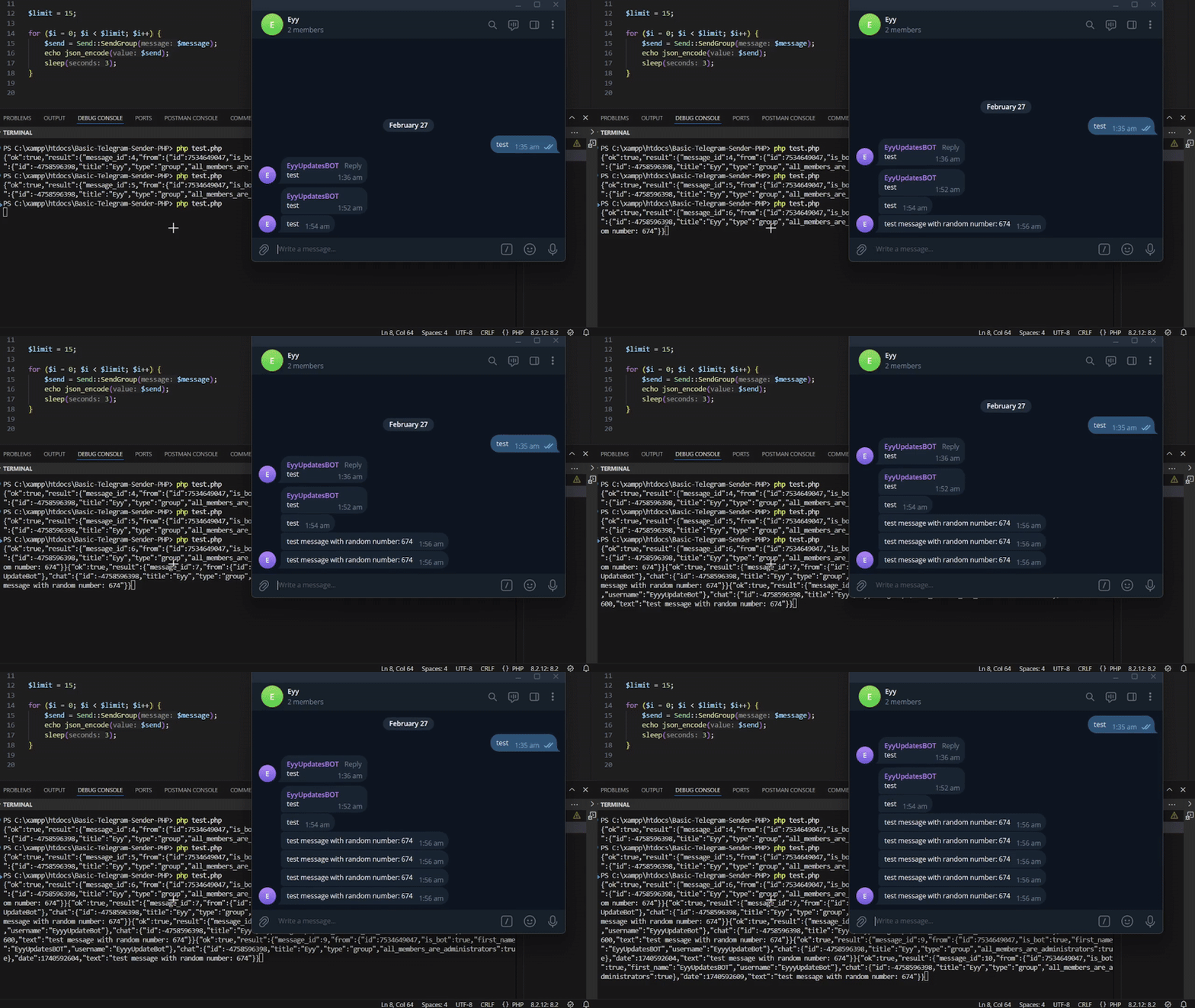
A simple PHP script to send messages to a Telegram group using a bot. 🤖
## 📥 Installation
1. **Clone the Repository:**
```sh
git clone https://github.com/jaycee0610/Basic-Telegram-Sender-PHP.git
cd Basic-Telegram-Sender-PHP
```
2. **Install Dependencies:**
```sh
composer require rootscratch/telegram
```
## 🛠️ Setup Guide
### 📌 Step 1: Create a Telegram Bot
- Open Telegram and search for `@BotFather`. 🤖
- Start a chat with `@BotFather` and create a new bot.
- Once created, you will receive a **bot token**. Save this token for later use. 🔑
### 📌 Step 2: Create a Group and Add the Bot
- Create a new Telegram group.
- Add your bot to the group.
- Send any message in the group to initialize it. 🆕
### 📌 Step 3: Get the List of Updates
To retrieve the updates for your bot, use the following API request:
```
https://api.telegram.org/bot/getUpdates
```
**Example:**
```
https://api.telegram.org/bot123456789:jbd78sadvbdy63d37gda37bd8/getUpdates
```
### 📌 Step 4: Find the Chat ID
Look for the "chat" object in the API response:
```json
{
"update_id": 8393,
"message": {
"message_id": 3,
"from": {
"id": 7474,
"first_name": "AAA"
},
"chat": {
"id": -,
"title": ""
},
"date": 25497,
"new_chat_participant": {
"id": 71,
"first_name": "NAME",
"username": "YOUR_BOT_NAME"
}
}
}
```
- The `id` inside the "chat" object is your **Group Chat ID** and always starts with `-`. 🆔
- Use this ID when sending messages to the group. 📩
**Note:**
If you created a new group and the API response only returns:
```json
{"ok": true, "result": []}
```
Try removing and re-adding the bot to the group. 🔄
## 🚀 Usage
1. **Modify `index.php`:**
```php
require_once 'vendor/autoload.php';
use Rootscratch\Telegram\Send;
Send::telegram_token('your-bot-token-here');
Send::telegram_chat_id('-your-chat-id-here');
$message = 'Hello, Telegram!';
try {
$send = Send::SendGroup($message);
echo json_encode($send);
} catch (\Exception $e) {
echo json_encode(['error' => $e->getMessage()]);
}
```
2. **Run the script:**
```sh
php index.php
```
## 📡 API Response Example
```json
{
"ok": true,
"result": {
"message_id": 123,
"chat": {
"id": -1001234567890,
"title": "My Telegram Group"
},
"text": "Hello, Telegram!"
}
}
```
## ⚠️ Troubleshooting
- If you get `{"ok":true,"result":[]}` when retrieving updates, try removing and re-adding the bot to the group. 🔄
- Make sure the bot has permission to send messages in the group. ✅
## 📜 License
This project is licensed under the MIT License. 📝
## 👨💻 Author
[John Natividad](https://github.com/jaycee0610) ✨