https://github.com/jaywood/basecamptagger
A Google Chrome Extension to emulate GitHub tagging in Basecamp
https://github.com/jaywood/basecamptagger
basecamp chrome-extension google tagging
Last synced: about 2 months ago
JSON representation
A Google Chrome Extension to emulate GitHub tagging in Basecamp
- Host: GitHub
- URL: https://github.com/jaywood/basecamptagger
- Owner: JayWood
- License: gpl-3.0
- Created: 2017-05-10T02:04:10.000Z (about 9 years ago)
- Default Branch: master
- Last Pushed: 2017-05-10T02:51:46.000Z (about 9 years ago)
- Last Synced: 2025-04-14T03:34:30.810Z (about 1 year ago)
- Topics: basecamp, chrome-extension, google, tagging
- Language: JavaScript
- Size: 127 KB
- Stars: 0
- Watchers: 0
- Forks: 0
- Open Issues: 0
-
Metadata Files:
- Readme: README.md
- License: LICENSE.txt
Awesome Lists containing this project
README
# WDS Basecamp Tagger
**Contributors:** [JayWood](http://github.com/JayWood), [ImBigWill](https://github.com/ImBigWill)
**License:** GPLv3
## About
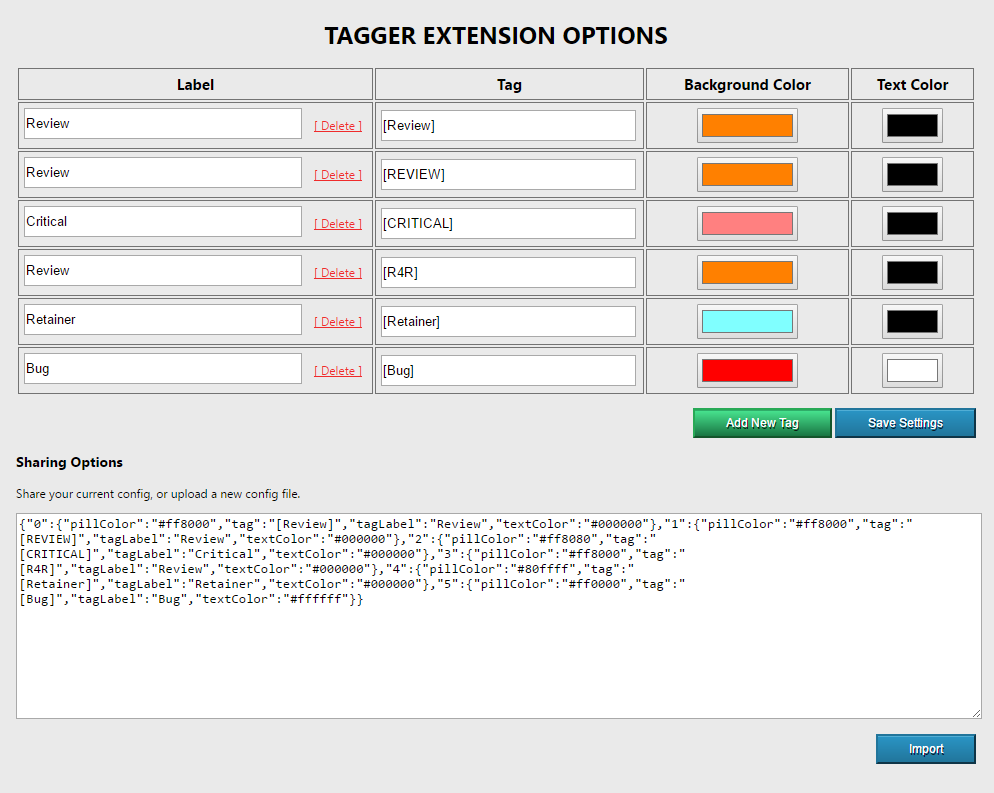
This tagging extension is basically a glorified search/replace for Strings in Basecamp tasks. You can set your tags, labels and colors by right-clicking on the icon and selecting `Options`.
## Installing
* Download the package into a folder.
* Open your Chrome extensions via Settings
* Check `developer mode`
* Click `Load unpacked extension`
* Select the folder you just downloaded the package to.
> For a more detailed explanation w/ links, see [this article](http://techapple.net/2015/09/how-to-install-load-unpacked-extension-in-google-chrome-browser-os-chromebooks/).
## What this does not do.
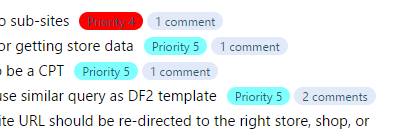
This _currently_ does not allow you to tag items, as stated above this is a glorified search/replace. So you
still need to 'edit' basecamp task titles and input your own tags, this just makes it prettier and easier to read.
## Planned features
* Allowing tagging after clicking edit ( auto-insert tags )
* More? Idk, make an issue, let's see!
## Screenshots
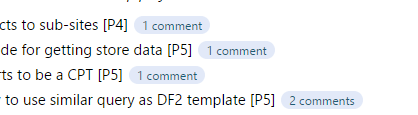
_(Before enabling the Tagger)_
_(After enabling the Tagger)_
_(Options page)_