https://github.com/jbrosdevelopment/terminalengine
C# Package that makes it easy to use the console as a canvas to display pixels
https://github.com/jbrosdevelopment/terminalengine
Last synced: 10 months ago
JSON representation
C# Package that makes it easy to use the console as a canvas to display pixels
- Host: GitHub
- URL: https://github.com/jbrosdevelopment/terminalengine
- Owner: JBrosDevelopment
- License: mit
- Created: 2024-07-31T17:04:09.000Z (almost 2 years ago)
- Default Branch: master
- Last Pushed: 2024-07-31T19:04:42.000Z (almost 2 years ago)
- Last Synced: 2025-08-01T00:57:02.153Z (11 months ago)
- Language: C#
- Homepage:
- Size: 26.4 KB
- Stars: 0
- Watchers: 1
- Forks: 0
- Open Issues: 0
-
Metadata Files:
- Readme: README.md
- License: LICENSE.txt
Awesome Lists containing this project
README
# Terminal Engine
This is a simple tool kit package for `C#` that makes it really easy to use a console window as a Canvas for pixels.
Include this in your project by cloning this repository, or using this command
```
dotnet add package TerminalEngine
```
This package is easy to use and follows the simple `Start` and `Update` routine.
Here is some sample code so you can see how the loop works.
```cs
using TerminalEngine;
public class Program
{
public static void Main()
{
// Initialize canvas and begin routine loop
Canvas.Initialize(
width: 60,
height: 20
);
Routine.BeginRoutine(Start, Update);
}
public static void Start()
{
// called before the update loop...
// create a drawable object
Rect shape = new(left: 5, top: 5, width: 10, height: 10, color: ConsoleColor.Green);
// modify a pixel
Canvas.GetCenterPixel().Fill();
}
public static void Update()
{
// called every frame...
}
}
```
It surprisingly really works, it's just slow at some points, but it is smooth. It uses the cursor in the console to display the character `\u2588` at column, row. With this method, anything that isn't being drawn every frame, won't flicker.
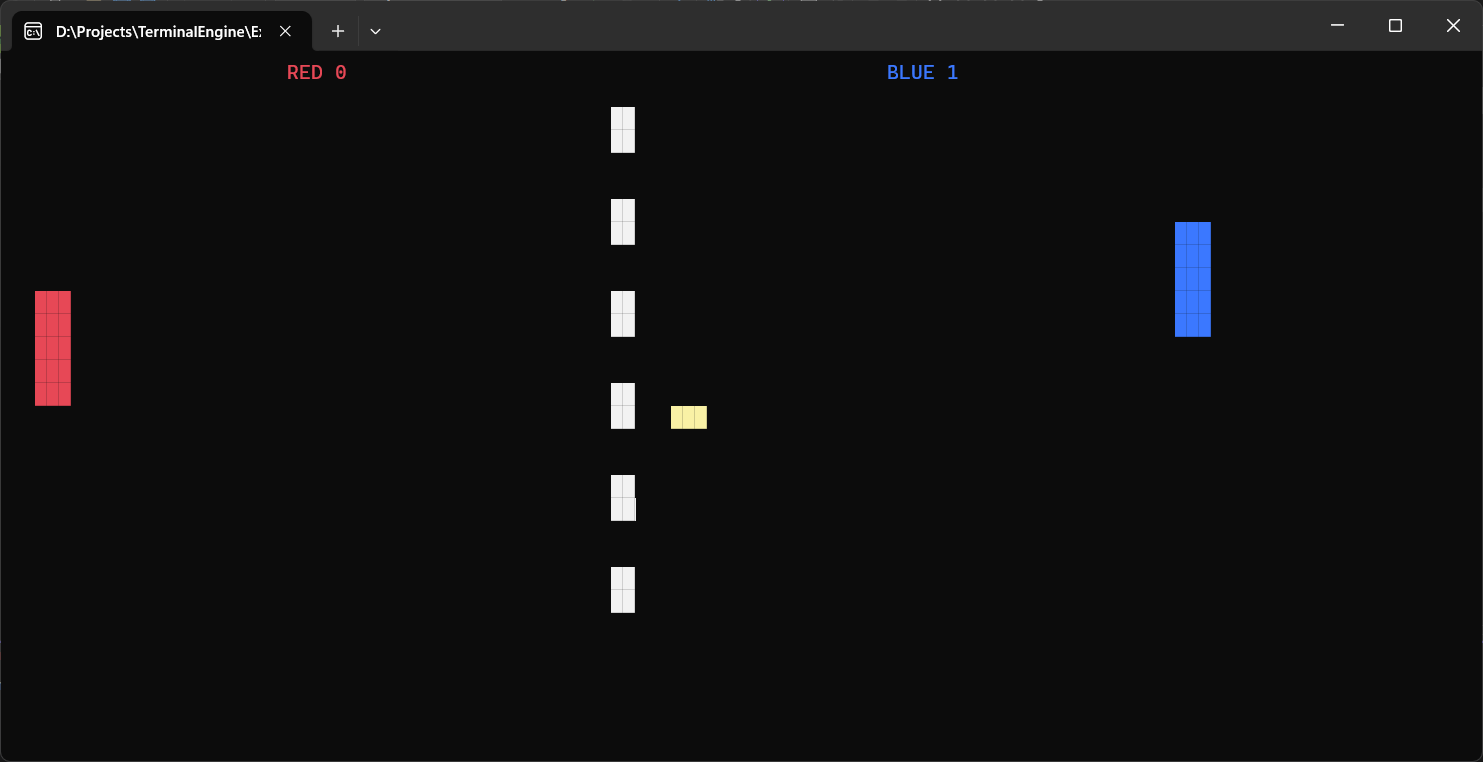
Look at the [pong example](https://github.com/JBrosDevelopment/TerminalEngine/tree/master/Examples/Pong) to see how it works.