https://github.com/jbush001/waveview
Digital Waveform Viewer
https://github.com/jbush001/waveview
tool verilog vhdl waveform
Last synced: 10 months ago
JSON representation
Digital Waveform Viewer
- Host: GitHub
- URL: https://github.com/jbush001/waveview
- Owner: jbush001
- License: apache-2.0
- Created: 2011-10-22T16:20:06.000Z (over 14 years ago)
- Default Branch: master
- Last Pushed: 2024-01-22T01:54:33.000Z (over 2 years ago)
- Last Synced: 2025-04-20T17:54:28.580Z (about 1 year ago)
- Topics: tool, verilog, vhdl, waveform
- Language: Java
- Homepage:
- Size: 949 KB
- Stars: 17
- Watchers: 6
- Forks: 3
- Open Issues: 25
-
Metadata Files:
- Readme: README.md
- License: LICENSE
Awesome Lists containing this project
README
# WaveView
[](https://github.com/jbush001/WaveView/actions?query=workflow%3ACI)
[](https://codecov.io/gh/jbush001/WaveView)
[](https://www.codacy.com/app/jbush001/WaveView?utm_source=github.com&utm_medium=referral&utm_content=jbush001/WaveView&utm_campaign=Badge_Grade)
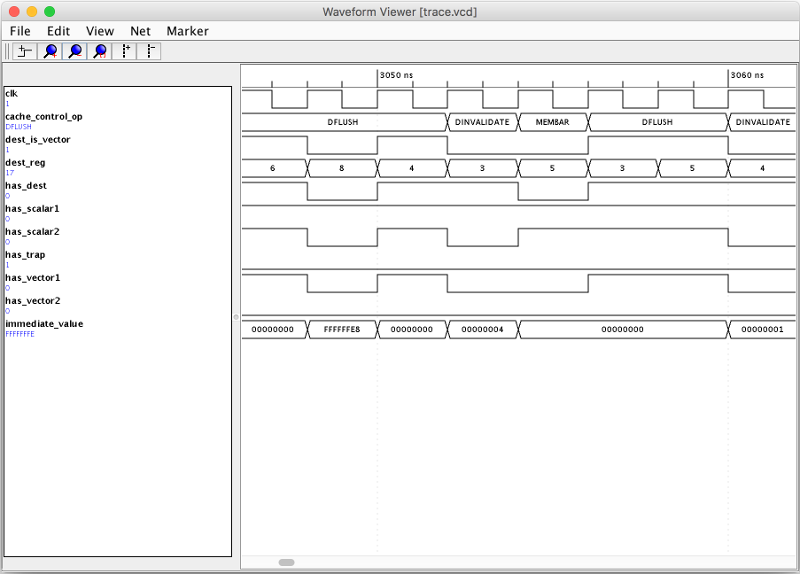
WaveView allows viewing waveform files produced by
hardware simulation tools like [Verilator](http://www.veripool.org/wiki/verilator)
and [Icarus Verilog](http://iverilog.icarus.com/).
## Development Setup
### MacOS
Install JDK from:
### Linux (Ubuntu)
sudo apt-get install openjdk-8-jdk
## Building
This project uses 'gradle' as its build system. The gradle wrapper and class
files are checked into this repository, so you don't need to install it
separately. It will download other dependencies automatically.
./gradlew build
This will run unit tests and the linter, which can take a while. To only create
a new JAR file:
./gradlew assemble
## Running
java -jar build/libs/WaveView.jar [waveform file]
## Debugging Unit Test Failures
For Mockito failures, you can do enable verbose logging as follows:
At the top of the file, import the following:
import static org.mockito.Mockito.withSettings;
Then modify the place where the mock is created to add verbose logging parameter, e.g.
WaveformBuilder builder = mock(WaveformBuilder.class, withSettings().verboseLogging());