https://github.com/jcubic/electron-terminal
Base for jQuery Terminal based Electron apps
https://github.com/jcubic/electron-terminal
electron jquery-terminal
Last synced: about 1 year ago
JSON representation
Base for jQuery Terminal based Electron apps
- Host: GitHub
- URL: https://github.com/jcubic/electron-terminal
- Owner: jcubic
- License: mit
- Created: 2018-01-12T19:44:32.000Z (over 8 years ago)
- Default Branch: master
- Last Pushed: 2022-01-02T12:43:23.000Z (over 4 years ago)
- Last Synced: 2025-03-28T02:53:29.865Z (about 1 year ago)
- Topics: electron, jquery-terminal
- Language: JavaScript
- Homepage:
- Size: 49.8 KB
- Stars: 13
- Watchers: 2
- Forks: 8
- Open Issues: 0
-
Metadata Files:
- Readme: README.md
- License: LICENSE
Awesome Lists containing this project
README
# electron-terminal
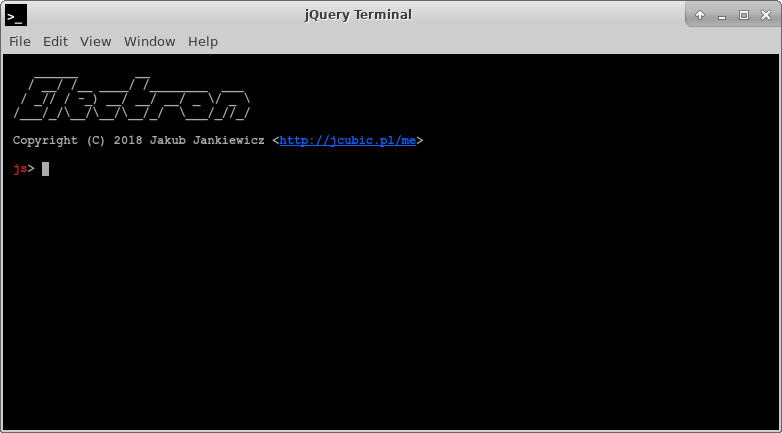
**Clone and run for a quick way to see jQuery Terminal with Electron in action.**
This is a minimal [jQuery Terminal Electron application](https://github.com/jcubic/electron-terminal) based on the [Quick Start Guide](http://electron.atom.io/docs/tutorial/quick-start) within the Electron documentation.
**Use this app along with the [Electron API Demos](http://electron.atom.io/#get-started) app for API code examples and [Terminal Examples](http://terminal.jcubic.pl/examples.php) to help you get started.**
A basic Electron application needs just these files:
- `package.json` - Points to the app's main file and lists its details and dependencies.
- `main.js` - Starts the app and creates a browser window to render HTML. This is the app's **main process**.
- `index.html` - A web page to render. This is the app's **renderer process**.
You can learn more about each of these components within the [Quick Start Guide](http://electron.atom.io/docs/tutorial/quick-start).
## To Use
To clone and run this repository you'll need [Git](https://git-scm.com) and [Node.js](https://nodejs.org/en/download/) (which comes with [npm](http://npmjs.com)) installed on your computer. From your command line:
```bash
# Clone this repository
git clone https://github.com/jcubic/electron-terminal
# Go into the repository
cd electron-terminal
# Install dependencies
npm install
# Run the app
npm start
```
Note: If you're using Linux Bash for Windows, [see this guide](https://www.howtogeek.com/261575/how-to-run-graphical-linux-desktop-applications-from-windows-10s-bash-shell/) or use `node` from the command prompt.
## Resources for Learning Electron and jQuery Terminal
- [electron.atom.io/docs](http://electron.atom.io/docs) - all of Electron's documentation
- [electron.atom.io/community/#boilerplates](http://electron.atom.io/community/#boilerplates) - sample starter apps created by the community
- [electron/electron-quick-start](https://github.com/electron/electron-quick-start) - a very basic starter Electron app
- [electron/simple-samples](https://github.com/electron/simple-samples) - small applications with ideas for taking them further
- [electron/electron-api-demos](https://github.com/electron/electron-api-demos) - an Electron app that teaches you how to use Electron
- [hokein/electron-sample-apps](https://github.com/hokein/electron-sample-apps) - small demo apps for the various Electron APIs
- [Api Reference](http://terminal.jcubic.pl/api_reference.php) - all documentation for jQuery Terminal
- [Wiki](https://github.com/jcubic/jquery.terminal/wiki) - jQuery Terminal Wiki
- [Examples](https://terminal.jcubic.pl/examples.php) - various example using jQuery Terminal
## License
[MIT](LICENSE) based on [electron/electron-quick-start](https://github.com/electron/electron-quick-start)