https://github.com/jdan/notion-script-blocks
script blocks in notion
https://github.com/jdan/notion-script-blocks
Last synced: 3 months ago
JSON representation
script blocks in notion
- Host: GitHub
- URL: https://github.com/jdan/notion-script-blocks
- Owner: jdan
- Created: 2021-10-15T20:07:56.000Z (over 4 years ago)
- Default Branch: main
- Last Pushed: 2021-10-15T20:26:59.000Z (over 4 years ago)
- Last Synced: 2025-01-01T02:41:33.206Z (over 1 year ago)
- Language: JavaScript
- Size: 4.88 KB
- Stars: 4
- Watchers: 2
- Forks: 0
- Open Issues: 0
-
Metadata Files:
- Readme: README.md
Awesome Lists containing this project
README
## script-blocks
"Script" "Blocks" in [Notion](https://notion.so)
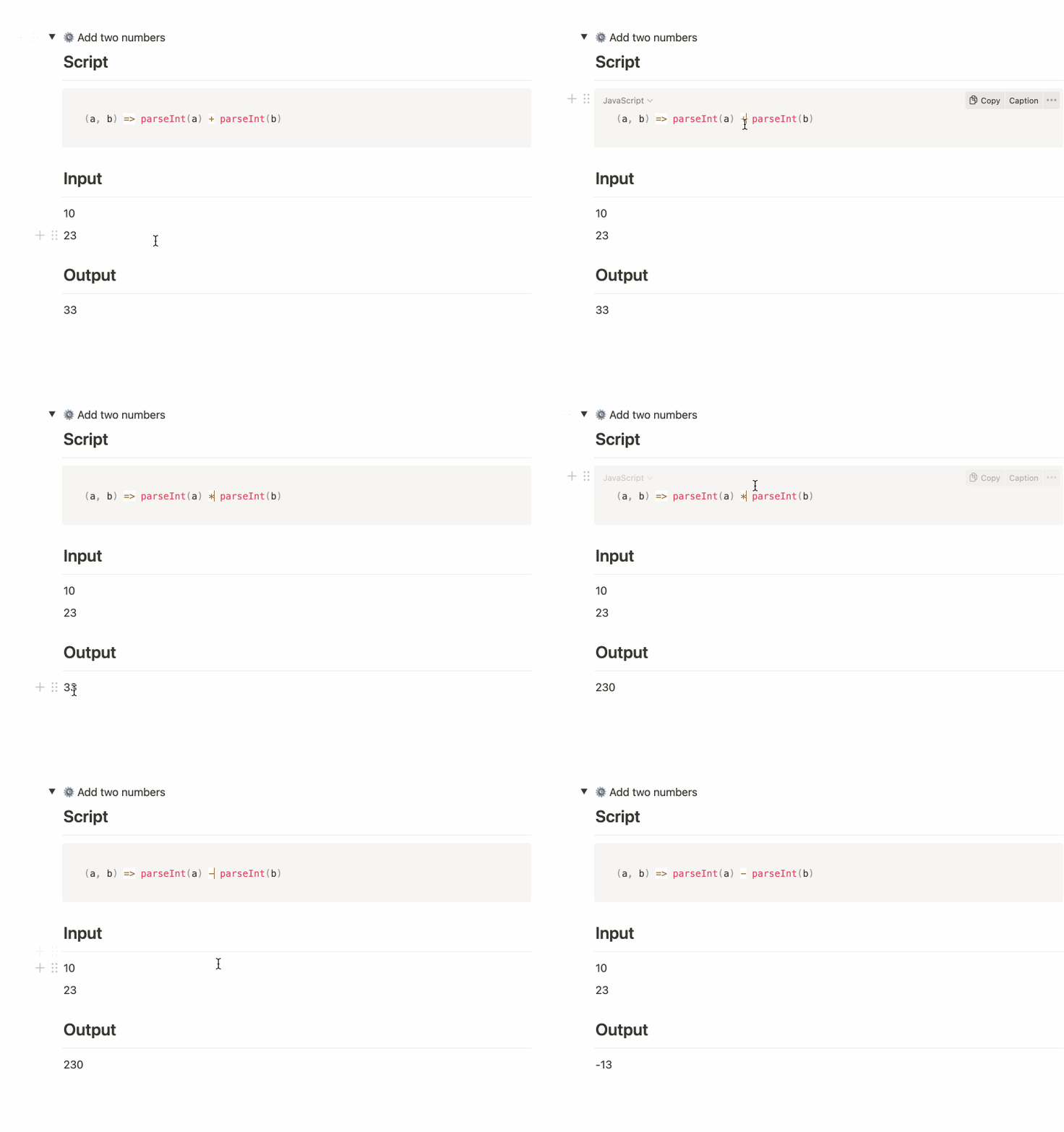
### Usage
As a heads up, this barely works at all.
Get started by duplicating [my public "script blocks" template](https://jdan.notion.site/Script-blocks-template-cb43702f8d0e4113bce926529bd12d71). There, you'll find that script blocks have an incredibly specific format (subject to change).

```
> (gear icon) script name
## script
--
[code block]
## input
--
[at least one line of text]
--
## ouput
[empty line - this is where the output will go]
[empty line (yes, another one!)]
```
Then in Notion, do the following:
- [Create a new Notion integration](https://developers.notion.com/docs/getting-started#step-1-create-an-integration)
- Create a new page and note its ID from the address bar
- `https://www.notion.so/[username]/[your page ID!]`
- [Share that page with your new integration](https://developers.notion.com/docs/getting-started#step-2-share-a-database-with-your-integration)
- Run the script
```sh
git clone https://github.com/jdan/notion-script-blocks.git
npm i
NOTION_SECRET=[your token here] NOTION_PAGE=[your id here] node main.js
```
### Hackerz
`eval` is dangerous. `eval` on a node server is even more dangerous. Don't share your pages with the internet.
