https://github.com/jdhitsolutions/jdhitsolutions
https://github.com/jdhitsolutions/jdhitsolutions
powershell powershell-module
Last synced: about 1 year ago
JSON representation
- Host: GitHub
- URL: https://github.com/jdhitsolutions/jdhitsolutions
- Owner: jdhitsolutions
- Created: 2021-03-10T18:11:10.000Z (over 5 years ago)
- Default Branch: main
- Last Pushed: 2025-03-06T10:07:14.000Z (over 1 year ago)
- Last Synced: 2025-03-18T01:02:22.950Z (over 1 year ago)
- Topics: powershell, powershell-module
- Homepage:
- Size: 5.57 MB
- Stars: 20
- Watchers: 3
- Forks: 2
- Open Issues: 0
-
Metadata Files:
- Readme: README.md
- Funding: .github/FUNDING.yml
Awesome Lists containing this project
README
# Jeff Hicks
 I am a veteran IT Pro and scripting fanatic, going back to batch files in the early days of DOS. Today, I create content, code, and courses intended to teach PowerShell or to make an IT Pro's job a little easier. You can often find me speaking to user groups and at IT conferences like the PowerShell Summit. You can learn about me and find links to all of my online activities, including a premium newsletter devoted to mastering PowerShell at [https://jdhitsolutions.github.io](https://jdhitsolutions.github.io).
Here are the latest issues from the [newsletter](https://jdhitsolutions.com/yourls/newsletter):
- [Are You Sure You Want To Do This?](https://buttondown.com/behind-the-powershell-pipeline/archive/are-you-sure-you-want-to-do-this/)
- [Powershell Potluck May 2025](https://buttondown.com/behind-the-powershell-pipeline/archive/powershell-potluck-may-2025/)
- [A Module Measurement Scripting Solution](https://buttondown.com/behind-the-powershell-pipeline/archive/a-module-measurement-scripting-solution/)
- [Powershell Scripting Automatic Variables](https://buttondown.com/behind-the-powershell-pipeline/archive/powershell-scripting-automatic-variables/)
- [Powershell Automatic Variables](https://buttondown.com/behind-the-powershell-pipeline/archive/powershell-automatic-variables/)
- [More Powershell Parameter Validations](https://buttondown.com/behind-the-powershell-pipeline/archive/more-powershell-parameter-validations/)
## Social Connections
:butterfly: You'll find me most active on [BlueSky](https://bsky.app/profile/jdhitsolutions.com). and Mastodon.. I am also on [LinkedIn](https://www.linkedin.com/in/jefferyhicks/). I still have an account on [X](https://twitter.com/jeffhicks), but it is dormant and essentially read-only.
## Go Premium :newspaper:
 You might be interested in subscribing to my premium PowerShell newsletter, [Behind the PowerShell Pipeline](https://buttondown.com/behind-the-powershell-pipeline/), which dives deeper into PowerShell and the culture around it. You can subscribe for free and receive limited content. Premium members get content like [this article](https://buttondown.com/behind-the-powershell-pipeline/archive/are-you-my-type/). Paid subscribers have full access to all published content going back to the beginning of 2022.
##
_"Those who forget to automate are doomed to repeat their work."_
## :bulb: Current Work
 The list below includes some of my current GitHub projects that I think will be of interest to most IT professionals. I write these modules not only to solve common problems or add value to your daily work routine but also to serve as teaching opportunities. As you might expect, much of my work is PowerShell-related, and most modules can be installed from the PowerShell Gallery. You can find all of my repositories by clicking the Repositories link above or [here](https://github.com/jdhitsolutions?tab=repositories).
You might also find useful bits of information in my GitHub [gists](https://gist.github.com/jdhitsolutions).
[:heart: Sponsor](https://github.com/sponsors/jdhitsolutions)
|Name| Repository | PowerShell Gallery | Notes|
|--- | --- | :--- |---|
|PowerShell Scripting Tools | [PSScriptTools](https://github.com/jdhitsolutions/PSScriptTools) |   | A set of PowerShell functions you might use to enhance your functions and scripts or to facilitate working in the console. Most commands should work in both Windows PowerShell and PowerShell 7, even cross-platform. |
|PS Release Tools | [PSReleaseTools](https://github.com/jdhitsolutions/PSReleaseTools) |  | A set of commands for working with PowerShell 7.x releases, including preview builds. |
|PSBluesky | [PSBluesky](https://github.com/jdhitsolutions/PSBluesky) | [](https://www.powershellgallery.com/packages/PSBluesky/) [](https://www.powershellgallery.com/packages/PSBluesky/) | A set of PowerShell functions for using the Bluesky API. |
|PSWorkItem | [PSWorkItem](https://github.com/jdhitsolutions/PSWorkItem) | | A PowerShell 7 module for managing work and personal tasks or to-do items. This module uses a SQLite database to store task and category information. |
## :book: Books and Courses :mortar_board:
In addition to the well-known [_Learn PowerShell in a Month of Lunches_](https://www.manning.com/books/learn-windows-powershell-in-a-month-of-lunches-third-edition?a_aid=jdhit&a_bid=2326a8ab) book, you can find my other work on Leanpub.
| | |
| ----- | ------------ |
|  | [_Behind the PowerShell Pipeline_](https://jdhitsolutions.com/yourls/psbehind) is a guide to writing PowerShell code that is human-centered. It is about the intangible parts of PowerShell that you should keep in mind when using it or writing code.|
|  | [_The PowerShell Practice Primer_](https://leanpub.com/psprimer) isn't a book to teach you PowerShell, but rather to re-enforce what you already know through 100+ console-based exercises. No scripting is required. No lab setups. Updated with PowerShell 7.x content.|
|  | If you have read [_Learn PowerShell Scripting in a Month of Lunches_](https://www.manning.com/books/learn-powershell-scripting-in-a-month-of-lunches?a_aid=jdhit&a_bid=2326a8ab), then you are ready for the next step. Don Jones and I wrote this book intending it to be the definitive guide on everything you need to know to be a better PowerShell scripter and toolmaker. |
|  | I have been creating video training courses for over ten years. I have a large course catalog at [Pluralsight](https://pluralsight.pxf.io/qbR6n), with an emphasis on PowerShell-related content. If you are just getting started with PowerShell 7, [I got you covered](https://pluralsight.pxf.io/Lbvya) there as well.|
##  Recommendations
 There is a wealth of code on GitHub. These are a few recommendations for PowerShell-related repositories. Many of these people have published modules in the PowerShell Gallery.
- [](https://github.com/dfinke)
- [](https://github.com/thedavecarroll/)
- [](https://github.com/windos)
- [](https://github.com/justingrote)
- [](https://github.com/timothywarner)
- [](https://github.com/KevinMarquette)
- [](https://github.com/mdgrs-mei)
- [](https://github.com/potatoqualitee)
- [](https://github.com/startautomating)
- [](https://github.com/FriedrichWeinmann)
-----
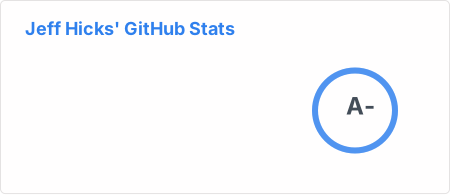
## :octocat: My Stats
[](https://github.com/jdhitsolutions/github-readme-stats)