https://github.com/jeandv/maps-app
MapsApp es un proyecto donde hago uso de mapas con Mapbox usando React + TS
https://github.com/jeandv/maps-app
bootstrap css geolocation mapbox react react-typescript typescript
Last synced: 3 months ago
JSON representation
MapsApp es un proyecto donde hago uso de mapas con Mapbox usando React + TS
- Host: GitHub
- URL: https://github.com/jeandv/maps-app
- Owner: jeandv
- Created: 2022-09-03T08:54:38.000Z (almost 4 years ago)
- Default Branch: main
- Last Pushed: 2022-09-05T09:10:49.000Z (almost 4 years ago)
- Last Synced: 2024-12-30T21:19:20.656Z (over 1 year ago)
- Topics: bootstrap, css, geolocation, mapbox, react, react-typescript, typescript
- Language: TypeScript
- Homepage: https://mapsapp.vercel.app
- Size: 322 KB
- Stars: 0
- Watchers: 2
- Forks: 0
- Open Issues: 0
-
Metadata Files:
- Readme: README.md
Awesome Lists containing this project
README
## Descripción 💬
✔ MapsApp es un proyecto donde hago uso de mapas con Mapbox usando React + Typescript y utilizando APIS. En este aprendi como hacer el consumo de la API de mapbox.com como usar las direcciones, mostrar las lineas (polylines), mostrar cuanto es el recorrido y cuanto es la duración aproximada para llegar al destino y otras cosas mas.
## Autor 🤠
· [LinkedIn](https://www.linkedin.com/in/jeandv/)
· [Twitter](https://www.twitter.com/r4yb4/)
· [Instagram](https://www.instagram.com/._jeanr/)
· [GitHub](https://github.com/jeandv/)
## URL para ver el resultado 👁🗨
✔ Para ver el resultado final puedes verlo aquí! https://mapsapp.vercel.app
## Tecnologias usadas 🛠️
· HTML5
· CSS
· Bootstrap
· TypeScript
· React
· Components
· Hooks
· Mapbox
## Instalación 💻
✔ Sigue los pasos mas abajo.
## Contratación 📧
Si quieres contratarme puedes escribirme a jeanrdev@gmail.com o a mi [LinkedIn](https://www.linkedin.com/in/jeandv/) para consultas o tambien puedes hablarme por Whatsapp +58 4245494242
# Vista previa 🔎
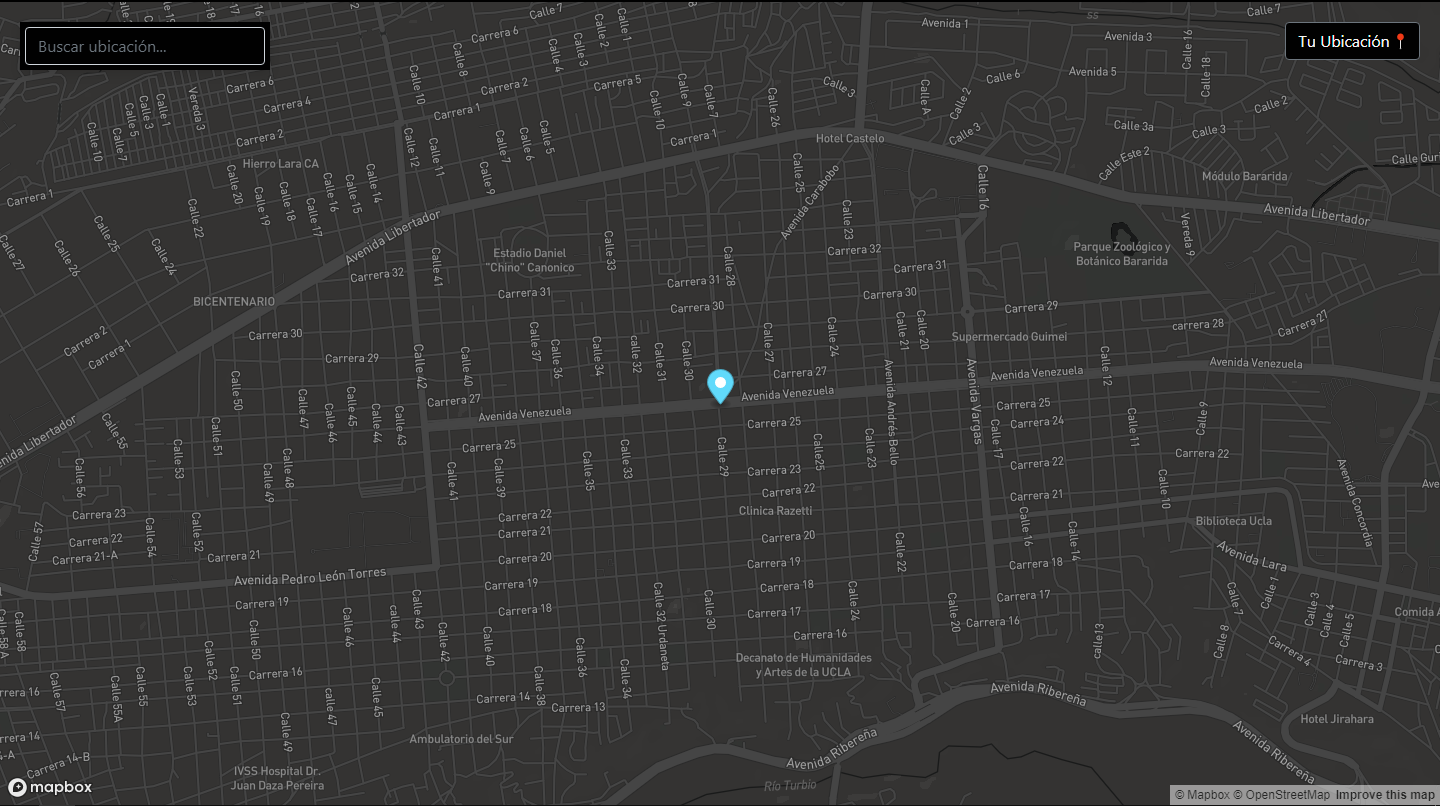
Creado por Jean Rondón
//////////////////////////////
# Getting Started with Create React App
This project was bootstrapped with [Create React App](https://github.com/facebook/create-react-app).
## Available Scripts
In the project directory, you can run:
### `npm start`
Runs the app in the development mode.\
Open [http://localhost:3000](http://localhost:3000) to view it in the browser.
The page will reload if you make edits.\
You will also see any lint errors in the console.
### `npm test`
Launches the test runner in the interactive watch mode.\
See the section about [running tests](https://facebook.github.io/create-react-app/docs/running-tests) for more information.
### `npm run build`
Builds the app for production to the `build` folder.\
It correctly bundles React in production mode and optimizes the build for the best performance.
The build is minified and the filenames include the hashes.\
Your app is ready to be deployed!
See the section about [deployment](https://facebook.github.io/create-react-app/docs/deployment) for more information.
### `npm run eject`
**Note: this is a one-way operation. Once you `eject`, you can’t go back!**
If you aren’t satisfied with the build tool and configuration choices, you can `eject` at any time. This command will remove the single build dependency from your project.
Instead, it will copy all the configuration files and the transitive dependencies (webpack, Babel, ESLint, etc) right into your project so you have full control over them. All of the commands except `eject` will still work, but they will point to the copied scripts so you can tweak them. At this point you’re on your own.
You don’t have to ever use `eject`. The curated feature set is suitable for small and middle deployments, and you shouldn’t feel obligated to use this feature. However we understand that this tool wouldn’t be useful if you couldn’t customize it when you are ready for it.
## Learn More
You can learn more in the [Create React App documentation](https://facebook.github.io/create-react-app/docs/getting-started).
To learn React, check out the [React documentation](https://reactjs.org/).