https://github.com/jedevc/hacksurrey-2019
3D print a physical SHA-256 hash
https://github.com/jedevc/hacksurrey-2019
Last synced: over 1 year ago
JSON representation
3D print a physical SHA-256 hash
- Host: GitHub
- URL: https://github.com/jedevc/hacksurrey-2019
- Owner: jedevc
- License: agpl-3.0
- Created: 2019-02-09T11:07:37.000Z (over 7 years ago)
- Default Branch: master
- Last Pushed: 2020-04-03T15:59:23.000Z (over 6 years ago)
- Last Synced: 2025-03-11T13:52:28.385Z (over 1 year ago)
- Language: Python
- Homepage: https://devpost.com/software/hexblock
- Size: 2.82 MB
- Stars: 0
- Watchers: 2
- Forks: 0
- Open Issues: 0
-
Metadata Files:
- Readme: README.md
- License: LICENSE.txt
Awesome Lists containing this project
README
# Hexblock
In previous hackathons, we've built software that does interesting things, but
this time we had access to a 3D printer :)
One idea that inspired us was [Git Trophy](https://gittrophy.com/), which
allows you to print out your git commit history. Following on from that, we
dedided to build an app that allows you to verify that you created a file,
whether that be a PDF, image or anything by creating a corresponding physical
object to represent.
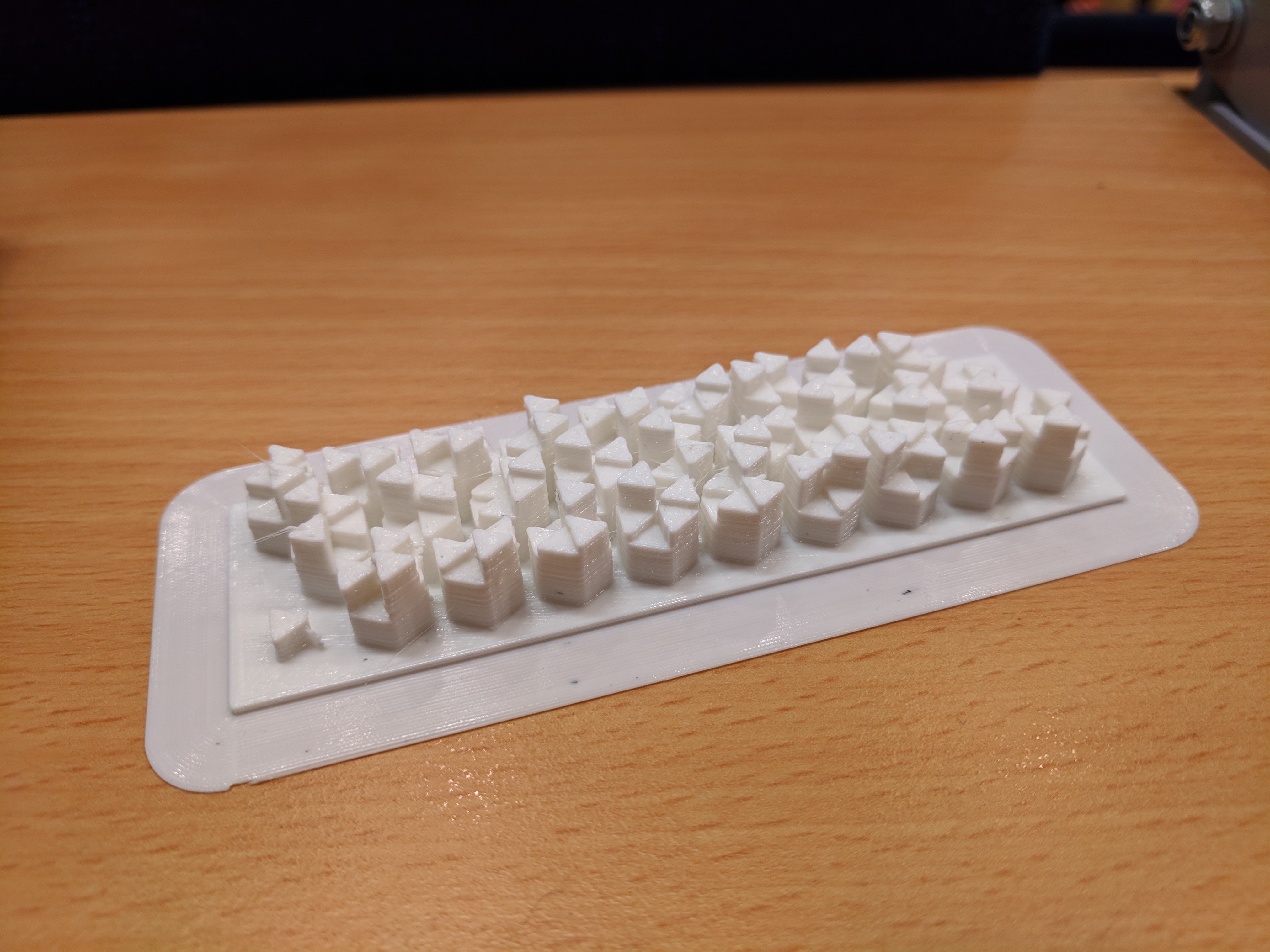
## The process
- Our app takes a file and uploads it to the server
- The server hashes it using SHA-256, and stores it in a hash to file store
- The app can then download a generated model and render of the hash
- This hash can then be printed out using a 3D printer
## The model design
A typical hash is usually around 256 bits, or 32 bytes. Needless to say, that's
a reasonable quantity of data to represent in a 3D object.
We represent a block of data as a series of hexes, which we read from left to
right. The left side is distinguished from the right side by a small triangle
in the bottom left hand corner.
Each hex represents a digit in base 720 and then the grid of 3 * 9 hexes
represents a 27 digit number in base 720. Each hex is able to represent this
data by converting it's target number into a permutation, first using the
[factoradic](https://en.wikipedia.org/wiki/Factorial_number_system) number
system, and then easily converting that into an ordering. The heights of the
sub-triangles in the hexagons are then arranged using the ordering.
The entire hash can be reconstructed by first interpreting all the digits by
listing out the height orders of the hexes, starting with 1 in the top left
corner and moving clockwise up till 6 in the bottom left corner. Then this
permutation can be converted into a factoradic number, then back into a normal
base 10 number. Once we have performed this operation for all hexes, we can
string the digits together to create our original hash.
Yes, this is inpractical. Yes, it would take far too long to do. We know.
But it looks pretty :)
## App
We tried to get the app to use the Guardtime KSI SDK to hash the data uploaded. The hash would then be sent to the server to be processed. Due to the type of Bouncy Castle Android uses, the SDK wouldn't work properly. We changed it so the app turns the file into bytes and sends the server the file in raw bytes, to be hashed there.

## Team
Our team was 2 people:
- [Will Russell](https://github.com/wrussell1999): App building
- [Justin Chadwell](https://github.com/jedevc): Web server, model printing
## Tools
- Android Studio (for our app)
- Flask (for our web server)
- SolidPython (for generating models)
- OpenSCAD (for rendering models)
- CURA (for processing our final model)
## Running
Simple to run:
```bash
$ git clone https://github.com/jedevc/hacksurrey-2019.git
$ cd hacksurrey-2019.git
$ pip install -r requirements.txt
$ python -m hexblock.server
```
## License
All the code in this repository is licensed under the AGPL.