https://github.com/jeebuscrossaint/slashbinslash.sh
temporary file sharing and storage
https://github.com/jeebuscrossaint/slashbinslash.sh
Last synced: 3 months ago
JSON representation
temporary file sharing and storage
- Host: GitHub
- URL: https://github.com/jeebuscrossaint/slashbinslash.sh
- Owner: jeebuscrossaint
- License: gpl-2.0
- Created: 2025-04-26T23:38:06.000Z (about 1 year ago)
- Default Branch: main
- Last Pushed: 2025-04-29T15:12:40.000Z (about 1 year ago)
- Last Synced: 2025-05-18T16:11:18.705Z (about 1 year ago)
- Language: JavaScript
- Size: 383 KB
- Stars: 5
- Watchers: 1
- Forks: 0
- Open Issues: 0
-
Metadata Files:
- Readme: README.md
- License: LICENSE
Awesome Lists containing this project
README
# slashbinslash.sh


> A self-hosted temporary file sharing service inspired by temp.sh and termbin.com
slashbinslash.sh (or `/bin/sh` for short) is a modern, feature-rich temporary file sharing solution that makes it easy to quickly upload and share files through a web interface, command line, or netcat connection. Files expire automatically after a configurable period, and the platform requires no user registration.
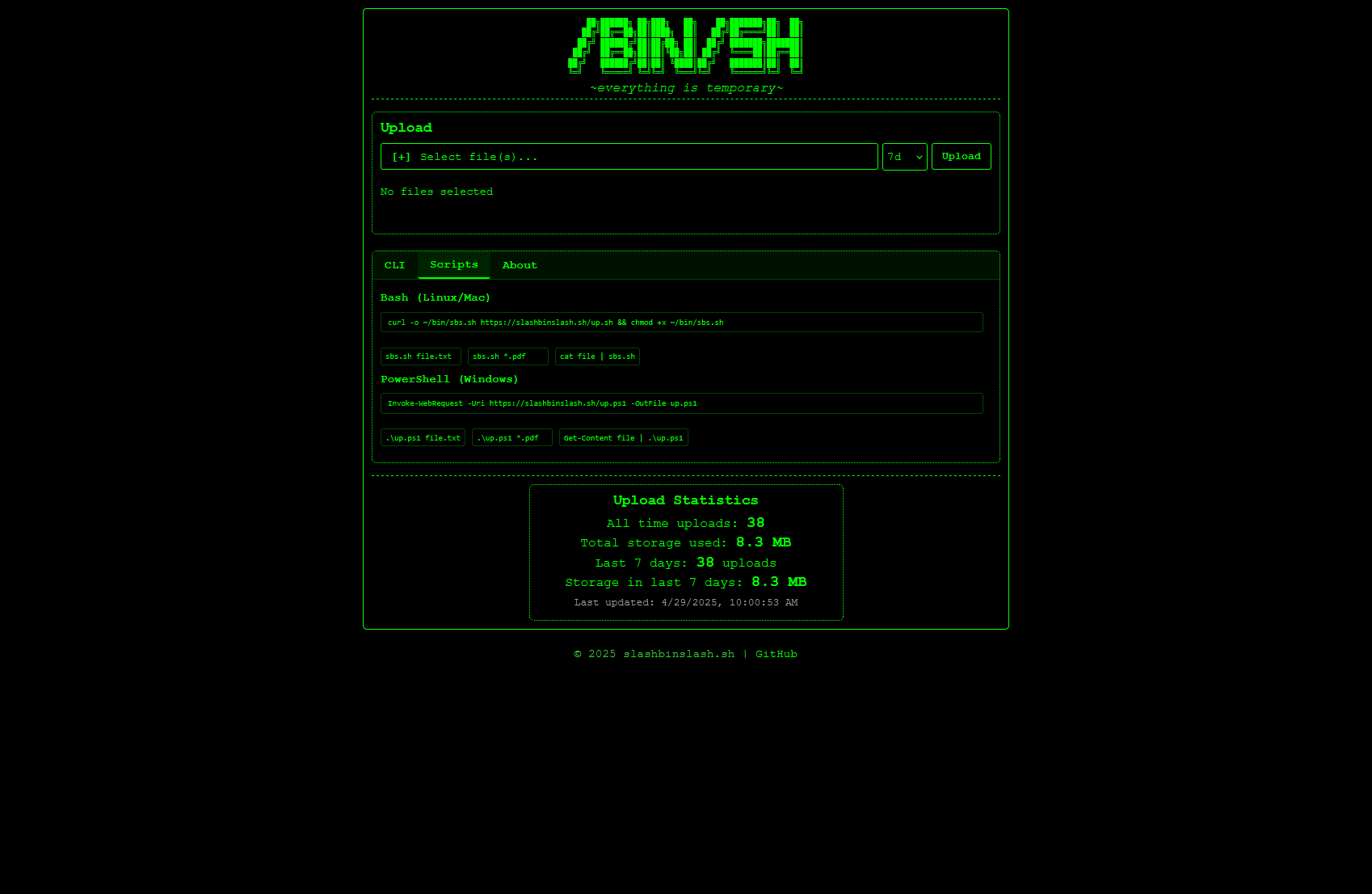
## Features
- **Multiple Upload Methods**: Web UI, cURL, custom scripts, or netcat
- **File Collections**: Upload multiple files at once and share them as a collection
- **Configurable Expiry**: Choose how long files remain available (1-14 days)
- **No Registration**: Anonymous uploads with no user accounts needed
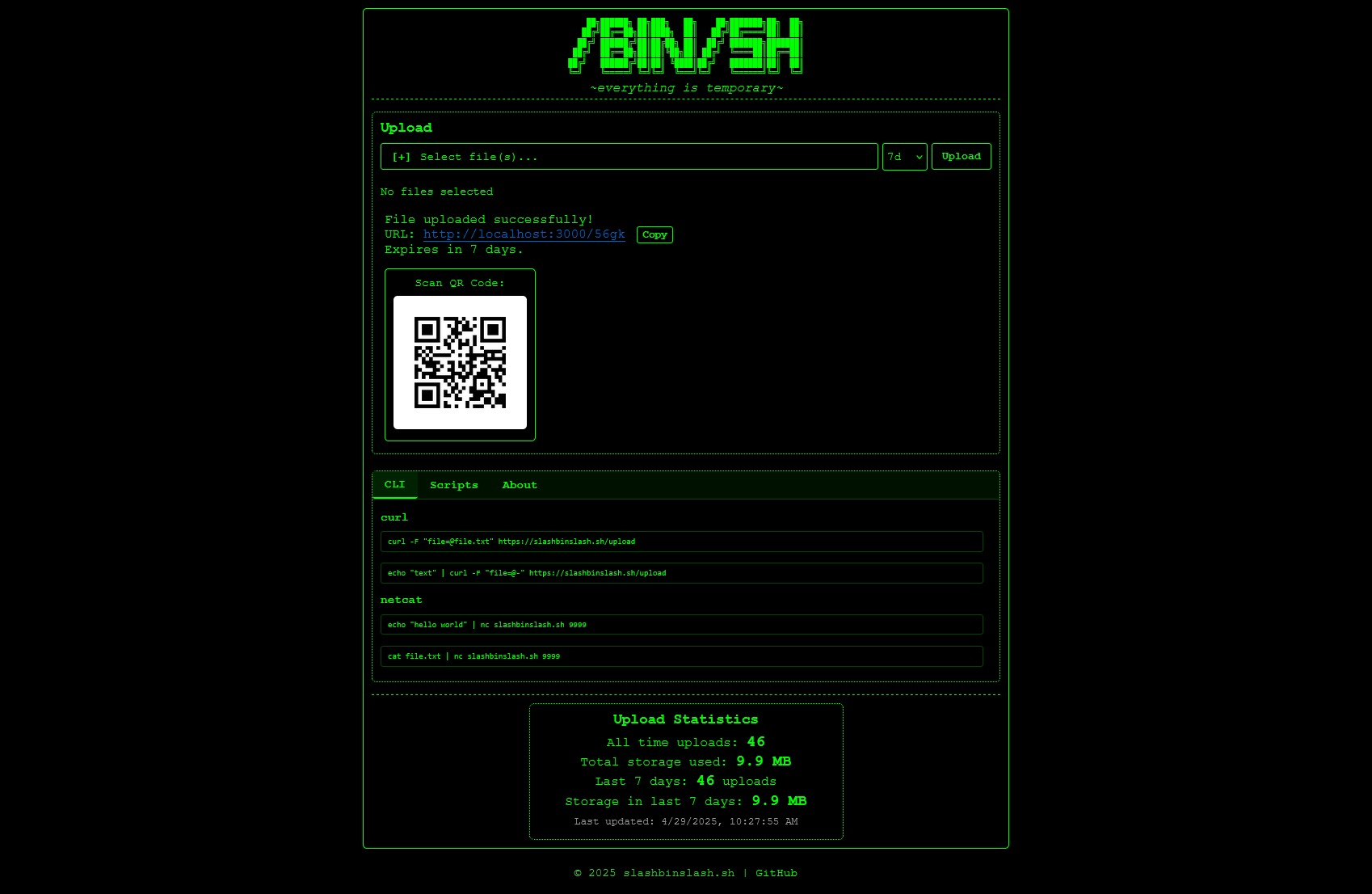
- **QR Code Generation**: For easy mobile sharing
- **File Size Limits**: Configurable maximum file size (default 100MB)
- **Usage Statistics**: Track usage statistics and storage
- **Custom Upload Scripts**: Convenient bash and PowerShell scripts for easy uploads
- **Wildcard Support**: Upload multiple files using wildcards (e.g., `*.pdf`)
## Quick Start
### Installation
```bash
# Clone the repository
git clone https://github.com/jeebuscrossaint/slashbinslash.sh.git
cd slashbinslash.sh
# Install dependencies
npm install
# or with bun
bun install
# Start the server
npm start
# or with bun
bun start
```
The server will start at http://localhost:3000 with the netcat service on port 9999.
### Configuration
Core settings can be modified in `server.js`:
```javascript
// Configuration constants
const PORT = 3000; // Web server port
const NC_PORT = 9999; // Netcat server port
const HOST = "localhost"; // Host name or IP
const MAX_FILE_SIZE = 100 * 1024 * 1024; // 100MB max file size
const DEFAULT_EXPIRY_DAYS = 7; // Default expiry time
const MAX_EXPIRY_DAYS = 14; // Maximum allowed expiry time
```
## Upload Methods
### Web UI
Visit http://localhost:3000 and use the web interface to upload files:
1. Click "Select file(s)" to choose one or more files
2. Select an expiry time from the dropdown
3. Click "Upload"
### cURL Command Line
Upload a single file:
```bash
curl -F "file=@path/to/file.txt" http://localhost:3000/upload
```
Upload from standard input:
```bash
echo "Hello world" | curl -F "file=@-" http://localhost:3000/upload
```
Specify expiry days (1-14):
```bash
curl -F "file=@path/to/file.txt" -F "expiryDays=14" http://localhost:3000/upload
```
### Using Netcat
Upload text directly through netcat:
```bash
echo "Hello world" | nc localhost 9999
```
Upload a file through netcat:
```bash
cat file.txt | nc localhost 9999
```
Pipe command output:
```bash
ls -la | nc localhost 9999
```
### Using Convenience Scripts
#### Bash Script (Linux/Mac)
Download the script:
```bash
curl -o ~/bin/sbs.sh http://localhost:3000/up.sh && chmod +x ~/bin/sbs.sh
```
Upload a single file:
```bash
sbs.sh file.txt
```
Upload with custom expiry (in days):
```bash
sbs.sh -e14 file.txt
```
Upload multiple files as a collection:
```bash
sbs.sh file1.txt file2.jpg file3.pdf
```
Use wildcards:
```bash
sbs.sh *.pdf
```
Upload from pipe:
```bash
cat file.txt | sbs.sh
```
#### PowerShell Script (Windows)
Download the script:
```powershell
Invoke-WebRequest -Uri http://localhost:3000/up.ps1 -OutFile up.ps1
```
Upload a single file:
```powershell
.\up.ps1 file.txt
```
Upload with custom expiry:
```powershell
.\up.ps1 -e14 file.txt
```
Upload multiple files:
```powershell
.\up.ps1 file1.txt file2.jpg
```
Use wildcards:
```powershell
.\up.ps1 *.pdf
```
Upload from pipe:
```powershell
Get-Content file.txt | .\up.ps1
```
## File Collections
When uploading multiple files, slashbinslash.sh creates a "collection" with its own unique URL. This URL displays all files in the collection with their individual links, making it easy to share multiple related files.
Collections can be created by:
- Selecting multiple files in the web UI
- Using wildcards or multiple filenames with the command-line scripts
- Using the `/upload-multiple` endpoint directly with cURL
## API Endpoints
- `POST /upload`: Upload a single file
- `POST /upload-multiple`: Upload multiple files
- `GET /:id`: View a file or collection
- `GET /:id/:filename`: Direct access to a specific file
- `GET /up.sh`: Download the bash upload script
- `GET /up.ps1`: Download the PowerShell upload script
## Statistics
The server tracks and displays basic usage statistics:
- Total number of uploads
- Total storage used
- Activity in the last 7 days
- File type distribution (stored but not displayed)
## Security Considerations
- Files are stored locally on the server with no built-in encryption
- Rate limiting is implemented to prevent abuse
- No authentication mechanism is provided
- Consider running behind a reverse proxy with HTTPS for production use
- Files are automatically deleted after their expiry period
## Dependencies
- Express: Web server framework
- Multer: File upload handling
- Crypto: For generating short IDs
- Express Rate Limit: For protection against abuse
## License
This project is open source and available under the [MIT License](LICENSE).
## Contributing
Contributions are welcome! Please feel free to submit a Pull Request.
## Credits
Inspired by:
- [temp.sh](https://temp.sh)
- [termbin.com](https://termbin.com)
- Other pastebin and file sharing services
## Screenshots

---
Built with 💚 by [jeebuscrossaint](https://github.com/jeebuscrossaint)