https://github.com/jekabsilkens/websocket-notifs
Websocket notifications | Laravel | Reverb | Echo | Redis
https://github.com/jekabsilkens/websocket-notifs
laravel redis websocket
Last synced: 2 months ago
JSON representation
Websocket notifications | Laravel | Reverb | Echo | Redis
- Host: GitHub
- URL: https://github.com/jekabsilkens/websocket-notifs
- Owner: JekabsIlkens
- Created: 2024-12-11T08:15:20.000Z (over 1 year ago)
- Default Branch: master
- Last Pushed: 2024-12-13T09:06:46.000Z (over 1 year ago)
- Last Synced: 2025-06-02T20:37:38.358Z (about 1 year ago)
- Topics: laravel, redis, websocket
- Language: PHP
- Homepage:
- Size: 448 KB
- Stars: 1
- Watchers: 1
- Forks: 0
- Open Issues: 0
-
Metadata Files:
- Readme: README.md
Awesome Lists containing this project
README
# WebSocket notifications (proof of concept)
## Table of contents:
- **[Functionality preview](#functionality-preview)**
- **[Project description](#project-description)**
- **[Potential improvements](#potential-improvements)**
- **[Installation instructions](#installation-instructions)**
## Functionality preview:
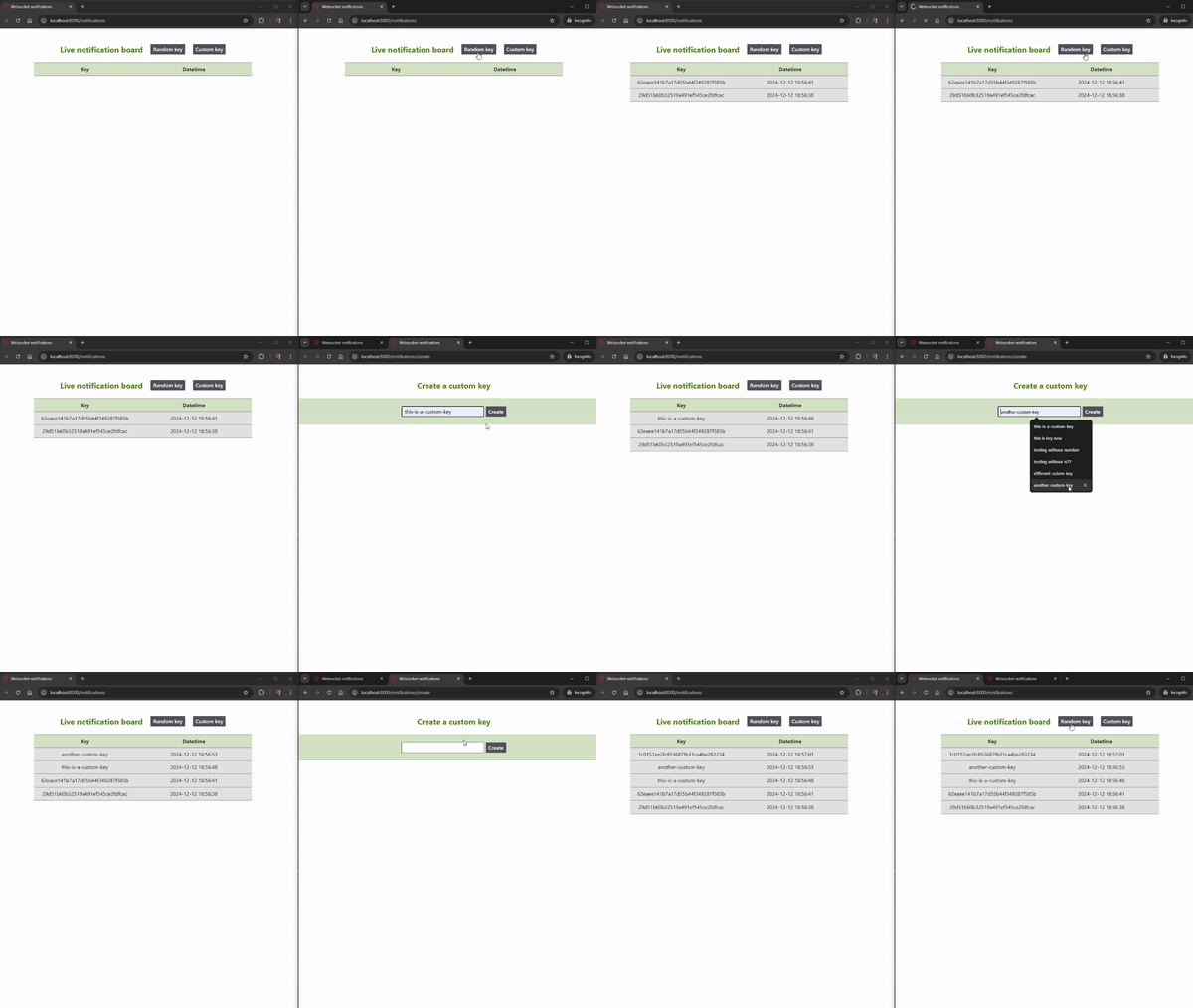
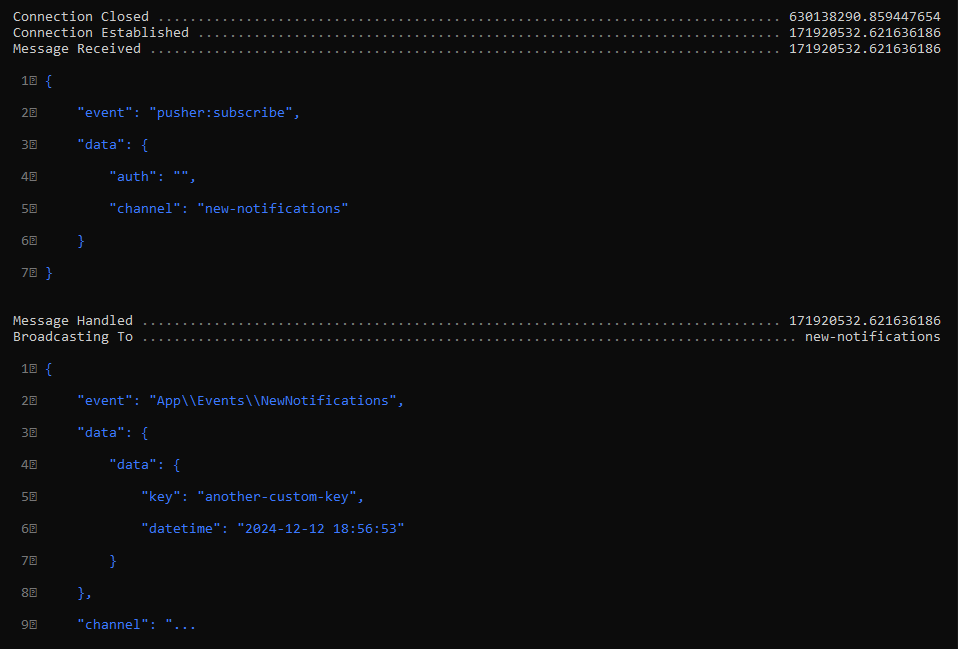
Using an incognito tab (on the right side), I am simulating actions on the server. The WebSocket listens for these events and displays them in real time (on the left side).
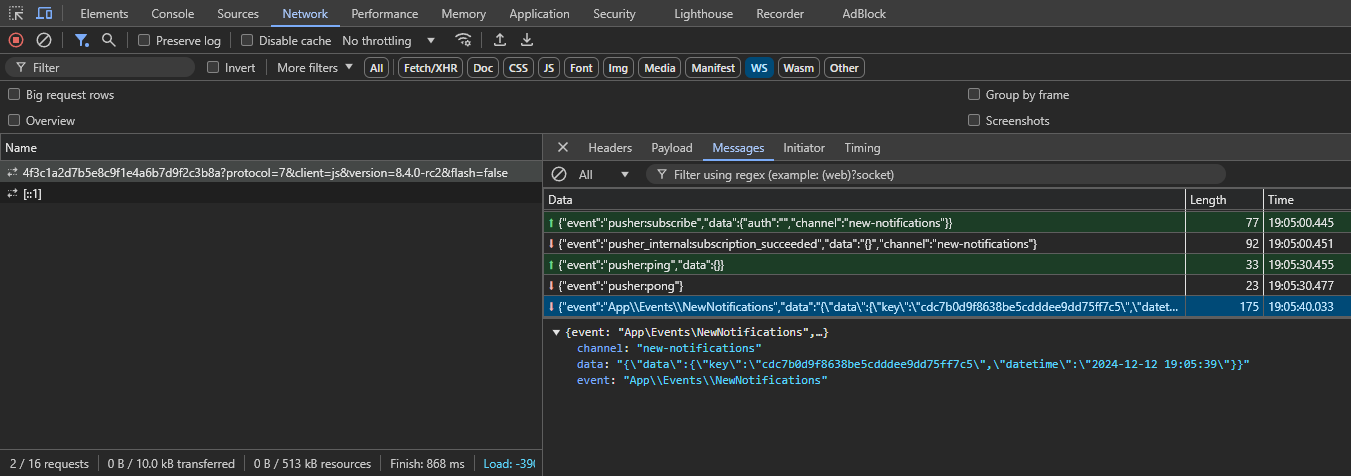
In Devtools/Network/WS we can see a successful subscription to the new-notifications channel and the contents of a received event.
## Project description:
### Problem Statement
The project addresses the need for real-time data delivery from the server to the browser.
Traditional HTTP-based communication is not sufficient for instantaneous updates as it relies on request-response cycles.
Leveraging WebSockets we can enable seamless, bi-directional communication, which allows the server to push data directly to the client.
This is ideal for applications requiring live updates, such as live feeds, or real-time notifications.
### Success Metrics
Demonstrate a functional client-server WebSocket notification system with a simple single channel and event implementation.
- Clients receive real-time updates pushed from the server.
- Data is displayed accurately and instantaneously in the browser.
### Implementation
- **Server Side**: Laravel 11 and Reverb to broadcast data to connected clients via WebSockets.
- **Client Side**: Laravel Echo and JavaScript to listen for events, and display the received data.
- **Data Storage**: Redis for easy and simple session and new notification storage.
## Potential improvements:
### The current setup:
Directly firing an event after inserting data into Redis. This ensures that the WebSocket is triggered immediately after the data is added.
Simple implementation with an immediate response to the insert, so users see notifications as soon as the data is inserted, but slightly less scalable in case of heavy traffic.
### Alternative approach:
Listen for changes in Redis through Pub/Sub and trigger an event when new data is inserted.
This approach is more scalable, but introduces more complexity.
Considering that this is a simple proof of concept to demonstrate real-time data via WebSockets, the current implementation is simple and sufficient for the goal.
When implementing into a real system we would naturally anticipate heavy traffic and the need for better decoupling of the event system with Redis Pub/Sub which would allow events to be triggered asynchronously.
## Installation instructions:
### Ensure you have the following tools:
- PHP (version 8.2 or later)
- Composer (for PHP dependencies)
- Node/npm (for frontend dependencies)
- Redis (for a local Redis server)
### Clone the repository on your local machine & step into the project directory:
```shell
git clone https://github.com/JekabsIlkens/websocket-notifs.git
cd websocket-notifs
```
### Open .env.example & add your Redis server credentials:
```shell
REDIS_CLIENT=predis
REDIS_HOST=127.0.0.1
REDIS_PASSWORD=null
REDIS_PORT=6379
REDIS_DB=0
REDIS_CACHE_DB=1
REDIS_NOTIFICATIONS_DB=2
```
### Run the setup script to build the project:
```shell
setup.bat
```
### Run the start script to launch the project:
```shell
start.bat
```
### For Linux & MacOS, please execute these commands manually:
```shell
copy .env.example .env # Creates the environment configuration file
composer install # Installs the required PHP dependencies
npm install # Installs the required front-end dependencies
npm run build # Builds the required front-end assets
php artisan key:generate # Generates the application key
php artisan serve # Starts the PHP development server
php artisan reverb:start # Starts the Reverb development server
npm run dev # Starts the Vite development server
```