https://github.com/jelly/reproduciblebuilds-display
A reproducible builds display
https://github.com/jelly/reproduciblebuilds-display
esp32 leds micropython
Last synced: 3 months ago
JSON representation
A reproducible builds display
- Host: GitHub
- URL: https://github.com/jelly/reproduciblebuilds-display
- Owner: jelly
- License: mit
- Created: 2019-06-01T11:28:38.000Z (about 7 years ago)
- Default Branch: master
- Last Pushed: 2020-05-13T18:43:30.000Z (about 6 years ago)
- Last Synced: 2025-02-12T07:54:56.804Z (over 1 year ago)
- Topics: esp32, leds, micropython
- Language: Python
- Size: 239 KB
- Stars: 2
- Watchers: 2
- Forks: 1
- Open Issues: 0
-
Metadata Files:
- Readme: README.md
- License: LICENSE
Awesome Lists containing this project
README
# Reproduciblebuilds Status Display
This readme describes how to create an acryl laser engraved logo which fits in
a wooden lasercut case with integrated neopixel leds for an awesome effect!
# Requirements
The case and acryl are both made with a laser-cutter and apart from that some
soldering is required.
* esp32 in a small form factor
* acryl (cast preferably)
* wood suitable for laser-cutting
* six APA102 neopixel leds
* wires
* hotglue / woodglue
# Flashing the ESP32 (pico)
The ESP32 first needs to be flashed with
[micropython](https://micropython.org/download/) following the instructions on
their website. After a successful installation opening the esp's serial port
with for example screen should provide a Python interpreter. A tool called
[ampy](https://github.com/pycampers/ampy) can be used to copy the two Python
files to the esp32. Simply execute ```ampy -p /dev/ttyUSB0 put pythonfile.py```.
The file called ```boot.py``` will be executed on boot, and in the current code
it then goes into a deepsleep after which it executes again. This makes it a
bit more difficult to update the code, since ampy does not seem to be able to
interrupt the deepsleep or reset the MCU, the easiest way to update
```boot.py``` is replugging the esp32, opening screen and pressing ctrl+c to
interrupt the boot code so the esp32 does not go to sleep. Then ampy can be
used again to upload a new ```boot.py```.
# Example
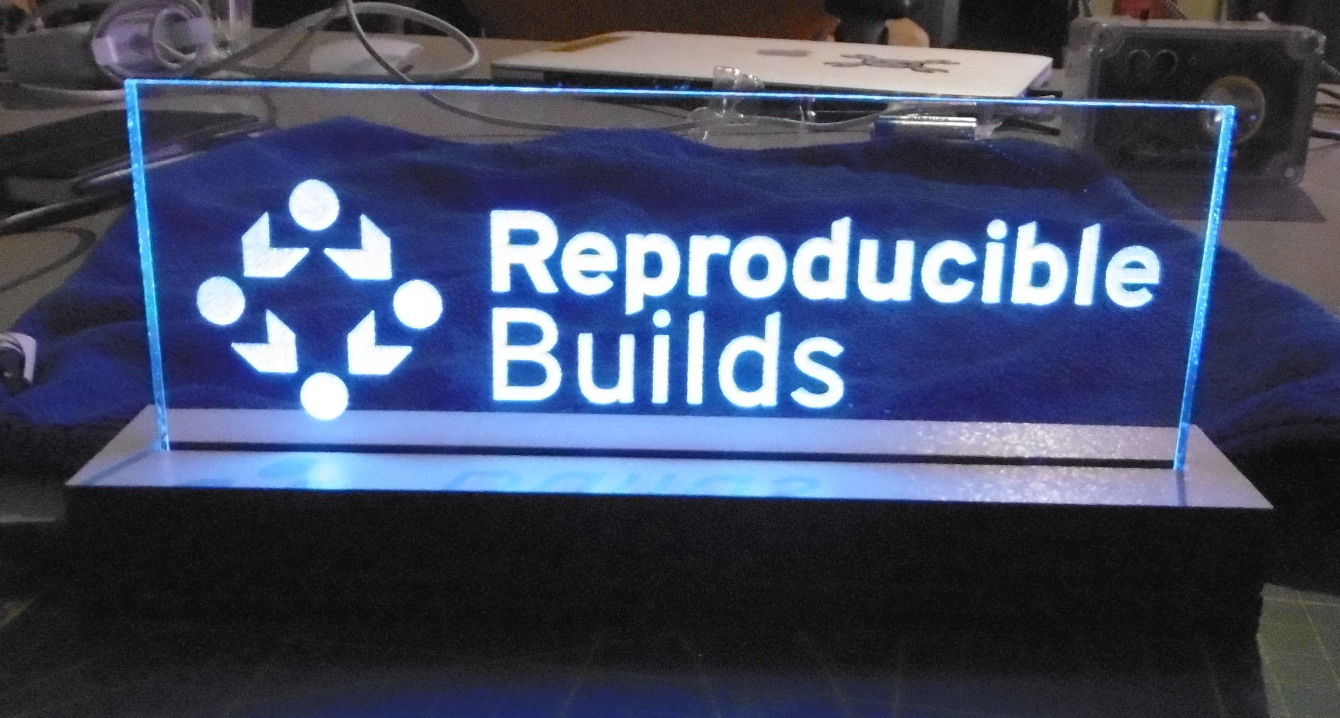
# License
The code is licensed MIT and the ```esp32/generic_dotstar.py``` code is taken
from
[micropython_generic_apa102](https://github.com/RobertJBabb/micropython_generic_apa102)
library which is licensed MIT.