https://github.com/jellydn/vscode-seal-code
Smart Code Review with AI-Powered Insights
https://github.com/jellydn/vscode-seal-code
ai amp claude-code copilot open-core review-tools vscode-extension
Last synced: 6 months ago
JSON representation
Smart Code Review with AI-Powered Insights
- Host: GitHub
- URL: https://github.com/jellydn/vscode-seal-code
- Owner: jellydn
- License: mit
- Created: 2026-01-10T16:44:17.000Z (6 months ago)
- Default Branch: main
- Last Pushed: 2026-01-15T07:49:30.000Z (6 months ago)
- Last Synced: 2026-01-15T08:02:03.138Z (6 months ago)
- Topics: ai, amp, claude-code, copilot, open-core, review-tools, vscode-extension
- Language: TypeScript
- Homepage: https://jellydn.github.io/vscode-seal-code/
- Size: 466 KB
- Stars: 3
- Watchers: 0
- Forks: 0
- Open Issues: 4
-
Metadata Files:
- Readme: README.md
- Funding: .github/FUNDING.yml
- License: LICENSE.md
- Agents: AGENTS.md
Awesome Lists containing this project
README

SealCode
Smart Code Review with AI-Powered Insights



---
## 💡 Motivation
Code reviews are essential for maintaining code quality, but traditional review workflows have friction:
- **Context switching**: Comments in PRs are disconnected from your editor
- **Lost insights**: Review notes scattered across tools get forgotten
- **Manual follow-up**: No easy way to validate architectural decisions with AI
**SealCode** brings code review directly into VS Code, letting you annotate code in context and leverage AI tools to validate your review comments—turning observations into actionable insights.
[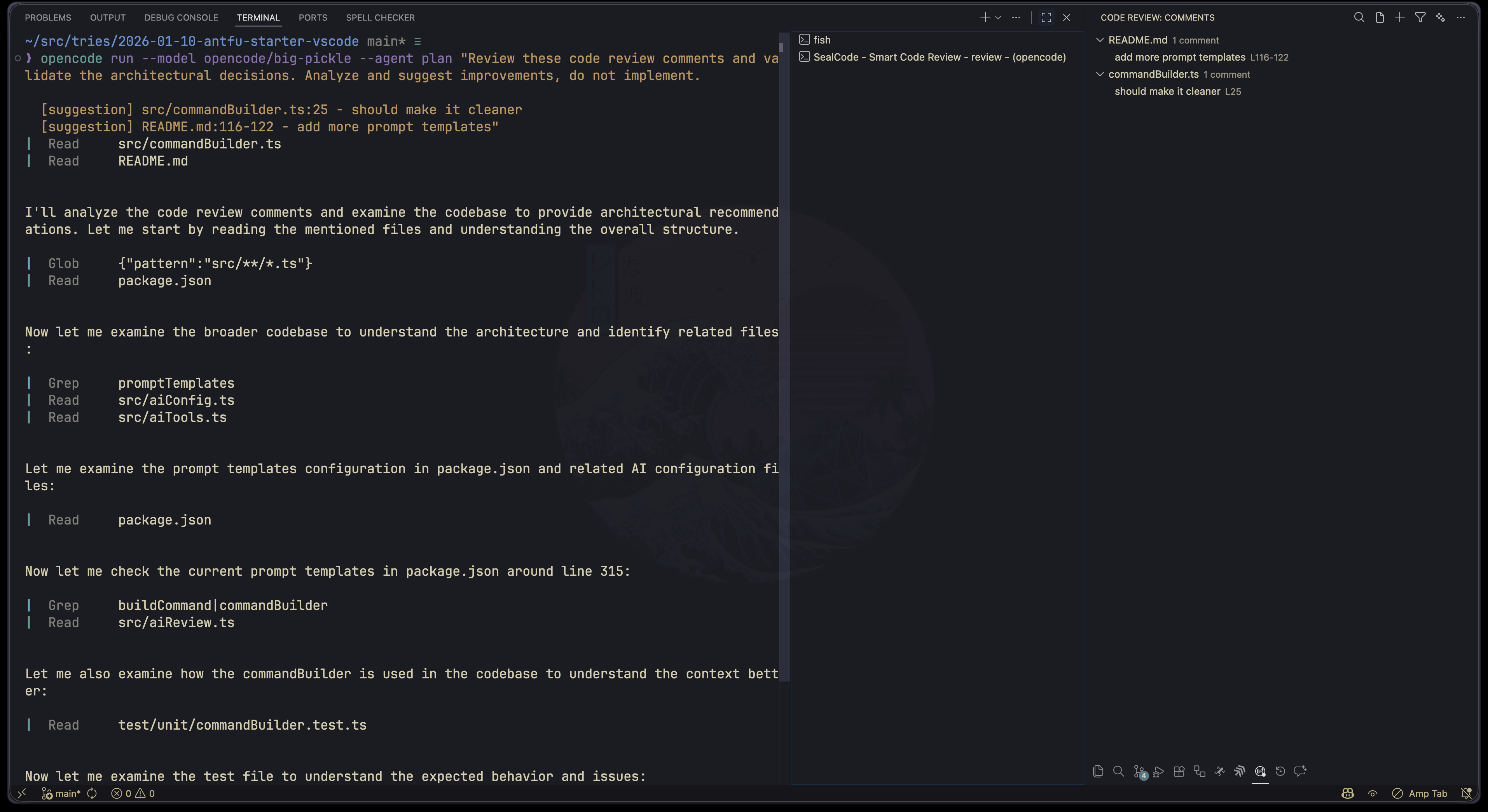](https://gyazo.com/5e87ad6f041a627b2df8bb36103ccde9)
## ✨ Features
🤖 AI-Powered Review
Send comments to AI tools (Claude, Copilot, OpenCode, Amp) for architectural validation, security analysis, and refactoring suggestions.
📝 Prompt Templates
Built-in templates for review, security, refactor, and simplify workflows. Create custom templates with {{comments}} and {{files}} placeholders.
🏷️ Categorized Comments
Organize notes with 5 categories: Bug, Question, Suggestion, Nitpick, and Note. Each with distinct colors for quick identification.
🎨 Rich Visual Feedback
Inline decorations, gutter icons, and line backgrounds help you spot comments at a glance.
📁 Smart Filtering
Filter by category, filename, or current file only. Find exactly what you need.
📤 Export Options
Export your review comments to Markdown or HTML for sharing or documentation.
## 🚀 Quick Start
1. **Install** the extension from the [VS Code Marketplace](https://marketplace.visualstudio.com/items?itemName=jellydn.seal-code) or search for `jellydn.seal-code` in VS Code Extensions
2. **Select code** in any file
3. Press Cmd+Shift+R (Mac) or Ctrl+Shift+R (Windows/Linux)
4. **Choose a category** and add your comment
5. Press Cmd+Option+Shift+A to send comments to AI for analysis
## 📖 Usage
### Adding Comments
- Use the keyboard shortcut Cmd/Ctrl+Shift+R
- Right-click on selected code → **Code Review: Add Review Comment**
[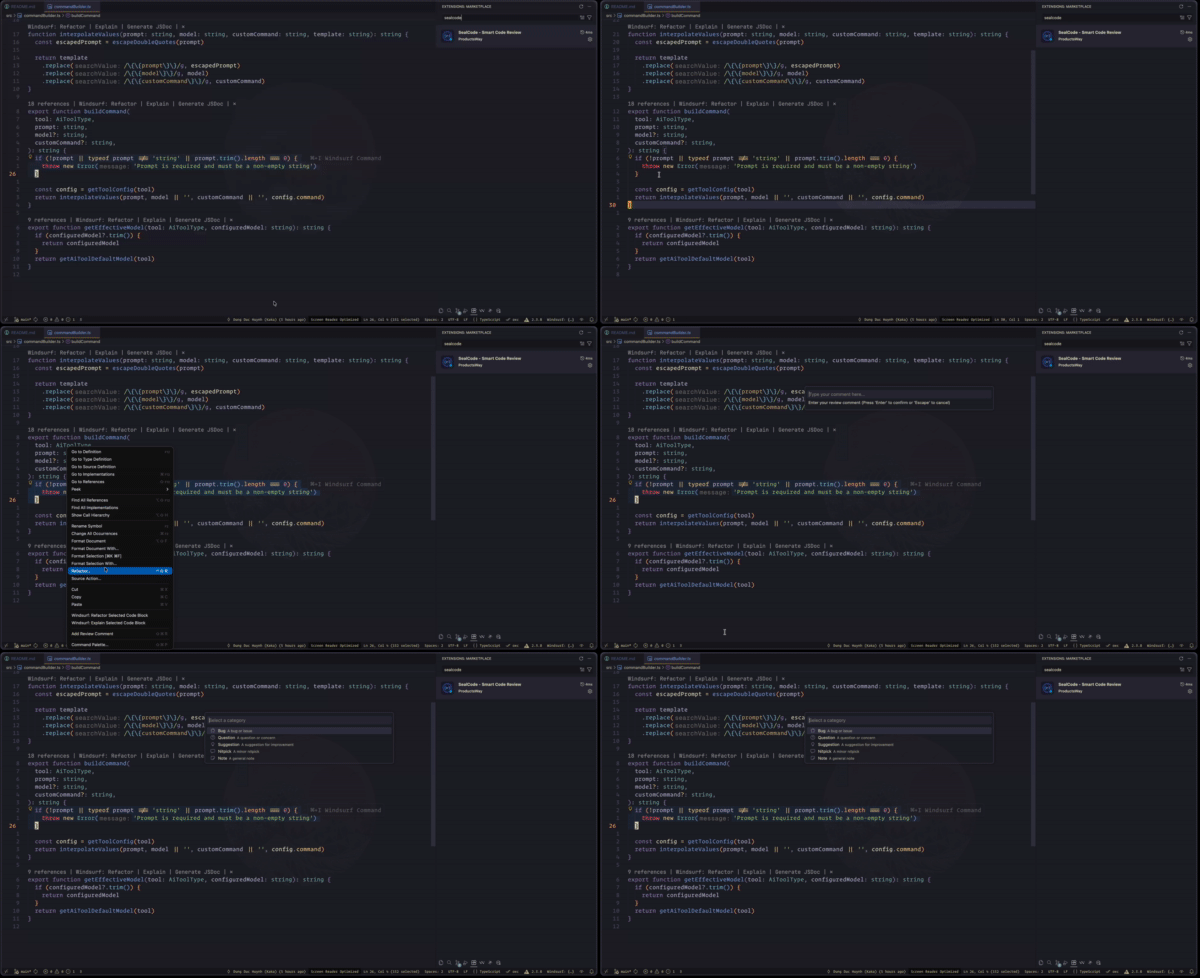](https://gyazo.com/a5802b99034a412efb30631e9fc94faf)
- Click the **+** button in the Code Review panel
[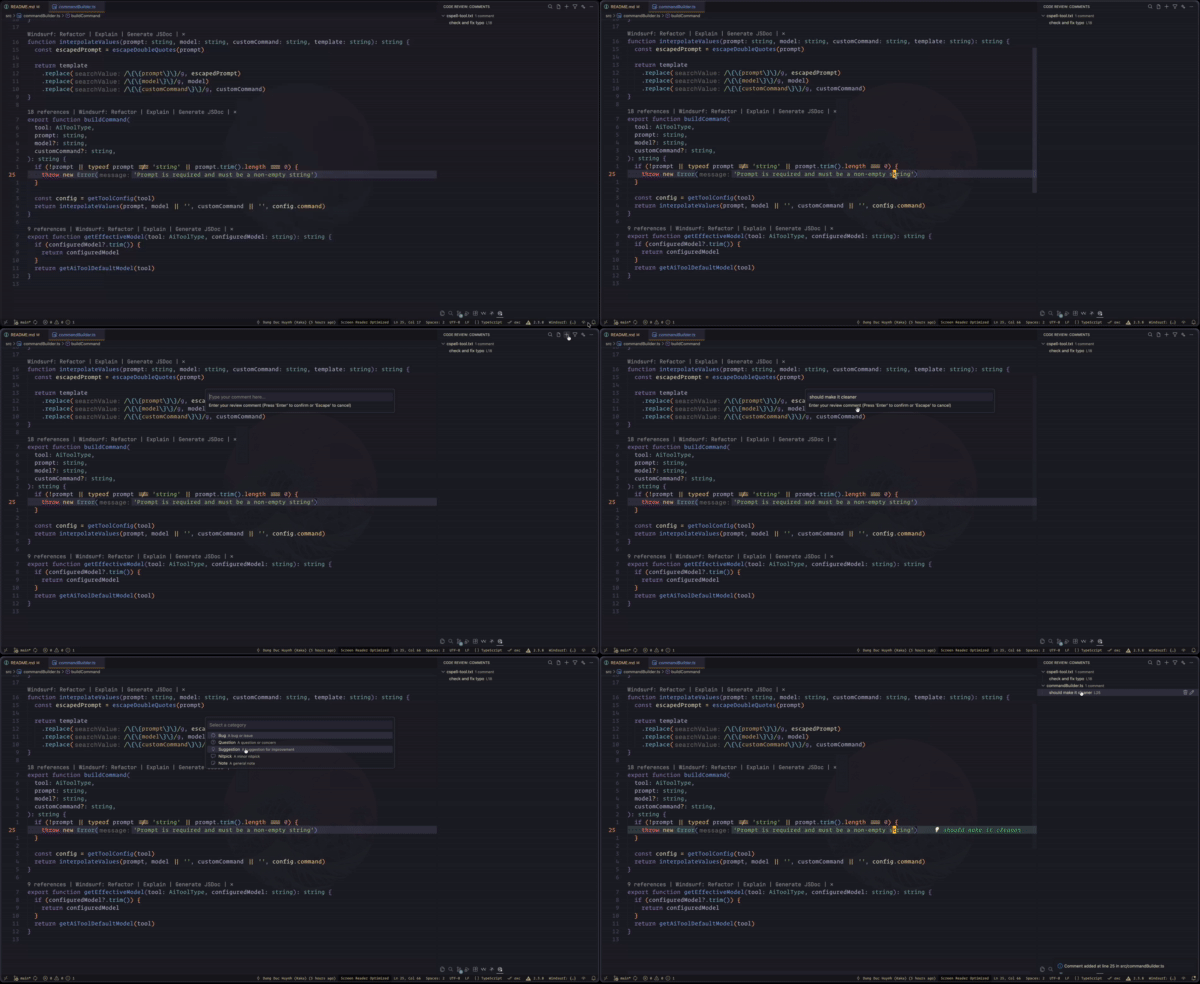](https://gyazo.com/cae7a708a40931be21590ed460a37a6e)
### Managing Comments
- Click on any comment in the sidebar to jump to its location
[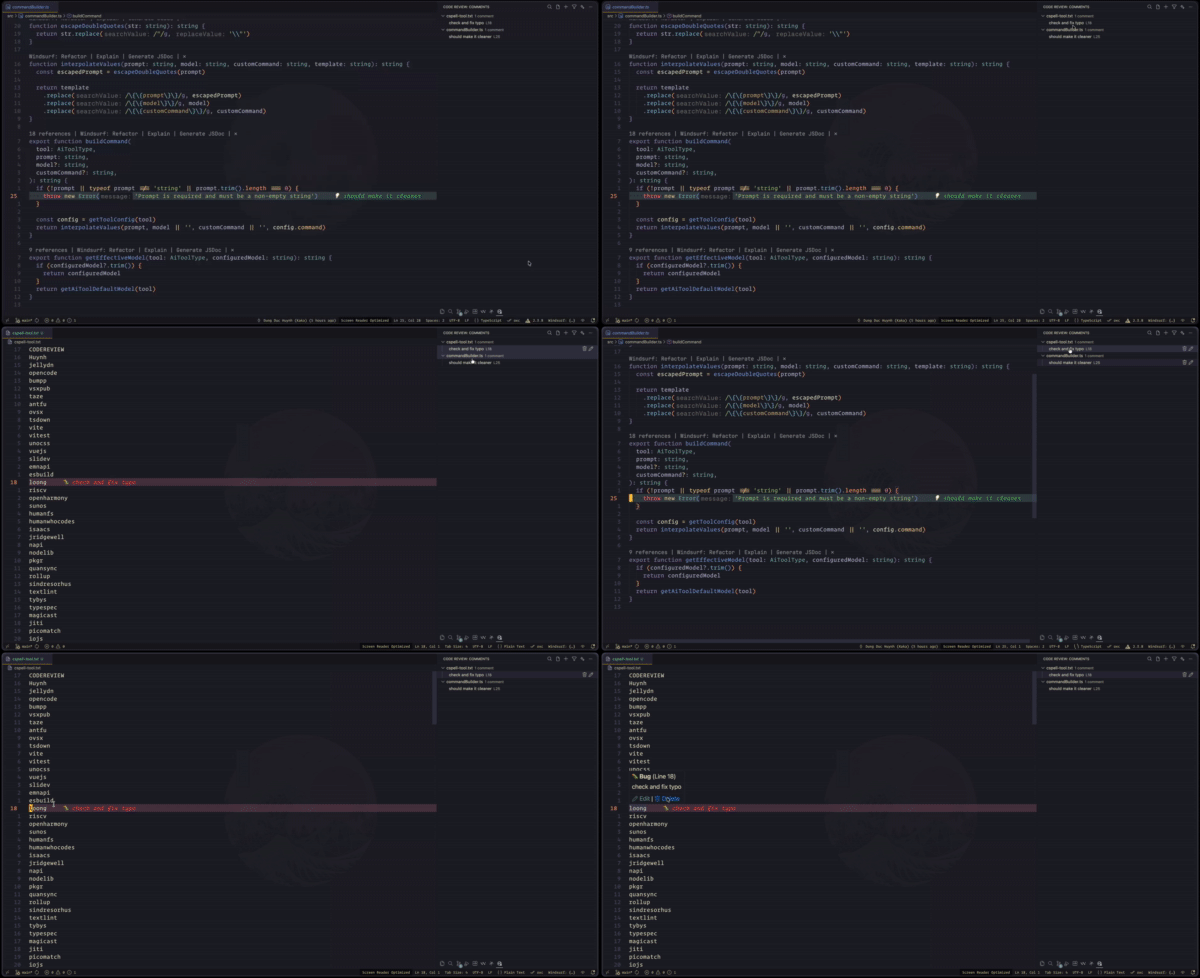](https://gyazo.com/268476c735358041b054896f798a497e)
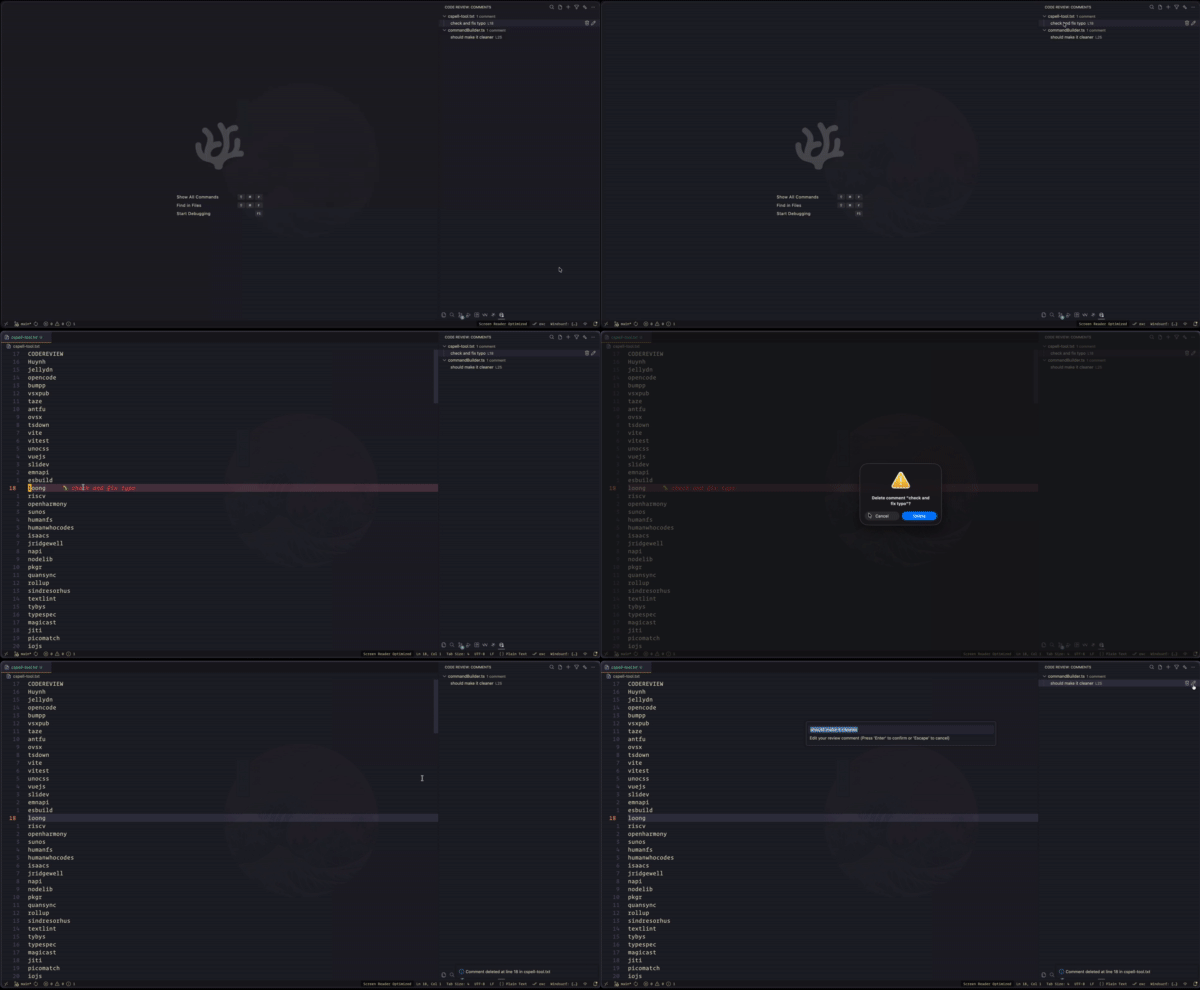
- Use inline edit/delete buttons or the context menu
[](https://gyazo.com/609236f3397d6c165cb09f68131be969)
- Press Delete when a comment is focused to remove it
### Filtering
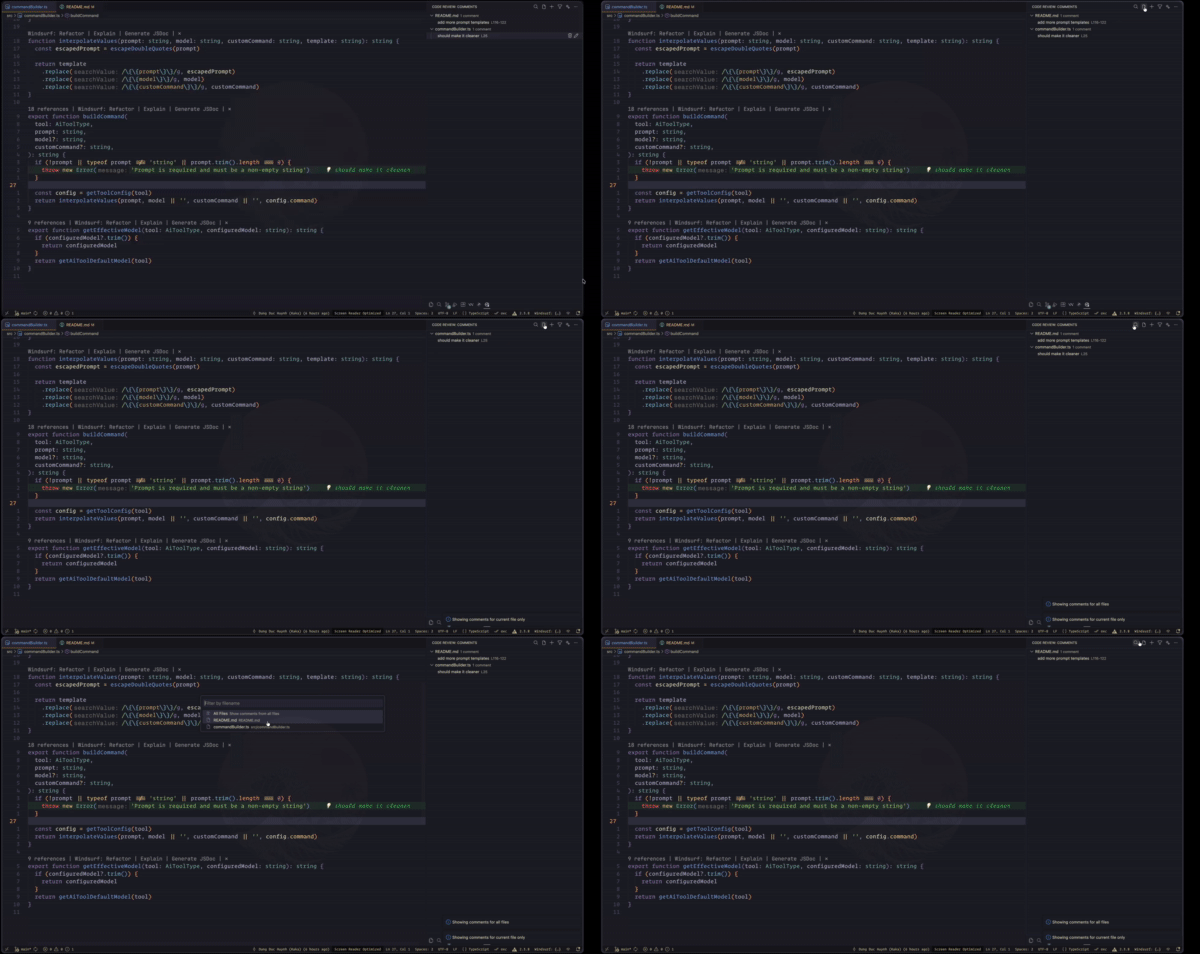
- **By Category**: Click the filter icon and select categories to show
- **By Filename**: Search for specific files
- **Current File Only**: Toggle to focus on the active file
[](https://gyazo.com/244e165facd9e5079cf1015cab8bc3d5)
### Exporting
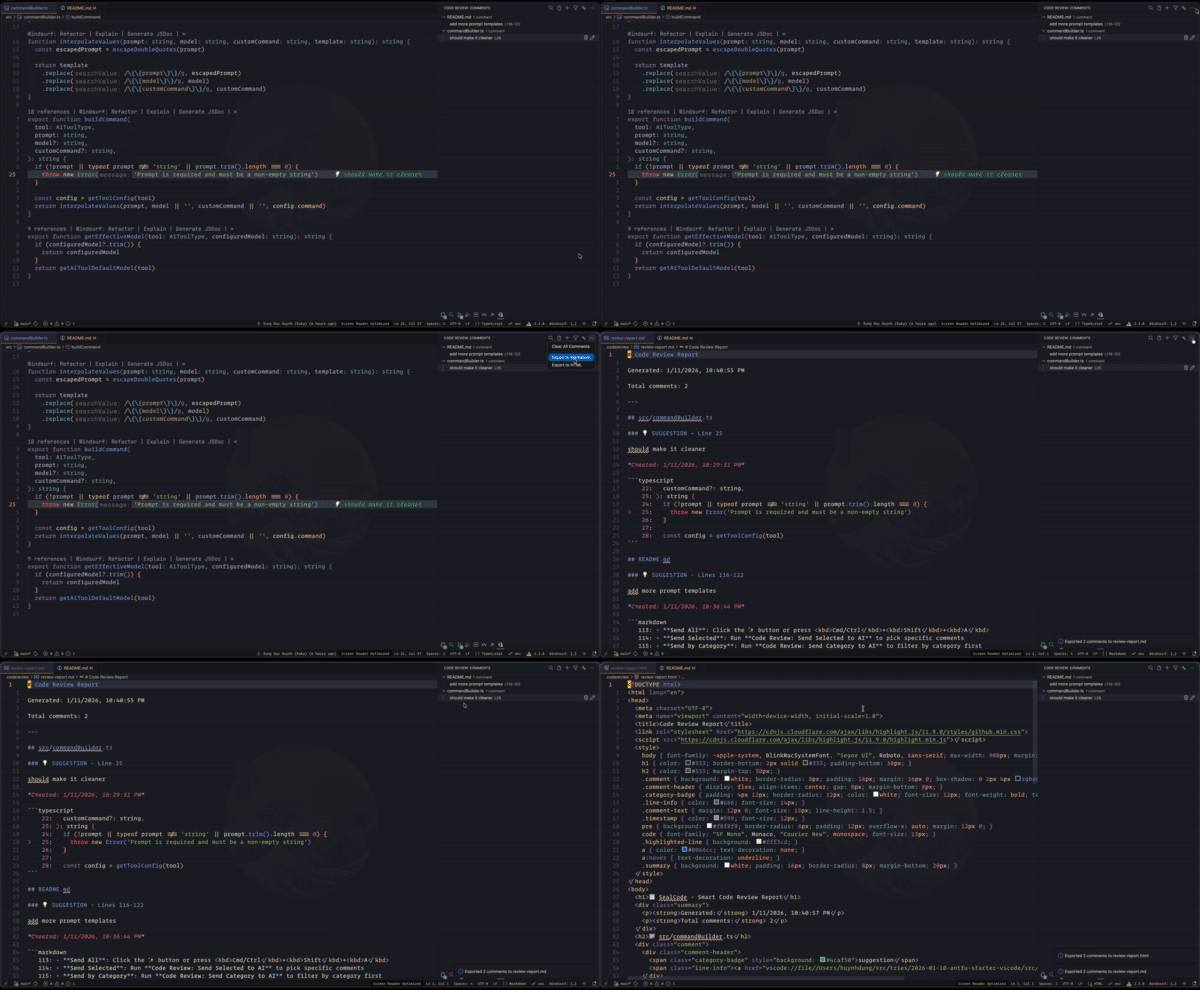
- Open the view menu in the Code Review panel
- Choose **Export to Markdown** or **Export to HTML**
[](https://gyazo.com/1483d0e35d89f1f29efdf9b4564874b3)
### 🤖 AI Review
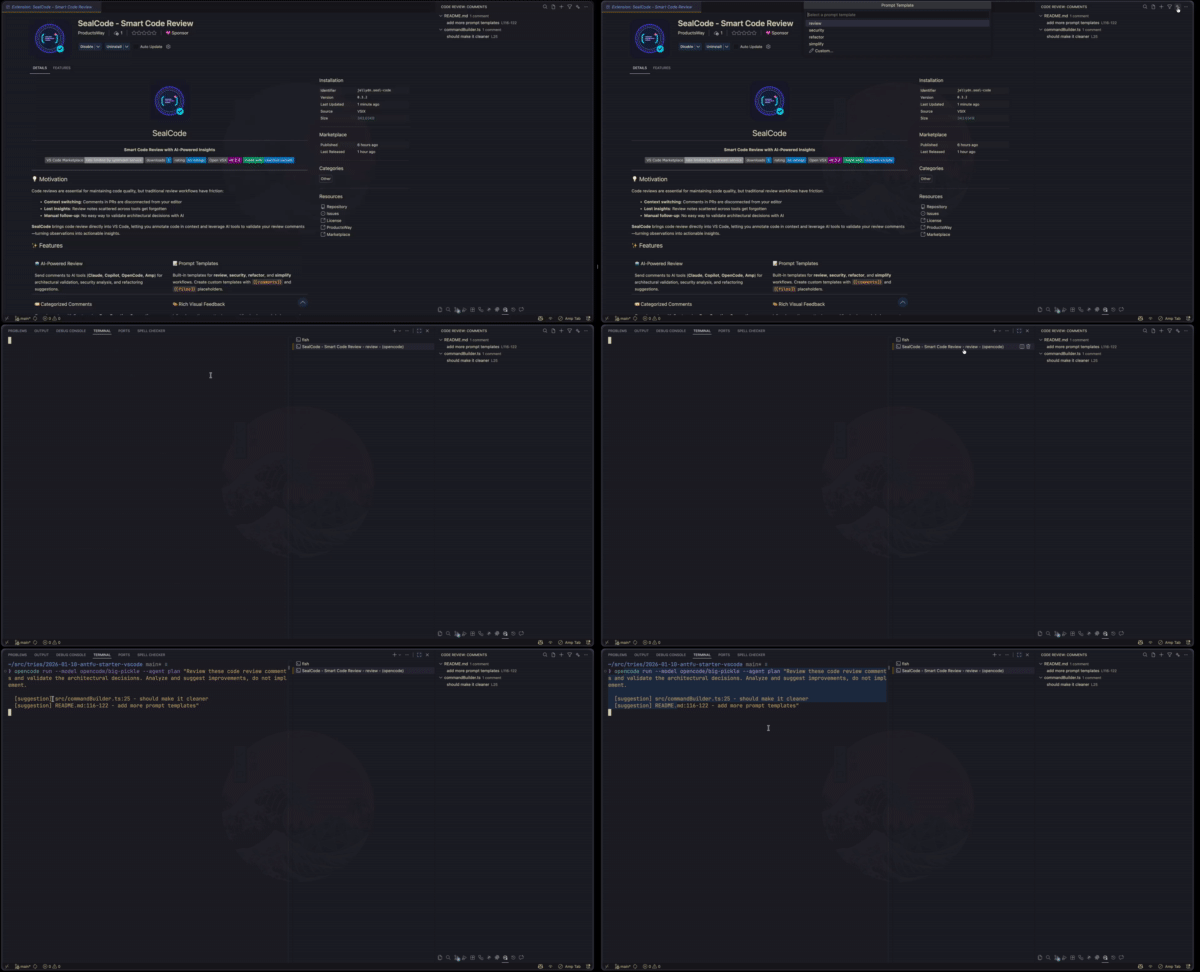
SealCode integrates with popular AI coding tools to analyze your review comments:
[](https://gyazo.com/fdb9d2a2663f48f1b502934dbdc98c81)
| Tool | Description | Model Configuration |
|------|-------------|---------------------|
| **Claude** | Anthropic's Claude CLI | haiku, sonnet, opus |
| **Copilot** | GitHub Copilot CLI | gpt-4.1, gpt-4o, o3 |
| **OpenCode** | OpenCode CLI (default) | opencode/big-pickle, opencode/claude |
| **Amp** | Amp CLI | rush, smart |
| **Custom** | Your own AI command | e.g., `ccs glm` |
#### Sending Comments to AI
- **Send All**: Click the ✨ button or press Cmd/Ctrl+Shift+A
- **Send Selected**: Run **Code Review: Send Selected to AI** to pick specific comments
- **Send by Category**: Run **Code Review: Send Category to AI** to filter by category first
#### Prompt Templates
Choose from built-in templates or create your own:
- **review**: Validate architectural decisions
- **security**: Identify vulnerabilities and suggest mitigations
- **refactor**: Suggest code quality improvements
- **simplify**: Reduce complexity and improve readability
## ⚙️ Configuration
| Key | Description | Type | Default |
| --------------------------------- | ------------------------------------------------------------------------------------------------------------------- | --------- | ---------------------------------------------------------------------------------------------------- |
| `seal-code.showInlineDecorations` | Show inline text decorations (after-line text preview) | `boolean` | `true` |
| `seal-code.showGutterIcons` | Show gutter icons for comments | `boolean` | `true` |
| `seal-code.showLineBackground` | Show colored background on commented lines | `boolean` | `true` |
| `seal-code.categoryColors` | Custom colors for each comment category | `object` | `{"bug":"#f44336","question":"#2196f3","suggestion":"#4caf50","nitpick":"#ff9800","note":"#9e9e9e"}` |
| `seal-code.aiTool` | AI CLI tool to use for sending review comments | `string` | `"opencode"` |
| `seal-code.aiToolCommand` | Custom command path for AI tool (used when aiTool is 'custom', e.g., 'ccs glm') | `string` | `""` |
| `seal-code.aiToolClaudeModel` | Claude model to use (e.g., haiku, sonnet, opus) | `string` | `"haiku"` |
| `seal-code.aiToolOpenCodeModel` | OpenCode model to use (e.g., opencode/big-pickle, opencode/claude) | `string` | `"opencode/big-pickle"` |
| `seal-code.aiToolCopilotModel` | Copilot model to use (e.g., gpt-4.1, gpt-4o, o3) | `string` | `"gpt-4.1"` |
| `seal-code.aiToolAmpModel` | Amp mode to use (rush or smart). Execute mode requires rush or smart. | `string` | `"smart"` |
| `seal-code.promptTemplates` | Named prompt templates for AI review. Use {{comments}} for formatted comments and {{files}} for affected file list. | `object` | See package.json |
| `seal-code.showAIQuickPick` | Show quick pick menu for AI tool selection before sending to AI | `boolean` | `false` |
## ⌨️ Commands
| Command | Title |
| ------------------------------ | ------------------------------------- |
| `codeReview.addComment` | Code Review: Add Review Comment |
| `codeReview.editComment` | Code Review: Edit Comment |
| `codeReview.deleteComment` | Code Review: Delete Comment |
| `codeReview.filterByCategory` | Code Review: Filter by Category |
| `codeReview.toggleFileFilter` | Code Review: Toggle Current File Only |
| `codeReview.exportMarkdown` | Code Review: Export to Markdown |
| `codeReview.exportHtml` | Code Review: Export to HTML |
| `codeReview.clearAll` | Code Review: Clear All Comments |
| `codeReview.filterByFilename` | Code Review: Filter by Filename |
| `codeReview.editCommentById` | Code Review: Edit Comment |
| `codeReview.deleteCommentById` | Code Review: Delete Comment |
| `codeReview.sendToAI` | Code Review: Send to AI Review |
| `codeReview.sendSelectedToAI` | Code Review: Send Selected to AI |
| `codeReview.sendCategoryToAI` | Code Review: Send Category to AI |
### Runtime AI Tool Selection
Enable the AI tool quick pick to choose different tools per review session:
```json
{
"seal-code.showAIQuickPick": true
}
```
This allows parallel execution with different AI tools for comprehensive analysis.
## 🤝 Contributing
Contributions are welcome! Please feel free to submit a Pull Request.
## 🛠️ Development
Built with [Amp](https://ampcode.com/) and [Ralph](https://github.com/snarktank/ralph)
```bash
# Install dependencies
pnpm install
# Build
pnpm run build
# Watch mode
pnpm run dev
# Run tests
pnpm run test
```
## 💖 Show your support
Give a ⭐️ if this project helped you!
[](https://ko-fi.com/dunghd)
[](https://paypal.me/dunghd)
[](https://www.buymeacoffee.com/dunghd)
## 📄 License
[MIT](./LICENSE.md) License © 2026 [Huynh Duc Dung](https://github.com/jellydn)