https://github.com/jexp/buzoverflow
https://github.com/jexp/buzoverflow
Last synced: 6 months ago
JSON representation
- Host: GitHub
- URL: https://github.com/jexp/buzoverflow
- Owner: jexp
- License: apache-2.0
- Created: 2020-06-03T10:00:21.000Z (about 6 years ago)
- Default Branch: master
- Last Pushed: 2023-01-06T07:46:57.000Z (over 3 years ago)
- Last Synced: 2025-04-02T06:23:01.551Z (over 1 year ago)
- Language: JavaScript
- Homepage:
- Size: 4.69 MB
- Stars: 0
- Watchers: 2
- Forks: 0
- Open Issues: 59
-
Metadata Files:
- Readme: README.md
- License: LICENSE.txt
Awesome Lists containing this project
README
[](https://grandstack.io/deploy-starter-netlify) [](https://grandstack.io/deploy-starter-vercel) [](https://sandbox.neo4j.com/?usecase=blank-sandbox)
# GRANDstack Starter
```
npx create-grandstack-app myNewApp
```
This project is a starter for building a [GRANDstack](https://grandstack.io) (GraphQL, React, Apollo, Neo4j Database) application. There are two components to the starter, the web frontend application (in React and Angular flavors) and the API app (GraphQL server).
[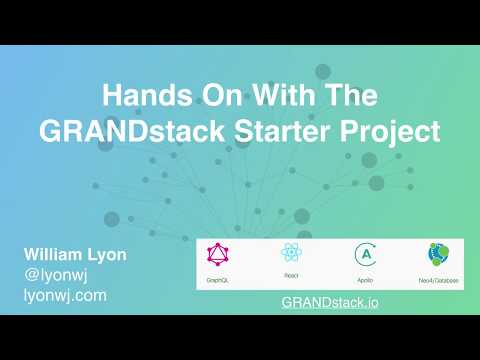](http://www.youtube.com/watch?v=1JLs166lPcA 'Hands On With The GRANDstack Starter')
_Hands On With The GRANDstack Starter Video_
## Quickstart
The easiest way to get started with the GRANDstack Starter is to create a Neo4j Sandbox instance and use the `create-grandstack-app` command line tool.
### 1. Create A Neo4j Sandbox Instance
[Neo4j Sandbox](https://neo4j.com/sandbox) allows you to create a free hosted Neo4j instance private to you that can be used for development.
After singing in to Neo4j Sandbox, click the `+ New Project` button and select the "Blank Sandbox" option. In the next step we'll use the connection credentials from the "Connection details" tab to connect our GraphQL API to this Neo4j instance.

### 2. Run the `create-grandstack-app` CLI
```
npx create-grandstack-app myNewApp
```
or with Yarn
```
yarn create grandstack-app myNewApp
```

This will create a new directory `myNewApp`, download the latest release of the GRANDstack Starter, install dependencies and prompt for your connection credentials for Neo4j to connect to the GraphQL API.
### 3. Seed the database (optional)
Once the application is running, in another terminal run
```
npm run seedDb
```
or with Yarn
```
yarn run seedDb
```
### 4. Open In Browser

## Overview
The GRANDstack Starter is a monorepo that includes a GraphQL API application and client web applications for React (default) and Angular.
### `/` - Project Root
The root directory contains some global configuration and scripts:
- `npm run start` and `npm run build`
- ESLint (.eslintrc.json) for code linting
- Prettier (.prettierrc.json) for code formatting
- Git hooks for applying formatting on commit
### [`/api`](./api)

This directory contains the GraphQL API application using Apollo Server and neo4j-graphql.js.
- Change environment variable settings in `.env`:
```
# Use this file to set environment variables with credentials and configuration options
# This file is provided as an example and should be replaced with your own values
# You probably don't want to check this into version control!
NEO4J_URI=bolt://localhost:7687
NEO4J_USER=neo4j
NEO4J_PASSWORD=letmein
# Uncomment this line to enable encrypted driver connection for Neo4j
#NEO4J_ENCRYPTED=true
# Uncomment this line to specify a specific Neo4j database (v4.x+ only)
#NEO4J_DATABASE=neo4j
GRAPHQL_SERVER_HOST=0.0.0.0
GRAPHQL_SERVER_PORT=4001
GRAPHQL_SERVER_PATH=/graphql
```
### [`/web-react`](./web-react)

The frontend React web application is found in this directory.
It includes:
- Material UI
- React router
- Apollo Client / React Hooks
- Create React App
### [`/web-angular`](./web-angular)

A UI built with [Angular](https://angular.io), [Apollo](https://www.apollographql.com/docs/angular/) and the [Clarity Design System](https://clarity.design) is also available.
_Start the Angular UI server_
```
cd ./web-angular && npm start
```
See [the project releases](https://github.com/grand-stack/grand-stack-starter/releases) for the changelog.
## Deployment
### Netlify
This monorepo can be deployed to Netlify. The frontend application will be served over Netlify's CDN and the GraphQL API will be provisioned as a serverless GraphQL API lambda function deployed to AWS (via Netlify). A netlify.toml file is included with the necessary build configurations. The following environment variables must be set in Netlify (either via the Netlify web UI or via the command line tool)
```
NEO4J_URI
NEO4J_USER
NEO4J_PASSWORD
```
See the "Hands On With The GRANDStack Starter" video linked at the beginning of this README for a walkthrough of deploying to Netlify.
### Vercel / Zeit Now
Zeit Now v2 can be used with monorepos such as grand-stack-starter. [`now.json`](https://github.com/grand-stack/grand-stack-starter/blob/master/now.json) defines the configuration for deploying with Zeit Now v2.
1. Set the now secrets for your Neo4j instance:
```
now secret add grand_stack_starter_neo4j_uri bolt://
now secret add grand_stack_starter_neo4j_user
now secret add grand_stack_starter_neo4j_password
```
2. Run `now`
## Docker Compose
You can quickly start via:
```
docker-compose up -d
```
If you want to load the example DB after the services have been started:
```
docker-compose run api npm run seedDb
```
You can find instructions for other ways to use Neo4j (Neo4j Desktop, Neo4j Aura, and other cloud services) in the [Neo4j directory README.](./neo4j)
This project is licensed under the Apache License v2.
Copyright (c) 2020 Neo4j, Inc.