https://github.com/jhordyess/employees-api-node
REST API that allows you to manage employees and departments in a company.
https://github.com/jhordyess/employees-api-node
docker-compose express express-validator jwt-token nodejs prisma-orm sql-server swagger-ui typescript webpack
Last synced: 3 months ago
JSON representation
REST API that allows you to manage employees and departments in a company.
- Host: GitHub
- URL: https://github.com/jhordyess/employees-api-node
- Owner: jhordyess
- License: mit
- Created: 2024-01-23T12:38:41.000Z (over 2 years ago)
- Default Branch: main
- Last Pushed: 2024-04-29T14:07:03.000Z (about 2 years ago)
- Last Synced: 2024-04-29T15:29:53.526Z (about 2 years ago)
- Topics: docker-compose, express, express-validator, jwt-token, nodejs, prisma-orm, sql-server, swagger-ui, typescript, webpack
- Language: TypeScript
- Homepage:
- Size: 251 KB
- Stars: 0
- Watchers: 1
- Forks: 0
- Open Issues: 0
-
Metadata Files:
- Readme: README.md
- Changelog: history.sh
- License: LICENSE
Awesome Lists containing this project
README
# Employees API in Node
REST API that allows you to manage employees and departments in a company.
## Description
REST API allows you to manage employees and departments in a company. You can use it to add, update, and delete employees and departments; also includes authentication and Swagger documentation.
### Technologies Used
- Node modules: [Express](https://expressjs.com/), [Prisma](https://www.prisma.io/), [Swagger UI](https://swagger.io/tools/swagger-ui/)
- Programming Language: [TypeScript](https://www.typescriptlang.org/)
- Build Tool: [Webpack](https://webpack.js.org/)
- Database: [SQL Server](https://www.microsoft.com/en/sql-server/sql-server-downloads)
- Dev Environment: [VSCode](https://code.visualstudio.com/) with [dev containers](https://code.visualstudio.com/docs/devcontainers/containers) in [Zorin OS](https://zorinos.com/)
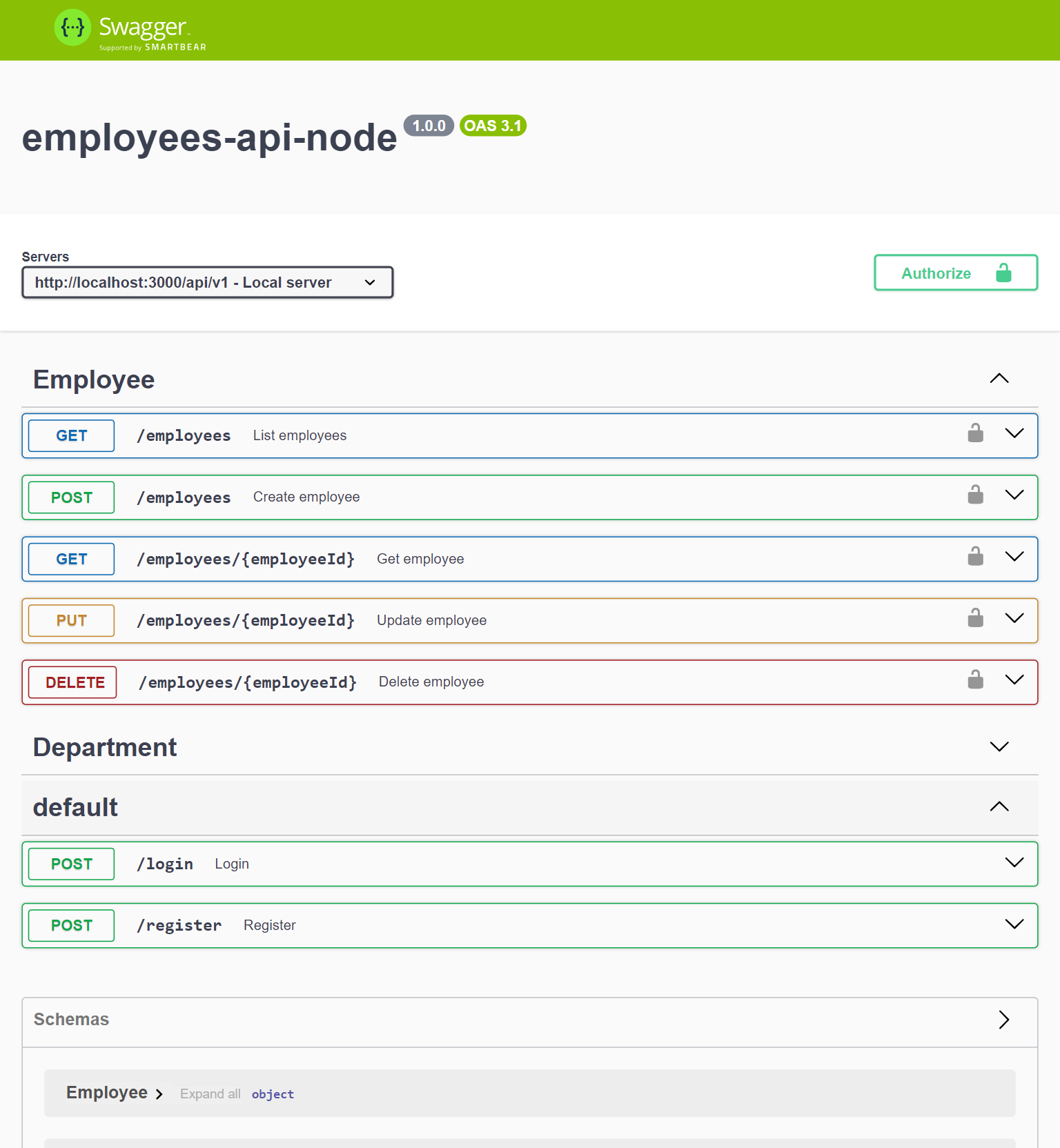
### Screenshot
## How to use for development
1. Clone the repository:
```bash
git clone git@github.com:jhordyess/employees-api-node.git
```
2. Open the project folder:
```bash
cd employees-api-node
```
3. Create a `.env` file in the root folder by copying the example from the `.env.example` file. And replace the values with your own.
4. Configure SQL Server if needed. You can following the [SQLServerConfig.md](./docs/SQLServerConfig.md) guide.
5. Install the dependencies:
```bash
yarn
```
6. Run the project:
```bash
yarn dev
```
7. Now you can test the endpoints at . The API docs(Swagger UI) will be available at
## How to use for development with Docker
You can use the VSCode dev containers to run the project in a containerized environment.
You need to have installed [Docker](https://www.docker.com/) and [VSCode](https://code.visualstudio.com/), and the [Dev Containers](https://marketplace.visualstudio.com/items?itemName=ms-vscode-remote.remote-containers) extension.
1. Clone the repository:
```bash
git clone git@github.com:jhordyess/employees-api-node.git
```
2. Open the project with VSCode:
```bash
code employees-api-node
```
3. Create a `.env` file in the root folder by copying the example from the `.env.example` file. And replace the values with your own.
4. Open the terminal in VSCode, and run the docker compose file:
```bash
docker compose -f docker-compose.dev.yml up -d
```
5. Open the command palette and select the option `Dev Containers: Reopen in Container`.
6. Wait for the container to be built and the project to be started.
7. Open the terminal in VSCode and run the project:
```bash
yarn dev
```
8. Now you can test the endpoints at . The API docs(Swagger UI) will be available at
## How to use for production with Docker
To run the project in production with Docker, remember to create the `.env` file and replace the values with your own.
Then, run the following command in the terminal:
```bash
docker compose -f docker-compose.prod.yml up -d
```
To stop or remove, run:
```bash
docker compose -f docker-compose.prod.yml down
```
Take note that this production configuration is just for testing purposes, and may not be suitable for a real production environment.
## To-Do
- [x] Fully translate the API documentation to English
- [ ] Elaborate the Entity-Relationship Diagram
## Contribution
If you would like to contribute to the project, open an issue or make a pull request on the repository.
## License
© 2024> [Jhordyess](https://github.com/jhordyess). Under the [MIT](https://choosealicense.com/licenses/mit/) license. See the [LICENSE](./LICENSE) file for more details.
---
Made with 💪 by [Jhordyess](https://www.jhordyess.com/)