https://github.com/jigarius/toggl2redmine
Import time from Toggl 2 Redmine.
https://github.com/jigarius/toggl2redmine
redmine redmine-plugin toggl
Last synced: 7 months ago
JSON representation
Import time from Toggl 2 Redmine.
- Host: GitHub
- URL: https://github.com/jigarius/toggl2redmine
- Owner: jigarius
- License: gpl-3.0
- Created: 2018-06-26T16:15:04.000Z (almost 8 years ago)
- Default Branch: 5.x
- Last Pushed: 2024-06-02T11:46:45.000Z (about 2 years ago)
- Last Synced: 2025-03-28T02:22:01.631Z (about 1 year ago)
- Topics: redmine, redmine-plugin, toggl
- Language: TypeScript
- Homepage:
- Size: 1.32 MB
- Stars: 26
- Watchers: 10
- Forks: 6
- Open Issues: 9
-
Metadata Files:
- Readme: README.md
- License: LICENSE
Awesome Lists containing this project
README
# Toggl 2 Redmine

This dandy Redmine plugin imports time entries from Toggl to Redmine using
REST API service calls for both Toggl and Redmine.
Additionally, the plugin groups similar Toggl time entries into a single Redmine
entry. So, even if you start and stop your timer for a particular task multiple
times on Toggl, at the end of day, when you import the time entries to Redmine,
they are grouped by the issue ID and the description, which keeps Redmine clean.
## Disclaimer
This plugin has been made and tested with love and care. However, the makers
of this plugin are in no way responsible for any damages - direct or indirect -
caused by the use of this plugin. In short, use it at your own risk.
## Installation
* Copy the plugin directory into the `plugins` directory of Redmine.
* Run database migrations.
* You can read more about
[plugin installation](http://www.redmine.org/projects/redmine/wiki/Plugins) on redmine.org
```bash
RAILS_ENV=production bundle exec rake redmine:plugins:migrate
```
* This creates a _Toggl API Token_ field on the user profile.
* Your database **must** support [transactions](https://en.wikipedia.org/wiki/Database_transaction).
* Without transaction support, users might end up importing duplicate
time entries.
## Usage
Here's a quick video to get you started.
[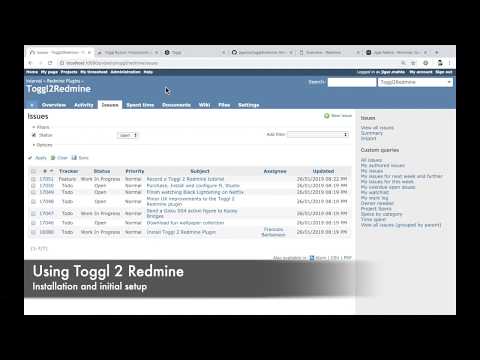](https://www.youtube.com/watch?v=FdwWUYllop4&t=162)
If a certain topic is not mentioned in the video, you can find more information on it by reading this document.
### One-time Setup
* Go to the _My Account_ page on Redmine (`/my/account`).
* Paste in your _Toggl API Token_ and save your profile.
* You can find this in your Toggl _profile settings_ page.
* Update your time zone on Toggl and Redmine - this makes your time reports
show correctly according to your timezone.
* *Important:* Confirm with your Redmine administrator whether you need to
update your timezone. Some organizations use Redmine without configuring
timezones to avoid certain timezone-related bugs in Redmine.
### Regular Usage
* Login to Toggl and log your time when you're working.
* Make sure your task description is in one of the following formats:
```
#1919 Feed the bunny wabbit.
Tracker #1919 Feed the bunny wabbit.
```
* You can use the Toggl browser extension to make this easier.
* `#1919` is the Redmine issue ID.
* `Feed the bunny wabbit` is the comment.
* When you're done working for the day, visit the _My Timesheet_ page on Redmine
and click on the _Toggl_ tab on Redmine (`/toggl2redmine`).
* Most of the options on this page have useful tooltips. If you are confused
about what something does, simply hover over the item to see if it has an
informational tooltip.
* You should see the time you've already logged on Redmine (if any) under the
heading _Time logged on Redmine_.
* You should see the time you've logged on Toggl for the day under the
heading _Time logged on Toggl_.
* If you want to import entries from some other date, you can change the
_Date_ filter and any other options as per your requirements.
* If you change any options, make sure you press _Apply_ for them to
take effect.
* Now, in the Toggl report, check the entries you want to import into Redmine.
* For each entry, you can modify the comments, activity and time as per your
requirements.
* You can enter time as in decimal or as `hh:mm`. For example, `1h 30m` can
be written as `1.5` or `1:30` in the input boxes.
* Once you've reviewed everything, click on the _Import to Redmine_ button
towards the bottom of the page.
* After you import the data, you cannot undo it, so BE CAREFUL.
* You will see a success (or failure) message next to each item.
* Entries which imported successfully will be marked in green.
* Entries which failed to import will be marked in red.
### Advanced options
#### Default Activity
You can specify a _Default activity_ in the options form. This activity will
be pre-populated in your Toggl report, making it easier to import data.
#### Toggl Workspace
If you use multiple workspaces on Toggl, you can choose the workspace from
which you want to import data using the _Toggl Workspace_ field in the options
form.
#### Date
As mentioned before, the _Date_ option allows you to import time entries from
past dates.
#### Duration rounding
You can use this option to round your time entries as per your requirements.
Let's say, the option to round to the nearest 10 minutes. There are 3 ways in
which you can round your time entries.
* *Round Up:* 1h 26m becomes 1h 30m.
* *Round Down:* 1h 26m becomes 1h 20m.
* *Round Off:* 1h 26m becomes 1h 30m whereas 1h 24m becomes 1h 20m.
To disable rounding, you can choose the *Don't round* option.
## Development
Want to fiddle with the code? Or just get a demo of the plugin? If you use
Docker, you can do so with ease.
* Clone the code repository.
```
# Replace x.y with a real branch name, e.g. 5.x
git clone --branch x.y git@github.com:jigarius/toggl2redmine.git
cd toggl2redmine
```
* Prepare docker containers.
```
docker compose up
# When Redmine is ready, you'll see a message like:
# INFO WEBrick::HTTPServer#start: pid=X port=3000
# At this point, press Ctrl+C and run the next command.
docker compose start
```
* Provision the environment, e.g. create seed data, etc.
```
rake provision
```
Run `rake info` to learn how to access your demo installation!
### Testing
Thanks to the Docker setup, the plugin code can easily be linted and tested.
* `rake reset RAILS_ENV=test`: Prepare/reset the test environment.
* `rake lint`: Run Rubocop.
* `rake test`: Run tests.
### Mailhog
Mailhog has been included in the Docker setup so that you can easily reset
your password or test Toggl 2 Redmine with more than one user accounts.
# Acknowledgements
* Thanks [Evolving Web](https://evolvingweb.ca/) for funding the initial
development of this plugin.
* Thanks [Jigarius](https://jigarius.com/about) (that's me)
for spending many evenings and weekends to make this plugin possible.
* Thanks [JetBrains](https://jetbrains.com/) for their Open Source License,
without which development would have been very difficult.