https://github.com/jinht/guidepages
引导页/首次安装引导页/渐变引导页/APP介绍页/功能介绍页
https://github.com/jinht/guidepages
first guide index ios-sdk
Last synced: 6 months ago
JSON representation
引导页/首次安装引导页/渐变引导页/APP介绍页/功能介绍页
- Host: GitHub
- URL: https://github.com/jinht/guidepages
- Owner: jinht
- License: mit
- Created: 2016-11-29T06:55:38.000Z (over 9 years ago)
- Default Branch: master
- Last Pushed: 2018-12-17T13:04:31.000Z (over 7 years ago)
- Last Synced: 2025-09-30T18:13:58.927Z (10 months ago)
- Topics: first, guide, index, ios-sdk
- Language: Objective-C
- Homepage:
- Size: 12 MB
- Stars: 124
- Watchers: 5
- Forks: 21
- Open Issues: 2
-
Metadata Files:
- Readme: README.md
- License: LICENSE
Awesome Lists containing this project
README
## GuidePages
#### 引导页/首次安装引导页/APP介绍页/功能介绍页
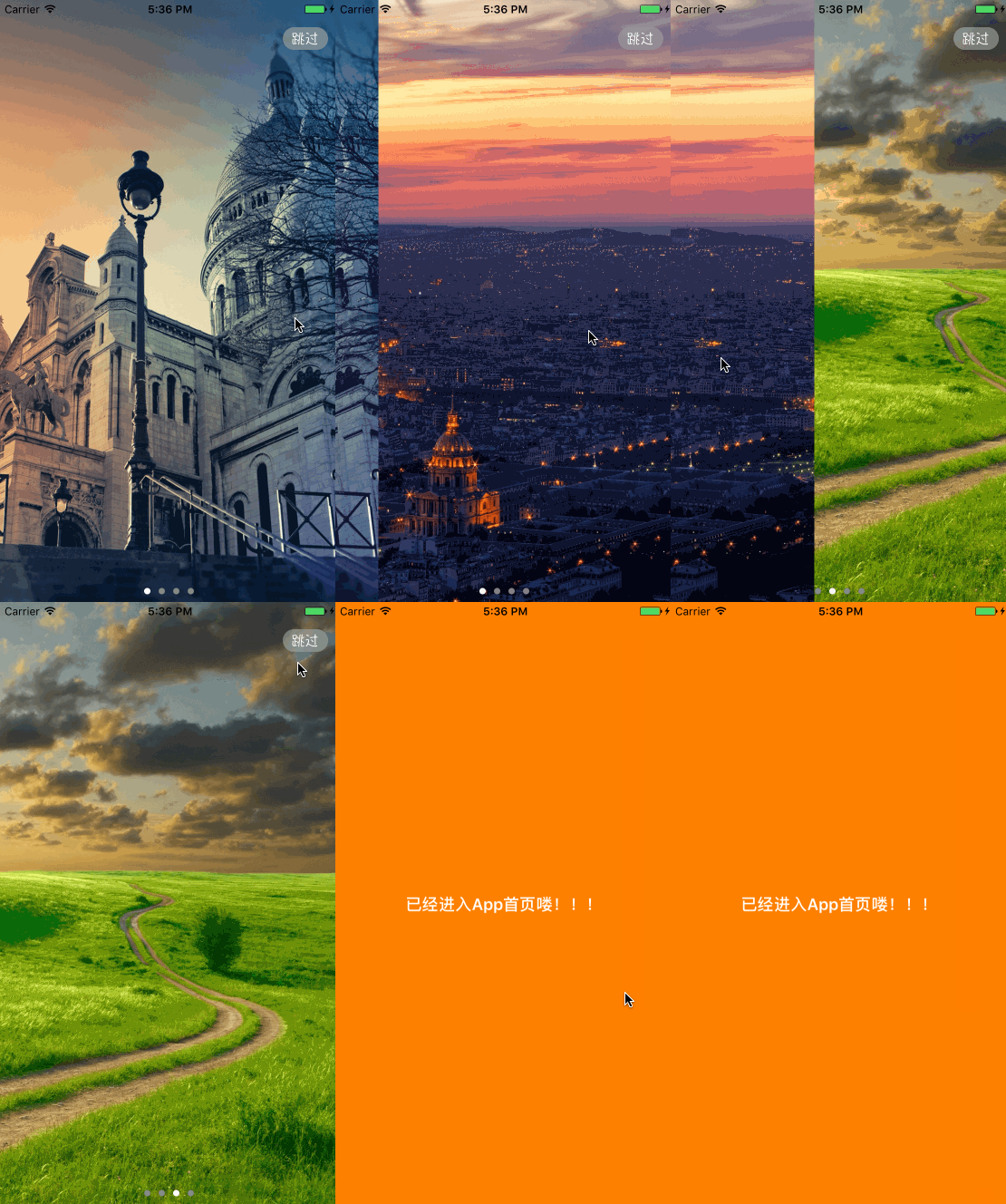
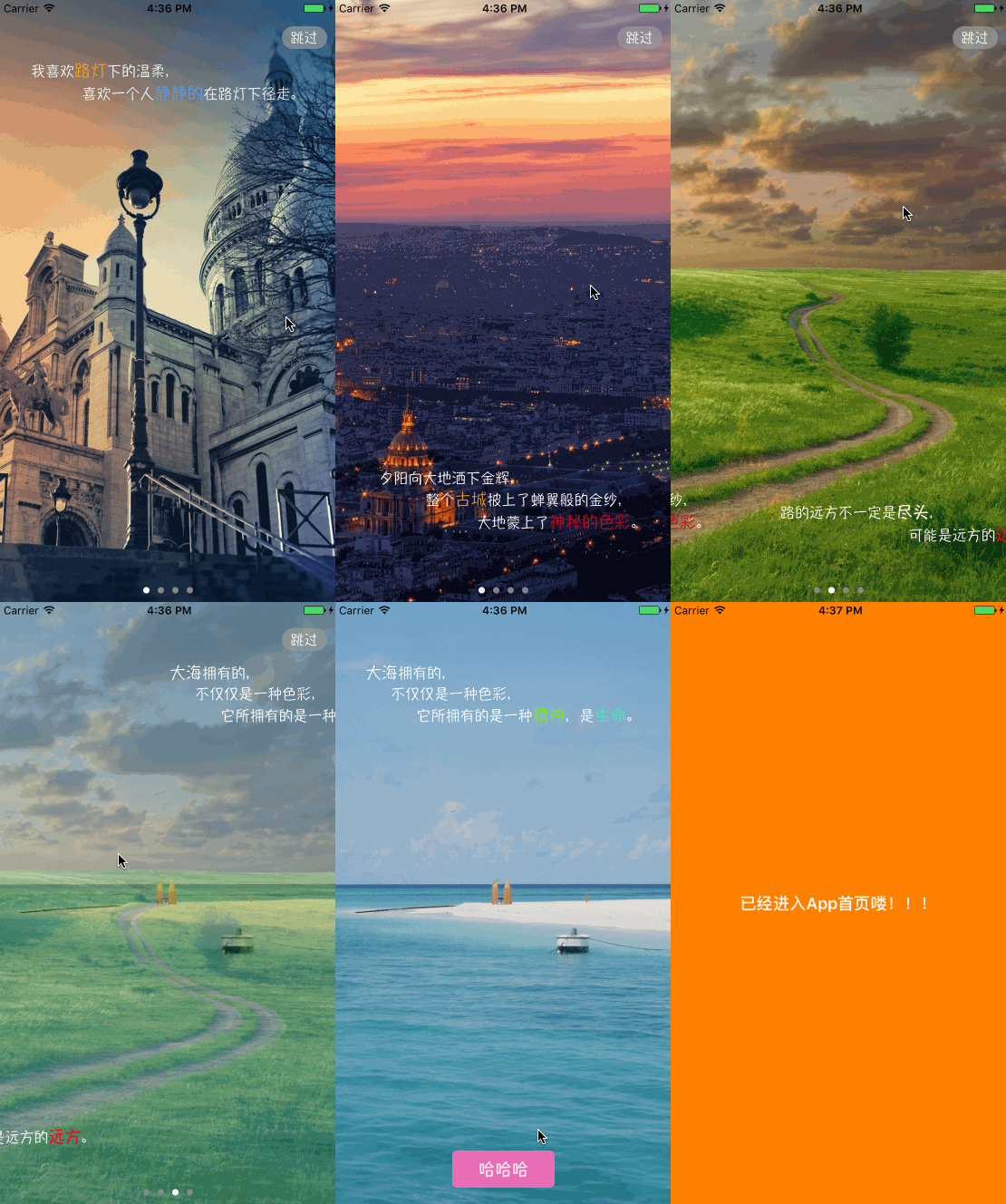
### 先上图,看一下是否符合你的场景吧!
### Function Description
1. 传统引导页功能
2. 引导页之间渐变切换
3. 简洁的个性化设置UI及切换动画
### How to use
#### 1. 传统引导页功能:通过传入图片名数组即可
```oc
/** 初始化方法
* coverNames:封面图片名数组(多为带文字图片)
*/
- (id)initWithCoverImageNames:(NSArray *)coverNames;
```
#### 2. 引导页之间渐变切换:通过传入封面图片名数组(多为带文字图片)和背景图片名数组即可
```oc
/** 初始化方法
* coverNames:封面图片名数组(多为带文字图片)
* bgNames:背景图片名数组
*/
- (id)initWithCoverImageNames:(NSArray *)coverNames withBackgroundImageNames:(NSArray *)bgNames;
```
#### 3 简洁的个性化UI设置及切换动画
##### 3.1 设置``按钮,可以通过初始化方法传入自己定制的``按钮(按钮frame亦可以自己定制)
```oc
/** 初始化方法
* coverNames:封面图片名数组(多为带文字图片)
* bgNames:背景图片名数组
* withEnterButton:按钮
* LRVC:引导页展示完成后出现的VC
*/
- (id)initWithCoverImageNames:(NSArray *)coverNames withBackgroundImageNames:(NSArray *)bgNames withEnterButton:(UIButton *)button withLastRootViewController:(UIViewController *)LRVC;
```
##### 3.2 导页展示完成后切换至目标VC动画
```oc
/** 导页展示完成后切换至目标VC 动画时间
* default:0.5f
*/
@property (nonatomic, assign) CGFloat animationDuration;
/** 引导页展示完成后切换至目标VC 动画类型
* default:UIViewAnimationOptionTransitionCrossDissolve
*/
@property (nonatomic, assign) UIViewAnimationOptions animationOptions;
```
##### 3.3 设置`pageControl`,可以通过以下参数设置pageControl
```oc
/** 是否隐藏pageControl(默认不隐藏) */
@property (nonatomic, assign) BOOL isHiddenPageControl;
/** pageControl的Y坐标(默认距离底部30.0) */
@property (nonatomic, assign) CGFloat pageControlY;
/** pageControl的pageIndicatorTintColor(默认[UIColor grayColor]) */
@property (nonatomic, strong) UIColor *pageIndicatorTintColor;
```
##### 3.4 设置`<跳过>`按钮
```oc
/** 是否添加<跳过>按钮(默认不需要) */
@property (nonatomic, assign) BOOL isNeedSkipButton;
/** <跳过>按钮背景图片名 */
@property (nonatomic, copy) NSString *skipButtonBackgroundImageName;
```
注:假使自己传入<跳过>按钮背景图片,需要注意一下大小,按钮大小设置是根据图片大小动态设置的
### Remind
* ARC
* iOS >= 8.0
* iPhone \ iPad
## Hope
* If you find bug when used,Hope you can Issues me,Thank you or try to download the latest code of this framework to see the BUG has been fixed or not
* If you find the function is not enough when used,Hope you can Issues me,I very much to add more useful function to this framework ,Thank you !