https://github.com/joaomarr/pipedrive-trello-webhook
The main purpose of this webhook is to listen to Pipedrive deal's won update event, and if it is from a certain type of deal, send it as a card to Trello with custom fields.
https://github.com/joaomarr/pipedrive-trello-webhook
express nodejs pipedrive-api trello-api webhook
Last synced: 3 months ago
JSON representation
The main purpose of this webhook is to listen to Pipedrive deal's won update event, and if it is from a certain type of deal, send it as a card to Trello with custom fields.
- Host: GitHub
- URL: https://github.com/joaomarr/pipedrive-trello-webhook
- Owner: joaomarr
- Created: 2022-08-23T14:53:44.000Z (almost 4 years ago)
- Default Branch: main
- Last Pushed: 2022-09-13T12:47:35.000Z (almost 4 years ago)
- Last Synced: 2025-09-23T23:39:02.682Z (10 months ago)
- Topics: express, nodejs, pipedrive-api, trello-api, webhook
- Language: JavaScript
- Homepage:
- Size: 1.13 MB
- Stars: 1
- Watchers: 1
- Forks: 0
- Open Issues: 0
-
Metadata Files:
- Readme: README.md
Awesome Lists containing this project
README
# Pipedeals
[](https://travis-ci.org/DiegoVictor/pipedeals)
[](https://nodemon.io/)
[](https://eslint.org/)
[](https://github.com/airbnb/javascript)
[](https://jestjs.io/)
[](https://codecov.io/gh/DiegoVictor/pipedeals)
[](https://github.com/DiegoVictor/pipedeals/blob/main/LICENSE)
[](http://makeapullrequest.com)
[](https://insomnia.rest/run/?label=Pipedeals&uri=https%3A%2F%2Fraw.githubusercontent.com%2FDiegoVictor%2Fpipedeals%2Fmain%2FInsomnia_2021-09-06.json)
The main purpose of this webhook is to listen to [Pipedrive](https://www.pipedrive.com) deal's `won` update event, and if it is from a certain type of deal, send it as a card to [Trello](https://www.trello.com) with custom fields.
# Table of Contents
* [Installing](#installing)
* [Configuring](#configuring)
* [.env](#env)
* [Pipedrive](#pipedrive)
* [Webhook](#webhook)
* [Custom Fields](#custom-fields)
* [Product](#product)
* [Trello](#trello-api-key)
* [Usage](#usage)
* [Error Handling](#error-handling)
* [Errors Reference](#errors-reference)
* [Bearer Token](#bearer-token)
* [Versioning](#versioning)
* [Routes](#routes)
* [Requests](#requests)
* [Running the tests](#running-the-tests)
* [Coverage report](#coverage-report)
# Installing
Easy peasy lemon squeezy:
```
$ yarn
```
Or:
```
$ npm install
```
> Was installed and configured the [`eslint`](https://eslint.org) and [`prettier`](https://prettier.io) to keep the code clean and patterned.
## Configuring
For the fastest setup is recommended to use [docker-compose](https://docs.docker.com/compose/), you just need to up all services:
```
$ docker-compose up -d
```
### .env
In this file you may configure your JWT settings, the environment, app's port, url to documentation (this will be returned with error responses, see [error section](#error-handling)) and Pipedrive and Trello's keys.
|key|description|default
|---|---|---
|APP_PORT|Port number where the app will run.|`3333`
|NODE_ENV|App environment.|`development`
|PIPEDRIVE_API_TOKEN|Pipedrive API's token. See [How to find the API token](https://pipedrive.readme.io/docs/how-to-find-the-api-token) for more information.| -
|PIPEDRIVE_DOMAIN_NAME|Pipedrive domain name (company name), see [How to get the company domain](https://pipedrive.readme.io/docs/how-to-get-the-company-domain).| -
|PIPEDRIVE_USER and PIPEDRIVE_PWD|Basic auth's user and password (respectively). Used to ensure that the deal's event is coming from Pipedrive webhook, see [Webhook](#webhook) for more information about it.| -
|TRELLO_API_KEY|Trello's api key. See [Trello's api key](#trello-api-key) section.| -
|TRELLO_API_TOKEN|Trello's api token. See [Trello's api token](#trello-api-token) section.| -
|TRELLO_LIST_ID|Trello's list id. -
|TRELLO_BOARD_ID|Trello's board id. -
### Pipedrive
Instructions to configure the Pipedrive's webhook, custom fields and products.
#### Webhook
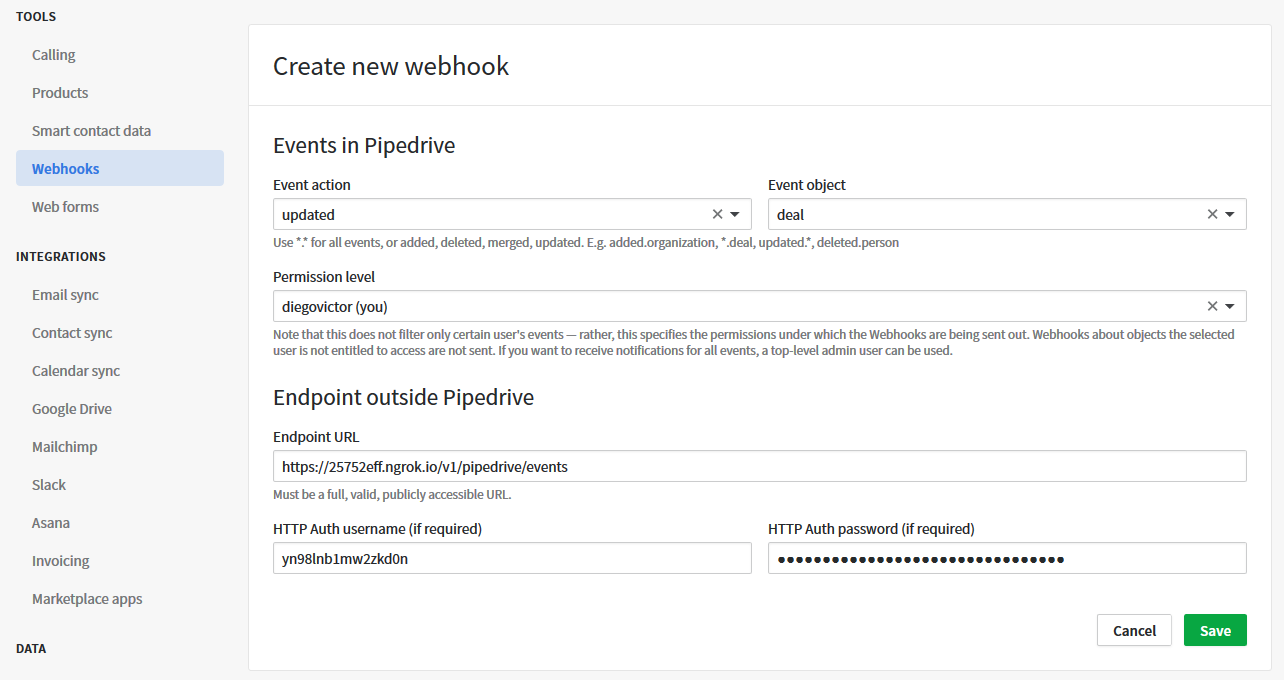
Create a webhook to listen `updated.deal` event, remember to set a user (`PIPEDRIVE_USER`) and password (`PIPEDRIVE_PWD`), for more information see:
* [Guide for Webhooks](https://pipedrive.readme.io/docs/guide-for-webhooks)
The webhook's url should be something like:
```
https:///v1/pipedrive/events
```
> If you are running the application local I recommend you to use [ngrok](https://ngrok.com) to export a url to access the application. (e.g. `https://25752eff.ngrok.io/v1/pipedrive/events`)
### Trello's API Key
To get a Trello's API key, go to trello app-key:
* [App-key](https://trello.com/app-key)
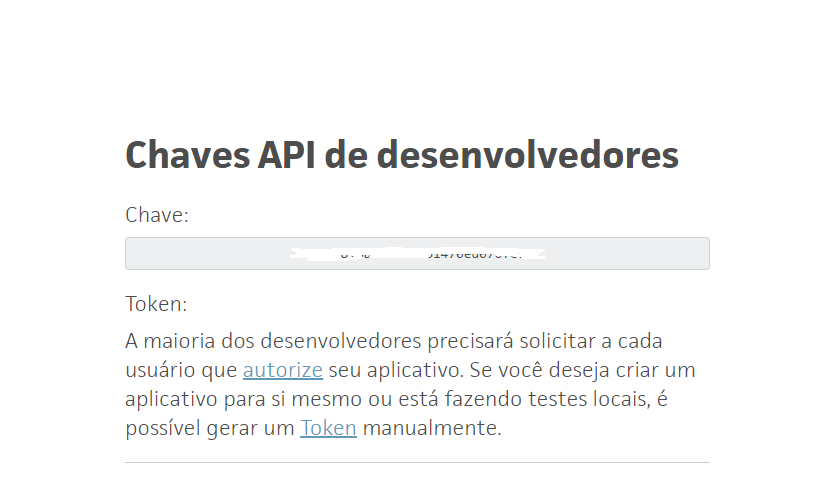
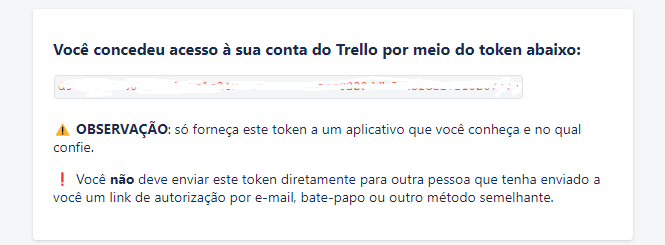
Then, click on `gerar token` or `generate token`.
# Usage
To start up the app run:
```
$ yarn start
```
Or:
```
$ npm run start
```
Then create new deals, make it pass through your funnel, etc, when you mark that deal as `won` the magic will happens :)
## Error Handling
Instead of only throw a simple message and HTTP Status Code this API return friendly errors:
```json
{
"statusCode": 401,
"error": "Unauthorized",
"message": "You are not authorized!",
"code": 741,
"docs": "https://github.com/DiegoVictor/pipedeals#errors-reference"
}
```
> Errors are implemented with [@hapi/boom](https://github.com/hapijs/boom).
> As you can see a url to errors docs are returned too. To configure this url update the `DOCS_URL` key from `.env` file.
> In the next sub section ([Errors Reference](#errors-reference)) you can see the errors `code` description.
### Errors Reference
|code|message|description
|---|---|---
|531|An error occurred while trying to retrieve the deal from Pipedrive|An error occurred during the request to get the deal in Pipedrive API, look the `details` key for more information.
|532|An error occurred while trying to retrieve the deal's custom fields from Pipedrive|The request to get custom fields from Pipedrive API throw an error. Look the `details` key for more information.
|533|An error occurred while trying to retrieve the deal's products from Pipedrive|Occurred an error while trying to retrieve deal's products, in `details` key will be more information about the error.
|534|An error occurred while trying to save the order at Bling|Something goes wrong when tried to send the opportunity to Bling. There are two steps here: payment method verification and buy order creation. For more information see the `details` key in the response.
|244|Report not found|The `id` sent not references an existing report in the database.
|344|Opportunity not found|The `id` sent not references an existing opportunity in the database.
|440|User not exists|The `email` sent not references an existing user in the database.
|450|User and/or password not match|User and/or password is incorrect.
|140|Email already in use|Already exists an user with the same email.
|640|Missing authorization|Pipedrive's webhook is not sending the Basic auth's user and password.
|641|You are not authorized!|Pipedrive's webhook is sending wrong Basic credentials.
|740|Missing authorization token|The Bearer Token was not sent.
|741|You are not authorized!|The Bearer Token provided is invalid or expired.
### X-Total-Count
Another header returned in routes with pagination, this bring the total records amount.
## Bearer Token
All reports and oppotunities routes expect a Bearer Token in an `Authorization` header.
> You can see these routes in the [routes](#routes) section.
```
GET http://localhost:3333/v1/pipedrive/events Authorization: Bearer
```
> To achieve this token you just need authenticate through the `/sessions` route and it will return the `token` key with a valid Bearer Token.
## Versioning
A simple versioning was made. Just remember to set after the `host` the `/v1/` string to your requests.
```
GET http://localhost:3333/v1/pipedrive
```
## Routes
|route|HTTP Method|pagination|params|description|auth method
|:---|:---:|:---:|:---:|:---|:---:
|`/pipedrive/events`|POST|:x:|Body with event's `event`, `current.id` and `current.status`.|Receive Piedrive deal's won event.|Basic
> Routes with `Bearer` as auth method expect an `Authorization` header. See [Bearer Token](#bearer-token) section for more information. `Basic` authentication is a base64 encoding of `PIPEDRIVE_USER` and `PIPEDRIVE_PWD` joined by a `:`, but you should not make manual requests to this endpoint (this will be responsability of the Pipedrive's [webhook](#webhook)).
### Requests
* `POST /pipedrive/events`
Request body:
```json
{
"current": {
"id": 1,
"status": "won"
},
"event": "updated.deal"
}
```
# Running the tests
[Jest](https://jestjs.io) was the choice to test the app, to run:
```
$ yarn test
```
Or:
```
$ npm run test
```
## Coverage report
You can see the coverage report inside `tests/coverage`. They are automatically created after the tests run.