https://github.com/jobinau/pg_gather
Scan PostgreSQL Instance for potential problems. pg_gather is a SQL-only script leveraging the built-in features of psql.
https://github.com/jobinau/pg_gather
database performance-analysis postgres postgresql scannner
Last synced: 11 months ago
JSON representation
Scan PostgreSQL Instance for potential problems. pg_gather is a SQL-only script leveraging the built-in features of psql.
- Host: GitHub
- URL: https://github.com/jobinau/pg_gather
- Owner: jobinau
- License: other
- Created: 2021-01-19T08:12:07.000Z (over 5 years ago)
- Default Branch: main
- Last Pushed: 2024-12-04T17:11:42.000Z (over 1 year ago)
- Last Synced: 2024-12-04T18:22:04.067Z (over 1 year ago)
- Topics: database, performance-analysis, postgres, postgresql, scannner
- Language: HTML
- Homepage:
- Size: 981 KB
- Stars: 147
- Watchers: 10
- Forks: 19
- Open Issues: 22
-
Metadata Files:
- Readme: README.md
- Changelog: history_schema.sql
- Contributing: docs/CONTRIBUTING
- License: LICENSE.md
- Security: docs/security.md
Awesome Lists containing this project
README
# pg_gather aka pgGather

Scan and collect the minimal amount of data needed to identify potential problems in your PostgreSQL database, and then generate an analysis report using that data. This project provides two SQL scripts for users:
* `gather.sql`: Gathers performance and configuration data from PostgreSQL databases.
* `gather_report.sql`: Analyzes the collected data and generates detailed HTML reports.
Everything is SQL-only, leveraging the built-in features of psql, the command-line utility of PostgreSQL
**Supported PostgreSQL Versions** : 10, 11, 12, 13, 14, 15, 16 & 17
**Older versions** : For PostgeSQL 9.6 and older, Please refer the [documentation page](docs/oldversions.md)
# Highlights
1. **Secure by Open :** Simple, Transperent, Fully auditable code.
To ensure full transparency of what is collected, transmitted, and analyzed, we use an SQL-only data collection script and avoid programs with any control structures, thus improving the readability and auditability of the data collection. This is one reason for separating data collection and analysis.
2. **No Executables :** No executables need to be deployed on the database host
Using executables in secured environments poses unacceptable risks in many highly secure environments. `pg_gather` requires only the standard PostgreSQL command line utility, `psql`, and no other libraries or executables.
3. **Authentication agnostic**
Any authentication mechanism supported by PostgreSQL works for data gathering in `pg_gather`, because it uses the standard `psql` command-line utility.
4. **Any Operating System**
Linux (32/64-bit), Sun Solaris, Apple macOS, and Microsoft Windows: pg_gather works wherever `psql` is available, ensuring maximum portability.
(Windows users, please see the [Notes section](#notes) below)
5. **Architecture agnostic**
x86-64 bit, ARM, Sparc, Power, and other architectures. It works anywhere `psql` is available.
6. **Auditable and optionally maskable data** :
`pg_gather` collects data in Tab Separated Values (TSV) format, making it easy to review and audit the information before sharing it for analysis. Additional masking or trimming is also possible with [simple steps](docs/security.md).
7. **Any cloud/container/k8s** :
Works with AWS RDS, Azure, Google Cloud SQL, on-premises databases, and more.
(Please see Heroku, AWS Aurora, Docker and K8s specific notes in the [Notes section](#notes) below)
8. **Zero failure design** :
`pg_gather` can generate a report from available information even if data collection is partial or fails due to permission issues, unavailable tables/views, or other reasons.
9. **Low overhead for data collection** :
By design, data collection is separate from data analysis. This allows the collected data to be analyzed on an independent system, so that analysis queries do not adversely impact critical systems. In most cases, the overhead of data collection is negligible.
10. **Small, single file data dump** :
To generate the smallest possible file, which can be further compressed by `gzip` for the easy transmission and storage, `pg_gather` avoids redundancy in the collected data as much as possible.
# How to Use
# 1. Data Gathering.
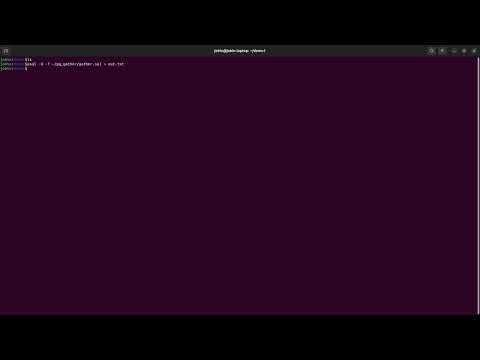
To gather configuration and performance information, run the `gather.sql` script against the database using `psql`:
```
psql -X -f gather.sql > out.tsv
```
OR ALTERNATIVELY pipe to a compression utilty to get a compressed output as follows:
```
psql -X -f gather.sql | gzip > out.tsv.gz
```
This script may take over 20 seconds to run because it contains sleeps/delays. We recommend running the script as a privileged user (such as `superuser` or `rds_superuser`) or as an account with the `pg_monitor` privilege. The output file contains performance and configuration data for analysis.
## Notes:
1. **Heroku** and similar DaaS hostings impose very high restrictions on collecting performance data. Queries on views like `pg_statistics` may produce errors during data collection, but these errors can be ignored.
2. **MS Windows** users!,
Client tools like [pgAdmin](https://www.pgadmin.org/) include `psql`, which can be used to run `pg_gather` against local or remote databases.
For example:
```
"C:\Program Files\pgAdmin 4\v4\runtime\psql.exe" -h pghost -U postgres -f gather.sql > out.tsv
```
3. **AWS Aurora** offers a "PostgreSQL-compatible" database. However, it is not a true PostgreSQL database, even though it looks like one. Therefore, you should do the following to the `gather.sql` script to replace any unapplicable lines with "NULL".
```
sed -i -e 's/^CASE WHEN pg_is_in_recovery().*/NULL/' gather.sql
```
4. **Docker** containers of PostgreSQL may not include the `curl` or `wget` utilities necessary to download `gather.sql`. Therefore, it is recommended to pipe the contents of the SQL file to `psql` instead.
```
cat gather.sql | docker exec -i psql -X -f - > out.tsv
```
5. **Kubernetes** environments also have similar restrictions as those mentioned for Docker. Therefore, a similar approach is suggested.
```
cat gather.sql | kubectl exec -i -- psql -X -f - > out.tsv
```
## Gathering data continuosly
There could be requirements for collecting data continuously and repatedly. `pg_gather` has a special lightweight mode for continuous data gathering, which is automatically enabled when it connects to the "template1" database. Please refer to detailed [documentation specific to continuous and repated data collection](docs/continuous_collection.md)
# 2. Data Analysis
## 2.1 Importing collected data
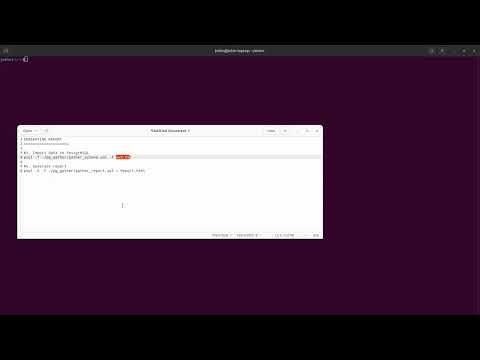
The collected data can be imported to a PostgreSQL Instance. This creates required schema objects in the `public` schema of the database.
**CAUTION :** Avoid importing the data into critical environments/databases. A temporary PostgreSQL instance is preferable.
```
psql -f gather_schema.sql -f out.tsv
```
Deprecated usage of `sed` : sed -e '/^Pager/d; /^Tuples/d; /^Output/d; /^SELECT pg_sleep/d; /^PREPARE/d; /^\s*$/d' out.tsv | psql -f gather_schema.sql -
## 2.2 Generating Report
An analysis report in HTML format can be generated from the imported data as follows.
```
psql -X -f gather_report.sql > GatherReport.html
```
You may use your favourite web browser to read the report.
NOTE: PostgreSQL version 13 or above is required to generate the analysis report.
# ANNEXTURE 1 : Using PostgreSQL container and wrapper script
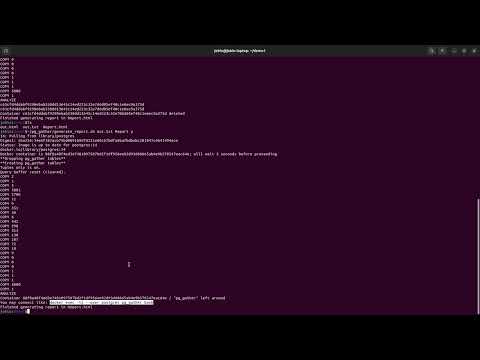
The steps for data analysis mentioned above seem simple (single command), but they require a PostgreSQL instance to import the data into. An alternative is to use the `generate_report.sh` script, which can spin up a PostgreSQL Docker container and automate the entire process. To use this script, you must place it in a directory containing the `gather_schema.sql` and `gather_report.sql` files.
The script will spin up a Docker container, import the output of `gather.sql` (out.tsv) and then it generates an HTML report. This script expects at least a single argument: path to the `out.tsv`.
There are two more additional positional arguments:
* Desired report name with path.
* A flag to specify whether to keep the docker container. This flag allows to usage of the container and data for further analysis.
Example 1: Import data and generate an HTML file
```
$ ./generate_report.sh /tmp/out.tsv
...
Container 61fbc6d15c626b484bdf70352e94bbdb821971de1e00c6de774ca5cd460e8db3 deleted
Finished generating report in /tmp/out.txt.html
```
Example 2: Import data, keep the container intact and generate the report in the specified location
```
$ ./generate_report.sh /tmp/out.tsv /tmp/custom-name.html y
...
Container df7b228a5a6a49586e5424e5fe7a2065d8be78e0ae3aa5cddd8658ee27f4790c left around
Finished generating report in /tmp/custom-name.html
```
# Advanced configurations
## Timezone
By default, the `pg_gather` report uses the same timezone of the server from which the data is collected, because it considers the `log_timezone` parameter for generating the report. This default timezone setting helps to compare the PostgreSQL log entries with the `pg_gather` report.
However, this may not be the right timezone for few users, especially when cloud hostings are used. The `pg_gather` allows the user to have a custom timezone by setting the environment variable `PG_GATHER_TIMEZONE` to override the default. For example,
```
export PG_GATHER_TIMEZONE='UTC'
```
Please use the timezone name or abbreviation available from `pg_timezone_names`
# Demo
## Data collection
[](https://youtu.be/4EK7BoV6oOg)
## Simple Report Generation (1min):
[](https://youtu.be/Y8gq1dwfzQU)
## Report generation using postgresql docker container made easy (3min):
[](https://youtu.be/amPQRzz5D8Y)