https://github.com/joehinkle11/Login-with-Apple-Firebase-SwiftUI
A SwiftUI component which handles logging in with Apple to Firebase
https://github.com/joehinkle11/Login-with-Apple-Firebase-SwiftUI
Last synced: 9 months ago
JSON representation
A SwiftUI component which handles logging in with Apple to Firebase
- Host: GitHub
- URL: https://github.com/joehinkle11/Login-with-Apple-Firebase-SwiftUI
- Owner: joehinkle11
- License: zlib
- Created: 2019-12-15T18:24:05.000Z (about 6 years ago)
- Default Branch: master
- Last Pushed: 2020-01-28T04:27:58.000Z (almost 6 years ago)
- Last Synced: 2024-11-03T02:32:07.527Z (about 1 year ago)
- Language: Swift
- Size: 6.3 MB
- Stars: 179
- Watchers: 2
- Forks: 23
- Open Issues: 4
-
Metadata Files:
- Readme: README.md
- License: LICENSE.md
Awesome Lists containing this project
- awesome-swiftui - joehinkle11/Login-with-Apple-Firebase-SwiftUI
- fucking-about-SwiftUI - Login-with-Apple-Firebase-SwiftUI
README
# Login with Apple Firebase SwiftUI
I made this SwiftUI component to handle logging in with Apple to Firebase.
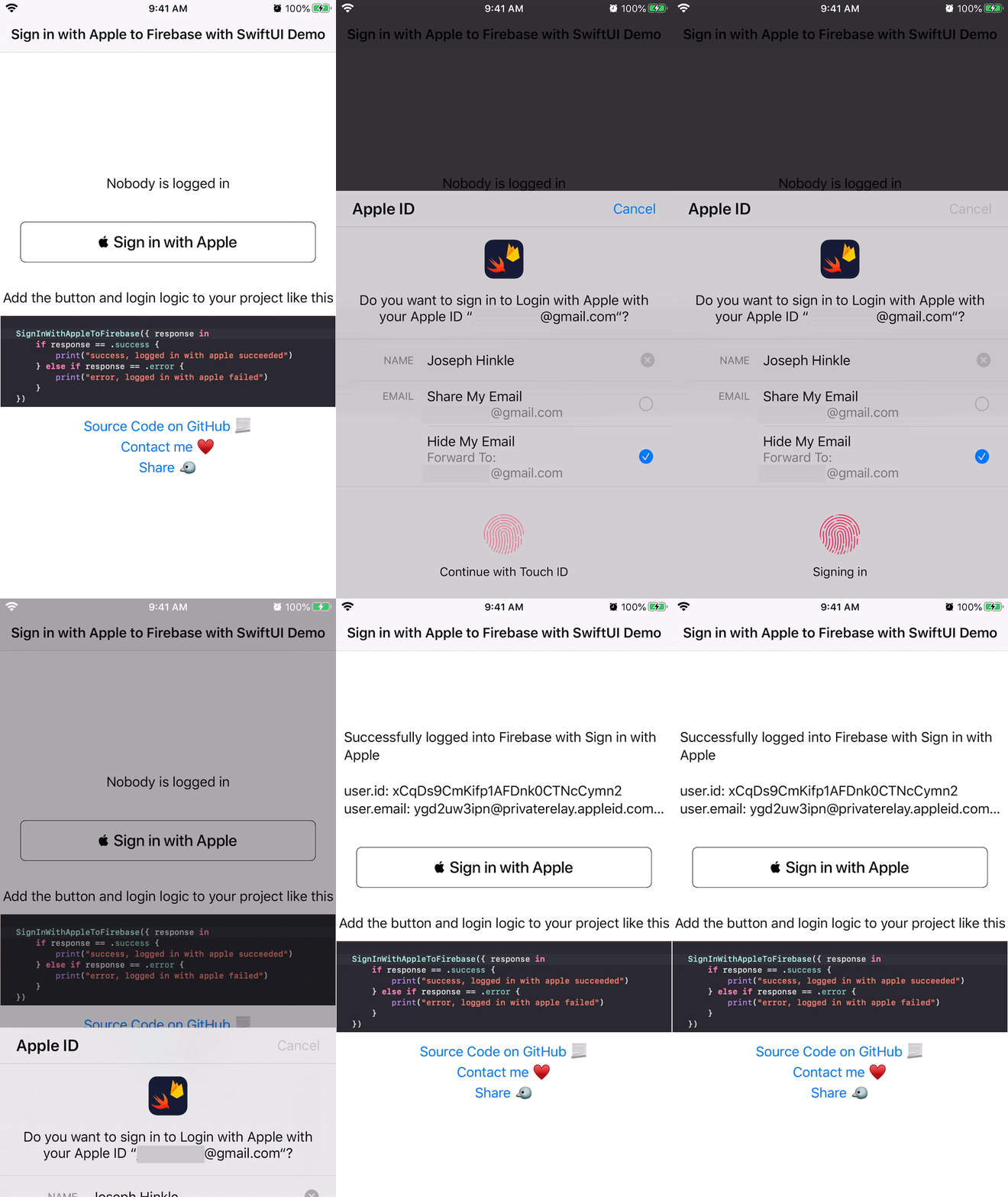
# Demo Gif
# Usage in SwiftUI
```swift
struct ContentView: View {
var body: some View {
SignInWithAppleToFirebase({ response in
if response == .success {
print("logged into Firebase through Apple!")
} else if response == .error {
print("error. Maybe the user cancelled or there's no internet")
}
})
}
}
```
# Setup
1. Copy the entirety of the `SignInWithAppleToFirebase` folder to your repo. https://github.com/joehinkle11/Login-with-Apple-Firebase-SwiftUI/tree/master/LoginWithAppleFirebaseSwiftUI/SignInWithAppleToFirebase
2. Add Firebase to your project https://firebase.google.com/docs/ios/setup?authuser=0
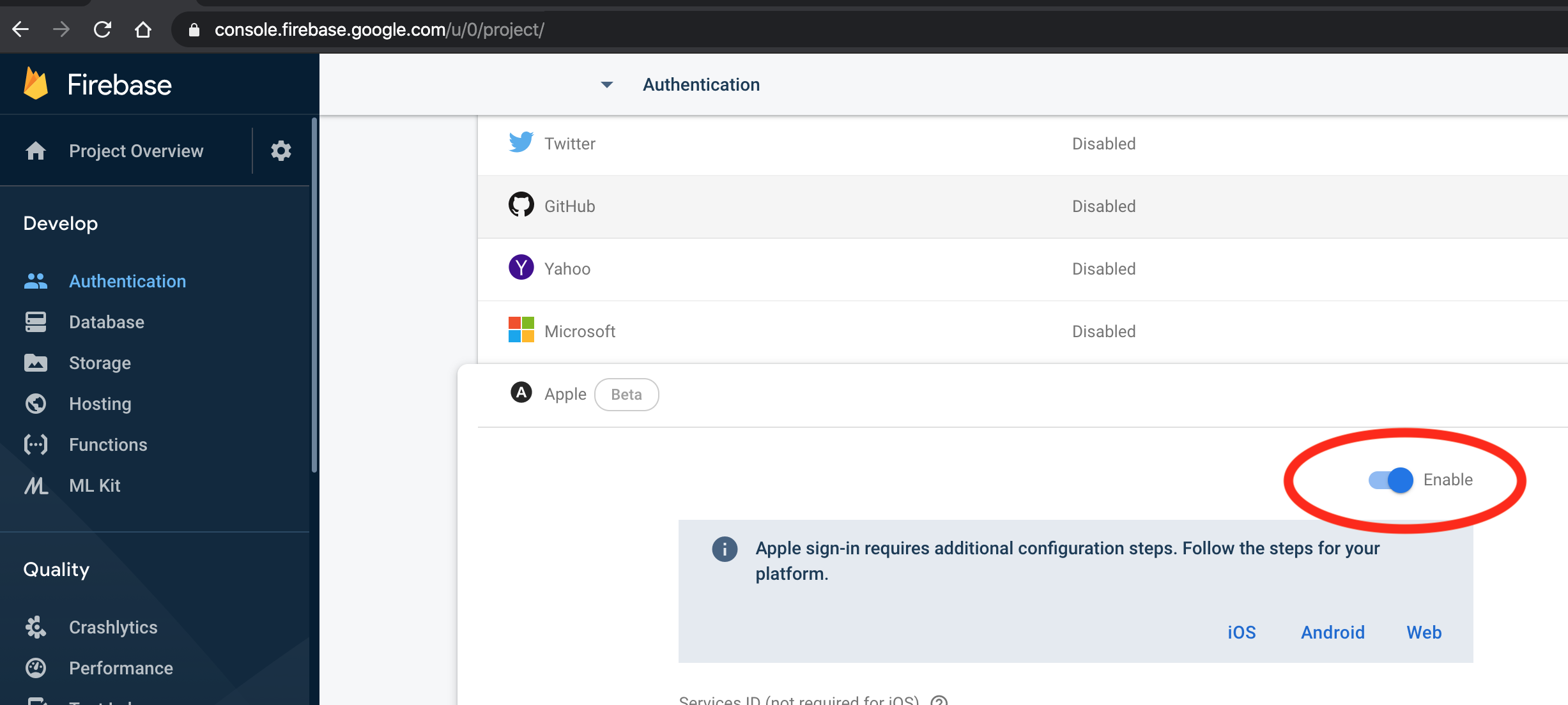
3. Add sign in with Apple as a valid login method on your Firebase project at this link https://console.firebase.google.com/u/0/project//authentication/providers
4. Make sure you have Firebase properly in your `Podfile` and run `pod install`
```
...
# Pods for LoginWithAppleFirebaseSwiftUI
pod 'Firebase/Auth'
...
```
5. Make sure you open the Xcode workspace generated by Cocopods (this is detailed in the Firebase tutorial in step 2)
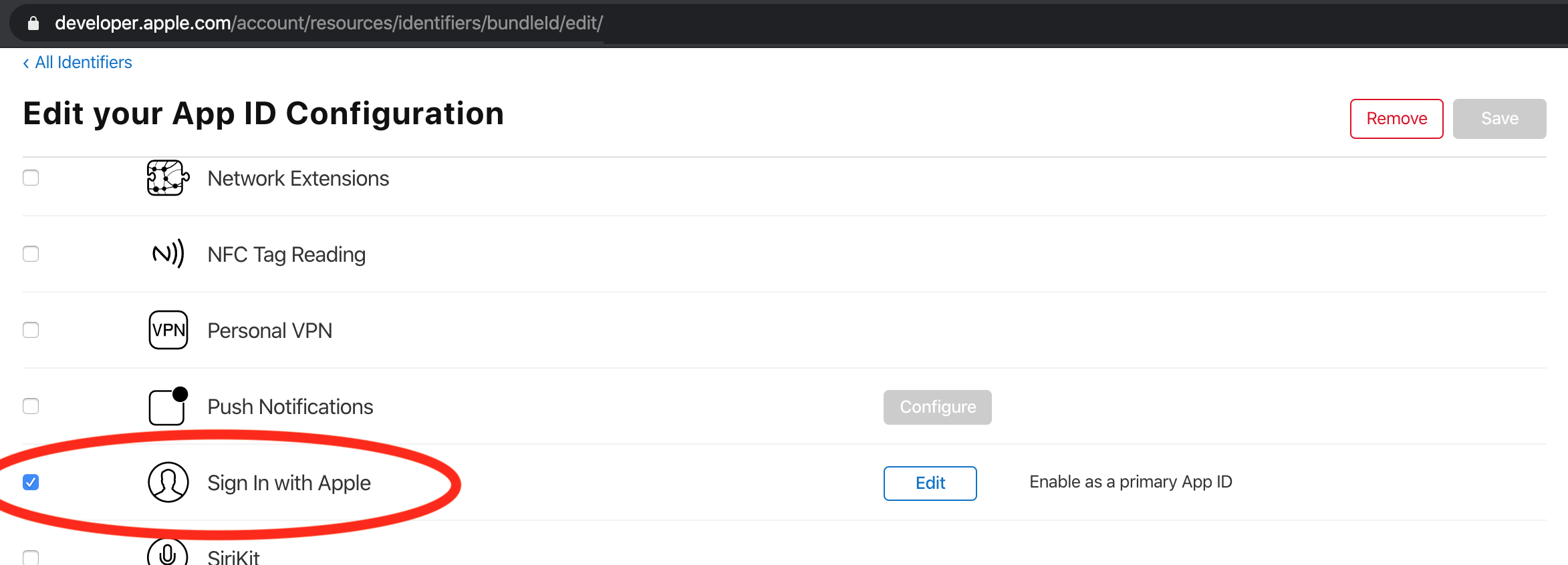
6. Add Sign In with Apple to your app's id configuration at https://developer.apple.com/account/resources/identifiers/list
Remove
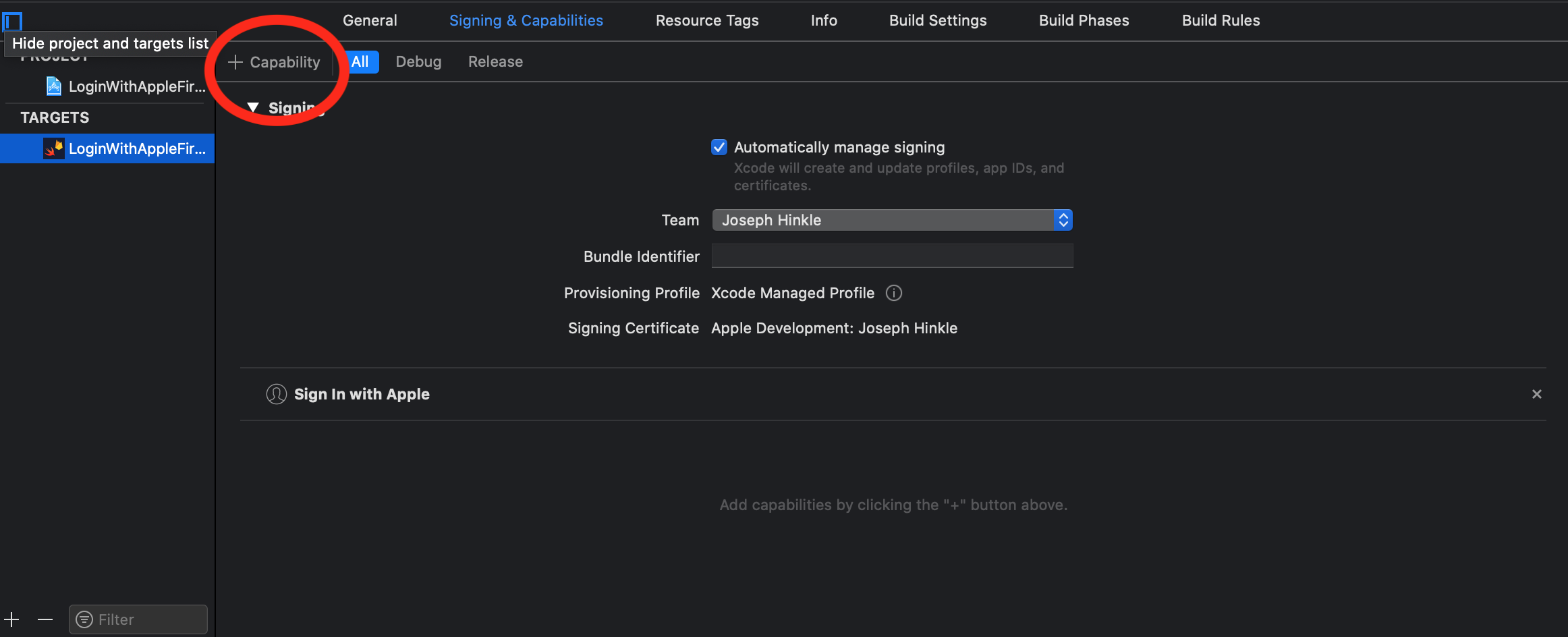
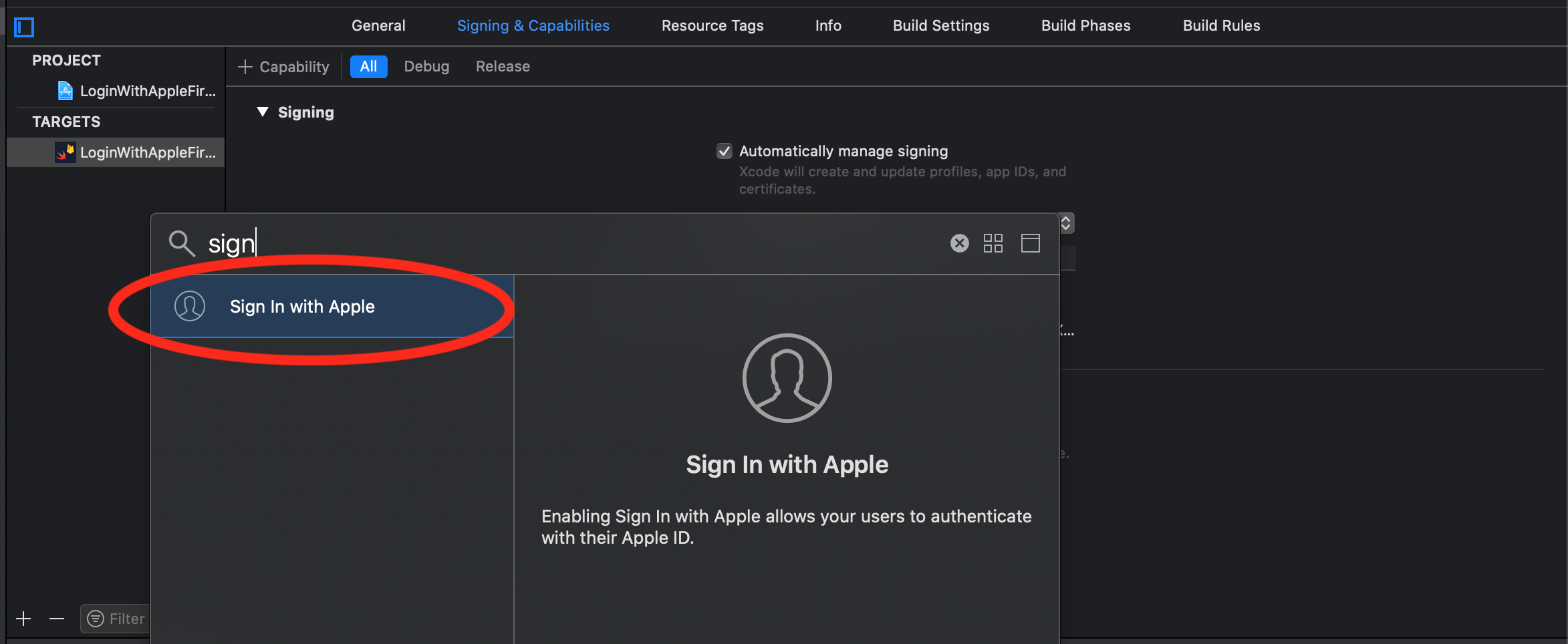
7. Add Sign in with Apple to your project's capabilities
8. Add the `SignInWithAppleToFirebase` button from this codebase to your view
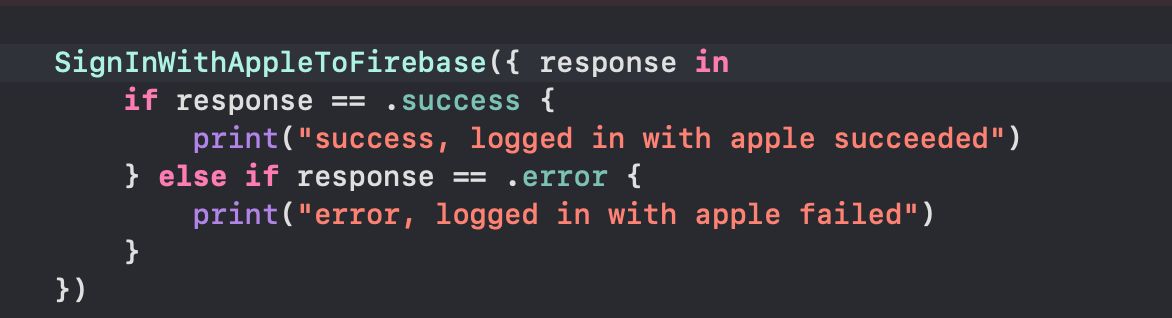
9. Now when users click on the button, it will sign them into Firebase using sign in with Apple
# Gotchas
- You need a GoogleService-Info.plist file to compile this codebase. Go through the setup process on Firebase
- You also need to have Cocopods and run `pod install`
# Tutorials/code used
- https://firebase.google.com/docs/auth/ios/apple?authuser=0
- https://www.raywenderlich.com/4875322-sign-in-with-apple-using-swiftui