https://github.com/joeldeondsouza/electron-brainbox
BrainBox is a cross-platform desktop application built with Electron.
https://github.com/joeldeondsouza/electron-brainbox
electron jotai mdx-editor node tailwindcss typescript
Last synced: about 2 months ago
JSON representation
BrainBox is a cross-platform desktop application built with Electron.
- Host: GitHub
- URL: https://github.com/joeldeondsouza/electron-brainbox
- Owner: JoelDeonDsouza
- Created: 2024-05-07T12:36:53.000Z (about 2 years ago)
- Default Branch: main
- Last Pushed: 2024-05-09T21:22:05.000Z (about 2 years ago)
- Last Synced: 2025-04-08T14:52:33.065Z (about 1 year ago)
- Topics: electron, jotai, mdx-editor, node, tailwindcss, typescript
- Language: TypeScript
- Homepage:
- Size: 588 KB
- Stars: 2
- Watchers: 1
- Forks: 1
- Open Issues: 0
-
Metadata Files:
- Readme: README.md
Awesome Lists containing this project
README
# Electron-BrainBox
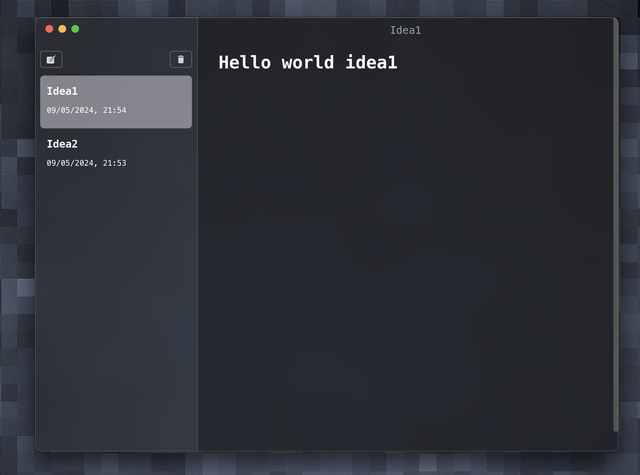
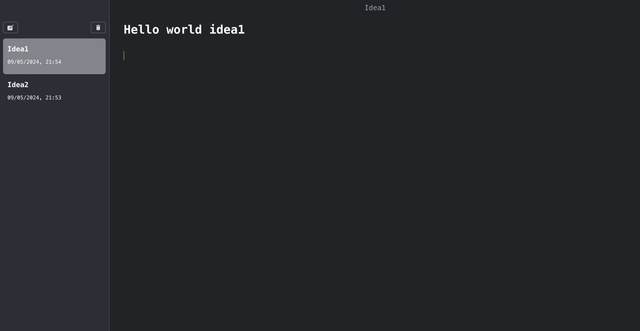
BrainBox is a cross-platform desktop application built with Electron and TypeScript that allows users to efficiently take and store notes.
## Screenshots
## Tech Stack
**Client:** Electron, TypeScript, Tailwind, Mdxeditor, jotai
**Server:** Node.js
## Features
- Simple Interface: Clean and user-friendly interface for easy note-taking.
- Markdown Support: Write notes in Markdown format for enhanced formatting.
- Multiple Notebooks: Organize notes into different notebooks for better categorization.
- Cross-Platform: Works seamlessly on Windows, macOS, and Linux.
## Run Locally
Clone the project
```bash
git clone https://github.com/JoelDeonDsouza/Electron-BrainBox.git
```
Go to the project directory
```bash
cd my-project
```
Install dependencies
```bash
npm install
```
Start the server
```bash
npm run dev
```
## Local Storage
- This modification instructs users to create a local folder named `IdeaMark` to store files. Alternatively, it mentions the possibility of changing the storage location by modifying the `getRootDir()` function in the `lib/index.ts` file.
## Usage
- Create a New Note: Click on the "New Note" button to create a new note. Write your content in the text editor.
- Edit Note: Double-click on a note in the list to edit it.