https://github.com/joeysnclr/spoti-cli
Spotify in the terminal. Efficiently browse without the mouse.
https://github.com/joeysnclr/spoti-cli
genius lyrics spotify terminal tui vim
Last synced: 9 months ago
JSON representation
Spotify in the terminal. Efficiently browse without the mouse.
- Host: GitHub
- URL: https://github.com/joeysnclr/spoti-cli
- Owner: joeysnclr
- Created: 2020-08-21T15:22:56.000Z (almost 6 years ago)
- Default Branch: master
- Last Pushed: 2025-01-01T05:28:20.000Z (over 1 year ago)
- Last Synced: 2025-02-01T15:11:30.538Z (over 1 year ago)
- Topics: genius, lyrics, spotify, terminal, tui, vim
- Language: Python
- Homepage:
- Size: 2.75 MB
- Stars: 12
- Watchers: 1
- Forks: 0
- Open Issues: 0
-
Metadata Files:
- Readme: README.md
Awesome Lists containing this project
README
# Spotify Terminal Application
### Intro
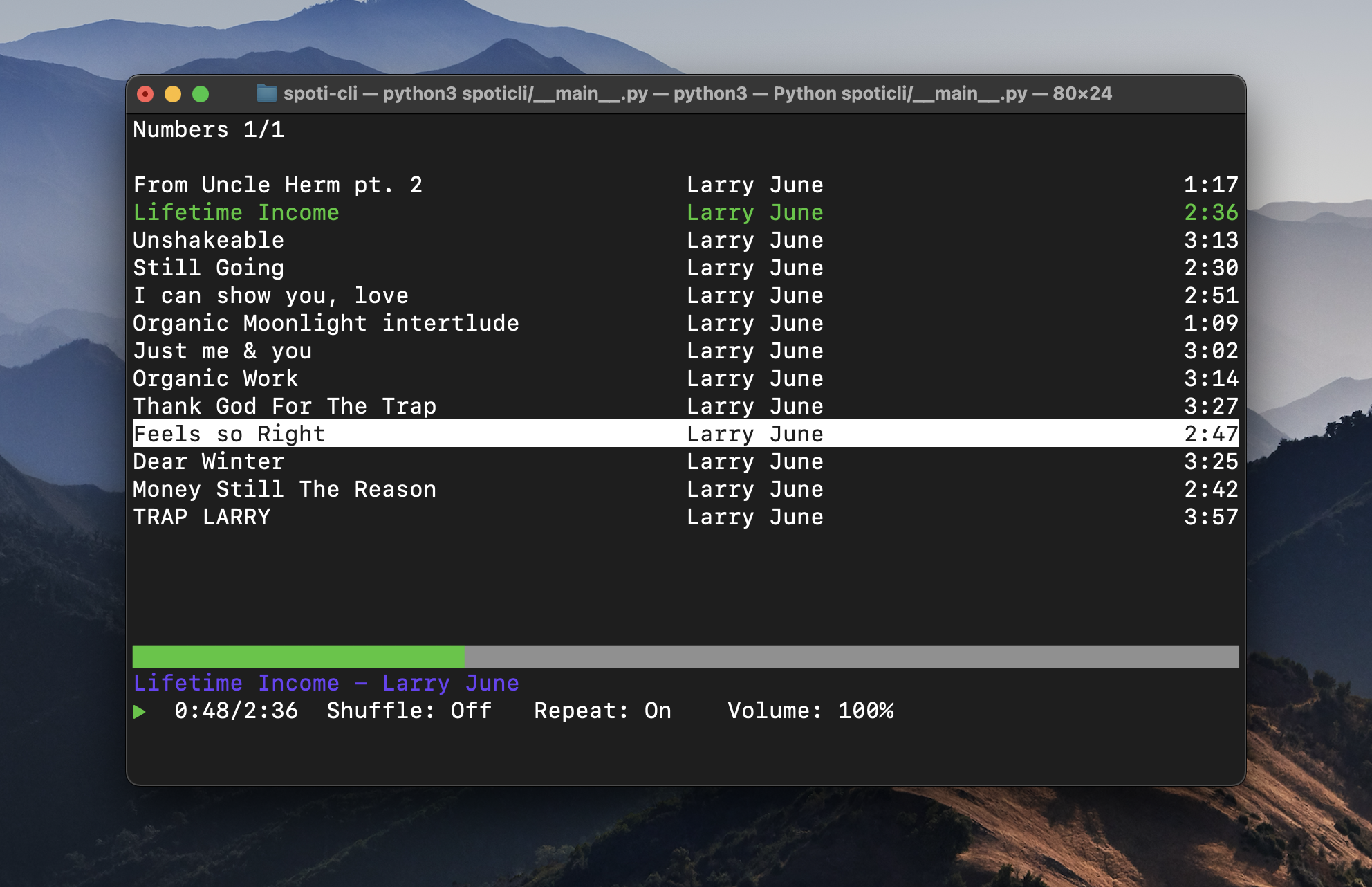
Spotify Terminal Application is a terminal client for Spotify. Designed with efficiency in mind, it uses quick keybindings for navigating and controlling your music.
Supports Mac & Linux
### Requirements
- Python3 and pip
- Spotify Premium
- [Spotify Developer Application](https://developer.spotify.com/dashboard/login)
- client-id and client-secret are retrieved from your Spotify Developer Application
### Install & Usage
Clone repository
`git clone https://github.com/joeysnclr/spoti-cli.git`
Change directory to repo
`cd spoti-cli`
Install requirements
`pip3 install -r requirements.txt`
Add `http://127.0.0.1:5000/auth` as a Redirect URI for your Spotify developer Application
Run application & Input your **client-id** and **client-secret**
`python3 spoticli/__main__.py`
Press `?` for help.