https://github.com/johanbook/dotfiles
My personal setup for Vim, tmux and Sway. Check it out!
https://github.com/johanbook/dotfiles
dotfiles sway vim
Last synced: 10 months ago
JSON representation
My personal setup for Vim, tmux and Sway. Check it out!
- Host: GitHub
- URL: https://github.com/johanbook/dotfiles
- Owner: johanbook
- Created: 2019-02-20T08:09:05.000Z (over 7 years ago)
- Default Branch: master
- Last Pushed: 2025-08-06T11:38:23.000Z (11 months ago)
- Last Synced: 2025-08-06T13:18:54.615Z (11 months ago)
- Topics: dotfiles, sway, vim
- Language: Vim Script
- Homepage:
- Size: 6.79 MB
- Stars: 1
- Watchers: 1
- Forks: 0
- Open Issues: 1
-
Metadata Files:
- Readme: README.md
Awesome Lists containing this project
README
# Johan's Dotfiles
I am running Arch Linux on Wayland and Sway. On top of that I use a Gruvbox
inspired theme. See the screenshot below for look and feel. Feel free to check
out my configs!
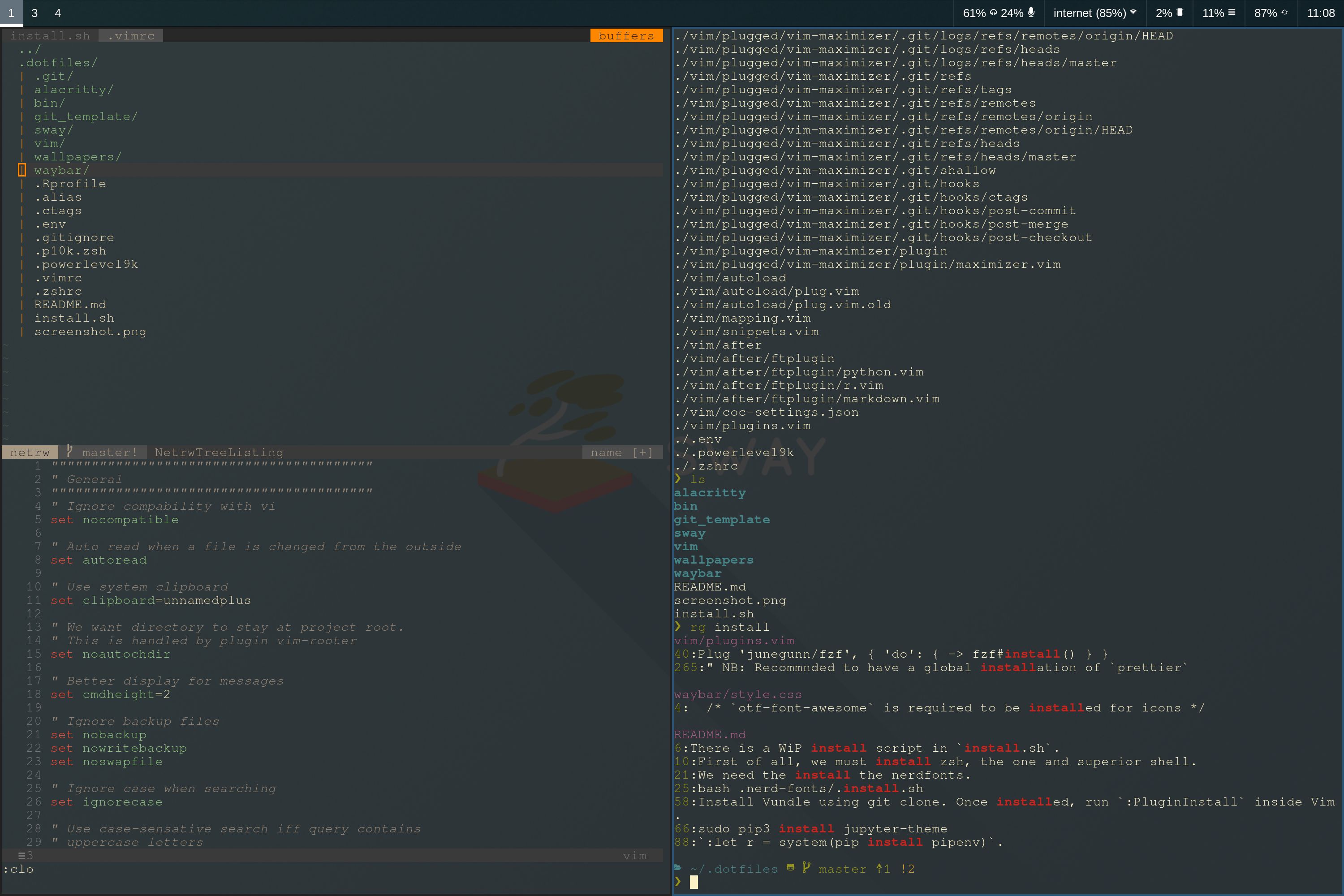
There is install script in `install.sh`.
## Sway
Sway can be tied to the login shell by adding
```sh
if [ -z $DISPLAY ] && [ "$(tty)" = "/dev/tty1" ]; then
exec sway
fi
```
to e.g. `/etc/profile`.
## Terminal
### Fonts
I am normally content with Font Awesome, but one can install nerdfonts using
```sh
git clone --depth 1 https://github.com/ryanoasis/nerd-fonts .nerd-fonts/
bash .nerd-fonts/.install.sh
```
## Bash linting
You can install `spellcheck` and `shfmt` via Pacman.
## Jupyter Notebook
If using Jupyter Notebook one can use custom themes. Install `jupyter-theme` to
your system wide Python distribution,
```sh
sudo pip3 install jupyter-theme
```
Change theme to gruvbox
```sh
jupyter-theme -t gruvboxd
```
## Browser
I use the Brave browser with the following plugins;
- [Vimium](https://github.com/philc/vimium)
- [Gruvbox theme](https://github.com/bbrks/chrome-gruvbox)
- [Gruvbox dev tools](https://chrome.google.com/webstore/detail/devtools-theme-gruvbox-da/njcgdakjdifgccdgnoiphpnihcfopcmj)
## Various tricks
### Vim: sh: pipenv not found
If vim python integration fails due to pipenv is not found, run
`:let r = system(pip install pipenv)`.