https://github.com/johngrib/vim-mac-dictionary
https://github.com/johngrib/vim-mac-dictionary
Last synced: 5 months ago
JSON representation
- Host: GitHub
- URL: https://github.com/johngrib/vim-mac-dictionary
- Owner: johngrib
- License: mit
- Created: 2018-11-06T08:35:44.000Z (over 7 years ago)
- Default Branch: master
- Last Pushed: 2018-11-08T05:25:47.000Z (over 7 years ago)
- Last Synced: 2025-03-06T02:41:23.601Z (12 months ago)
- Language: Vim script
- Size: 22.5 KB
- Stars: 17
- Watchers: 3
- Forks: 1
- Open Issues: 0
-
Metadata Files:
- Readme: README.md
- License: LICENSE
Awesome Lists containing this project
- awesome-list - vim-mac-dictionary
README
# vim-mac-dictionary
[English](README.md) [한국어](README_kr.md)
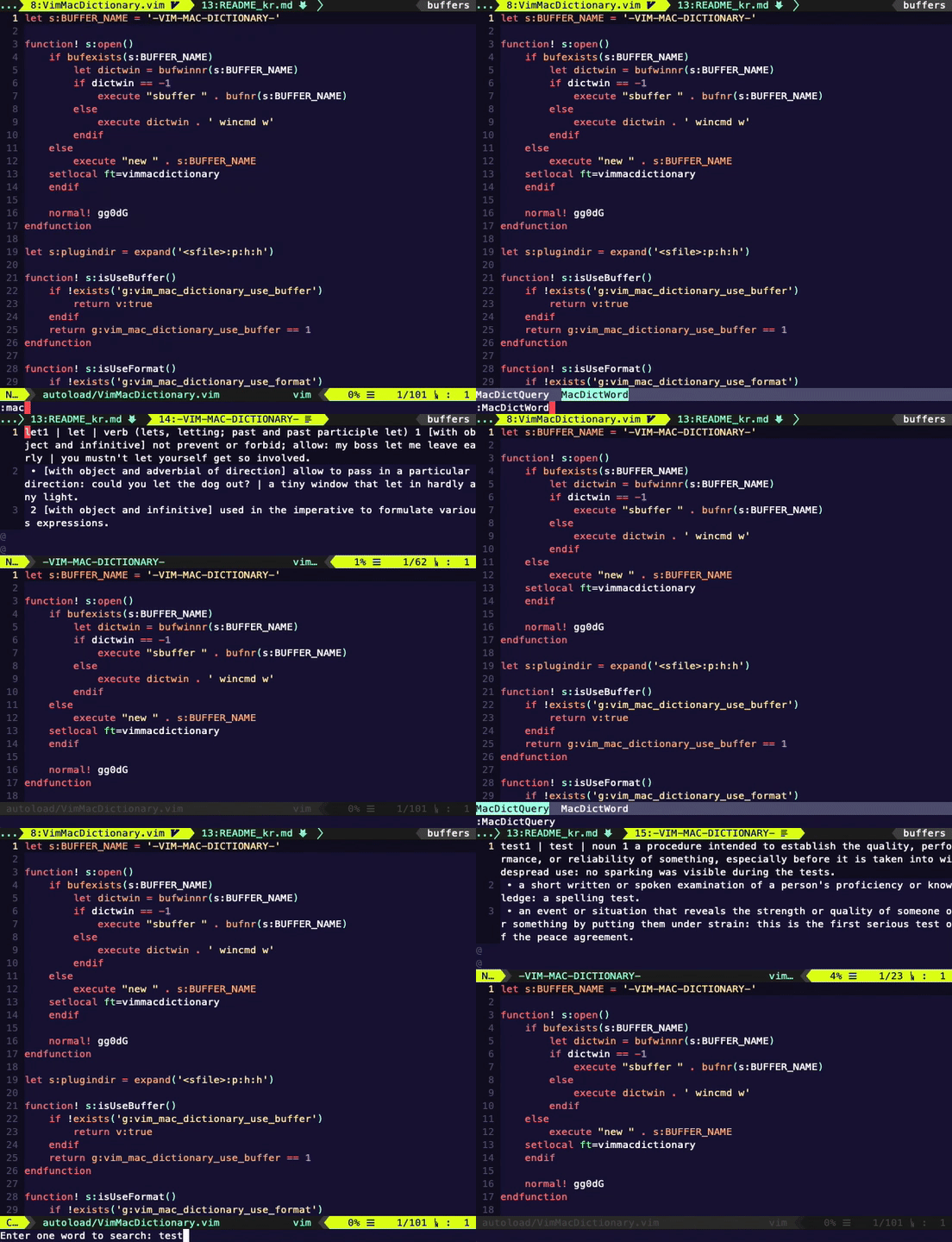
A Vim plugin that helps you find words using Mac's dictionary app.

# Installation
* This plug-in is only available for MacOS.
## VimPlug
Place this in your .vimrc:
```viml
Plug 'johngrib/vim-mac-dictionary'
```
Then run the following in Vim:
```
:source %
```
```
:PlugInstall
```
## Select a dictionary to use
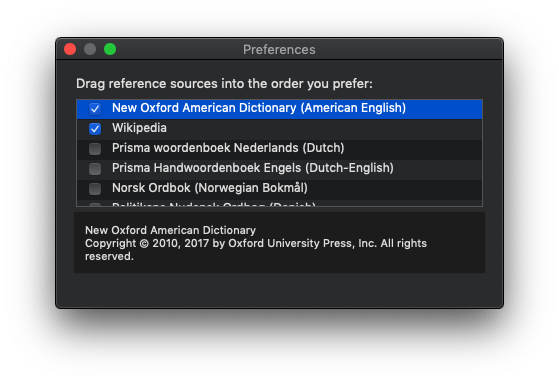
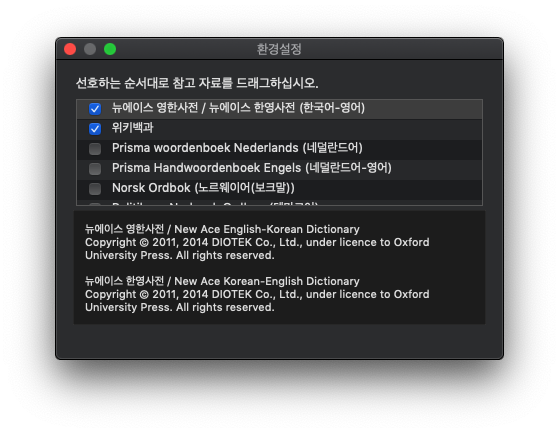
1. Launch the built-in dictionary app on your Mac.
2. Enter `command +,` to enter the setting screen.
3. Drag the mouse over the dictionary you want to use and put it on the **top line**.
* Please be sure to set it because it will show only the search result of the dictionary in the top row.
## How To Use
* Place the cursor on a word and type `:MacDictWord` to find the dictionary.
* type `:MacDictQuery` and then type the word you want to search for, it will find the dictionary.
You can register shortcuts in the following ways:
```viml
nnoremap :MacDictWord
nnoremap :MacDictQuery
```
## Configuration
### Do not using formatted result
```viml
" shows the raw string from the dictionary
let g:vim_mac_dictionary_use_format = 0
```
### View in app
```viml
let g:vim_mac_dictionary_use_app = 1
```