https://github.com/johnkil/print
A lightweight Android library for use iconic fonts.
https://github.com/johnkil/print
android iconic-fonts imageview typeface
Last synced: about 1 year ago
JSON representation
A lightweight Android library for use iconic fonts.
- Host: GitHub
- URL: https://github.com/johnkil/print
- Owner: johnkil
- License: apache-2.0
- Created: 2014-09-29T13:07:23.000Z (almost 12 years ago)
- Default Branch: master
- Last Pushed: 2018-02-28T06:13:42.000Z (over 8 years ago)
- Last Synced: 2025-04-03T00:06:23.041Z (over 1 year ago)
- Topics: android, iconic-fonts, imageview, typeface
- Language: Java
- Homepage: http://johnkil.github.io/Print
- Size: 502 KB
- Stars: 209
- Watchers: 7
- Forks: 40
- Open Issues: 3
-
Metadata Files:
- Readme: README.md
- Changelog: CHANGELOG.md
- License: LICENSE.txt
Awesome Lists containing this project
README
Print
=====
[](https://android-arsenal.com/details/1/1016)
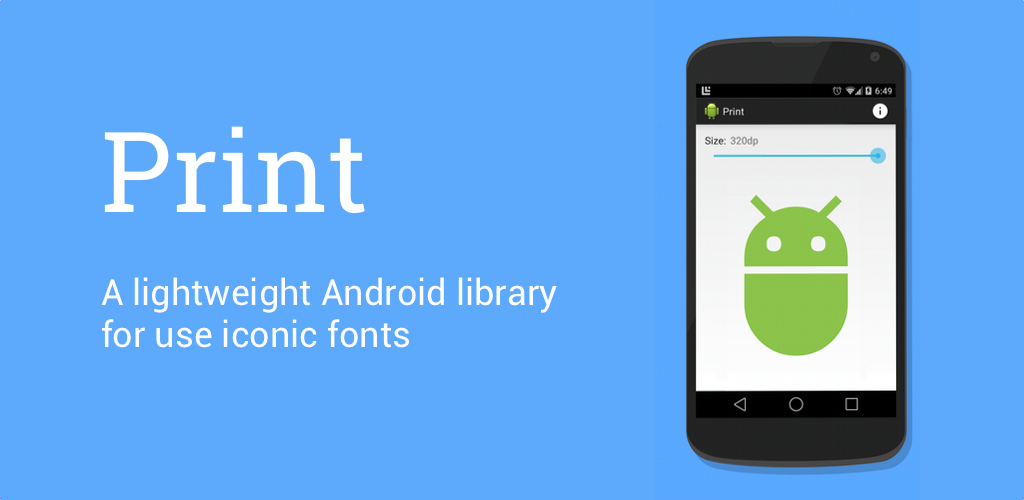
A lightweight Android library for use iconic fonts.

Download
--------
Gradle:
```groovy
compile 'com.github.johnkil.print:print:1.3.1'
```
Maven:
```xml
com.github.johnkil.print
print
1.3.1
aar
```
Getting started
---------------
#### Add fonts
Add your custom iconic fonts to `assets/`.
#### Setup default font
Define your default iconic font using `PrintConfig` in [Application.onCreate()][1] method. This font will be used in cases when the value of a font is not specified.
```java
public class MyApplication extends Application {
@Override
public void onCreate() {
super.onCreate();
PrintConfig.initDefault(getAssets(), "fonts/iconic-font.ttf");
}
}
```
_Note: The definition of the default font is not necessary, in this case, you must specify the value of the font all the time._
Usage
-----
#### PrintDrawable
If you need an icon in `ImageView` or in `ActionBar`, then you should use `PrintDrawable`. To create the drawable using `PrintDrawable.Builder`.
```java
@Override
public boolean onCreateOptionsMenu(Menu menu) {
getMenuInflater().inflate(R.menu.main, menu);
// Set an icon in the ActionBar
menu.findItem(R.id.action_info).setIcon(
new PrintDrawable.Builder(context)
.iconTextRes(R.string.ic_info)
.iconColorRes(R.color.ab_icon_color)
.iconSizeRes(R.dimen.ab_icon_size)
.build()
);
return true;
}
```
#### Custom views
Use `PrintView` as single icon in your layout.
```xml
```
Or use `PrintButton` to create a button with an icon. Using a view similar to `PrintView`.
```xml
```
#### XML Attributes
| _Attribute Name_ | _Related Method_ |
| :--------------------- | :---------------------------------- |
| __print_iconText__ | setIconTextRes(int resId) |
| | setIconText(CharSequence text) |
| __print_iconCode__ | setIconCodeRes(int resId) |
| | setIconCode(int code) |
| __print_iconColor__ | setIconColorRes(int resId) |
| | setIconColor(int color) |
| | setIconColor(ColorStateList colors) |
| __print_iconSize__ | setIconSizeRes(int resId) |
| | setIconSizeDp(float size) |
| | setIconSize(int unit, float size) |
| __print_iconFont__ | setIconFont(String path) |
| | setIconFont(Typeface font) |
Links
-----
* [Android-Icon-Fonts][2] - Material and Holo iconic fonts.
License
-------
Copyright 2014 Evgeny Shishkin
Licensed under the Apache License, Version 2.0 (the "License");
you may not use this file except in compliance with the License.
You may obtain a copy of the License at
http://www.apache.org/licenses/LICENSE-2.0
Unless required by applicable law or agreed to in writing, software
distributed under the License is distributed on an "AS IS" BASIS,
WITHOUT WARRANTIES OR CONDITIONS OF ANY KIND, either express or implied.
See the License for the specific language governing permissions and
limitations under the License.
[1]: http://developer.android.com/reference/android/app/Application.html#onCreate%28%29
[2]: https://github.com/johnkil/Android-Icon-Fonts
[0]: https://github.com/shamanland/fonticon
[0]: https://github.com/atermenji/IconicDroid
[0]: https://github.com/JoanZapata/android-iconify
[0]: https://github.com/chrisjenx/Calligraphy
[0]: https://github.com/theDazzler/droidicon
[0]: https://github.com/mikepenz/Android-Iconics
[0]: https://github.com/Malinskiy/android-material-icons
[0]: https://github.com/kazy1991/FontDrawable
[0]: https://github.com/svendvd/Fontinator
[0]: https://github.com/code-mc/material-icon-lib