https://github.com/jojoee/grayscale-body-js
:pray: Automatically turn the site to grayscale (may be used for some purpose)
https://github.com/jojoee/grayscale-body-js
grayscale
Last synced: about 1 year ago
JSON representation
:pray: Automatically turn the site to grayscale (may be used for some purpose)
- Host: GitHub
- URL: https://github.com/jojoee/grayscale-body-js
- Owner: jojoee
- Created: 2016-10-22T08:53:10.000Z (almost 10 years ago)
- Default Branch: master
- Last Pushed: 2018-12-18T09:08:52.000Z (over 7 years ago)
- Last Synced: 2025-05-19T08:11:30.355Z (about 1 year ago)
- Topics: grayscale
- Language: JavaScript
- Homepage: https://jojoee.github.io/grayscale-body-js/
- Size: 333 KB
- Stars: 3
- Watchers: 1
- Forks: 0
- Open Issues: 1
-
Metadata Files:
- Readme: README.md
Awesome Lists containing this project
README
# grayscaleBody.js
[](https://bower.io/search/?q=grayscale-body-js) [](https://www.npmjs.com/package/grayscale-body-js) [](https://github.com/jojoee/grayscale-body-js/releases) [](https://github.com/jojoee/grayscale-body-js/archive/master.zip)
Automatically turn the site to grayscale (may be used for some purpose)
[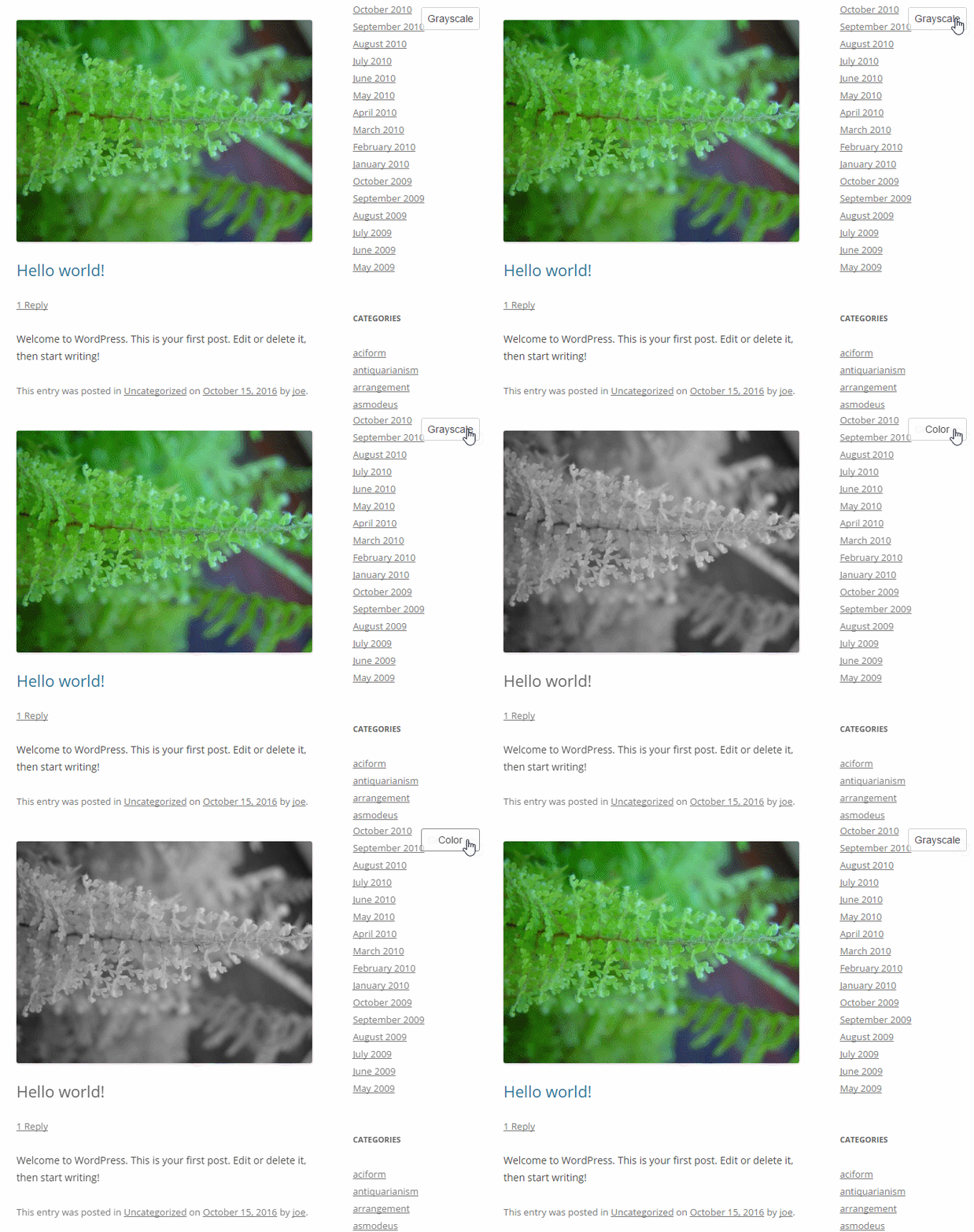](http://jojoee.github.io/grayscale-body-js/)
## Install
1: npm
```
1.1 Install npm
1.2 Install package: `npm install --save grayscale-body-js`
```
2: bower
```
2.1 Install npm
2.2 Install bower: `npm install -g bower`
2.3 Install package: `bower install --save grayscale-body-js`
```
## Getting Started for dev
1. Install [Node.js](https://nodejs.org/en/)
2. Set path (e.g. `cd C:\xampp\htdocs\jojoee.com\grayscale-body-js`)
3. Install global: `npm install -g gulp bower browser-sync`
4. Install dependencies: `bower install && npm install`
5. Start: `gulp` to build and `gulp watch` to dev
## Usage
```
// init
var option = {
switcherPosition: 'bottom-right', // string: top-left, top-right, bottom-left, bottom-right
isEnableSwitcher: true, // boolean
isDebug: true, // boolean
};
var gsb = new GrayscaleBody(option);
// event
gsb.on('onSwitchersClicked', function() {
console.log('onSwitchersClicked - callback 1');
});
```
## Feature
- Grayscale / Color switcher (for non-IE)
- 4 switcher positions
- Compatible with all browsers:
- [Google Chrome](https://www.google.com/chrome/) 19+
- [Mozilla Firefox](https://www.mozilla.org/firefox/) 3.5+
- [Safari](http://www.apple.com/safari/) 6+
- [Internet Explorer](https://www.microsoft.com/en-us/download/internet-explorer.aspx) 8-9
- [Opera](http://www.opera.com/) 11.5
## Note
- 2 spaces for indent
# TODO
- [ ] Support IE edge
- [ ] DocBlockr
- [ ] Grayscale opacity customizer
- [ ] Unit test
- [ ] Separate utilities function into another files
- [ ] Add callback event when switcher button's triggered
- [ ] Add [.npmignore](https://docs.npmjs.com/misc/developers)
- [ ] Implement [ci.testling.com](https://ci.testling.com/)
- [ ] Add E2E testing script by [Nightwatch.js](http://nightwatchjs.org/)
- [ ] Localization
- [ ] Update `demo` page
## Thank you
- [ ] [Unsplash It](https://unsplash.it/)