https://github.com/jonathanbeber/onefootball
Onefootball DevOps Challenge
https://github.com/jonathanbeber/onefootball
automation bash devops docker docker-compose golang sensu
Last synced: 3 months ago
JSON representation
Onefootball DevOps Challenge
- Host: GitHub
- URL: https://github.com/jonathanbeber/onefootball
- Owner: jonathanbeber
- License: gpl-3.0
- Created: 2018-03-28T12:31:14.000Z (over 8 years ago)
- Default Branch: master
- Last Pushed: 2018-03-30T16:04:12.000Z (over 8 years ago)
- Last Synced: 2025-10-29T18:49:09.005Z (9 months ago)
- Topics: automation, bash, devops, docker, docker-compose, golang, sensu
- Language: Shell
- Size: 81.1 KB
- Stars: 0
- Watchers: 0
- Forks: 0
- Open Issues: 0
-
Metadata Files:
- Readme: README.md
- License: LICENSE
Awesome Lists containing this project
README
# Onefootball DevOps Challenge
## How Does it work?
This stack uses docker and docker-compose to provide an easy and simple way to deploy:
- A [GoWebApp](https://github.com/josephspurrier/gowebapp) application, with MySQL database
- A [Sensu](https://sensuapp.org/) monitoring stack with [Uchiwa dashboard](https://uchiwa.io/#/)
> Docker is an open platform for developing, shipping, and running applications. Docker enables you to separate your applications from your infrastructure so you can deliver software quickly.
See more at [Docker official website](https://docs.docker.com/engine/docker-overview/)
> Docker Compose is a tool for defining and running multi-container Docker applications. With Compose, you use a YAML file to configure your application’s services.
See more at [Docker official website at compose section.](https://docs.docker.com/compose/overview/)
## Get started
To run this stack you need to have `docker` and `docker-compose` commands installed. Docker website gives all the information necessary to complete the installation:
- [Docker](https://docs.docker.com/install/)
- [Docker Compose](https://docs.docker.com/compose/install/)
With `docker` and `docker-compose` installled, follow this instructions:
1. Clone this repository, or download it as `ZIP` file to your machine:
```
❯ git clone https://github.com/jonathanbeber/onefootball.git
❯ cd onefootball
```
2. Build the stack. Docker reads `Dockerfile` files defined into `docker-compose.yml` file to create containers with application's code and configurations:
```
❯ docker-compose build
```
[](https://asciinema.org/a/173407)
This should take a while for the first time. That is the moment when docker downloads all required images to build stack's containers.
3. Start the stack:
```
❯ docker-compose up
```
The log of all applications will be displayed. Now all the containers are up and running, you can access the application at [http://localhost:8000](http://localhost:8000/). Uchiwa dashboard is acessible at [http://localhost:3000](http://localhost:3000).
Use `CTRL+C` to stop the containers. Use `docker-compose up -d` to start the stack as daemon, `docker-compose logs` to see the logs and `docker-compose stop` to stop the stack.
[](https://asciinema.org/a/173418)
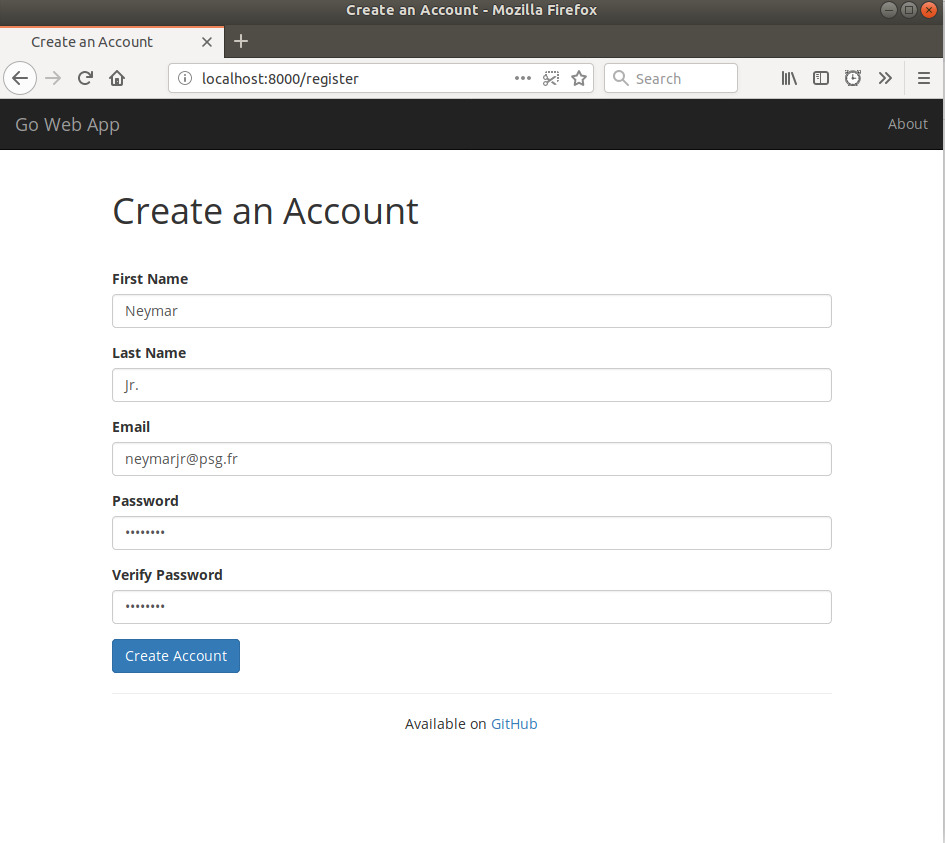
GoWebApp doesn't comes with default users, you can create your user at [http://localhost:8000/register](http://localhost:8000/register):
4. Stop and destroy the stack
```
docker-compose down
```
## Environment variables
The stack use default values for some configurations, you can define it exporting environments variables in your environment: `export VARIABLE_NAME=variable_value`.
- **APPLICATION_NAME**: the name of the application is used to define the database name and the apllication database user. Default value: "devops-challenge"
- **APPLICATION_PASSWORD**: password of the appllication database user. Default value: "defaultapppassword"
- **DATABASE_PASSWORD**: MySQL root user password. Default value: "defaultdbpassword"
- **RABBITMQ_PASSWORD**: RabbitMQ password used by Sensu server and clients. Default value: "defaultrabbitpassword"
- **DATABASE_MONITOR_USER**: username used by Sensu server to check MySQL status. Default value: "sensu"
- **DATABASE_MONITOR_USER_PASSWORD**: password used by Sensu to check MySQL status. Default value: "defaultmonitordatabasepassword"