https://github.com/jonaylor89/imagor-rs
https://github.com/jonaylor89/imagor-rs
Last synced: 11 months ago
JSON representation
- Host: GitHub
- URL: https://github.com/jonaylor89/imagor-rs
- Owner: jonaylor89
- Created: 2024-10-04T19:45:23.000Z (almost 2 years ago)
- Default Branch: main
- Last Pushed: 2024-11-05T05:30:06.000Z (over 1 year ago)
- Last Synced: 2025-09-03T05:43:59.991Z (11 months ago)
- Language: Rust
- Size: 1.34 MB
- Stars: 0
- Watchers: 1
- Forks: 0
- Open Issues: 0
-
Metadata Files:
- Readme: README.md
Awesome Lists containing this project
README
# imagor
imagor is a fast, secure image processing server and rust library.
imagor uses one of the most efficient image processing library
[libvips](https://www.libvips.org/). It is typically 4-8x [faster](https://github.com/libvips/libvips/wiki/Speed-and-memory-use) than using the quickest ImageMagick and GraphicsMagick settings.
imagor implements libvips [streaming](https://www.libvips.org/2019/11/29/True-streaming-for-libvips.html) that facilitates parallel processing pipelines, achieving high network throughput.
imagor features a ton of image processing use cases, available as a HTTP server with first-class Docker support. It adopts the [thumbor](https://thumbor.readthedocs.io/en/latest/usage.html#image-endpoint) URL syntax representing a high-performance drop-in replacement.
imagor is a rust library built with speed, security and extensibility in mind
### Quick Start
```bash
docker run -p 8000:8000 jonaylor89/imagor -imagor-unsafe -imagor-auto-webp
```
Original images:
```
https://raw.githubusercontent.com/cshum/imagor/master/testdata/gopher.png
https://raw.githubusercontent.com/cshum/imagor/master/testdata/dancing-banana.gif
https://raw.githubusercontent.com/cshum/imagor/master/testdata/gopher-front.png
```



Try out the following image URLs:
```
http://localhost:8000/unsafe/fit-in/200x200/filters:fill(white)/https://raw.githubusercontent.com/cshum/imagor/master/testdata/gopher.png
http://localhost:8000/unsafe/200x200/smart/filters:fill(white):format(jpeg):quality(80)/https://raw.githubusercontent.com/cshum/imagor/master/testdata/gopher.png
http://localhost:8000/unsafe/fit-in/-180x180/filters:hue(290):saturation(100):fill(yellow)/raw.githubusercontent.com/cshum/imagor/master/testdata/gopher.png
http://localhost:8000/unsafe/30x40:100x150/filters:fill(cyan)/raw.githubusercontent.com/cshum/imagor/master/testdata/dancing-banana.gif
http://localhost:8000/unsafe/fit-in/200x150/filters:fill(yellow):watermark(raw.githubusercontent.com/cshum/imagor/master/testdata/gopher-front.png,repeat,bottom,0,40,40)/raw.githubusercontent.com/cshum/imagor/master/testdata/dancing-banana.gif
```


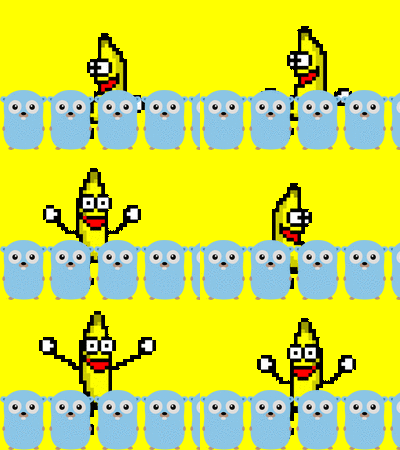
### Image Endpoint
imagor endpoint is a series of URL parts which defines the image operations, followed by the image URI:
```
/HASH|unsafe/trim/AxB:CxD/fit-in/stretch/-Ex-F/GxH:IxJ/HALIGN/VALIGN/smart/filters:NAME(ARGS):NAME(ARGS):.../IMAGE
```
- `HASH` is the URL signature hash, or `unsafe` if unsafe mode is used
- `trim` removes surrounding space in images using top-left pixel color
- `AxB:CxD` means manually crop the image at left-top point `AxB` and right-bottom point `CxD`. Coordinates can also be provided as float values between 0 and 1 (percentage of image dimensions)
- `fit-in` means that the generated image should not be auto-cropped and otherwise just fit in an imaginary box specified by `ExF`
- `stretch` means resize the image to `ExF` without keeping its aspect ratios
- `-Ex-F` means resize the image to be `ExF` of width per height size. The minus signs mean flip horizontally and vertically
- `GxH:IxJ` add left-top padding `GxH` and right-bottom padding `IxJ`
- `HALIGN` is horizontal alignment of crop. Accepts `left`, `right` or `center`, defaults to `center`
- `VALIGN` is vertical alignment of crop. Accepts `top`, `bottom` or `middle`, defaults to `middle`
- `smart` means using smart detection of focal points
- `filters` a pipeline of image filter operations to be applied, see filters section
- `IMAGE` is the image path or URI
- For image URI that contains `?` character, this will interfere the URL query and should be encoded with [`encodeURIComponent`](https://developer.mozilla.org/en-US/docs/Web/JavaScript/Reference/Global_Objects/encodeURIComponent) or equivalent
### Filters
Filters `/filters:NAME(ARGS):NAME(ARGS):.../` is a pipeline of image operations that will be sequentially applied to the image. Examples:
```
/filters:fill(white):format(jpeg)/
/filters:hue(290):saturation(100):fill(yellow):format(jpeg):quality(80)/
/filters:fill(white):watermark(raw.githubusercontent.com/cshum/imagor/master/testdata/gopher-front.png,repeat,bottom,10):format(jpeg)/
```
imagor supports the following filters:
- `background_color(color)` sets the background color of a transparent image
- `color` the color name or hexadecimal rgb expression without the “#” character
- `blur(sigma)` applies gaussian blur to the image
- `brightness(amount)` increases or decreases the image brightness
- `amount` -100 to 100, the amount in % to increase or decrease the image brightness
- `contrast(amount)` increases or decreases the image contrast
- `amount` -100 to 100, the amount in % to increase or decrease the image contrast
- `fill(color)` fill the missing area or transparent image with the specified color:
- `color` - color name or hexadecimal rgb expression without the “#” character
- If color is "blur" - missing parts are filled with blurred original image
- If color is "auto" - the top left image pixel will be chosen as the filling color
- If color is "none" - the filling would become fully transparent
- `focal(AxB:CxD)` or `focal(X,Y)` adds a focal region or focal point for custom transformations:
- Coordinated by a region of left-top point `AxB` and right-bottom point `CxD`, or a point `X,Y`.
- Also accepts float values between 0 and 1 that represents percentage of image dimensions.
- `format(format)` specifies the output format of the image
- `format` accepts jpeg, png, gif, webp, tiff, avif, jp2
- `grayscale()` changes the image to grayscale
- `hue(angle)` increases or decreases the image hue
- `angle` the angle in degree to increase or decrease the hue rotation
- `label(text, x, y, size, color[, alpha[, font]])` adds a text label to the image. It can be positioned inside the image with the alignment specified, color and transparency support:
- `text` text label, also support url encoded text.
- `x` horizontal position that the text label will be in:
- Positive number indicate position from the left, negative number from the right.
- Number followed by a `p` e.g. 20p means calculating the value from the image width as percentage
- `left`,`right`,`center` align left, right or centered respectively
- `y` vertical position that the text label will be in:
- Positive number indicate position from the top, negative number from the bottom.
- Number followed by a `p` e.g. 20p means calculating the value from the image height as percentage
- `top`,`bottom`,`center` vertical align top, bottom or centered respectively
- `size` - text label font size
- `color` - color name or hexadecimal rgb expression without the “#” character
- `alpha` - text label transparency, a number between 0 (fully opaque) and 100 (fully transparent).
- `font` - text label font type
- `max_bytes(amount)` automatically degrades the quality of the image until the image is under the specified `amount` of bytes
- `max_frames(n)` limit maximum number of animation frames `n` to be loaded
- `orient(angle)` rotates the image before resizing and cropping, according to the angle value
- `angle` accepts 0, 90, 180, 270
- `page(num)` specify page number for PDF, or frame number for animated image, starts from 1
- `dpi(num)` specify the dpi to render at for PDF and SVG
- `proportion(percentage)` scales image to the proportion percentage of the image dimension
- `quality(amount)` changes the overall quality of the image, does nothing for png
- `amount` 0 to 100, the quality level in %
- `rgb(r,g,b)` amount of color in each of the rgb channels in %. Can range from -100 to 100
- `rotate(angle)` rotates the given image according to the angle value
- `angle` accepts 0, 90, 180, 270
- `round_corner(rx [, ry [, color]])` adds rounded corners to the image with the specified color as background
- `rx`, `ry` amount of pixel to use as radius. ry = rx if ry is not provided
- `color` the color name or hexadecimal rgb expression without the “#” character
- `saturation(amount)` increases or decreases the image saturation
- `amount` -100 to 100, the amount in % to increase or decrease the image saturation
- `sharpen(sigma)` sharpens the image
- `strip_exif()` removes Exif metadata from the resulting image
- `strip_icc()` removes ICC profile information from the resulting image
- `strip_metadata()` removes all metadata from the resulting image
- `upscale()` upscale the image if `fit-in` is used
- `watermark(image, x, y, alpha [, w_ratio [, h_ratio]])` adds a watermark to the image. It can be positioned inside the image with the alpha channel specified and optionally resized based on the image size by specifying the ratio
- `image` watermark image URI, using the same image loader configured for imagor
- `x` horizontal position that the watermark will be in:
- Positive number indicate position from the left, negative number from the right.
- Number followed by a `p` e.g. 20p means calculating the value from the image width as percentage
- `left`,`right`,`center` positioned left, right or centered respectively
- `repeat` the watermark will be repeated horizontally
- `y` vertical position that the watermark will be in:
- Positive number indicate position from the top, negative number from the bottom.
- Number followed by a `p` e.g. 20p means calculating the value from the image height as percentage
- `top`,`bottom`,`center` positioned top, bottom or centered respectively
- `repeat` the watermark will be repeated vertically
- `alpha` watermark image transparency, a number between 0 (fully opaque) and 100 (fully transparent).
- `w_ratio` percentage of the width of the image the watermark should fit-in
- `h_ratio` percentage of the height of the image the watermark should fit-in
#### Utility Filters
These filters do not manipulate images but provide useful utilities to the imagor pipeline:
- `attachment(filename)` returns attachment in the `Content-Disposition` header, and the browser will open a "Save as" dialog with `filename`. When `filename` not specified, imagor will get the filename from the image source
- `expire(timestamp)` adds expiration time to the content. `timestamp` is the unix milliseconds timestamp, e.g. if content is valid for 30s then timestamp would be `Date.now() + 30*1000` in JavaScript.
- `preview()` skips the result storage even if result storage is enabled. Useful for conditional caching
- `raw()` response with a raw unprocessed and unchecked source image. Image still loads from loader and storage but skips the result storage
### Loader, Storage and Result Storage
imagor `Loader`, `Storage` and `Result Storage` are the building blocks for loading and saving images from various sources:
- `Loader` loads image. Enable `Loader` where you wish to load images from, but without modifying it e.g. static directory.
- `Storage` loads and saves image. This allows subsequent requests for the same image loads directly from the storage, instead of HTTP source.
- `Result Storage` loads and saves the processed image. This allows subsequent request of the same parameters loads from the result storage, saving processing resources.
imagor provides built-in adaptors that support HTTP(s), Proxy, File System, AWS S3 and Google Cloud Storage. By default, `HTTP Loader` is used as fallback. You can choose to enable additional adaptors that fit your use cases.
### Security
#### URL Signature
In production environment, it is highly recommended turning off `IMAGOR_UNSAFE` and setting up URL signature using `IMAGOR_SECRET`, to prevent DDoS attacks that abuse multiple image operations.
The URL signature hash is based on SHA digest, created by taking the URL path (excluding `/unsafe/`) with secret. The hash is then Base64 URL encoded.
An example in Node.js:
```javascript
const crypto = require('crypto');
function sign(path, secret) {
const hash = crypto.createHmac('sha1', secret)
.update(path)
.digest('base64')
.replace(/\+/g, '-').replace(/\//g, '_')
return hash + '/' + path
}
console.log(sign('500x500/top/raw.githubusercontent.com/cshum/imagor/master/testdata/gopher.png', 'mysecret'))
// cST4Ko5_FqwT3BDn-Wf4gO3RFSk=/500x500/top/raw.githubusercontent.com/cshum/imagor/master/testdata/gopher.png
```
#### Image Bombs Prevention
imagor checks the image type and its resolution before the actual processing happens. The processing will be rejected if the image dimensions are too big, which protects from so-called "image bombs".
Prepending `/params` to the existing endpoint returns the endpoint attributes in JSON form, useful for previewing the endpoint parameters. Example:
```bash
curl 'http://localhost:8000/params/g5bMqZvxaQK65qFPaP1qlJOTuLM=/fit-in/500x400/0x20/filters:fill(white)/raw.githubusercontent.com/cshum/imagor/master/testdata/gopher.png'
```